
Publish every format
Articles, newsletters, Notes, posts, threads, videos, and destination-specific versions.
Publish articles, Notes, social posts, and video everywhere your readers are. Narrareach learns which ideas land and helps you double down on the winners, in your voice.
Works with
Works great across 15 channels
 Substack NotesSubstack NotesSubstack ArticlesSubstack Articles
 MediumMedium
 LinkedIn PostsLinkedIn PostsLinkedIn Articles and NewslettersLinkedIn Articles and Newsletters
 X PostsX PostsX ArticlesX Articles
 ThreadsThreads
 BlueskyBluesky
 InstagramInstagram
 FacebookFacebook
 TikTokTikTok
 PinterestPinterest
 WordPressWordPress
 GhostGhost
Articles, newsletters, Notes, posts, threads, videos, and destination-specific versions.
Personal blogs, documents, MCP assistants, REST API, webhooks, n8n, and imports.
Work with teammates and guest authors while keeping every writer and approval distinct.
Bring publishing, performance, subscriber signals, and the next action together.
Connect the tools you already use
Bring in existing work, connect your AI assistant, or hand publishing to Narrareach from an automation. Everything enters the same queue.
Start with work you already published, drafted, or stored elsewhere, then publish back out.
Let compatible assistants work with the publishing context already inside Narrareach.
Let your CMS, database, or automation send work into the same queue your team uses.
Your stack
 Notion workspaceConnected
 Personal blogWatching
 WordPress sitePublishing
 Ghost publicationPublishing
 Claude via MCPReady
 Gemini via MCPReady
 Make automationActive
Publish from one place
Start from one source and prepare the article, newsletter, Note, video, post, or thread each destination requires.
Prepare long-form work once and publish it to every article destination at the same time.
Give every short-form destination its own version, media, timing, and mentions.
Keep the formatting and publishing controls each destination needs.
Distribution queue
Learn from every publishing cycle
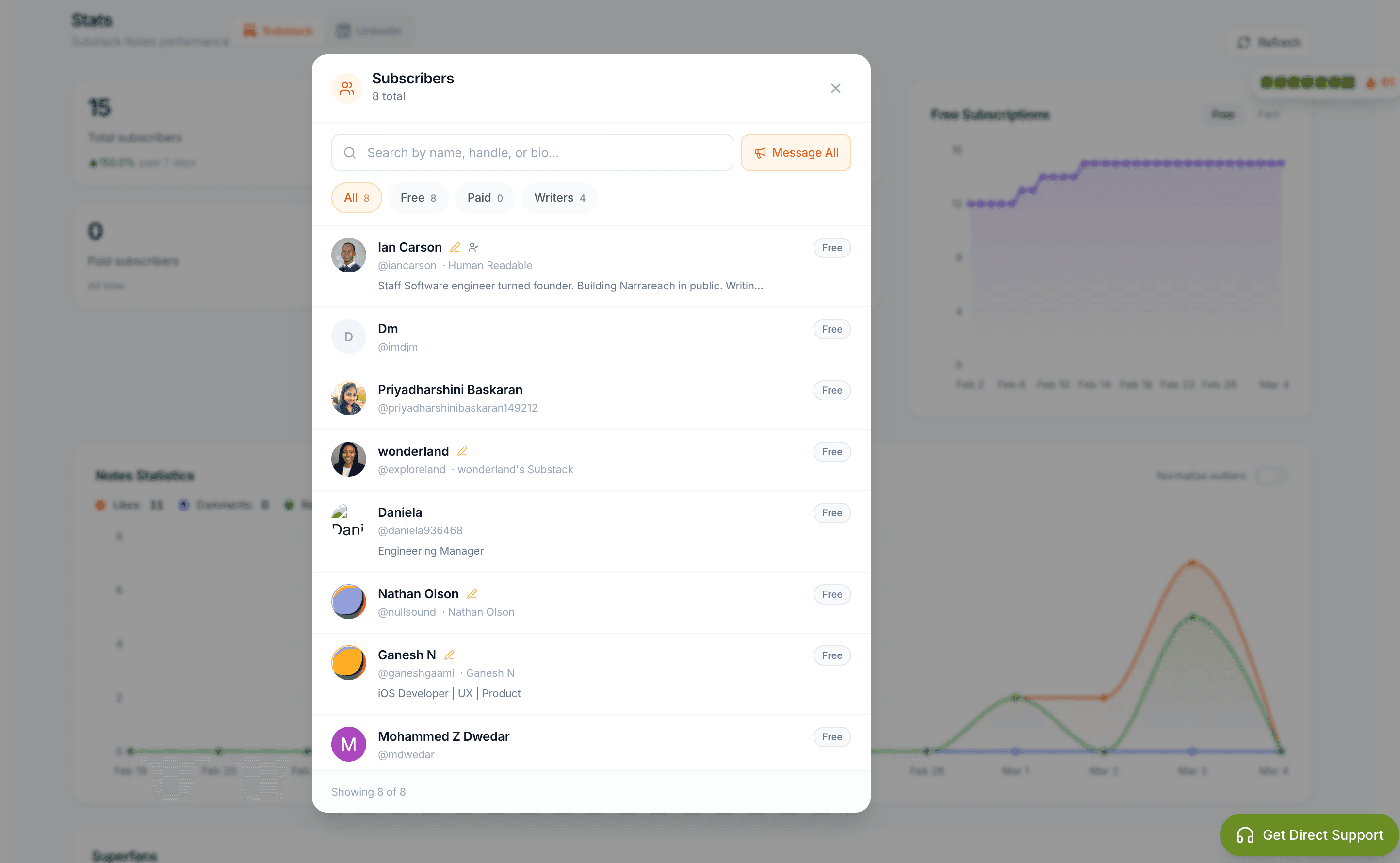
See what earns attention and subscribers, learn from proven patterns, and improve how your articles are discovered.
Review articles, Notes, traffic, subscriber movement, and available cross-platform results together.
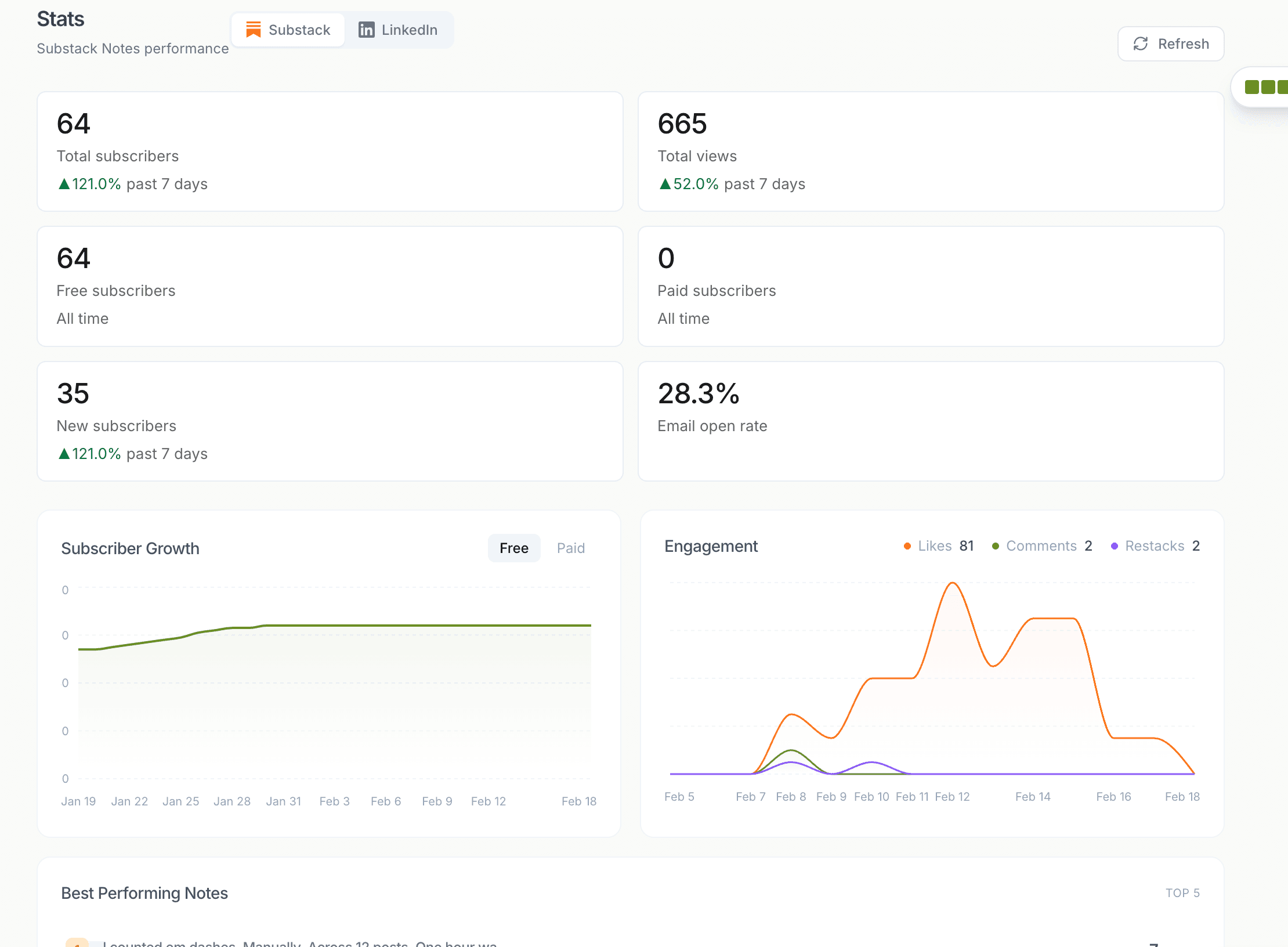
Study high-performing creators, formats, and structures as research, then develop the idea in your own voice.
Prepare useful search metadata without changing the headline and voice readers see.
Performance
Research
Always-on growth
Your best work keeps publishing, qualified readers receive the right follow-up, and a built-in research and content agent keeps finding what your audience needs next.
Narrareach automatically recirculates approved articles, Notes, and social posts on the schedule you choose.
Narrareach detects the interactions you choose and sends a relevant DM automatically from the right profile.
It continuously monitors your domain, then turns relevant signals into sourced briefs and content ideas ready for review.
Guest authors and teams
Invite people into the right draft, keep their writing and publishing identity distinct, and review their work without sharing platform passwords.
Give a teammate or guest author access to the work they need without exposing the entire account.
Attach each draft and publishing action to the correct writer, client, brand, or publication.
Route approved work through the teammate, guest author, brand, or publication responsible for it.
Audience relationships
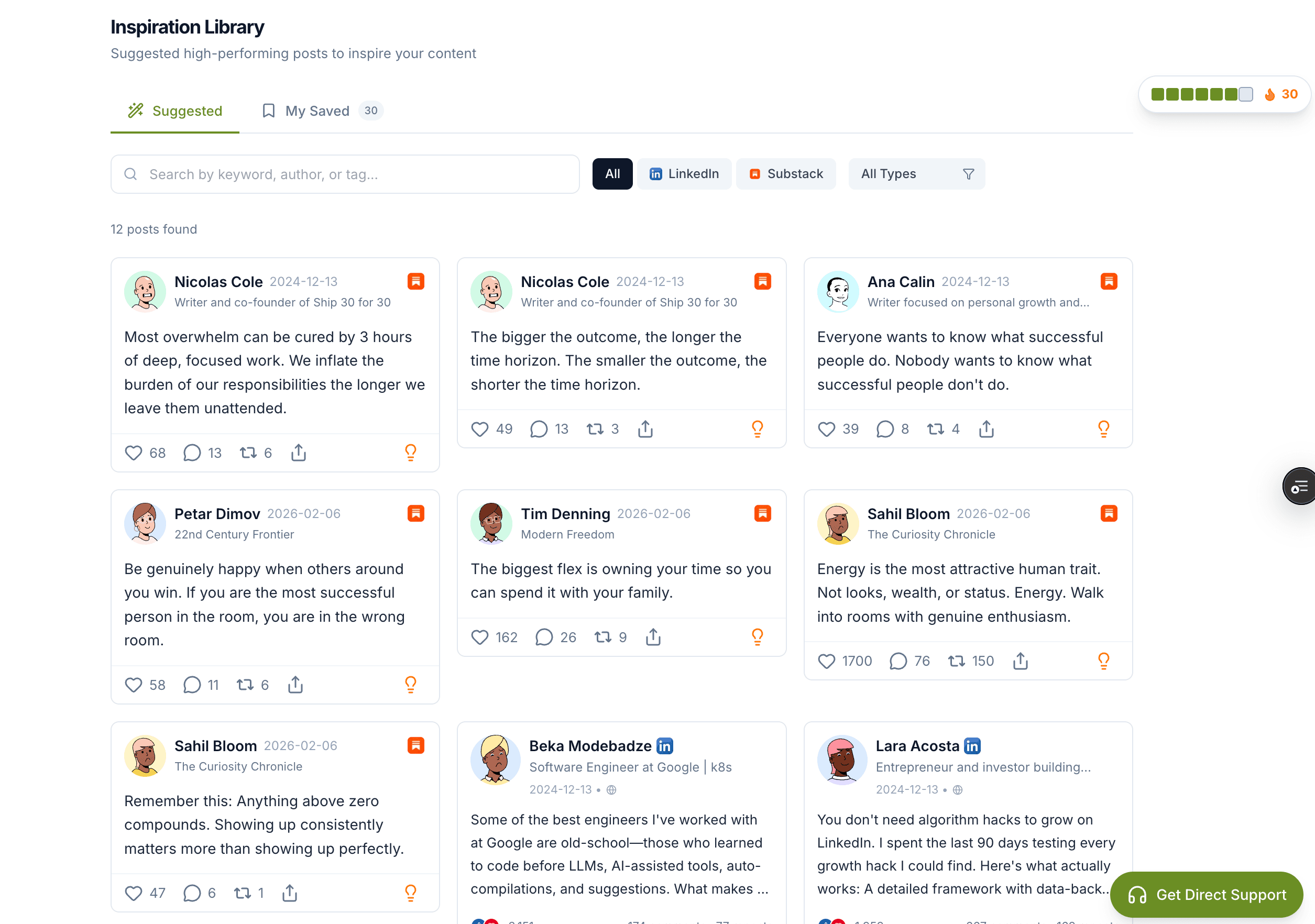
Bring reader activity into one place so you can respond sooner, follow important conversations, and keep publishing connected to the audience.
Review supported comments, replies, messages, and notifications without opening every platform separately.
Open the conversation beside the post, prepare a response, and keep the writer in control of what is sent.
Send subscriber messages and build follow-up sequences from the same publishing workspace.
Subscriber follow-up
Wall of love
We keep the wall messy on purpose—that's the point.
2,107+
users on the platform
15 min
to batch a week of Notes
15 destinations
From Substack and Medium to LinkedIn, X, Threads, and Bluesky
Major takeaway
Smoother publishing workflow
“Overall, Narrareach has made my content-sharing experience much smoother. I'd definitely recommend it to anyone looking to streamline their posting process.”

Eunice Zheng
Substack writer
Major takeaway
AI turns archive into drafts
“I love all the AI support, from generating notes from my already posted articles, to analyzing what is working best in my field, and even suggestions on how strong my note is.”
Neosol
Content creator
Major takeaway
15-minute weekly batching
“I was manually copy-pasting notes to LinkedIn every day. Now I schedule a week's worth in 15 minutes. My consistency went from 2 posts a week to 7.”

Tayyaba Akram
Substack writer
“Overall, Narrareach has made my content-sharing experience much smoother. I'd definitely recommend it to anyone looking to streamline their posting process.”
Eunice Zheng
Substack writer
“I love all the AI support, from generating notes from my already posted articles, to analyzing what is working best in my field, and even suggestions on how strong my note is.”
Neosol
Content creator
“I was manually copy-pasting notes to LinkedIn every day. Now I schedule a week's worth in 15 minutes. My consistency went from 2 posts a week to 7.”
Tayyaba Akram
Substack writer
“Cross-posting to LinkedIn used to eat my morning. Now I batch everything in Narrareach and my notes go out on time without me lifting a finger.”

Pawel Hadjan
LinkedIn writer
“My first experience of this extension was so amazing. Blown away.”

Gideon Alfonso Lopez
Writer
“I was blown away at how simple it is and how it worked straight out of the box.”

Gideon Adavize
Substack writer
“I've been using the Substack Notes Scheduler extension for a little while now, and I must say, it's been quite the handy tool for managing my writing schedule.”
Nicole Martinez
Substack writer
“Scheduling my Substack notes in advance changed the game for me. Narrareach keeps my audience engaged even when I'm off writing the next post.”

Jeremy Montes
Substack and Medium writer
And 800+ more writers publishing with Narrareach.
As seen on
Plans
Start small, then add the workflows that help your writing travel further.
7-day free trial on every plan. No card required.
Write consistently.
Billed as $199/year · Save $40.88/year
Standard support
Distribute everywhere.
Billed as $390/year · Two months free
Everything in Audience Builder, plus:
Priority support
Autopilot, in your voice.
Billed as $890/year · Two months free
Everything in Revenue Writer, plus:
Priority support
Used by writers who publish multiple times a week
Questions
Short answers for writers deciding whether Narrareach fits their publishing desk.
Sign up, use the product, and decide after a week. No credit card is required to start.
Try it for a week
No card. No forced demo. Thirty seconds and you are writing.
Narrareach LLM connector
Connect Claude, ChatGPT, Gemini, or any MCP-compatible agent to read drafts, schedule posts, and automate Substack, Medium, LinkedIn, X, Bluesky, and Threads workflows.