Editorial Calendar vs Content Calendar Guide
Your best article is finished. It's also sitting in drafts while three half-written Notes compete for your attention, your LinkedIn post gets pasted late at...
By Ian Kiprono
Your best article is finished. It's also sitting in drafts while three half-written Notes compete for your attention, your LinkedIn post gets pasted late at night, and Tuesday's slot is still blank because you hadn't decided whether it belonged to this week's theme or next week's launch. You're not short on ideas. You're short on a system that separates deciding what matters from deciding what ships on Friday at 9 a.m. That gap is exactly where publishing weeks fall apart.
Why My Publishing Week Kept Falling Apart
For six months, I published when a sentence felt ready. A finished Substack draft would sit unpublished for days, three Notes would sit half-finished in the composer, and a LinkedIn post would get copied over at 11 p.m. because nothing had been slotted in advance.
The pattern was expensive. I was adding only a handful of subscribers a week, and about 80 percent of my working hours went to copying and reformatting instead of developing the next idea. Protecting time for writing, for example through a simple block scheduling approach, helped me show up, but it didn't solve what shipped.

The 30-day test I ran
I ran both planning styles for 30 days. Week 1 held themes only, with no dated assets underneath them. Weeks 2 to 4 turned each theme into dated, assigned pieces with a channel and a timestamp.
The log for those later weeks was consistent. I shipped one flagship article a week, four to six Notes, and matching LinkedIn and X posts built from the same source idea.
- Week 1, themes only: I knew what the month was about, but individual slots slipped because nobody had turned a theme into a Tuesday Note or a Friday post.
- Weeks 2 to 4, themes plus assets: Each theme had child rows with dates, formats, and a status, so a missed slot was visible before the day arrived.
- On-time publication: It moved from roughly 40 percent of planned items to about 90 percent once each item had a real slot.
The stall wasn't a missing template. It was mixing theme decisions with publish-ready slots in the same document, then treating the result as a plan.
Early finding: A solo writer on one channel may not need two documents at all. The split earns its keep only when one idea has to travel.
That distinction, editorial calendar vs content calendar as decision rights rather than vocabulary, is what the rest of this test kept proving.
Editorial Calendar vs Content Calendar at a Glance
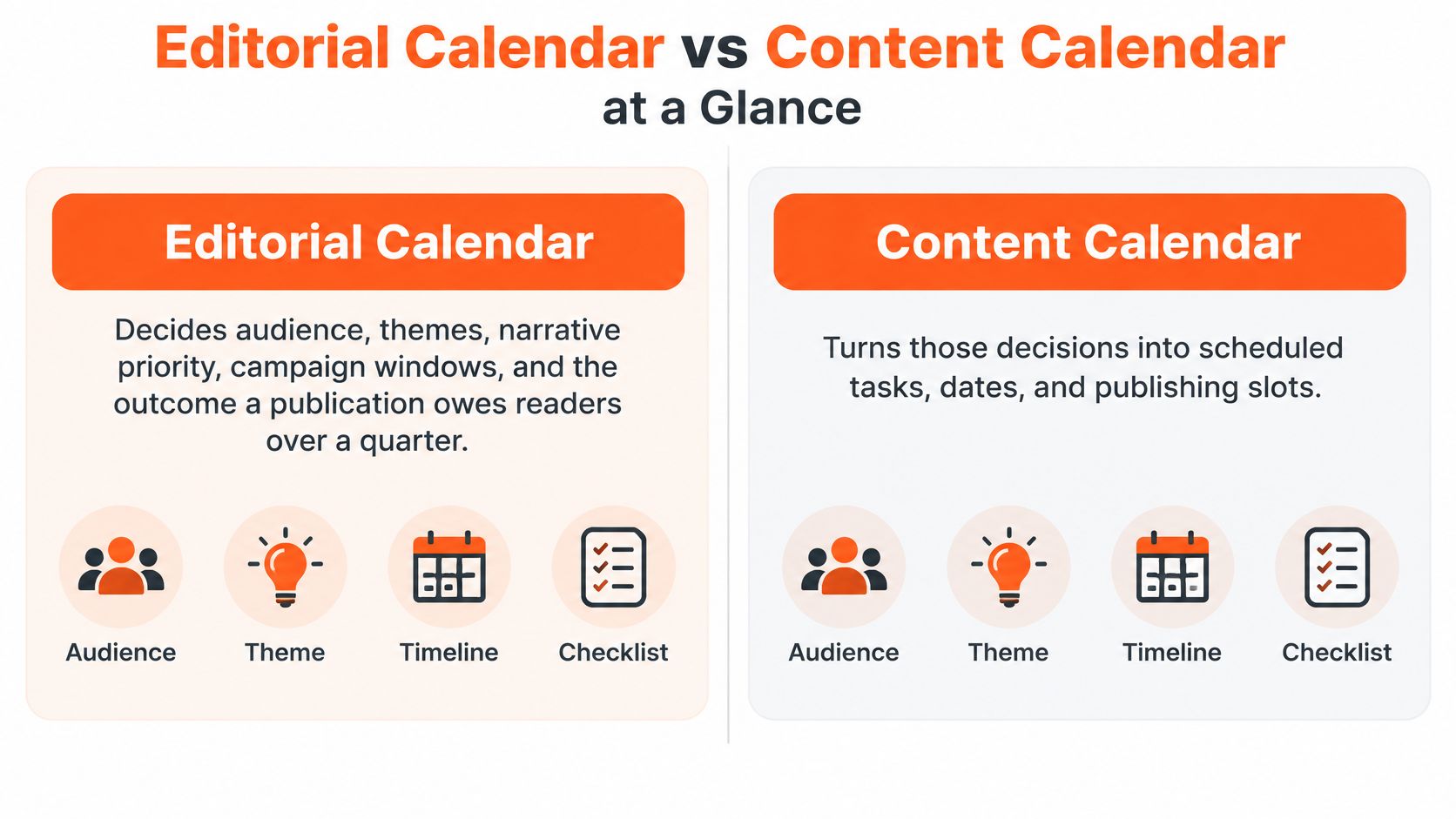
An editorial calendar decides audience, themes, narrative priority, campaign windows, and the outcome a publication owes readers over a quarter. A content calendar turns those decisions into assets with a channel, format, owner, status, and timestamp.
| Criterion | Editorial calendar | Content calendar |
|---|---|---|
| Planning level | Strategic control of themes and outcomes | Execution of individual assets |
| Horizon | Quarterly or monthly, sometimes annual | Weekly or daily publish slots |
| Core question | What should this publication stand for, and when | What ships, where, and in what form |
| Typical fields | Objective, audience, pillar, campaign window, success metric | Channel, format, owner, copy status, reviewer, timestamp, URL, repurpose status |
| Owner | Editor or writer setting the narrative | Producer, writer, or scheduler moving assets |
| Done looks like | Themes covered and a review of what resonated | Assets published on time and measured by channel |
Where the shared date grid came from
Both tools share a date grid because editorial planning began in print. The HubSpot guide to editorial calendar templates traces that origin to newspapers and magazines coordinating issue dates, contributors, deadlines, approvals, and the balance between evergreen and time-sensitive material. Online publishing kept the grid but added channels, adaptation, and measurement.
Print coordinated one issue date. You coordinate a newsletter, Notes, and social variants that all descend from one idea, which is why a single date column stops being enough.
What this looked like in the test
My editorial row for the month held four themes and one success signal per theme. The content rows underneath held the article, the Notes, and the social variants, each with its own slot.
Documentation alone doesn't close that gap. A 2024 Content Marketing Institute study cited in ClickMinded's content marketing strategy guide surveyed 1,186 global B2B marketers and found that 53% of top-performing marketers identified a documented content strategy as a factor in their success. Only about 29% of marketers with a documented strategy rated it extremely or very effective.
That's the proof point I kept coming back to. A date list is not a strategy, and a strategy without dated assets doesn't ship.
Tools you actually need
- Editorial layer: A shared spreadsheet or planning board is enough, with one row per theme and one column per month.
- Content layer: Add a status column, a timestamp column, and a link column that holds the live URL once each post publishes.
Keep the editorial layer if you only need rhythm. Add the content layer when one idea must leave the newsletter and live somewhere else.
What Each Layer Is Allowed to Decide
Treat editorial calendar vs content calendar as a question of decision rights. The editorial layer owns audience, pillars, campaign windows, and the metric that would make a theme worth repeating. The content layer can change packaging, length, and publish time, but it can't invent a new promise the month never approved.
That separation matches Kissflow's workflow guidance on editorial and content calendars, which describes the editorial calendar as the strategic control layer defining themes, campaigns, and audience priorities, and the content calendar as the execution layer converting those priorities into assets with a platform, format, owner, deadline, and publication time. Planning first, scheduling second keeps channel work connected to the narrative. If you're weighing scheduling against planning in your own week, that order is the whole argument.
One parent theme, four child assets
In week 2 of the test, one theme about a reader problem with inconsistent Notes became a small family of assets. Each piece kept a different job.
- One Substack article: It carried the full argument, the examples, and the recommendation.
- Four Notes: Each held a single observation from the article and linked back to it, rather than summarizing the whole piece.
- One LinkedIn post: It reframed the sharpest claim for a professional audience and pointed to the article.
- One short X thread: It broke the argument into a tight sequence and ended with the same link.
None of those child assets was allowed to change the claim. They could change the opening line, the length, and the publish time. The promise to the reader stayed fixed at the editorial level.
The parent-child chain
The data model that kept this honest runs in one direction. Campaign or theme leads to a source asset, which produces platform-specific variants, which occupy distribution slots, which generate subscriber or engagement outcomes.
Each layer needs its own fields to hold that chain together.
- Editorial fields: Objective, audience, pillar, campaign window, and success metric tell you whether a theme deserved its slot.
- Content fields: Channel, format, copy status, reviewer, scheduled timestamp, URL, and repurposing status tell you whether a specific asset is ready and where it landed.
A content slot without a parent theme is just a reminder.
That sentence became my filter. If a Friday post couldn't name its parent theme, it didn't get scheduled until the editorial decision existed.
The exception that keeps the system honest
A breaking or timely Note can skip the monthly theme. Life doesn't wait for your campaign window, and forcing every reactive post into a pillar makes the calendar fiction within a month.
Log it as an exception at editorial review instead. That way next month's plan doesn't pretend every post was planned, and you can see how much of your output was reactive versus deliberate. A high exception count tells you your themes are too rigid. A low one tells you the plan survived contact with reality.
Try this five-minute check before your next scheduling session. If two people on your team, or you on two different days, would schedule different topics for Friday, the editorial decision is still open. Close that decision first, then let the content calendar do its narrower job.
When One Calendar Beats Two
One calendar is enough when one person publishes on one channel and can hold the theme in their head. Two layers earn their keep when formats, contributors, or channels compete for the same draft.
| Situation | Use | Why | Watch-out |
|---|---|---|---|
| Solo writer, one newsletter | One combined calendar | Theme and date fit on one sheet | Notes start cloning the article |
| Solo writer, newsletter plus social | Two layers | One idea must change shape per channel | Social dates with no parent theme |
| Author plus manager | Two layers with named owners | Writing and analytics are different jobs | Unclear who moves a missed slot |
| Several brands or publications | Editorial layer per brand, shared production calendar | Narratives must not cross | Copying a winning post into the wrong brand |
Capacity, not terminology, drives that choice. Current Content Marketing Institute B2B research shows that 39% of B2B marketers struggle to create enough content and 37% struggle with content repurposing. You're coordinating limited drafts against multi-channel demand, so pick the structure that matches your load.
A solo Substack writer with one weekly post and a few Notes can run a single sheet with a theme column and a date column. Adding Medium, LinkedIn, or X is the point where the parent-child split starts paying off.
Team shape matters too. In a Narrareach team workspace, an Author writes and schedules articles, while a Manager also refreshes connections and views analytics, which is why named owners belong on the content layer once a second person touches the schedule.
In my test, the single-sheet week felt lighter, but one LinkedIn post repeated an angle the newsletter had already closed. The two-layer weeks took about 30 extra minutes and removed that repeat. Pick the row that matches next month's setup, not the most elaborate system.
Cadence Targets That Survive a Real Month
| Layer | Starting target | Review rhythm | Metric that matters |
|---|---|---|---|
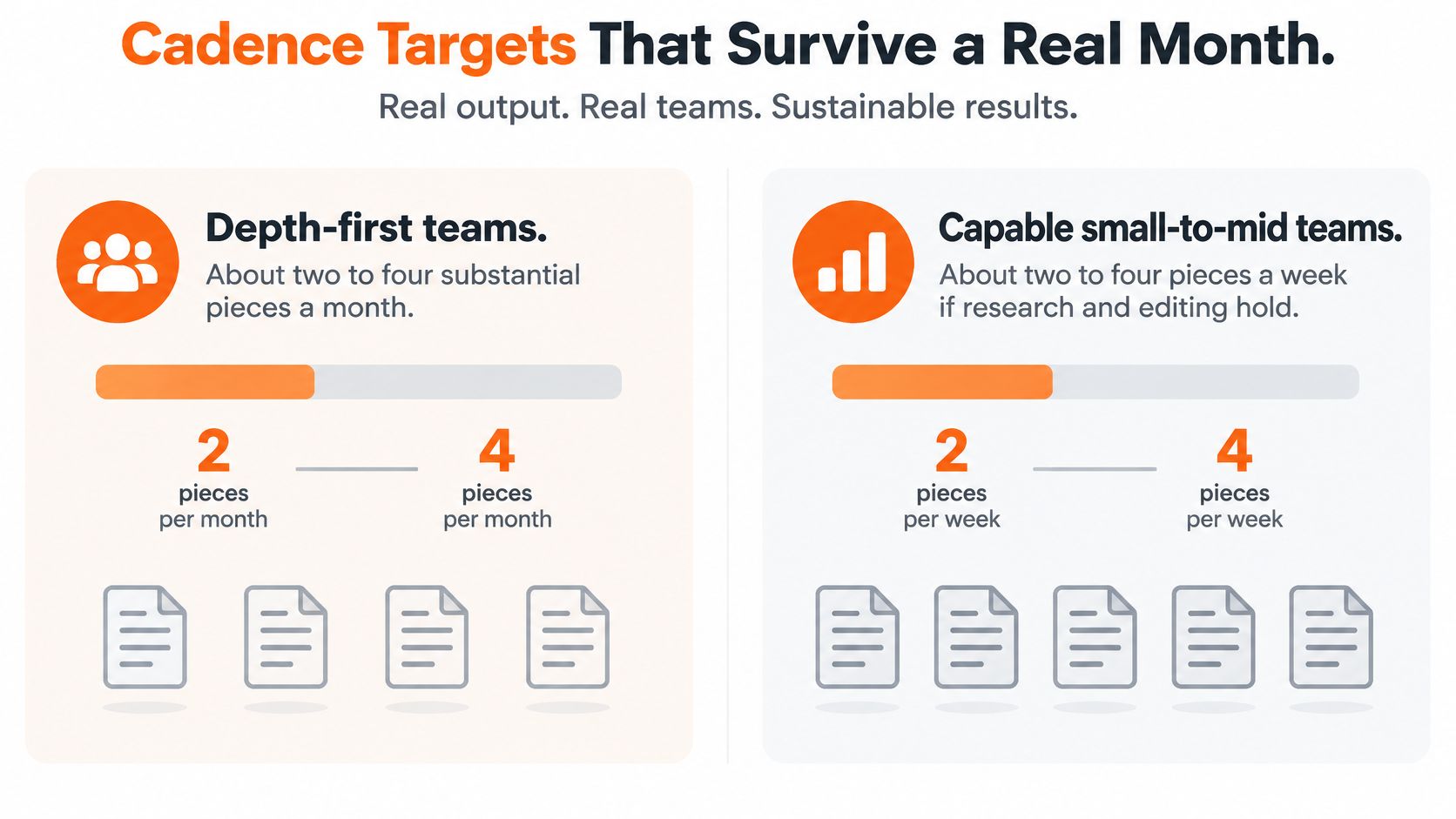
| Editorial, depth-first | 2 to 4 substantial pieces a month | Monthly, about 45 minutes | Theme completion and audience fit |
| Editorial, capable small team | 2 to 4 pieces a week if editing holds | Monthly theme check | Campaign coverage |
| Content, solo newsletter | 1 source article a week plus derivatives | Weekly, about 20 minutes | On-time rate and repurposing yield |
| Content, Notes | 4 to 6 Notes mapped to the same article | Before each publish day | Replies, restacks, subscriber movement |
| Both layers | 1 source article and 4 to 6 Notes a week | Friday plus month-end | Which source idea earned more distribution |
Treat the bands as capacity, not promises
Maximum volume is the wrong target. The Offshore Marketers content marketing benchmarks put depth-first teams at roughly two to four substantial content pieces per month, and small-to-mid-size teams at two to four pieces per week when they can maintain research, editing, and distribution quality. Both are capacity bands, not performance guarantees.
My practical start sat well below the top band. One high-quality source asset per week, expanded into channel-native derivatives, with a 20-minute scheduling review every Friday and a 45-minute editorial review on the last weekday of the month. If you're calibrating how often you should send a newsletter, weekly is a sensible starting point for long-form, while Notes can run more often for discovery without confusing them with the flagship.
When themes multiply, protect that rhythm and avoid project overload with Tuff as a useful reference for keeping parallel work visible instead of stacked in your head. The principle transfers directly to a publishing desk.
Measure each layer separately
- Editorial metrics: Theme completion, campaign coverage, and whether each asset matched its audience goal.
- Content metrics: On-time rate, approval cycle time, repurposing yield, engagement, click-through, and subscriber conversion.
In the test, one source article yielded five derivatives, so repurposing yield was 5. Friday review caught two slots that would have published the same sentence twice, which is the kind of small save a content layer makes routinely.
Analytics that show what works by content, topic, format, channel, and timing turn a reporting column into next month's theme list. Without that breakdown, you're logging numbers that can't change a decision.
Drop a slot before you drop quality. A thinner week that ships beats an ambitious week that collapses.
How to Run One Idea Across a Week
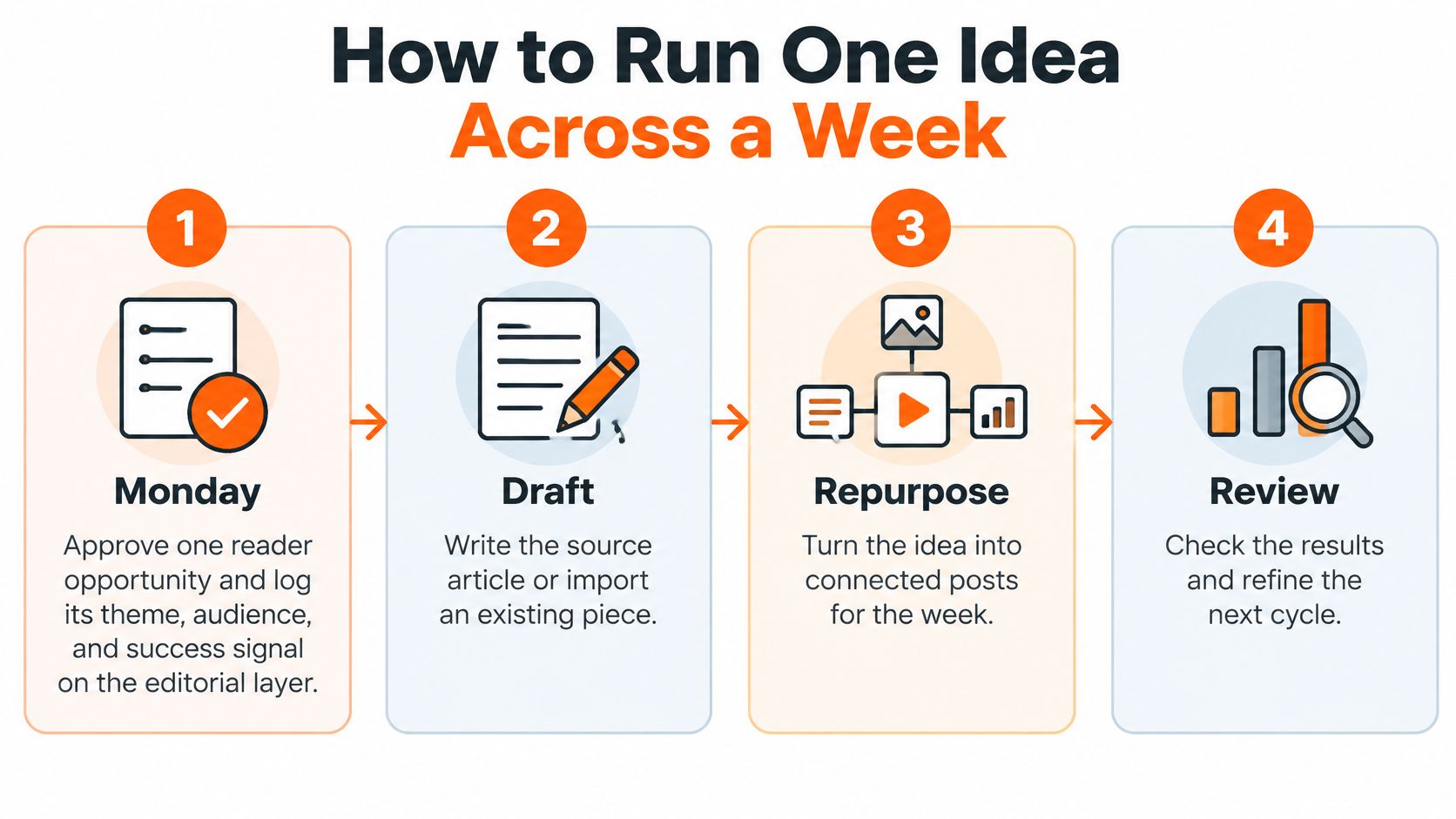
The five steps the test used
- Monday, approve the theme: Pick one reader opportunity and log its theme, audience, and success signal on the editorial layer before anything gets drafted.
- Draft the source asset: Write the article or import an existing draft, and invite a reviewer if someone else has to sign off before it moves.
- Cut the derivatives: Pull four to six Notes and one or two social posts that keep the same claim in your voice, using concrete content repurposing examples as a shape reference, with the first social post linking back to the article.
- Schedule across the week: Place the article in its weekly slot and spread the Notes across separate days so the idea gets repeated exposure instead of one spike.
- Friday, review and decide: Compare likes, replies, restacks, and subscriber movement, then mark whether the theme earns another cycle or gets retired.
The native Substack baseline
You can run this entirely inside Substack to start. Per Substack's help guide to getting started on Notes, on the web you open Create, choose Note, write it, click the calendar icon, pick a date and time, save, and confirm Schedule. On iOS and Android, you open the composer, tap the three-dot menu, choose Schedule, and select a time.
Scheduled Notes stay in the Drafts tab and can be edited until publication. Times are read in your local time zone, which matters if you're batching at midnight for a morning audience.
Where the native workflow strains
The limits are concrete. Documentation covered in this walkthrough of scheduling Substack posts and Notes notes that Notes can be scheduled up to three months ahead, but only one Note can be scheduled at a time, with no bulk import, bulk scheduling, queue reordering, topic organization, evergreen queues, or cross-platform publishing. A week of Notes means repeating the composer workflow for every item and manually unscheduling when the sequence changes.
That's where your content calendar has to hold the sequence the platform can't. It's also where Narrareach fits, after the theme is chosen rather than instead of it. One agent-powered editorial cycle takes an approved reader opportunity through signal analysis, campaign planning, draft creation, and a proposed distribution schedule.
Writers can start an article, Note, or social post from a blank page or import existing work, invite a team into the editor, then schedule and publish across supported destinations and compare performance. Every plan schedules Substack Notes and articles, so the batching you planned on paper becomes an actual queue instead of six separate composer sessions.
Close the loop with a small test. Run two weeks of scheduled Notes against your usual ad hoc posting, logged in the same fields for publish time, source article, and engagement. You'll learn more from that comparison than from any universal posting frequency.
Choose Your Calendar Before Next Monday
Circle one setup before Monday. Don't redesign your whole publication, just pick the row that matches your current load and run it.
If you're a solo newsletter writer
Start a one-page calendar with four weekly rows and a theme column. Ship one article plus the Notes you've already drafted, and hold the one-article-a-week target until your on-time rate sits near 90 percent. A ready-made content creation schedule template can hold those rows so you're filling fields instead of designing a system.
If one idea must reach other platforms
Split the page. Keep an editorial block for the month at the top and a content block for each dated slot below it, covering Medium, LinkedIn, or X as child rows of the same theme.
At the 45-minute month-end review, identify which source idea moved subscribers and give that theme another cycle instead of inventing four new ones. That's how audience growth compounds, since distribution follows evidence rather than a fresh guess each week. One Substack writer describes Narrareach's extension as a handy tool for managing their writing schedule, which matches the job here, keeping slots visible without nightly reshuffling.
- High intent, ready to batch and distribute: Put scheduling and distribution on one desk, batch your next article with its Notes, and publish to the destinations you already use, including Substack, from a single queue.
- Low intent, just building the habit: Copy the situation row you chose and run it for 14 days, logging publish time, source article, format, engagement, and subscribers for every item.
A clean split means fewer late-night pastes and distribution that follows the draft. Pick the action that fits your week and start there.
If your editorial decisions and your publish slots keep colliding, Narrareach gives you one desk to schedule Substack Notes and articles, repurpose each idea across Medium, LinkedIn, and X in your own voice, and see which themes drive subscribers. Visit Narrareach to batch next week's article and its Notes into one schedule, or start free and run your first two-layer week without juggling separate tools.