
What Is Social Media Calendar
A social media calendar is a strategic scheduling framework that organizes what content will be published, where it will appear, and when it goes live across...
By Ian Kiprono
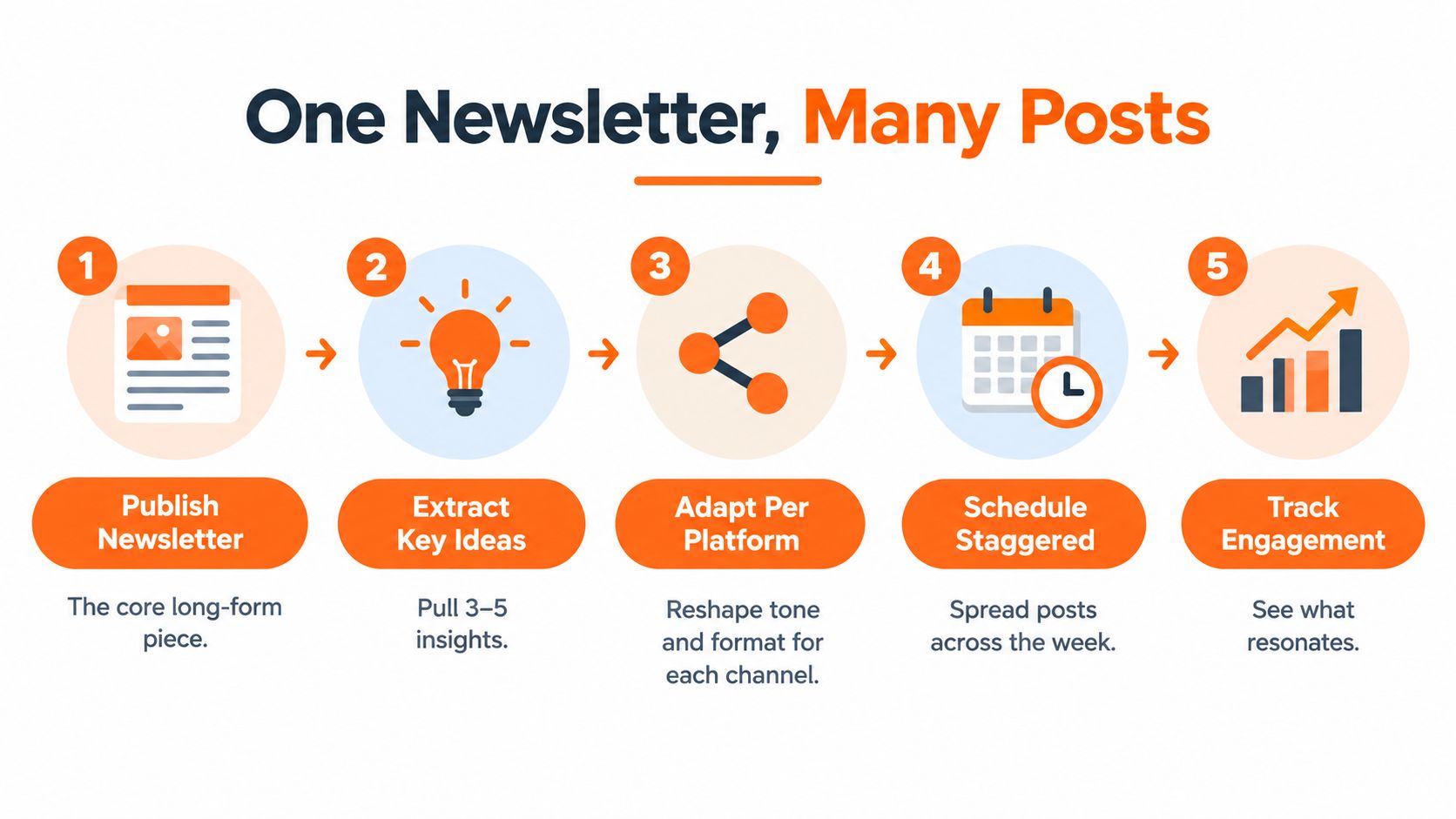
A social media calendar is a strategic scheduling framework that organizes what content will be published, where it will appear, and when it goes live across platforms. In practice, it tracks the publish date, time, network, copy, assets, tags, approvals, and ownership, turning one newsletter into a repeatable distribution system.
You publish a thoughtful Substack issue, close the laptop, and wait. The article took hours to write, but the result is a quiet dashboard and only a few new subscribers. You know the same idea could become a LinkedIn post, a Medium article, an X thread, and several Substack Notes, yet copying, pasting, trimming, formatting, and scheduling everything manually feels like another full-time job.
That gap is where writers lose momentum. The problem usually isn't a shortage of ideas. It's the absence of an operational layer that gets good ideas in front of readers consistently.
The Content Hamster Wheel and My 30-Day Experiment
I recognized the pattern after publishing a newsletter that had taken roughly 10 hours to write. The research was solid, the argument was clear, and the final draft sounded like me. After publication, I shared it once, checked the subscriber count, and moved on to the next issue because distributing the first one felt too cumbersome.
The next day, I opened LinkedIn and considered turning the newsletter into a post. Then I opened X and thought about writing a thread. Medium needed a different introduction, Substack Notes needed shorter observations, and every destination needed its own link and formatting. By the time I finished thinking about the work, I had done none of it.
That cycle resembles the classic content hamster wheel. Write, publish, scramble for distribution, feel disappointed, then write more in the hope that the next piece travels further. A content calendar management workflow helped me see the core issue: I was treating distribution as a collection of isolated tasks rather than a system.
The experiment changed the unit of work
For 30 days, I treated every newsletter as a source document instead of a finished distribution event. I created a calendar row for each possible derivative asset and gave every row a destination, format, status, and planned time.
The first change was psychological. I stopped asking, “What should I post today?” and started asking, “Which useful part of this newsletter belongs on which platform?” That question produced better decisions because it connected each post to an existing idea rather than forcing me to invent a new one under pressure.
I also separated writing from publishing. I drafted several adaptations together, reviewed them while the original argument was still fresh, and scheduled them instead of returning to the same newsletter every day.
Practical rule: A newsletter shouldn't disappear after publication. Treat it as the beginning of a distribution sequence.
The calendar didn't make weak writing persuasive, and it didn't guarantee subscriber growth. It did remove the repeated decisions that had been draining my attention. I could see which ideas were ready, which needed editing, and which platform still lacked a useful adaptation.
Industry adoption reflects the same operational shift. One recent guide reports that 92% of marketers use content calendars in 2026, compared with 85% in 2025 (industry guide on social media calendars). For independent writers, the lesson is practical: planning has become the infrastructure that protects publishing consistency, not an administrative extra.
Defining the Modern Social Media Calendar
A social media calendar is more than a list of dates. It's a workflow control system that records what will be published, where it will appear, when it will go live, who owns it, and whether it's ready.
The simplest definition is a strategic scheduling framework for coordinating content across platforms. A useful calendar connects the original idea to its adaptations, assets, links, approvals, and results. That distinction matters because a static date grid tells you that something is supposed to happen, while a workflow system tells you what must happen before publication.
The fields that make a calendar usable
For a writer distributing one long-form issue, each entry should include:
- Publish date and time: The intended moment the post goes live.
- Network: Substack Notes, LinkedIn, Medium, or X.
- Format: A Note, text post, article, thread, or link post.
- Copy: The platform-native version, not merely the newsletter excerpt.
- Asset and link: The image, document, or destination URL attached to the post.
- Content pillar: The recurring subject area the idea supports.
- Audience target: The reader segment most likely to find it useful.
- Workflow status: Draft, review, approved, scheduled, or published.
- Owner and approval: The person responsible for final copy, assets, and release.
- Performance notes: What happened after publication and what should change next.
This structure turns the calendar into a central source of truth. It can also help teams compare planned publishing with actual output and trace which assets lead readers toward engagement or subscriptions.
The historical movement is clear. Earlier planning guidance focused on visualizing strategy and coordinating people, while modern scheduling tools emphasize a centralized dashboard that can publish across networks without repeatedly logging into each application. A practical editorial calendar resource, including its guide to activar empleados LinkedIn, is useful for seeing how editorial planning can connect people, content, and publishing responsibilities.
Why centralization matters for writers
Nearly 50% of social media managers prefer scheduling at least a month ahead, according to a 2025 survey cited by Databox in Buffer's guide to social media content calendars. That preference isn't about removing spontaneity. It creates room for batch creation, approvals, and deliberate adaptation while leaving space for timely posts.
A basic spreadsheet can work when the workflow is small. It becomes fragile when one newsletter creates several posts, each with a separate format, link, asset, and publication state. A modern calendar gives every derivative asset a place in the system, so the writer can protect creative energy for the source material.
A deeper content calendar framework can help you choose the fields that fit your workflow. The principle is simple: the calendar should reduce coordination, not become another project that needs constant maintenance.
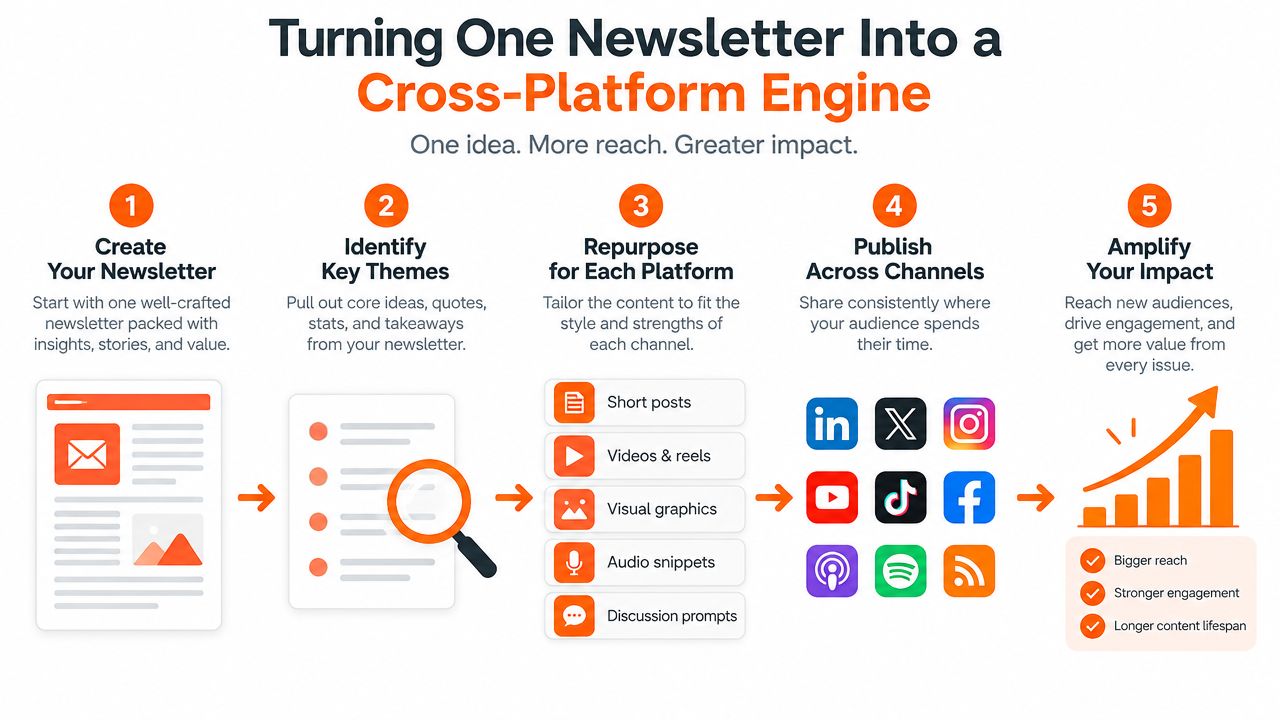
Turning One Newsletter Into a Cross-Platform Engine
The hardest part of repurposing isn't producing more words. It's deciding what deserves adaptation and how much the idea should change for each audience.
A newsletter often contains several layers: the central argument, supporting evidence, examples, objections, a personal observation, and a conclusion. Those layers can become different assets, but they shouldn't all be copied unchanged. Repetition happens when a writer treats every platform as a different slot for the same paragraph.
Give each platform a distinct job
I use the newsletter as the source and assign each channel a role:
- LinkedIn: Develop one practical claim into a self-contained professional insight. Keep enough context in the post that a reader gains value before choosing to visit the newsletter.
- X: Break the argument into a sequence of connected observations. A thread can expose the reasoning step by step, while a shorter post can test the sharpest sentence.
- Medium: Expand a selected idea into a standalone article with its own opening and structure. It shouldn't read like a truncated newsletter.
- Substack Notes: Share compact observations, questions, excerpts, or follow-up thoughts that invite conversation around the original issue.
This approach makes the calendar a distribution engine rather than a date grid. Each row answers three questions: what is the idea, who needs it, and why does this format fit that reader?
The scale of modern publishing makes that decision logic necessary. Major brands averaged 9.5 social posts per day across networks in 2024, and 82% of marketers said they actively repurpose content, according to EvergreenFeed's analysis of content repurposing. Those figures point to a bottleneck in distribution design. Publishing volume without adaptation creates noise and increases production fatigue.
Build the week around ideas, not identical posts
Suppose a newsletter argues that writers should stop measuring success by publication volume. The LinkedIn version might explain the operational cost of excessive output. The X thread could show the decision process for choosing fewer, stronger ideas. The Medium adaptation could examine the difference between an editorial backlog and a distribution backlog. A Substack Note could ask readers where their own process breaks.
The core idea remains recognizable, but every asset earns its place by doing a different job. I record the connection in the calendar with a shared campaign tag or source-issue reference.
A content repurposing workflow for writers can make this easier to repeat. The important discipline is to preserve the argument's substance while changing the entry point, pacing, and format.
A good repurposed post feels native to its platform and still points back to the writer's larger body of thought.
Workflows for Scheduling Substack Notes and Social Posts
Scheduling works best when the writer batches decisions before opening a platform. I start with the published or nearly finished newsletter, extract the ideas worth distributing, and assign each one a destination before drafting captions.
Substack now supports native Notes scheduling on web, iOS, and Android. Writers can choose a publishing time in their local time zone, and scheduled Notes remain editable in the Notes Drafts tab until publication, as described in Substack's announcement about Notes scheduling.
A practical batching sequence
- Select the source issue. Add the newsletter URL and its main topic to the calendar. Don't begin with a blank Notes composer.
- Extract the useful fragments. Mark the strongest claim, a supporting example, a practical instruction, and a question that could prompt a response.
- Assign destinations. Decide which fragment belongs on Substack Notes, LinkedIn, Medium, or X. One fragment may suit several platforms, but each version needs a different presentation.
- Draft in batches. Write all adaptations while the source argument is fresh. Store the copy, asset, link, and status together.
- Schedule and review. Check that links work, the tone fits the network, and the sequence doesn't publish the same idea too closely together.
On the Substack web flow, independent guidance says the calendar icon appears in the Notes composer. On mobile, the scheduling option sits inside the three-dot menu, and the same guidance says Notes can be queued up to three months ahead (Substack Notes scheduling instructions).
The native workflow is useful when Substack is your only destination. It becomes cumbersome when you also need to open LinkedIn, Medium, and X, adapt the formatting, attach the right assets, and verify each queue separately.
Centralized scheduling versus manual publishing
A centralized publishing tool can reduce tab switching by keeping the issue, derivative copy, status, and schedule in one workflow. Narrareach is one option for writers who want to schedule Substack Notes, Medium articles, LinkedIn posts, and X content from one dashboard, with cross-posting and content repurposing features.
The trade-off is control. Native scheduling gives you the platform's own interface and final review context, while a unified tool gives you a broader view of the publishing system. Either way, keep a human review step for links, voice, and platform fit. Automation should handle repetition, not replace editorial judgment.
For a more focused process, use this workflow for scheduling Substack Notes in bulk. The goal isn't to fill every available slot. It's to make each planned post intentional enough that publishing no longer depends on whether you have spare energy that afternoon.
Using Analytics to Optimize Timing and Cadence
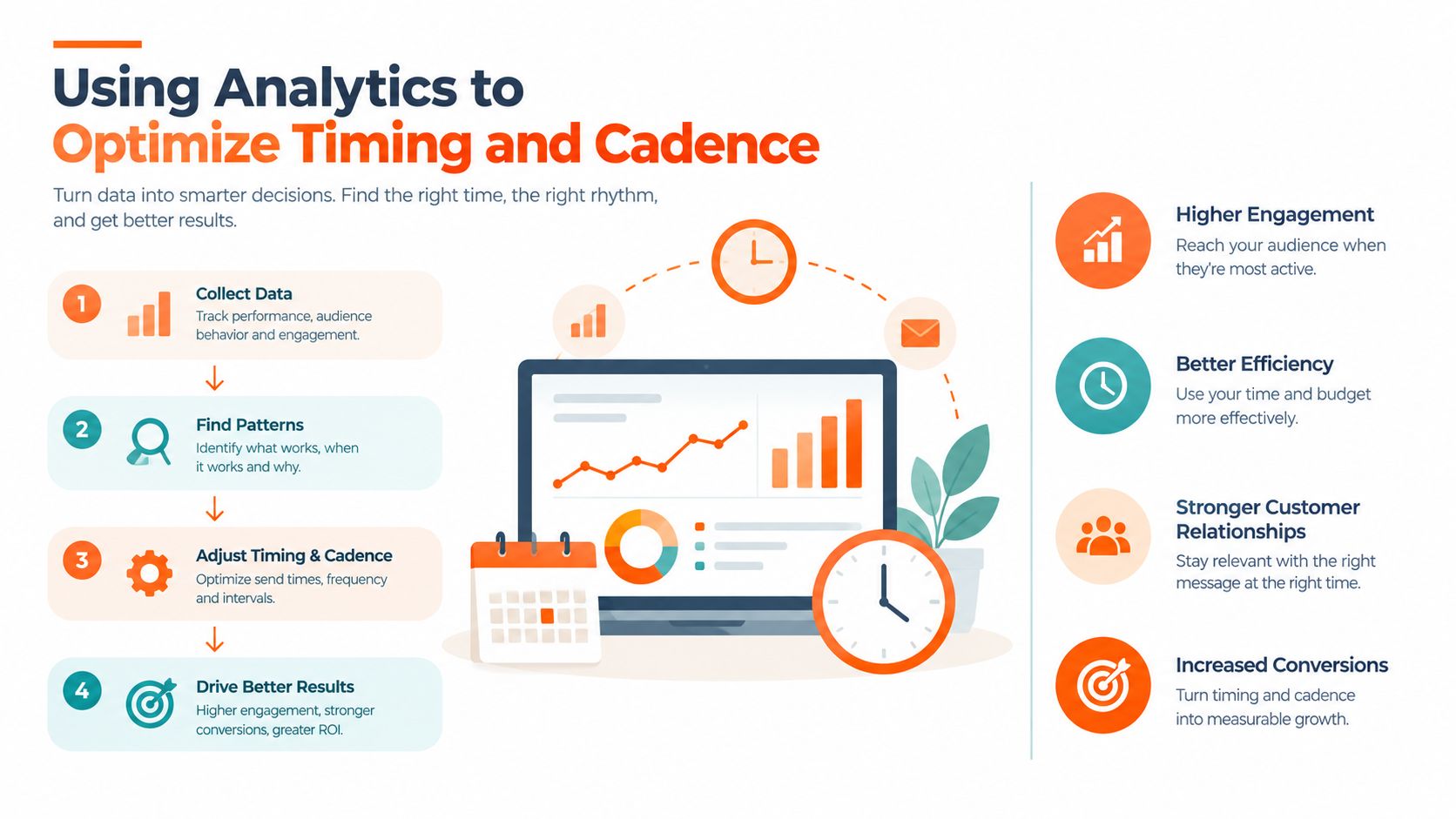
A calendar becomes valuable when it learns. If it only records what you intended to publish, it's an archive. If it records timing, format, audience response, and the next adjustment, it becomes a feedback loop.
Start by reviewing each platform's native analytics. Look for the periods when your audience is active, then compare those periods with the times your posts went live. Track useful outcomes for the writer's business, such as meaningful replies, link clicks, profile visits, and subscriber activity, rather than treating raw posting volume as progress.
Use benchmarks as starting points, not rules
Timing research can give you a testable starting schedule, but it shouldn't override your own audience data. Buffer reports these 2026 platform-specific windows: Facebook at 8 a.m., Instagram at 9 a.m. and 6 p.m. on weekdays, and LinkedIn from 3 p.m. to 6 p.m. Wednesday through Sunday (Buffer's 2026 timing data).
Those windows differ because networks have different usage patterns and content expectations. A newsletter writer should also account for the reader's next action. A LinkedIn post may work best when the audience has time to read a professional idea, while a Note may perform better when it invites a quick response during an active browsing period.
Use the benchmark to create a hypothesis:
- Test timing: Choose a small set of consistent windows for each network.
- Compare formats: Separate a short observation from a detailed argument.
- Watch downstream behavior: Check whether engagement leads to newsletter visits or subscriptions.
- Record the result: Add a short note to the calendar before planning the next cycle.
Cadence should protect quality
Consistency beats random bursts because it gives you a reliable way to learn. Buffer advises that a sustainable cadence such as three posts per week is generally more effective than sporadic bursts, while more active networks may require higher volume (Buffer's social media calendar template guidance).
Platform cadence also needs to be encoded separately. Hootsuite's guidance recommends 3 to 5 Instagram posts per week, 1 to 2 Facebook posts per day, and 2 to 3 X posts per day (Hootsuite's social media calendar guidance). These are planning references, not obligations. A solo writer should choose a rhythm that can survive busy weeks without turning every newsletter into a production emergency.
Don't optimize for the busiest calendar. Optimize for the calendar you can maintain, inspect, and improve.
At the end of each month, archive weak formats, expand ideas that generated meaningful reader response, and adjust the next schedule. That simple review turns analytics into editorial decisions instead of decorative reports.
Building Your Sustainable Distribution System
The system that finally made distribution manageable had four layers: one source newsletter, a bank of extracted ideas, platform-specific adaptations, and a calendar that connected scheduling with results.
The source issue remained the creative center. I didn't try to produce a separate original concept for every network. Instead, I created a deliberate trail from the long-form argument to smaller native pieces, then used performance feedback to decide which ideas deserved another treatment.
A calendar that supports the work
A sustainable setup should make the next action obvious:
- Source layer: Store the newsletter title, URL, central argument, and content pillar.
- Adaptation layer: Record the LinkedIn, Medium, X, and Notes versions separately.
- Operations layer: Assign dates, times, assets, links, statuses, and owners.
- Learning layer: Add the response, subscriber signal, and next experiment.
This structure prevents two common failures. The first is publishing once and abandoning a strong idea. The second is republishing the same copy everywhere until the audience stops paying attention.
The wider environment makes cross-platform coordination increasingly important. Global social usage reached 5.24 billion identities in 2025, according to the Digital GrowthHub social usage discussion. More potential readers don't automatically create more attention for an individual writer. They increase the value of a clear distribution system that adapts ideas to the places where readers already spend time.
What to automate and what to keep human
Automate repetitive scheduling, queue management, cross-posting, and format preparation where the tool supports those tasks. Keep the editorial decisions human: the claim, the point of view, the examples, the link destination, and the final voice check.
A calendar won't rescue content that has no clear audience or useful argument. It can, however, stop good work from being published once and forgotten. For independent writers, that is the central advantage. You grow more sustainably by extending the useful life of each strong idea, not by forcing yourself to write endlessly.
Start with your next newsletter. Give it a source row, extract several distinct ideas, adapt each one for a specific platform, schedule the sequence, and review what readers did. If that workflow feels right, use a Narrareach account to schedule Substack Notes and cross-platform posts from one dashboard, or subscribe to its newsletter for practical distribution strategies you can apply without changing tools.