Social Media Scheduling Calendar: Fields and Posting Times
You spent 10 hours on a newsletter, hit publish on Substack, and picked up 3 new subscribers. The sharpest line in it never reached LinkedIn, Medium, or X...
By Ian Kiprono
You spent 10 hours on a newsletter, hit publish on Substack, and picked up 3 new subscribers. The sharpest line in it never reached LinkedIn, Medium, or X because copying, reformatting, and reposting each version felt like a second job. By Friday you cannot remember what went where, what got skipped, or which post brought anyone in.
What a Social Media Scheduling Calendar Holds and Why It Matters
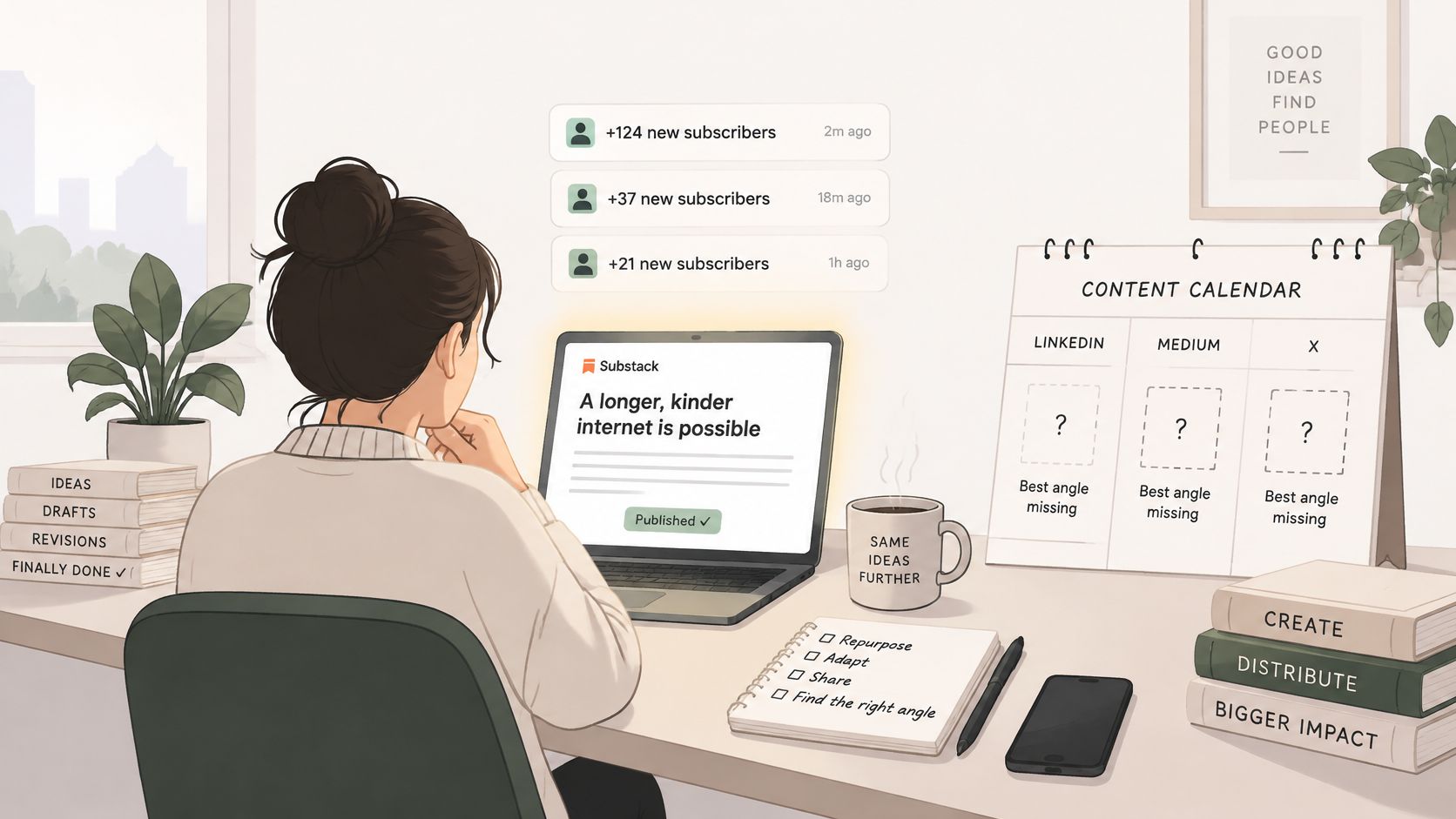
Say a writer publishes that newsletter on Tuesday morning. She means to pull a short Note from the opening, turn the main argument into a LinkedIn post, and break the examples into an X thread. None of it happens, because each version needs different formatting and she is already drafting next week's piece.
A social media scheduling calendar fixes that gap by holding every post in one shared view. For each item it records the platform, the format, the publish time, and the source article it came from. You stop relying on memory to decide what still needs distributing.
Think of it as a kitchen prep board. One batch of ingredients becomes several dishes, each timed so nothing sits forgotten while you cook something else. One essay becomes a Note, a thread, and a carousel, each slotted where it fits.
Why Memory Stops Working
The audience you're planning for is not sitting in one place. DataReportal's Digital 2025 research reported 5.24 billion active social media user identities worldwide in February 2025 and found 97.3% of connected adults used at least one social network or messaging platform each month. The typical internet user used an average of 6.83 social platforms per month.
That spread is the coordination problem. Your readers split attention across services with different formats, lengths, and time zones, so a single announcement post misses most of them. If you want background on structuring that plan, you can plan consistent content with Taja AI as a starting reference.
A good calendar answers three questions at a glance. What goes where, when it goes out, and in what form.
I would judge any calendar, spreadsheet or software, against those three questions first. If it cannot tell you which derivative posts came from which article, you can't learn which ideas travel and which die on one platform. That link between source and outcome is where the calendar earns its keep.
The Calendar Fields Every Post Should Record
A calendar that holds only dates is a reminder list. Add the right fields and it becomes a test log you can learn from.
| Field | What to record | Why it matters |
|---|---|---|
| Platform | Substack, Medium, LinkedIn, X, etc. | Each platform has its own audience and ranking system |
| Format | Note, article, carousel, thread, post | Format changes reach and effort |
| Audience time zone | Main reader location | Publish times shift by region |
| Topic | Single theme per post | Separates topic effects from timing effects |
| Hook | First line used | Lets you compare openings across posts |
| Publish time | Date and local time | Basis for timing tests |
| Source article | Link to the original piece | Shows which idea drove each derivative post |
| Reach and impressions | Platform analytics | Denominator for normalized rates |
| Engagement rate | Engagements divided by impressions | Comparable across posts and platforms |
| Clicks | Link clicks from the post | Measures movement toward the article |
| Subscriber conversions | New subscribers attributed to the post | Connects scheduling to growth |
| AI involvement and disclosure | Level of AI use and label used | Supports trust checks for high-risk content |
Why These Fields and Not Others
Define engagement rate as engagements divided by impressions, every time. Track subscriber conversions in their own column, separately from likes, because definitions vary across tools and platforms. A post with modest engagement that brings in subscribers beats a popular post that brings in none.
There's a reason to measure instead of assume. A 2023 peer-reviewed study of social media publishing found no measurable effect from publishing time, publishing frequency, or content length in its observed context. Feeds rank by predicted relevance, not pure chronology, so borrowed timing rules may do nothing for your account.
A Simple Two Week Test
Hold format and topic constant for two weeks and change only the publication window. Post the same kind of Note in a morning slot one week and an evening slot the next, then compare reach and subscriber clicks per post. Don't cross-post the same idea everywhere at the same time, since that hides which platform did the work.
The two fields writers skip most are source article and subscriber conversions. Without the first, you can't tell which essay keeps producing. Without the second, you're optimising for applause. Reviewing results in a proper content analytics dashboard gets easier once those columns exist.
Start today. Add these columns to a spreadsheet and fill in the first five rows from last month's posts before you schedule anything new.
Platform Posting Windows and Cadence Benchmarks
A benchmark is a prior: a starting guess that earns its slot only by beating your control. Treat every row in the table below that way.
| Platform | Strong window | Cadence signal |
|---|---|---|
| 8 a.m. to 12 p.m. on weekdays | Start with one weekday slot and test against a control | |
| 9 a.m. and 6 p.m. on weekdays | Test the morning slot against the evening slot | |
| 3 to 6 p.m. | Start at 2 to 5 posts per week; higher frequency lifts per-post reach | |
| TikTok | 6 to 11 p.m., with weekend strength | Test one weekday evening against one weekend evening |
| YouTube long-form | 6 to 10 p.m. Sunday to Tuesday | Test one upload per week in that window first |
| X | 8 to 11 a.m. on weekdays | Test weekday mornings against your current time |
| Substack Notes | Test morning against evening | One compact Note per day; test a short Note against a longer one |
Buffer's analysis of more than 52 million posts found those distinct high-engagement periods, with Facebook peaking on weekday mornings and TikTok in the evenings. Median engagement also differs materially by platform, which is why one shared schedule is inefficient. Posting everything at 9 a.m. everywhere suits nobody in particular.
What the LinkedIn Numbers Actually Say
Buffer's LinkedIn frequency analysis of more than 2 million posts found that posting 2 to 5 times per week was associated with an average increase of 1,182 impressions per post compared with posting once weekly. At 11 or more weekly posts, the increase reached 16,946 impressions per post with nearly three times the engagements of once-weekly posters.
That's an association across many accounts, not a promise for yours. It tells you frequency is worth testing on LinkedIn, and your own log tells you whether the lift shows up. Broader posting cadence advice from Blu Dragonfly makes a useful contrast when you set your starting frequency.
The Substack Notes row is a genuine gap. No published benchmark set covers it, so run morning versus evening as your first test rather than copying another platform's slot. Scheduling makes the test cheap, because a scheduled Note publishes without your computer staying on, which means you can run an evening slot without sitting at your desk. A closer look at the best time to schedule social media posts works through that testing logic in more detail.
Practical rule: Keep a slot only if it beats your control on clicks or subscriptions, not just likes.
Run it in three steps. Copy one slot from the table into your calendar, run it against a control window for two weeks, then keep or drop it based on conversions. Re-test after your audience grows or shifts geography.
How to Build Your First Weekly Calendar in Seven Steps
1. Pick two or three platforms where your readers already engage. Spreading across every network dilutes the effort you can put into formatting. Start where replies and clicks already happen, and add a platform only when the current ones run without daily effort.
2. Choose one source article and map its derivatives. Take a single essay and plan a Substack Note with its key line, a LinkedIn post with the main argument, an X thread, and a Medium adaptation. The original stays the anchor, and every row links back to it.
3. Set a cadence per platform you can sustain. A number you'll keep beats an ambitious one you'll abandon by week three. If you want a structured starting point, a content creation schedule template gives you the weekly grid to fill in.
4. Set starting time windows as priors to test. Pull each platform's slot from the benchmarks and mark one as the control. You're not committing, you're setting up a comparison you can read later.
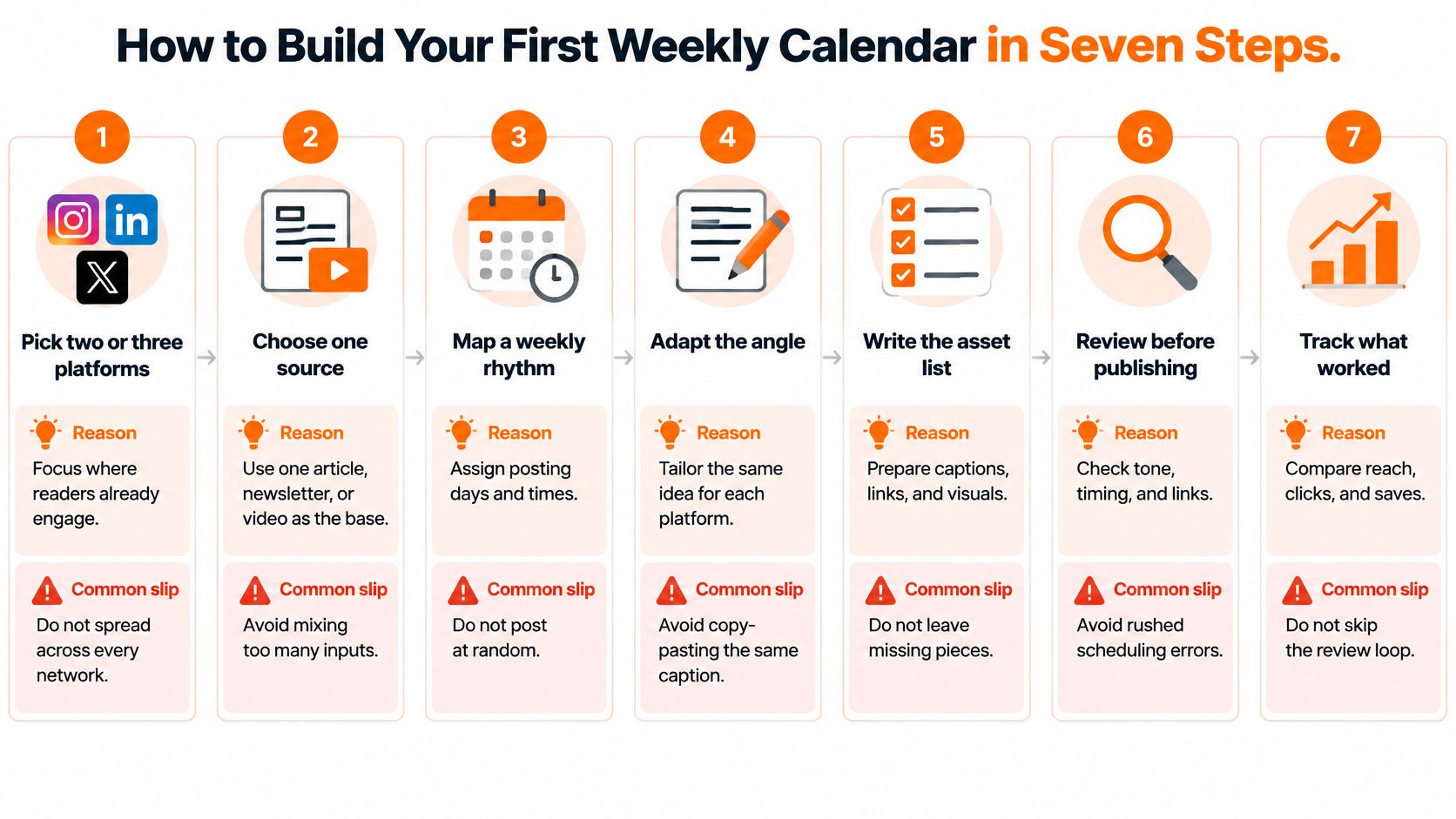
5. Reserve production time before you schedule anything. A survey of more than 500 social media marketers found content creation and approval averaged 5 hours per week, the single most time-consuming social media task. Block that work as its own calendar row, because scheduling posts you haven't written yet just moves the panic.
6. Batch-schedule the whole week in one sitting. List each post with its platform, time, and source article, then check every row before it goes live. With Narrareach, batch scheduling works by importing a CSV, assigning per-row times and platforms, and attaching Google Drive images during bulk scheduling. The common slip is scheduling every version at the same time, which hides causality and fatigues anyone who follows you in two places. If you're scaling this up, it helps to measure content quality at scale so volume doesn't erode standards.
7. Review after two weeks and keep what beats its control. Compare the logged fields side by side. Drop slots that only collect likes and keep the ones producing clicks and subscribers.
| Day | Platform | Format | Source | Window |
|---|---|---|---|---|
| Monday | Substack Notes | Compact Note with key line | Anchor essay | Morning test window |
| Tuesday | Post with main argument | Anchor essay | 3 to 6 p.m. | |
| Wednesday | X | Thread | Anchor essay | 8 to 11 a.m. |
| Thursday | Substack Notes | Longer Note with link | Anchor essay | Evening test window |
| Friday | Medium | Adaptation | Anchor essay | Control window |
| Saturday | Substack Notes | Compact Note | Second article | Morning test window |
| Sunday | Carousel | Second article | 6 p.m. |
Copy that grid into a spreadsheet and swap in your own anchor essay. You'll have a working week in under an hour.
Scheduling Substack Notes Without Burning Out
Start with the finding that shapes the whole approach. An analysis of 21 million Substack Notes found Notes between 250 and 299 characters averaged 24.5 likes, compared with 18.2 likes for all Notes, a 35% higher average. Short and specific beats long and occasional.
Frequency told a similar story in that same analysis. The most frequent posting group grew approximately 15 times faster than the least frequent group, while subscribers per Note stayed around 0.1 across all four frequency groups. Each Note does a small, steady job, so consistency matters more than any single post.
The Limits You Are Working Inside
Buffer's Substack support documentation notes that Substack Notes can contain up to 10,000 characters, and links count toward that limit in full. It also documents a channel limit of 100 Notes per channel per 24 hours. That ceiling sits far above what most writers need, so your real constraint is your own sustainable cadence, not the platform.
Draft longer Notes and links ahead of time rather than composing them in a rush. Once a Substack Note is scheduled in Narrareach, it can publish without your computer staying on, which protects your cadence on busy or offline days. Our guide to how you schedule Substack Notes covers the mechanics.
A Weekly Grid That Holds Together
Build the week around one compact Note per day, with a longer Note with a link twice a week. Then add the full Substack article as its own row in the week it publishes, with its companion Notes in the rows around it. The grid then shows announcements, supporting posts, and the article itself at a glance.
The goal isn't more Notes. It's a near-daily rhythm you can keep on your worst week, not your best one.
First week checklist:
- Draft seven compact Notes: Keep each close to that 250 to 299 character range.
- Add two longer Notes: Give each a link back to the anchor article.
- Place the article row: Put the full post in its publish slot with Notes either side.
- Stagger the windows: Run morning against evening so you learn something.
- Log results daily: Record likes and new subscribers per Note before you forget.
When Not to Automate Your Posts
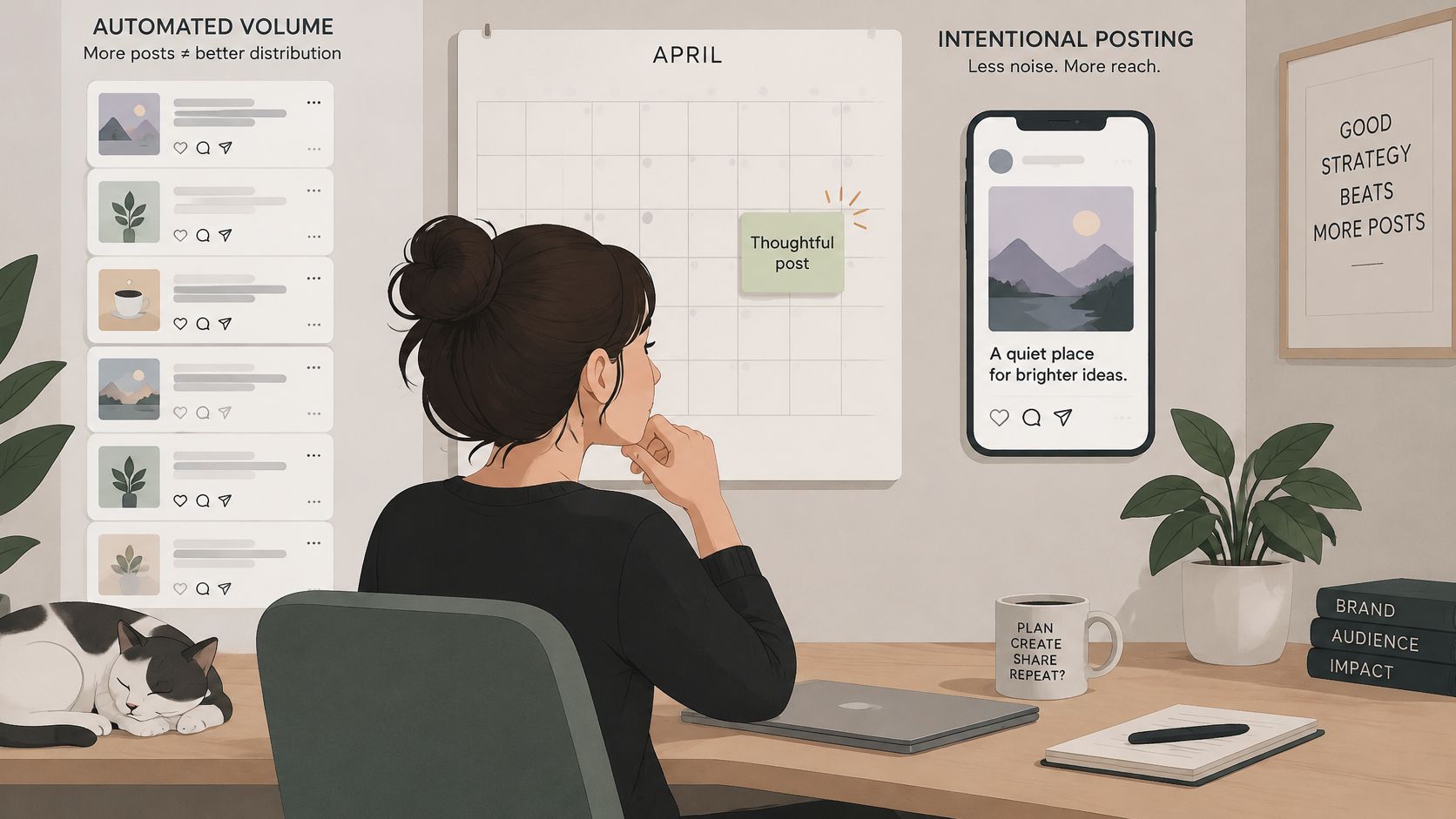
More output isn't always better distribution. Some content loses exactly what made it worth reading when you push it through an automated pipeline.
Research collected on Prolific's social media citations page describes generative AI increasing content volume and engagement while reducing perceived quality and authenticity, based on a controlled study citing a sample of 680 participants. Separate 2025 research with 236 valid participants found AI labels inform audiences about AI involvement but do not themselves establish authenticity. A label answers a disclosure question. It doesn't make readers trust the post.
Three Risk Levels for Your Calendar
- Low-risk operational reuse: Reformatting a fact list or resharing a link roundup. Automate freely.
- Medium-risk adaptation: Turning an article into a Note or thread. Automate the scheduling, but adapt the wording by hand.
- High-risk editorial content: Anything resting on personal experience, trust, sensitive claims, or a distinctive voice. Require a human rewrite before it goes near a queue.
For that third group, add fields most calendars lack: source article, transformation level, AI involvement, disclosure requirement, and audience response. An authenticity-aware calendar flags these posts so they get a deliberate decision instead of blind cross-posting.
The short video below walks through the trade-off between automated volume and intentional posting.
Before any post is scheduled, answer four questions:
- Does this depend on my voice or experience to land?
- Would a reader feel misled if they knew how it was made?
- Does this platform need its own version rather than a copy?
- What happens to trust if this reads as generic?
If any answer gives you pause, pull it out of the automated queue.
How Narrareach Fits the Calendar Workflow
Judge any scheduling tool against the calendar you just built. It should spread each platform's posts across the windows you set, preserve the link back to every source article, and keep your test fields attached to each item. Here is how Narrareach handles that workflow.
1. One dashboard, controlled cadence. Schedule Substack Notes, Medium articles, LinkedIn posts, and X content from one place, with cadence controls that keep each platform's output spread across the week rather than going out in a single blast. The same idea can also reach Bluesky, Threads, Instagram, Facebook Pages, TikTok, and Pinterest without being rebuilt from scratch.
2. Bulk import with per-row control. Upload the week's posts as a CSV, assign each row a time and a platform, and attach Google Drive images during the same scheduling pass. A Saturday Note and a Tuesday LinkedIn post get their slots in advance, so nothing collides on the day itself.
3. Substack publishing on schedule. Once a Note or article is scheduled, it publishes at the set time without your computer staying on. That is what makes a near-daily Notes cadence realistic for a solo writer. If you work with a team, a Manager can schedule articles to your Medium or LinkedIn through your own connections, while posting Notes and publishing immediately stay with you.
4. A review step before flagged content goes out. TikTok scheduling pauses for you to check the photos and caption and confirm approval first. For the high-risk editorial posts your authenticity fields flag, that kind of deliberate confirmation is the default you want before anything enters a queue.
5. Recirculation and results attached to the post. Approved articles, Notes, and social posts run again on the schedule you choose, and reach, clicks, and subscriber signals sit alongside each scheduled item. Comparing a test slot against its control takes minutes rather than an afternoon of tab switching. The content scheduler shows the full layout.
The outcome writers care about is simple. You spend fewer hours copying and reformatting, your Substack output holds steady on busy weeks, and each batch of results makes the next calendar smarter. Once you start batching, the scheduling value shows up fast, and growth comes from that loop, one well-distributed article at a time.
Start Your Calendar This Week
Three actions get you moving without a tool switch or a big planning session.
Choose your two or three platforms. Pick where readers already respond, and ignore the rest for now. Fill in the field template for your last ten posts, including source article and any subscribers each one brought in, so you start with a baseline instead of a blank page. Schedule seven posts using the benchmark windows, with at least one control slot to compare against.
Block your production time first, before any scheduling starts. Writing and approving the posts is the slow part, and a calendar full of slots you haven't written yet just creates deadline debt. Write the batch, then schedule the batch.
Then pick whichever next step fits where you are.
Ready to run it in one place: Explore Narrareach and build this first week's calendar there, scheduling Substack Notes, Medium articles, LinkedIn posts, and X content from a single queue. Every plan schedules Substack Notes and articles, and approved pieces can recirculate automatically on the schedule you choose, so your best work keeps finding new readers.
Not ready to switch tools: Subscribe to the newsletter for the next calendar template and follow along on LinkedIn. You'll get the field layouts and test setups as they're published, and you can run them in a spreadsheet indefinitely.
Either way, log your first two weeks of results. The calendar only starts teaching you something once the numbers are in.
If the copy and paste grind is eating the hours you should spend writing, Narrareach lets you schedule Substack Notes, articles, and social posts from one calendar and turn each piece into platform-ready distribution. Set up your first week, log what converts, and let your best ideas keep working while you write the next one.