What Is Content Curation? a Practical Guide for Writers
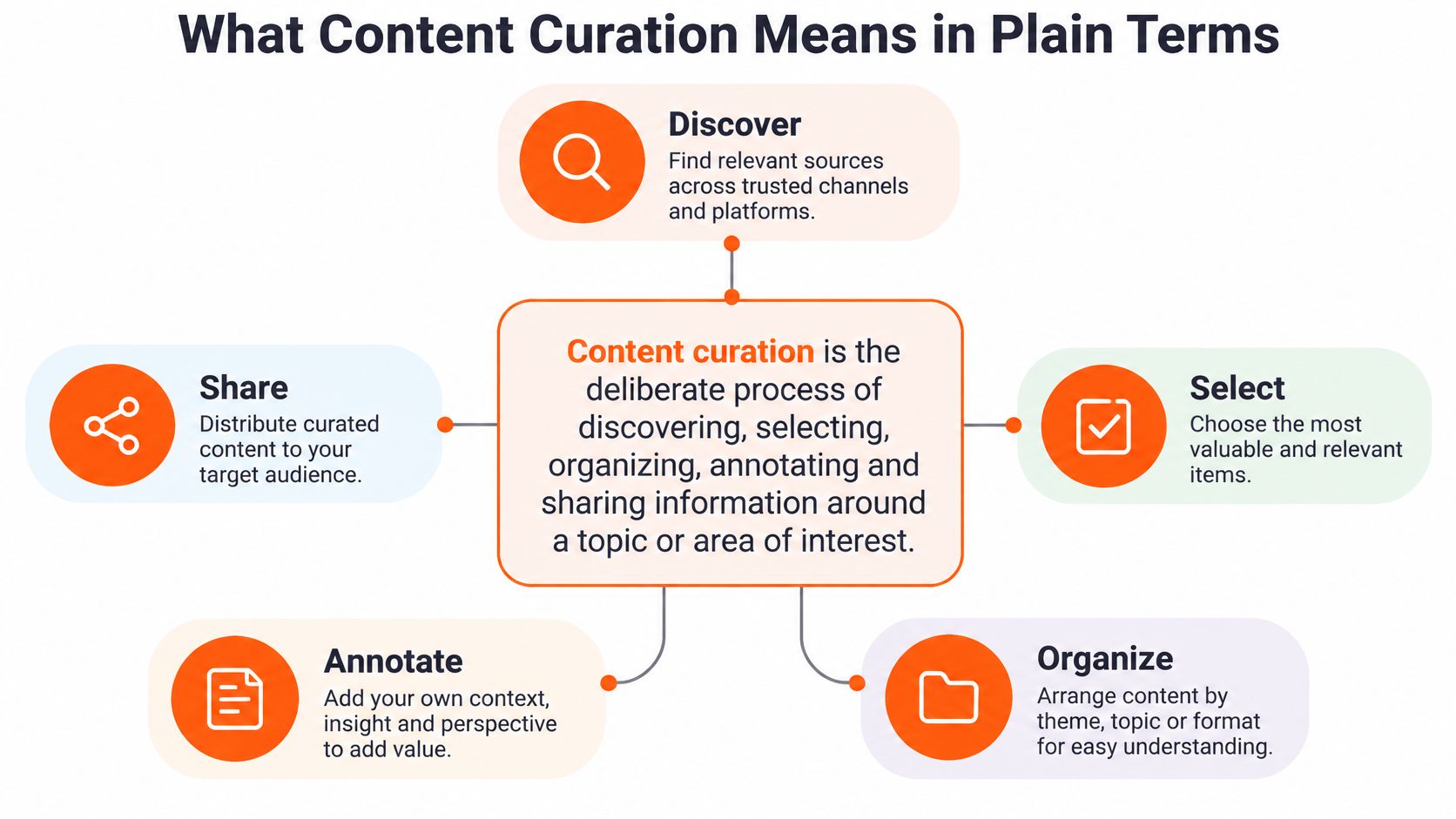
Content curation is the deliberate process of discovering, selecting, organizing, annotating and sharing information around a topic or area of interest. If...
By Ian Kiprono
Content curation is the deliberate process of discovering, selecting, organizing, annotating and sharing information around a topic or area of interest. If you've got a folder full of saved articles but nothing useful ready to publish, the missing piece isn't another link, it's deciding what deserves your readers' attention and explaining why.
You've already done plenty of reading. Your newsletter is published, your bookmarks are overflowing, and your social feeds still need something worth saying. Meanwhile, you're staring at another blank draft instead of making better use of the ideas you've already found.
Why Good Ideas Stall on One Platform
Say you publish a 2,000-word newsletter on Tuesday. Three people reply. By Friday, you can't find it in your feed, and you're already worrying about next week's issue.
Those are hypothetical numbers, but the situation is familiar: you've finished the writing without finishing the distribution. Your central argument could start a LinkedIn discussion, support an X thread, or become a Substack Note. Instead, adapting it feels like another writing assignment.
The gap isn't necessarily a shortage of original ideas. You need a way to decide which ideas deserve another outing, what context they need, and where readers will find them useful.
Practical rule: Before opening a blank document, check whether something you've already read or written answers a question your audience is asking.
Curation supplies that editorial judgment. It helps you connect your work with relevant outside sources rather than repeating the same promotional excerpt everywhere.
A useful result for this week is straightforward: a working definition, a repeatable selection process, and a realistic plan for taking an existing idea beyond its original inbox.
What Content Curation Means in Plain Terms
Content curation means deliberately discovering, selecting, organizing, annotating and sharing information around a topic or area of interest. The important word is deliberately. You're choosing material for a reader, not just saving whatever catches your eye.
Think of a museum curator. They don't paint every work on the wall. They choose the collection, arrange it, and write labels that help visitors understand what they're seeing.
That analogy has historical roots: the Cambridge-hosted paper on cognitive content curation traces collection curation back to Ancient Rome and describes the growing digital organization challenge associated with the U.S. National Science Foundation's Digital Library Initiative in the early 1990s.
The process is easier to recognize when you separate its component actions.
Curation compared with related activities
| Activity | What It Adds | Editorial Effort | Value to the Reader |
|---|---|---|---|
| Reposting | Nothing beyond a share | Low | Little beyond discovery |
| Aggregation | Automated collection, often without annotation | Medium | Convenience with less judgment |
| Content curation | Summary, tags, quotation, context and a reason to read | Medium to high | A filtered, navigable path through sources |
| Original creation | Newly written analysis or reporting | High | Fresh information and an original viewpoint |
These activities can overlap. A newsletter might contain original analysis followed by curated reading recommendations. An automated collection can supply candidates, but someone still needs to decide which deserve publication.
Repurposing isn't automatically curation, either. Turning your essay into shorter posts is repurposing. Selecting its strongest argument, comparing it with another source, and explaining the connection adds a curatorial layer.
Suppose you share an article about subscription pricing. A bare link leaves readers to work out its relevance. A summary explaining that its advice suits established publications but may not suit a new newsletter gives them a reason to read critically.
Use this test: does your summary, tag, quotation, or explanation help the reader understand the item? If it does, you're adding editorial value. If you only pass along the link, you're reposting.
How Curation Works Through Seek, Sense and Share
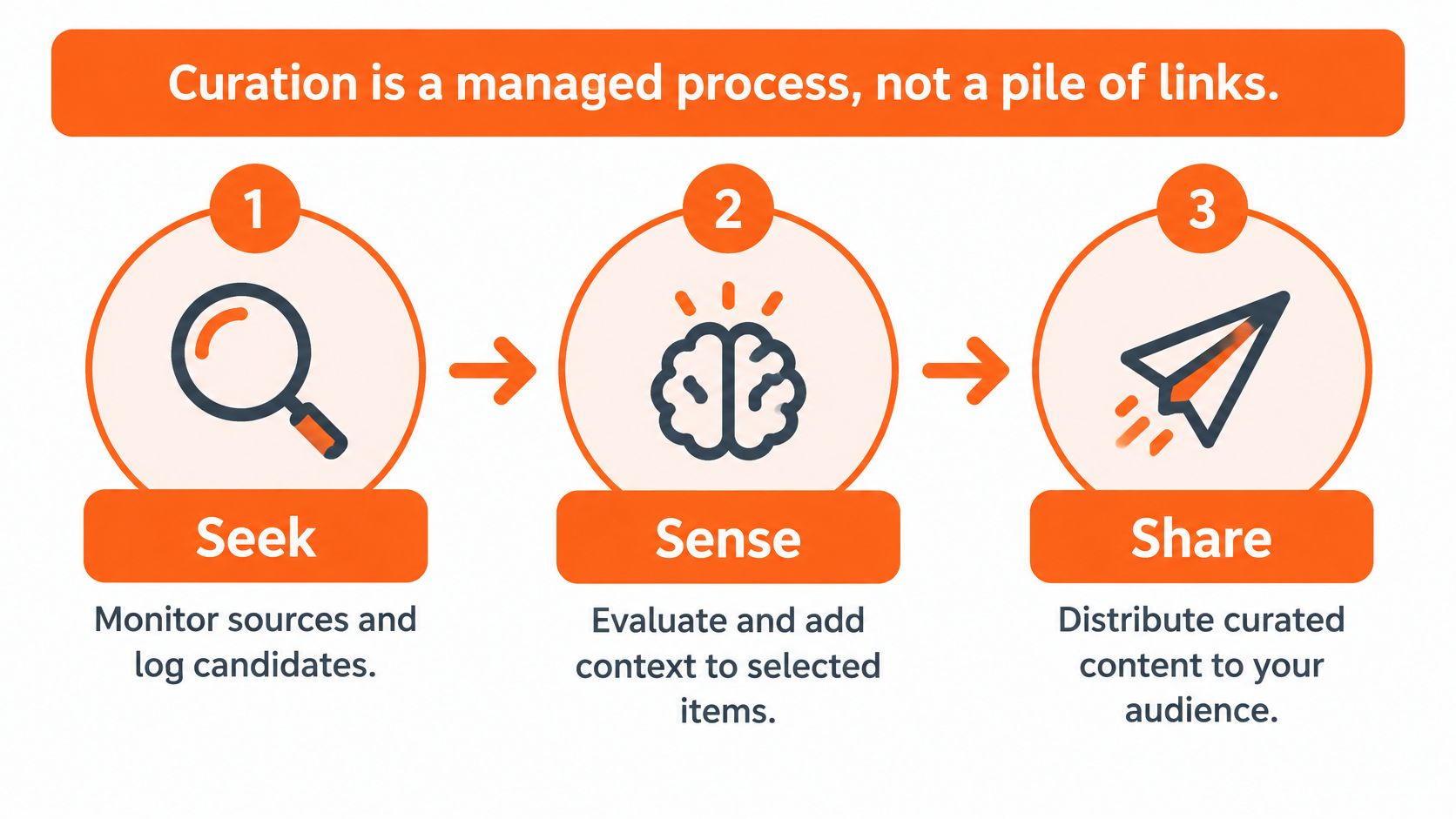
Curation is a managed process, not a pile of links. The seek, sense, share model described in an EERA conference contribution on online knowledge management separates finding information from interpreting it and distributing it.
Each stage needs an output. Without that discipline, you can spend an afternoon reading and finish with nothing ready for your audience.
Seek beyond your usual feed
Monitor primary sources, specialist newsletters, relevant publications, and practitioners who explain their methods. Keep candidates in Notion, a spreadsheet, or another searchable place, with the original URL and a short note about the question each item answers.
Broader discovery helps you avoid selecting only what a platform happens to show you. Our guide to finding trending topics can help you identify candidates, but popularity should start your review, not settle it.
Make sense before you share
Evaluate topical fit, source authority, novelty, timeliness, and audience usefulness separately. A recent article can be weak evidence; an older primary source can still answer the question better.
Then prepare an item with its source, topic tags, evidence summary, relevance rationale, and intended channel. Keep the author's conclusion separate from your interpretation.
| Stage | What the Curator Does | Output | Check Before Moving On |
|---|---|---|---|
| Seek | Monitor sources, search topics and log candidate items | Shortlist of raw items with links | Is the source primary or credible? |
| Sense | Score each item, add context, summary, tags and a relevance reason | Curated item ready to publish | Does it fit the audience and add something a bare link would not? |
| Share | Publish to the chosen channel in the right format and timing | Post, Note or newsletter section | Did it reach the intended readers and prompt a response? |
For example, a report about newsletter retention might deserve a practical takeaway for working publishers, while a methodological limitation belongs in a more analytical discussion. The source hasn't changed. Your framing has.
The cause-and-effect relationship matters: systematic discovery improves coverage, interpretation reduces ambiguity, and audience-specific presentation makes the material usable.
Try a weekly practice session: spend 30 minutes logging candidates, score the top five, annotate the two strongest, and prepare them for a chosen channel. Treat those quantities as a manageable exercise, not a benchmark or a promise of results.
What Curation Does for Your Distribution Strategy
Curation sits between creation and distribution. You decide which material deserves wider attention before choosing where and how to publish it. That makes it a useful companion to a deliberate content distribution strategy, rather than a substitute for one.
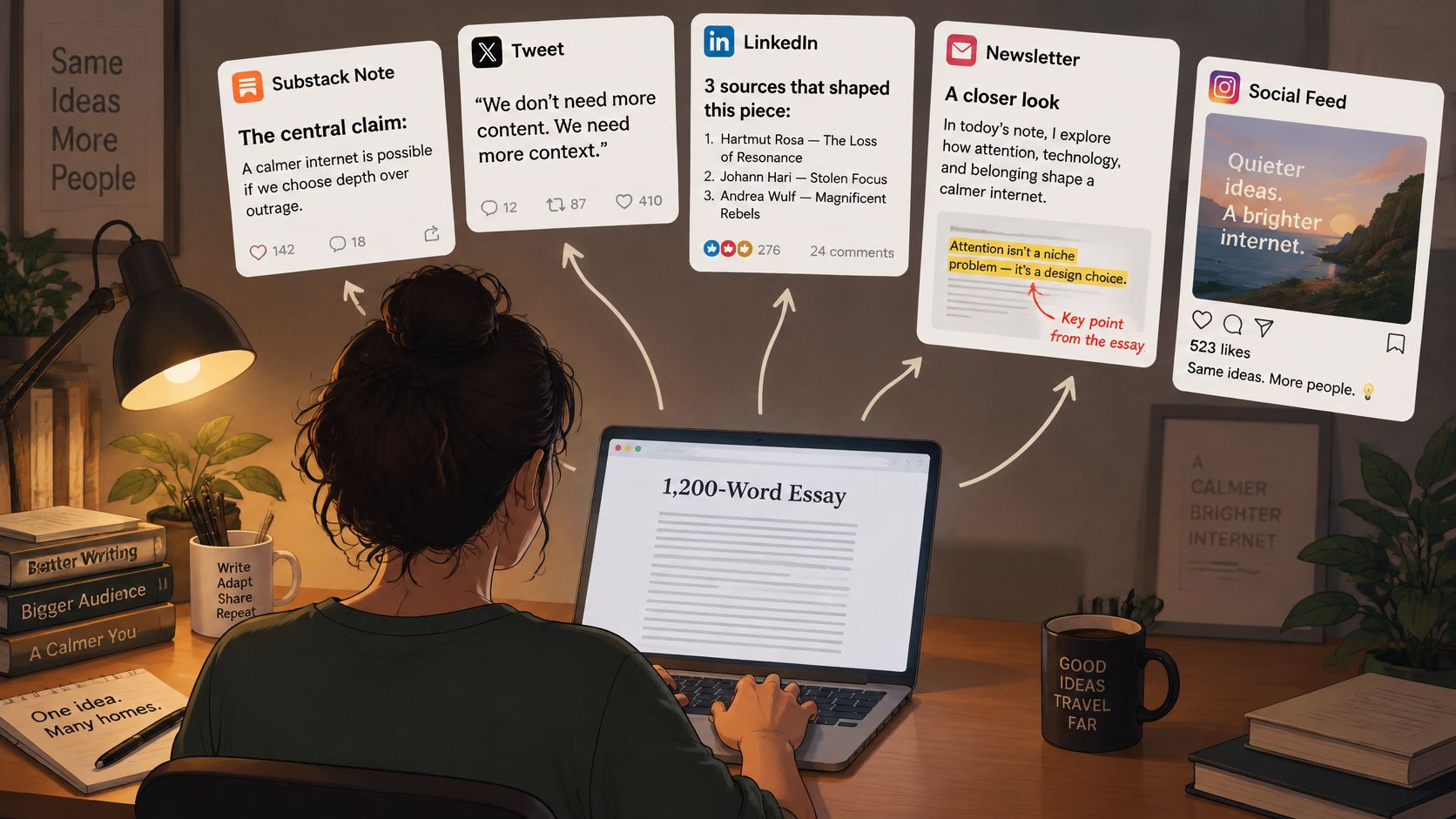
Consider a hypothetical 1,200-word essay. You could prepare five outputs: a Substack Note, a LinkedIn post, an X thread, a newsletter roundup, and a Medium adaptation. That creates several opportunities for discovery, not a guaranteed increase in reach.
Don't publish everywhere simply because you can. Choose channels where your intended readers already discuss the problem.
Batching those assets also separates editorial decisions from last-minute publishing. You can check the sources and wording together instead of repeatedly reopening the same article.
For a startup publisher, distribution can extend beyond feeds. Reviewing how StartupSubmit handles directory submissions offers a separate example of routing a resource toward relevant discovery destinations.
The useful outcome is a feedback trail: which treatment prompted a thoughtful reply, a source click, or a subscription? Use that response to inform your next selection.
As a working exercise, give an original article several distinct supporting outputs before assuming you need a completely new topic.
Curation Examples From Newsletters to Social Feeds
Suppose a writer publishes an essay about making paid newsletters more useful, then selects related sources on retention, reader interviews, and pricing. The assignment isn't to copy the essay everywhere. It's to give each audience a useful entry point.
This illustration captures the practical work of adapting a long-form idea.
Different outputs, different reader needs
- Substack Note: State the central claim, link to the essay, and explain which related source challenged your thinking.
- LinkedIn post: Lead with the strongest supported finding and describe what a publisher could do differently.
- X thread: Develop the argument in short connected posts, keeping evidence beside the claim it supports.
- Newsletter roundup: Group related pieces by the reader's problem, with annotations explaining their usefulness and limitations.
- Medium adaptation: Give the argument a self-contained introduction and appropriate tags. Don't assume readers know the original newsletter.
For more ways to connect these assets to reader discovery, explore these newsletter promotion ideas.
Sharing found material is established behavior
In a 2012 survey of U.S. adult internet users, Pew Research Center found that 41% had reposted photos or videos found online, 46% had posted originals, and 56% had done at least one of those activities.
Those figures describe historical image and video sharing, not the effectiveness of today's newsletter strategies. They do establish that audiences can be both producers and selectors of material.
For an additional video resource on the topic:
The editorial challenge is preserving meaning as the format changes. Keep caveats attached to findings, credit outside contributors, and make each output useful without requiring readers to reconstruct the entire publishing sequence.
Measuring Curation Quality and Its Pitfalls
More clicks don't necessarily mean better curation. A provocative item might attract attention while leaving your intended readers frustrated or less informed.
In a field experiment involving 1,508 users, the ACM paper comparing recommender-system optimization approaches found that action-prediction optimization increased engagement but also negative action rates and browsing effort; combining explicit and implicit feedback mitigated that trade-off. It wasn't a newsletter experiment, but it gives a concrete reason not to equate activity with satisfaction.
Check relevance as well as response
Precision asks how much of your selected material fits the audience. Recall asks how much of the relevant available material you found.
For a hypothetical audit, sharing 20 items of which 15 are relevant gives you 75% precision. If your review pool contains 40 relevant items and you found 15, recall is 37.5%. In practice, you rarely know every relevant item on the internet, so use a defined source pool rather than pretending your recall estimate is complete.
Track useful reader actions alongside those editorial checks:
- Saves and qualified clicks: Did readers keep the material or follow through to an appropriate source?
- Subscriptions and replies: Did the topic attract intended readers and substantive discussion?
- Unsubscribes and corrections: Did your framing disappoint readers or require clarification?
Choose content marketing metrics that reflect your publishing objective, not just the easiest dashboard total.
Audit the audience you're building
A curated feed also communicates identity. A Wiley paper on online curation distinguishes between consumptive curation and productive curation through which people shape an online identity.
Editorial checkpoint: Ask whether you're attracting the audience you want to serve, not merely the audience most likely to react.
Document source diversity, distinguish primary reporting from commentary, disclose commercial or ideological relationships, and inspect which perspectives you repeatedly leave out.
The feedback loop needs judgment: your selections shape reader expectations, reader responses influence your next selections, and platform recommendations affect visibility. Don't let a run of popular posts redefine your editorial purpose.
How to Schedule Curated Posts on Substack
Prepare the editorial work before choosing publication times. A queue makes publishing more orderly, but it won't fix a misleading summary or a missing source.
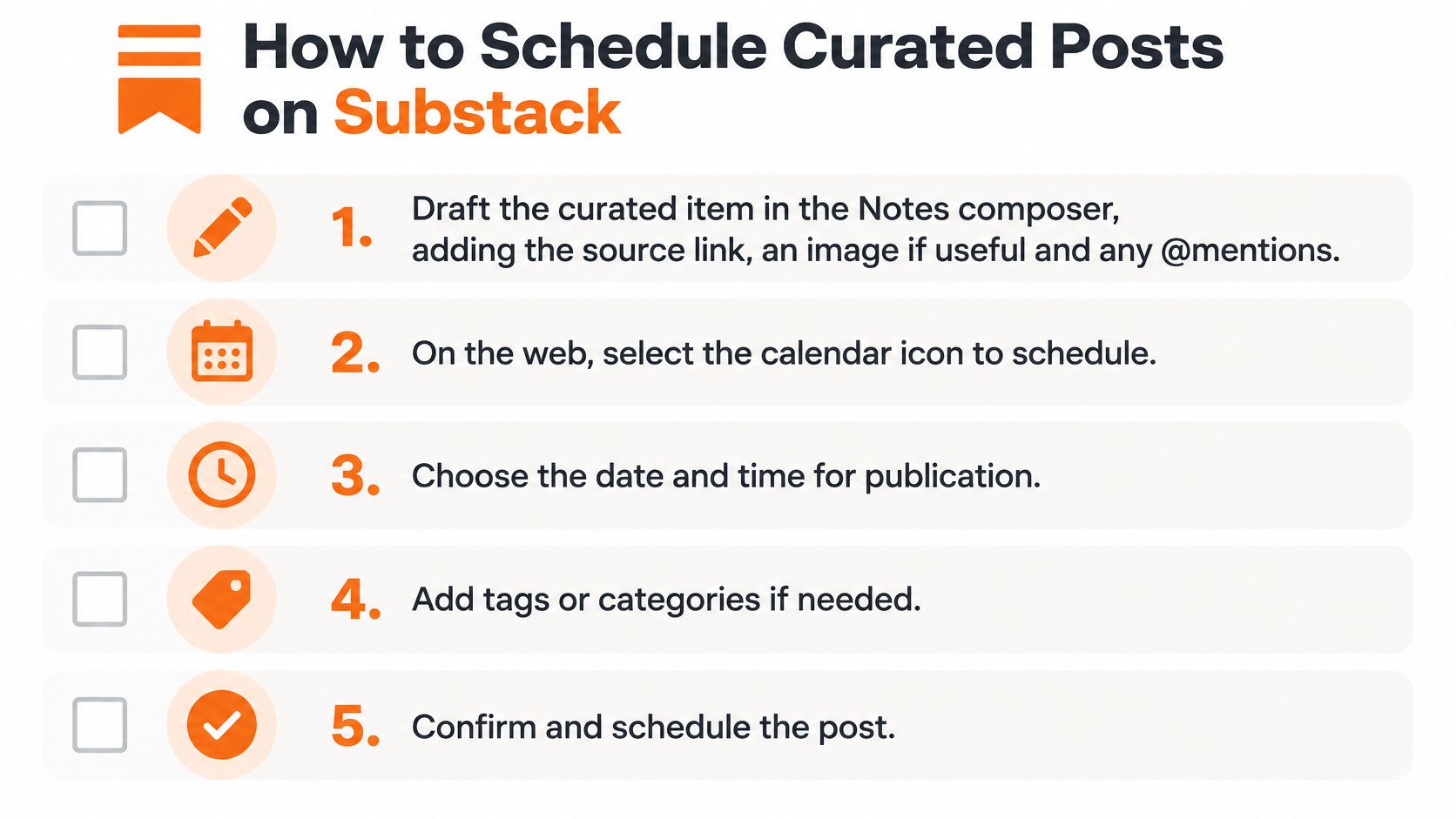
The checklist gives you a visual starting point; use the platform-specific controls below for Notes.
Prepare and inspect the queue
- Draft the curated item. Add the source, your explanation, and any useful image or @mention. Substack's Notes launch documentation confirms support for images, rich text, links, and mentions, and describes the subscriber-announcement template offered after a first Note.
- Schedule on the web. Select the calendar icon, choose a date and time, save, and confirm Schedule. These controls are documented in Substack's Notes guide.
- Use the mobile alternative. On iOS or Android, open the composer's three-dot menu, select Schedule, choose the time, and save. You don't need to use both the web and mobile workflows.
- Review Drafts. Inspect wording, links, and release times before publication. Substack's scheduling announcement confirms that scheduled Notes remain editable and use your local time zone.
- Batch supporting material. Prepare the article and its accompanying Notes together, then check their sequence. Substack's publishing features include long-form scheduling, autosaved drafts, version history, templates, and SEO metadata controls.
Connect publishing to reader growth
We offer Substack Notes scheduling through Narrareach alongside platform-specific follow-up preparation and performance review. That lets you spend less effort moving drafts between tools and more effort identifying which topics bring suitable readers back, without assuming scheduling alone guarantees faster growth.
For startup writers connecting editorial publishing to an owned audience, Find Startup Idea's guide to build a startup email list offers complementary planning context.
A sample weekly rhythm could be one article and three to five Notes, queued before the week starts. Treat that as an experiment you can sustain, then review which formats prompted meaningful replies.
Start Curating Your Next Post Today
You don't need an elaborate publishing operation to begin. Choose an article you still stand behind, find related material that adds evidence or a useful disagreement, and write annotations that help readers understand the connection.
Keep a simple record of what you selected and why. After publication, compare the reader response with your original intention rather than judging success only by visibility.
Start with a decision you can explain: this source, for this reader, because it helps them solve this problem.
If you're ready to organize distribution, choose a workflow that keeps your editorial decisions connected to drafts, channel selection, publication times, and review. Your aim is to make useful work easier to publish again, not to fill every available slot.
If you'd rather stay connected, subscribe to our newsletter for weekly curation breakdowns and practical examples you can apply manually. You don't need to adopt a tool to improve your selection and annotation skills.
For this week's exercise, pick an article from the last month, write two-sentence annotations for three related sources, and schedule the resulting Notes before the week starts. Keep the source links visible and give every Note a distinct reason to exist.
Visit Narrareach to start free, with no credit card required, and bring articles, Notes, follow-up posts, channel selection, and scheduled queues into one workflow for preparing, distributing, and evaluating content across Substack, Medium, LinkedIn, and similar platforms. If you're not ready to try it, subscribe to our newsletter for weekly curation breakdowns and use the next example to improve your own publishing routine.