How Many Impressions Is Good on LinkedIn? 2026 Benchmarks
Under 1,000 followers, about 167 impressions per LinkedIn post is typical; with 5,000–10,000 followers, the benchmark is about 798. If you're seeing a few...
By Ian Kiprono
Under 1,000 followers, about 167 impressions per LinkedIn post is typical; with 5,000–10,000 followers, the benchmark is about 798. If you're seeing a few hundred impressions and wondering whether your work is failing, your follower band matters more than someone else's viral screenshot.
You publish, open the dashboard, and see a number that feels disappointingly small. What you can't tell is whether the post underperformed, your expectations are unrealistic, or you're comparing yourself with a creator whose audience is much larger. That uncertainty makes it hard to decide what to write next.
A good result combines above-baseline distribution with meaningful response. The useful question isn't how many impressions is good on LinkedIn. It's how many are good for your account, your format, and the audience you want to build.
Typical LinkedIn Impressions by Follower Count
Your first comparison should be with accounts near your size, not the largest number in your feed. A benchmark summarized in LinkedIn's account-size and engagement guide analyzed 50,000 posts and reported these typical impressions per post.
| Follower count | Typical impressions per post |
|---|---|
| 0–1,000 followers | 167 |
| 1,000–5,000 followers | 469 |
| 5,000–10,000 followers | 798 |
| 10,000–25,000 followers | 1,280 |
| 25,000–50,000 followers | 2,464 |
| 50,000–100,000 followers | 5,372 |
Treat the matching row as a reference point, not a pass-or-fail threshold. For a personal profile in the 5,000–10,000-follower band, exceeding 1,000 impressions would put the post above that band's typical result. It wouldn't establish that the post generated useful conversations or subscribers.
Consider a hypothetical comparison: a profile with 3,000 followers generates 2,000 impressions, while a profile with 50,000 followers generates 5,000. The smaller account has outperformed its relevant baseline more decisively, even though its dashboard shows the lower total. Neither impression count tells you how many different people saw the content.
Why the platform average isn't your target
Statista's annual post-impression analysis reports approximately 812 impressions per post in 2025, compared with approximately 1,057 in 2024. That comparison suggests a more difficult distribution environment in its dataset.
But the historical baseline isn't consistent across publishers. Valley AI's benchmark puts average impressions in 2024 at approximately 811, illustrating why separate datasets shouldn't be combined into a single precise decline.
The reported 2024 baseline therefore spans roughly 811–1,057 across those sources. You can't tell whether your own flat performance represents lost momentum merely by selecting whichever platform average looks most authoritative.
Practical rule: Write down your follower band before judging your impression count. Then compare your recent posts with that row and with your own usual performance.
Use industry-standard metrics to choose relevant comparisons, but keep account type and measurement method attached to every benchmark. A company-page average and a personal-profile result aren't interchangeable.
What LinkedIn Counts as an Impression
An impression counts a display, much like billboard traffic counts opportunities to see a message rather than people who stopped to read it. It measures exposure, not attention or comprehension.
LinkedIn's combined post analytics documentation defines impressions as the number of times a post was displayed and explicitly describes the figure as an estimate. It also distinguishes in-network impressions from followers and connections and out-of-network impressions from people outside that circle.
The distinction is easier to understand visually.
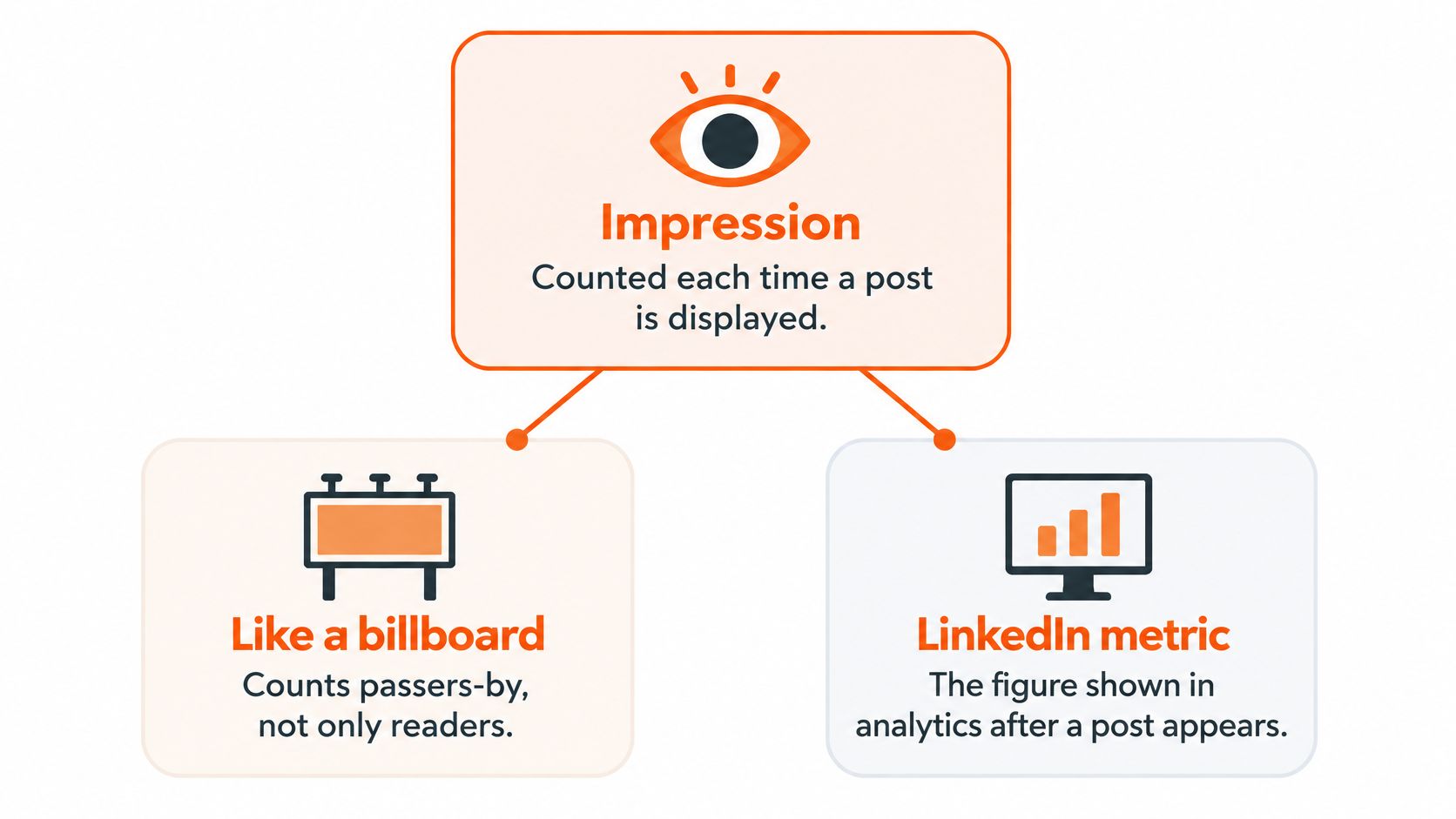
Read the audience split correctly
Say a hypothetical post records 800 impressions, comprising 600 in-network and 200 out-of-network. Its in-network share is 75%, and its out-of-network share is 25%.
That means most recorded displays came from your existing circle. It doesn't mean a quarter of unique viewers were new, and it doesn't prove that those outside viewers followed you.
Use this dashboard checklist:
- Total impressions: Record the displayed total without treating it as a count of unique readers.
- In-network share: Identify how much distribution came from established followers and connections.
- Out-of-network share: Look for evidence that the post circulated beyond your current audience.
- Comparable performance: Match the post with your usual results for that format.
A high in-network share isn't automatically bad. A paid-newsletter announcement might primarily need to reach existing followers, while an introductory explanation might be intended to attract unfamiliar readers.
For broader terminology, this guide to what impressions mean on social media helps separate display counts from other measures. Keep the interpretation tied to the job the post was meant to do.
Impressions Versus Engagement Rates by Format
| Format | Avg impressions (1,000–5,000 followers) | Avg engagement rate (all company pages) |
|---|---|---|
| Native document | 525 | 7.00% |
| Multi-image post | 490 | 6.45% |
| Video | 355 | 6.00% |
| Polls | 340 | 4.20% |
| Images | 315 | 5.30% |
| Text post | 300 | 4.50% |
| Link post | 235 | 3.25% |
These figures come from Socialinsider's LinkedIn benchmarks, covering 1.3 million posts from 16,645 company pages, with the engagement rates reported for 2025. The impression column covers pages with 1,000–5,000 followers; the engagement column covers all company pages in the dataset.
The columns describe different groupings. Don't interpret a row as a promise that your document post should generate both that impression count and that engagement rate, especially if you publish from a personal profile.
The useful comparison is directional: native documents and multi-image posts performed well on both measures in this company-page dataset. That gives you a reason to test them, not a reason to abandon a text format your own readers consistently respond to.
Calculate a rate you can compare consistently
For a simple interaction-based measure, use:
Engagement rate = (reactions + comments + shares) ÷ impressions × 100
Keep the included actions identical across your spreadsheet. If another dashboard includes clicks or other interactions, label that metric separately rather than comparing unlike rates.
Consider a hypothetical post with 1,000 impressions and thoughtful comments from prospective subscribers. It may serve your newsletter better than another post with 3,000 impressions and no relevant response. But you need to inspect the actual actions before declaring either post the winner.
For a broader business measurement framework, Data Hunters Agency's guide to engagement metrics for growing businesses offers useful context. For LinkedIn-specific tracking, use LinkedIn engagement metrics to decide which responses belong in your reporting.
Choose formats by whether reach and useful response improve together, not by the largest impression total alone.
Before changing your publishing mix, ask what the format helped the reader do. A document may explain a process clearly; a text post may invite a nuanced discussion. Format is a testable variable, not a substitute for a worthwhile idea.
When More Impressions Mean Less Value
Say a post reaches roughly 34,000 impressions, but you can't identify any resulting subscribers or useful profile visits. The dashboard looks impressive; the outcome remains uncertain.
That mismatch is the problem to investigate.
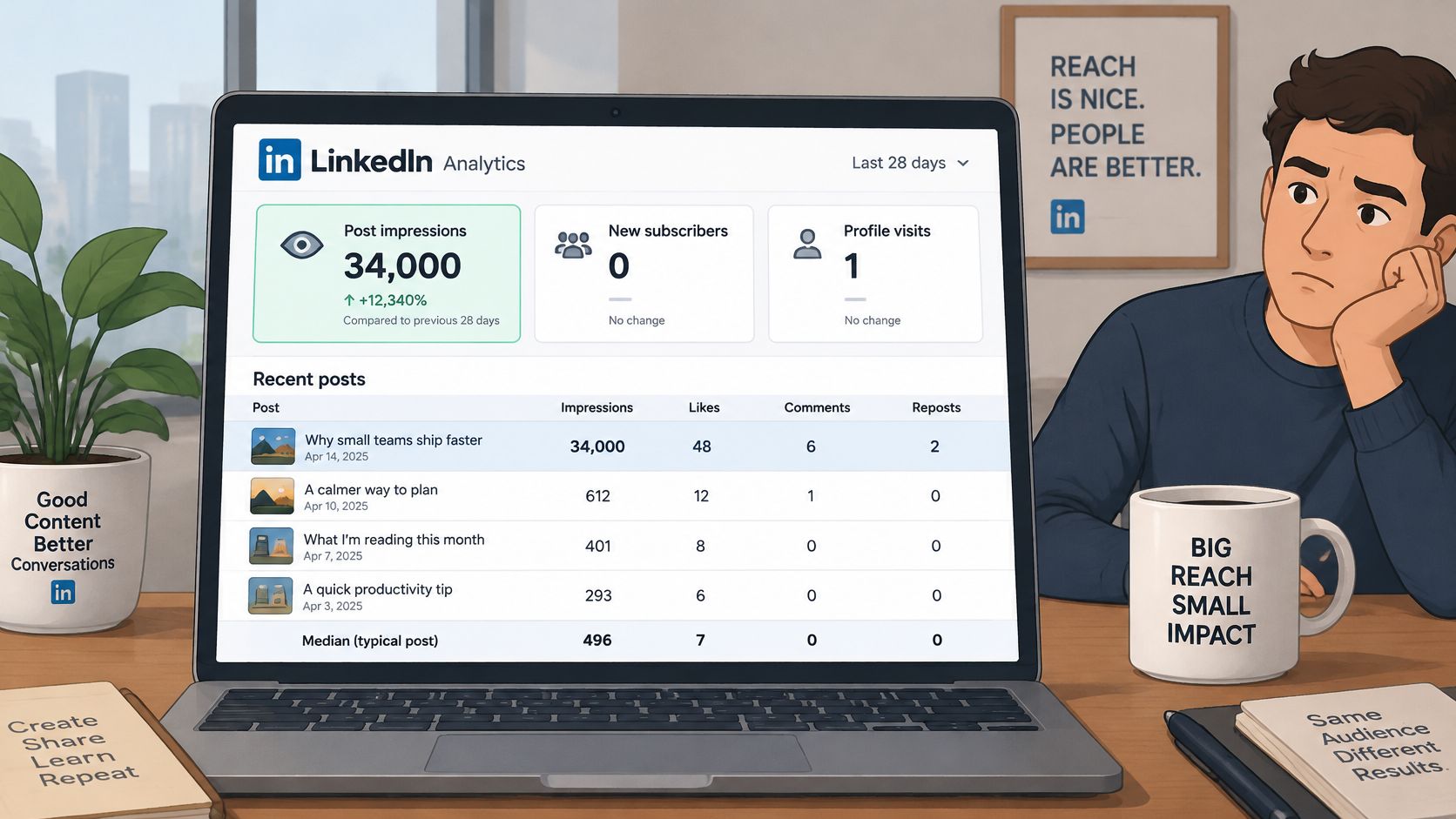
Growtempo's impressions-versus-reach analysis reports the following comparison; it also describes a separate dataset of 211 posts with 1,778 median matured impressions versus 5,516 average impressions.
| Post group | Median impressions | Engagement rate |
|---|---|---|
| Typical posts | 496 | 2.86% |
| Viral posts | 34,121 | 0.89% |
The difference between the median and average matters. A small number of unusually large results can raise the average well above what a typical post receives, making ordinary performance look worse than it is.
A lower engagement rate doesn't automatically make a viral post less valuable, either. A large denominator can produce more total actions despite a lower rate. Check both efficiency and volume.
Follow the outcome through three stages
- Distribution: Impressions and unique viewers show how widely the post appeared.
- Resonance: Comments, saves, and engagement rate help you assess whether readers found it relevant.
- Conversion: Profile visits, link clicks, follows, and newsletter signups connect exposure with your objective.
If impressions increase while conversions stay flat, investigate audience fit, the offer, tracking, and the call to action. The wrong audience is one possibility, not the only explanation.
This accompanying video provides another format for considering the topic.
Use clicks without losing sight of scale
Click-through rate = link clicks ÷ impressions × 100.
In a hypothetical comparison, 80 clicks from 2,000 impressions produces a 4.0% CTR. Another post with 500 clicks from 50,000 impressions produces a 1.0% CTR, yet delivers more than six times as many clicks.
Record CTR and total clicks together. If subscriber acquisition is the objective, a hypothetical post generating 10 subscribers from 2,000 impressions is more useful than one generating 30,000 impressions and no signups. The winning metric depends on the outcome you chose before publishing.
How to Judge a Post Against Your Own Baseline
LinkedIn's post-performance documentation says that, beginning in April 2024, post analytics started including impressions generated when another member reposted the content. LinkedIn warns that this may increase reported totals, so older and newer posts aren't perfectly comparable.
That change matters when you report historical growth. An increase can reflect both additional distribution and a change in what LinkedIn counts.
Use the measurement boundary when building your comparison set.
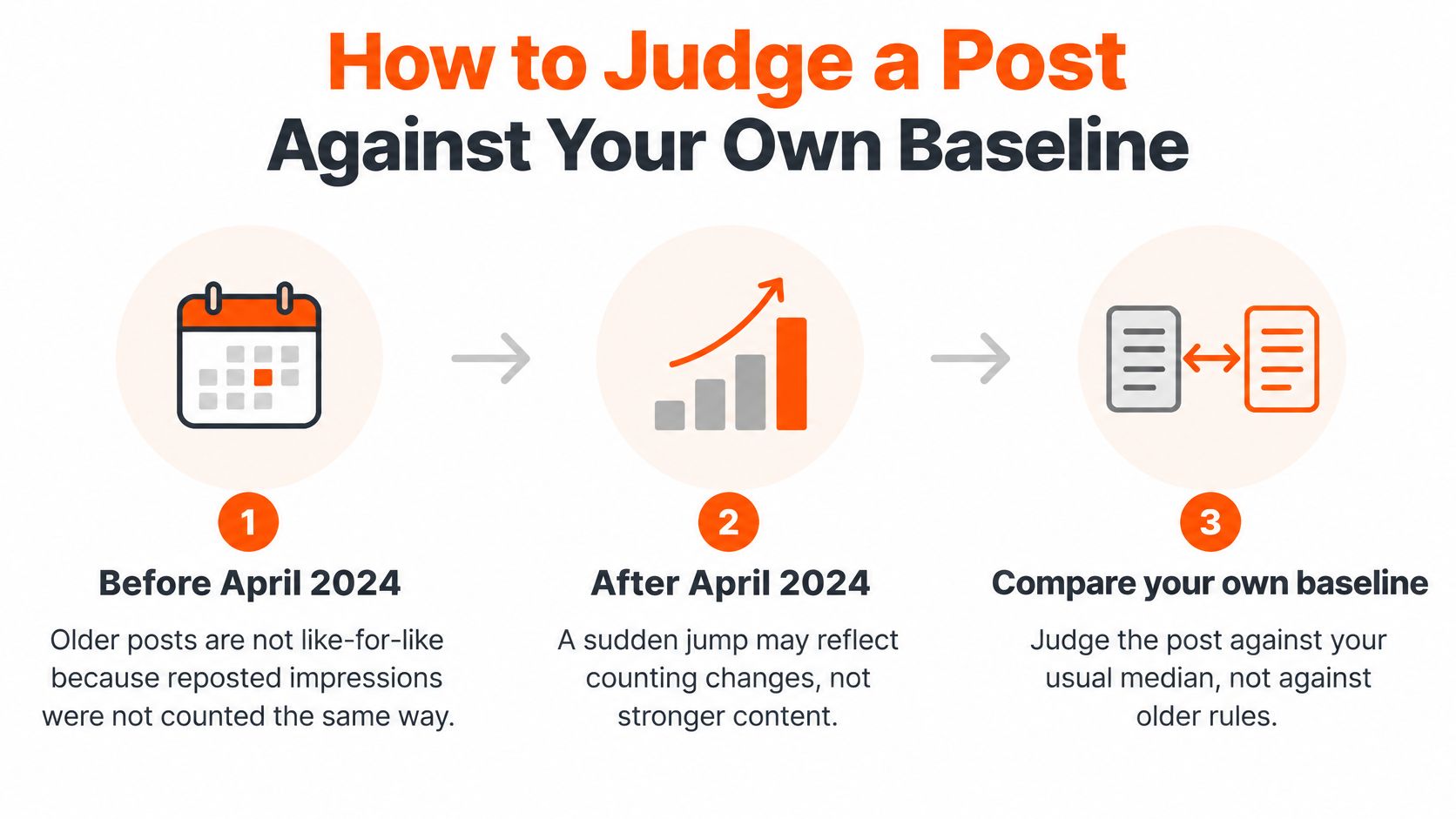
Build a repeatable review sheet
I'd treat this as a prospective personal experiment, not claim results from a publishing test I haven't conducted. The question I'd test is simple: can a deliberate change outperform my normal distribution without weakening audience response?
Growtempo's benchmark guide recommends using the median of the last 10–20 comparable posts, segmented by format and follower count, rather than judging an isolated result.
- Choose comparable posts. Use recent posts measured under the same counting rules. Separate materially different audience sizes.
- Calculate the median. Sort impression totals and find the middle value. For an even-sized list, average the middle pair.
- Separate formats. Give documents, images, and text their own comparison groups where you have enough examples.
- Use a consistent observation window. Allow at least a day before the initial check, and compare posts at the same age. Don't compare a newly published post with one that has accumulated distribution for weeks.
- Assess distribution. An above-median result is stronger than your usual reach. A below-median result is a reason to inspect the hook, topic, timing, or format, not proof that any particular factor failed.
- Check response. Compare engagement and audience composition with your history.
- Review a batch. As an experimental routine, review after five new posts rather than rewriting your strategy after every result.
Keep the sheet interpretable
Use columns for publication date, topic, format, follower count, observation date, impressions, engagement rate, network split, clicks, CTR, and subscribers where attributable. Mark unavailable metrics as unavailable, not zero.
This approach to measuring audience engagement prevents a reach increase from hiding weaker reader response.
Decision standard: Call a post strong when it improves on a comparable baseline and produces the kind of response you intended.
Ways to Raise Impressions Without Chasing Viral Posts
I'd run a four-week experiment with one main change: turn a recurring educational text topic into a native document series. That's a proposed test duration, not a claim that a month guarantees growth.
The company-page format comparison gives documents a reasonable place in the test. Your personal-profile results must determine whether you keep them.
Change the packaging, not everything at once
Choose a topic you've already explained clearly. Keep the intended audience and publishing rhythm broadly stable while changing how you present the information.
- Open with a concrete detail. Use a real number from your own work when you can explain what it measures. Don't add precision merely to make the hook look authoritative.
- Make the document useful on its own. Give readers a process, comparison, or worked example instead of spreading a short promotional message across slides.
- Keep a steady schedule. Choose publishing slots you can sustain so your experiment reflects your normal workload.
- Write down the hypothesis. For example, clearer visual sequencing may help readers understand a complex workflow. Test that explanation instead of assuming documents receive an automatic boost.
A hypothetical creator with 3,000 followers could compare a four-week document series with their previous text-post median. The result log should include the impression total, engagement rate, relevant comments, and attributable subscriber actions for each post.
The experiment hasn't succeeded merely because the most popular document exceeds the best text post. Compare the batch, inspect the response, and identify whether the improvement is repeatable.
Turn responses into follow-up ideas
After the experiment, choose an idea that generated both distribution and relevant questions. Develop a follow-up with a different example, a narrower claim, or an answer to a recurring objection.
Comments are useful editorial input because they show what particular readers are asking. They don't represent everyone who saw the post, so avoid treating a lively thread as a complete audience survey.
For your next variation, use LinkedIn posting best practices as an execution checklist rather than changing your entire workflow. Keep a note of what changed so you can interpret the result.
Profile presentation deserves a separate check when readers visit after engaging. AiHeadshots' guide to choosing a natural LinkedIn photo expression can help with that task, but a photo adjustment isn't evidence that post distribution will improve.
Keep what beats the median without sacrificing relevance. If the new format takes substantially more production effort but produces no better audience outcome, simplify it or test a different variable.
Schedule Substack Notes to Grow Faster
A useful LinkedIn idea can become a Substack Note without becoming a duplicate promotion. Extract a self-contained observation, a question, or a short example that helps the reader before asking them to visit the full article.
Scheduling makes that work easier to repeat. It doesn't guarantee faster audience growth, but it lets you prepare distribution without interrupting every writing session.
Use the native scheduling workflow
Substack's Notes scheduling documentation explains that web users can open the composer, select the calendar icon, choose a date and time, save, and click Schedule. On iOS and Android, scheduling is available through the composer's three-dot menu; scheduled Notes remain editable in Drafts, and statistics become available within 24 hours, usually refreshing hourly.
Build a weekly routine around those mechanics:
- Batch the writing. As a starting experiment, prepare five to seven Notes from your articles, questions, and useful post responses.
- Assign publishing times. Use your audience's observed activity where available, rather than assuming a universal best time.
- Revise queued Notes. Edit Drafts when a recent discussion reveals a clearer angle.
- Record the response. Keep Note performance alongside your LinkedIn log, but calculate separate baselines for each platform.
- Develop the strongest ideas. Publish a new follow-up rather than repeatedly posting the same wording.
Keep the method portable
The spreadsheet and writing batch are the core system. You can run them with Substack's native scheduler and LinkedIn's publishing tools without buying anything.
For a shared workflow, Narrareach schedules Substack Notes and LinkedIn posts from one dashboard, helping you turn successful ideas into follow-ups without juggling separate calendars. Use that convenience to maintain the experiment, not to publish more variations than you can evaluate.
Set Your Impression Target and Track It Weekly
Choose a 30-day target slightly above your current median. Treat the target as an experiment you set, not an industry requirement.
For example, a hypothetical account with 3,000 followers and a recent median near 469 impressions could aim for approximately 500 impressions per post. That's a modest operating goal, not a forecast.
Plan the publishing work and the review together.
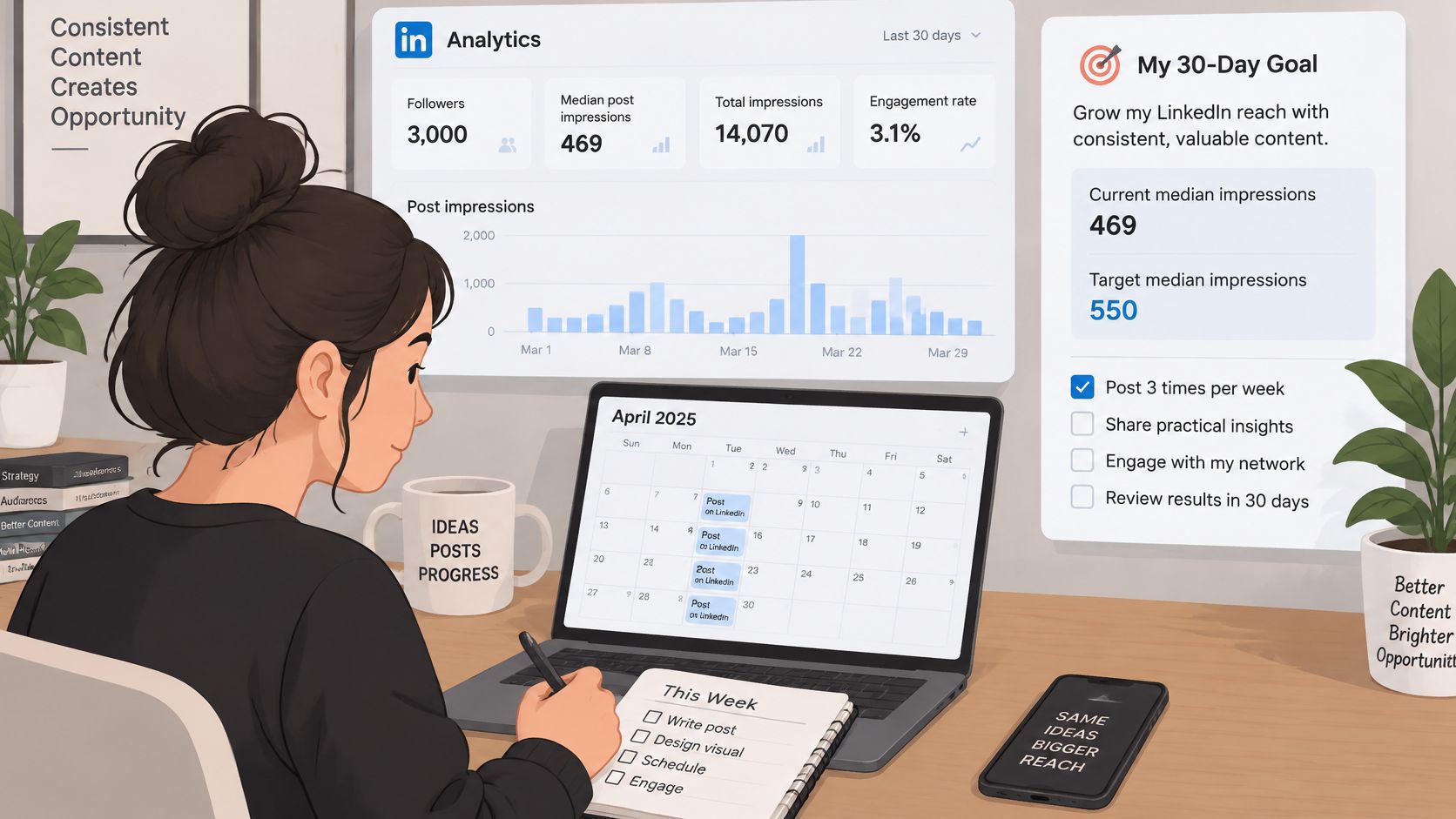
Decide what earns a higher target
Review impressions, engagement rate, and in-network share weekly. Keep clicks and subscriber outcomes visible so a distribution improvement doesn't become the sole definition of success.
- Hold the target during the experiment. Don't raise it because one post spikes.
- Reassess the comparison group. A changed follower band or publishing mix may require a new baseline.
- Check sustained outcomes. Raise your next target when repeated performance supports it, rather than expecting every post to match your best.
Narrareach has more than 2,135 users, but your own baseline should still determine what successful distribution looks like for you. A platform's popularity can't establish the right impression target for an individual writer.
Save the follower-band table for your next review. If you revisit these benchmarks in 2027, check for newly published measurements rather than assuming today's reference points still apply.
To manage this routine in one place, visit Narrareach and start free, with no credit card required, to schedule Substack Notes and LinkedIn posts and see followers, subscribers, and who engages with your audience. You can also connect a blog or RSS feed so new posts are cross-posted to Substack, Medium, and LinkedIn. If you're not ready for a tool, save the benchmark table and run your next weekly review in a spreadsheet.