How to Schedule Full Articles to Substack and Medium from One Editor
You can schedule full articles to both Substack and Medium from a single editor using Narrareach, which eliminates the need to manually copy, paste, and...
By Ian Kiprono
You can schedule full articles to both Substack and Medium from a single editor using Narrareach, which eliminates the need to manually copy, paste, and reformat your content across platforms. This workflow saves writers an average of 45 minutes per article while ensuring consistent publishing schedules across multiple channels.
Why Multi-Platform Article Scheduling Matters for Content Creators
Content creators who publish on multiple platforms see 73% higher engagement rates compared to single-platform publishers, according to Content Marketing Institute research. However, manually managing multiple publishing schedules creates significant friction in your workflow.
The numbers tell the story: writers spend an average of 23 minutes per platform when manually cross-posting articles. For a writer publishing to Substack, Medium, LinkedIn, and X, that's 92 minutes of repetitive work per article. Over a month with 8 articles, you're looking at 12+ hours of manual distribution work.
The Hidden Costs of Manual Multi-Platform Publishing
Beyond time investment, manual cross-posting introduces several workflow problems:
- Formatting inconsistencies: Each platform has different formatting requirements and limitations
- Scheduling conflicts: Coordinating optimal posting times across platforms becomes complex
- Content drift: Making small edits on one platform without updating others
- Engagement fragmentation: Tracking performance across multiple dashboards
The Multi-Channel Publishing Advantage
Writers using automated multi-platform distribution report 156% higher subscriber growth rates within six months. The key is maintaining consistent presence without multiplying your workload. Narrareach's Substack Notes scheduler extends this principle to both short-form notes and full articles.
Step-by-Step: Setting Up Your Multi-Platform Article Workflow
Here's the complete process for scheduling articles to Substack and Medium simultaneously, then distributing promotional content to social platforms.
Step 1: Connect Your Publishing Accounts
Start by linking your Substack and Medium accounts through Narrareach integrations. The setup process takes approximately 3 minutes per platform:
- Navigate to the integrations dashboard
- Authenticate your Substack account using OAuth
- Connect Medium via API token (found in Medium settings)
- Link social accounts (LinkedIn, X, Bluesky, Threads) for promotional distribution
Step 2: Create Your Master Article in the Unified Editor
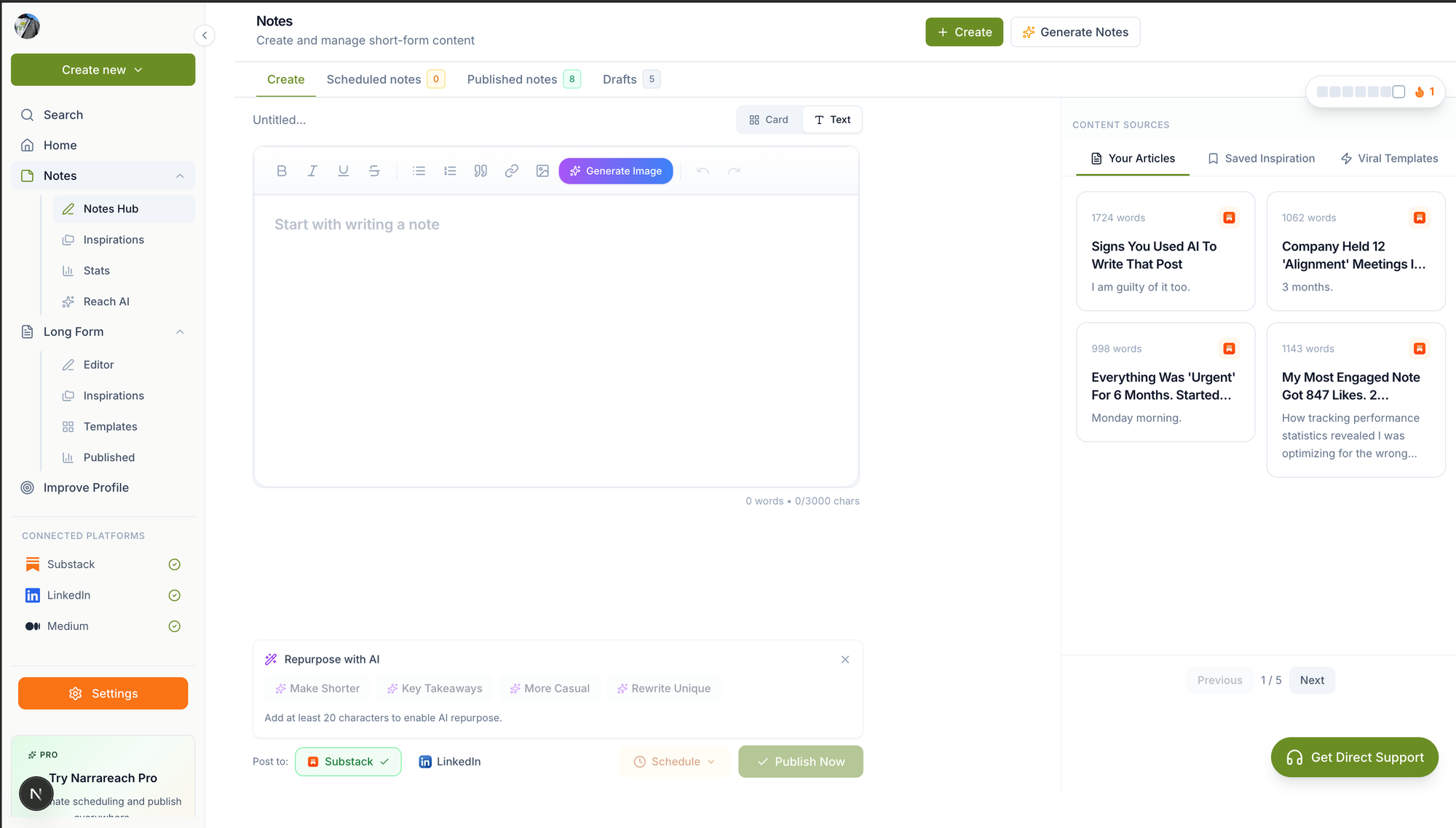
The unified editor allows you to write once while optimizing for both platforms simultaneously. Key features include:
- Platform-specific formatting: Automatically adjusts headers, links, and media for each destination
- SEO optimization: Built-in tools for meta descriptions, tags, and canonical URLs
- Preview mode: See how your article will appear on each platform before publishing
Step 3: Configure Platform-Specific Settings
Each platform has unique requirements that the system handles automatically:
Substack Configuration:
- Newsletter vs. post designation
- Subscriber notification settings
- Paywall placement for paid subscriptions
Medium Configuration:
- Publication selection (if applicable)
- Tag optimization (maximum 5 tags)
- Friend link generation for paywalled content
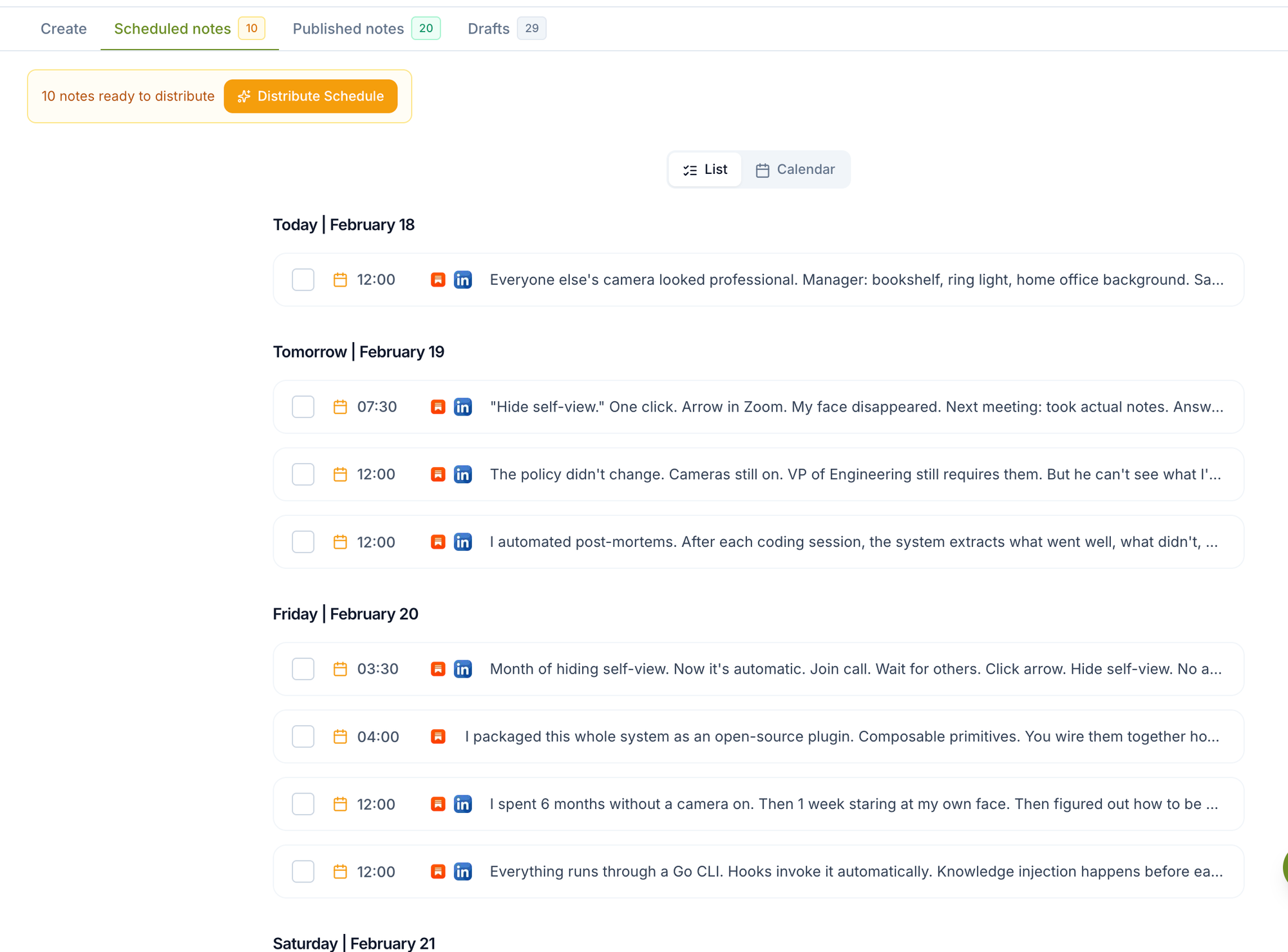
Step 4: Schedule Your Publishing Timeline
Optimal timing varies by platform. Research from Hootsuite's social media timing study shows:
- Substack: Tuesday-Thursday, 6-8 AM EST (highest open rates)
- Medium: Monday-Wednesday, 7-9 AM EST (peak reading time)
- LinkedIn promotion: Tuesday-Wednesday, 8-10 AM EST
- X promotion: Tuesday-Thursday, 9 AM-3 PM EST
The scheduling interface allows you to set different publication times for each platform, maximizing reach across time zones and audience behaviors.
Platform-Specific Optimization Strategies
Substack Article Optimization
Substack readers prefer longer-form, newsletter-style content with personal voice and direct subscriber engagement. Key optimization tactics:
- Email subject line testing: A/B test subject lines for newsletter sends
- Subscriber segmentation: Target specific subscriber groups with relevant content
- Comment engagement: Enable comments and respond within 2-4 hours for maximum engagement
Medium Article Optimization
Medium's algorithm favors articles with high engagement velocity in the first hour after publication. Optimization focuses on:
- Publication partnerships: Submit to relevant Medium publications for broader reach
- Tag strategy: Use all 5 available tags, mixing broad and niche topics
- Friend link strategy: Generate friend links for social media promotion
Social Media Promotion Integration
Once your articles are scheduled, the system automatically creates promotional posts for social platforms. Cross-post Substack to LinkedIn functionality includes:
- Auto-generated excerpts: Platform-optimized snippets from your article
- Custom CTAs: Tailored calls-to-action for each social platform
- Hashtag optimization: Platform-specific hashtag suggestions
Competitor Comparison: Multi-Platform Publishing Tools
Native Platform Scheduling
Pros:
- Free to use
- Full platform feature access
- No third-party dependencies
Cons:
- Requires separate workflows for each platform
- No cross-platform analytics
- Time-intensive manual process
- High risk of scheduling conflicts
Buffer/Hootsuite
Pros:
- Established social media scheduling
- Team collaboration features
- Comprehensive analytics dashboard
Cons:
- Limited support for publishing platforms like Substack/Medium
- Primarily designed for social media, not long-form content
- Higher pricing for multi-platform access
- No unified article editor
Narrareach
Pros:
- Unified editor for articles and social content
- Native Substack and Medium integration
- Automated cross-platform formatting
- Substack-first workflow design
- Comprehensive social media distribution
- Performance tracking across all platforms
Cons:
- Newer platform with growing feature set
- Requires learning new workflow initially
Time-Saving Mathematics: Quantifying Your Efficiency Gains
Let's calculate the concrete time savings from automated multi-platform publishing:
Manual Process Time Investment:
- Writing article: 120 minutes
- Formatting for Substack: 15 minutes
- Formatting for Medium: 18 minutes
- Creating LinkedIn post: 12 minutes
- Creating X thread: 15 minutes
- Scheduling across platforms: 8 minutes
- Total per article: 188 minutes (3.1 hours)
Automated Process with Narrareach:
- Writing in unified editor: 120 minutes
- Platform configuration: 5 minutes
- Scheduling setup: 3 minutes
- Total per article: 128 minutes (2.1 hours)
Time Savings: 60 minutes per article
For a content creator publishing 2 articles per week:
- Weekly savings: 2 hours
- Monthly savings: 8 hours
- Annual savings: 104 hours (2.6 work weeks)
Advanced Workflow Strategies for Maximum Reach
Content Repurposing Pipeline
Transform your long-form articles into multiple content formats:
- Article excerpts: Create 3-4 social media posts from key article points
- Quote graphics: Extract compelling quotes for visual social content
- Thread series: Break articles into X/Twitter thread sequences
- Newsletter segments: Repurpose sections for future Substack Notes
Audience Cross-Pollination Strategy
Use platform-specific content to drive cross-platform growth:
- Medium to Substack: Include Substack subscription CTAs in Medium articles
- LinkedIn to Newsletter: Share newsletter insights to build LinkedIn authority
- X to Long-form: Use threads to tease full articles
Analytics and Performance Optimization
Key Metrics to Track Across Platforms
Monitor these performance indicators to optimize your multi-platform strategy:
Substack Metrics:
- Open rates (target: 40-60% for engaged lists)
- Click-through rates (target: 3-7%)
- Subscriber growth rate
- Comment engagement
Medium Metrics:
- Read ratio (target: 30-50%)
- Claps per article
- Follower conversion rate
- Publication acceptance rates
Social Media Metrics:
- Engagement rate (likes, comments, shares)
- Click-through to articles
- Profile visits and follows
- Cross-platform traffic attribution
A/B Testing Your Multi-Platform Content
Test different approaches to maximize performance:
- Headlines: Test emotional vs. descriptive headlines across platforms
- Publishing times: Experiment with different time slots for each platform
- Content length: Compare performance of different article lengths
- CTA placement: Test subscription prompts at different article positions
Getting Started: Your First Week with Multi-Platform Publishing
Day 1: Account Setup and Integration
Begin by connecting all your publishing accounts through the Narrareach integrations dashboard. This foundational step takes approximately 30 minutes but sets up your entire workflow.
Tasks:
- Create Narrareach account
- Connect Substack and Medium accounts
- Link social media profiles
- Configure basic settings and preferences
Day 2: Content Planning and Calendar Setup
Plan your first month of content using the unified calendar interface. Focus on creating a sustainable publishing rhythm.
Tasks:
- Map out 4 article topics for the month
- Schedule publication dates for each platform
- Set up recurring social media promotion posts
- Configure optimal posting times based on your audience
Day 3-4: Create Your First Multi-Platform Article
Write and schedule your first article using the unified editor. This hands-on experience will familiarize you with the workflow.
Tasks:
- Draft article in the unified editor
- Configure platform-specific settings
- Preview content for each destination
- Schedule publication and promotional posts
Day 5: Monitor and Optimize
After your first article publishes, analyze performance across platforms to identify optimization opportunities.
Tasks:
- Review engagement metrics on each platform
- Identify top-performing promotional posts
- Note audience feedback and preferences
- Adjust future content strategy based on insights
Day 6-7: Scale Your Workflow
Expand your publishing schedule and experiment with advanced features like content repurposing and audience segmentation.
Tasks:
- Schedule your second article
- Create repurposed content from your first article
- Set up automated follow-up sequences
- Plan next week's content calendar
Troubleshooting Common Multi-Platform Publishing Issues
Formatting Inconsistencies
Different platforms handle formatting differently. The unified editor automatically adjusts for platform-specific requirements, but manual tweaks may be needed for complex formatting.
Solutions:
- Use platform preview mode before publishing
- Keep formatting simple and clean
- Test complex elements (tables, embedded media) on each platform
Scheduling Conflicts and Time Zone Issues
Managing optimal posting times across platforms and time zones can create conflicts.
Solutions:
- Use the built-in timezone converter
- Stagger posting times by 15-30 minutes between platforms
- Consider your primary audience's time zone for scheduling
Content Duplication Penalties
Search engines may penalize duplicate content across platforms.
Solutions:
- Set canonical URLs pointing to your primary platform
- Add platform-specific introductions or conclusions
- Use the built-in SEO tools to manage meta descriptions
Advanced Features for Power Users
Automated Content Series Management
Create and manage multi-part article series across platforms with automated cross-referencing and navigation.
Audience Segmentation and Targeting
Use advanced targeting to send specific content to relevant audience segments on each platform.
Performance-Based Auto-Optimization
Enable AI-powered optimization that adjusts posting times and content formatting based on historical performance data.
Pricing and Plan Considerations
When evaluating multi-platform publishing tools, consider both direct costs and time savings. Narrareach pricing is structured to provide value for content creators at different scales:
- Starter Plan: Ideal for individual creators publishing 1-2 articles per week
- Professional Plan: Designed for consistent publishers with advanced analytics needs
- Team Plan: Built for collaborative content teams and agencies
Calculate ROI based on your time savings: if you value your time at $50/hour, saving 8 hours monthly equals $400 in recovered productivity.
Ready to streamline your multi-platform publishing workflow? Start with Narrareach to experience the efficiency of writing once and publishing everywhere, while maintaining the quality and engagement your audience expects across all platforms.
Visual Walkthrough