
How to Schedule Notes to Substack and LinkedIn: Complete 2026 Guide
You can schedule Substack notes in advance and automatically cross-post them to LinkedIn using specialized tools like Narrareach, which handles both...
By Ian Kiprono
You can schedule Substack notes in advance and automatically cross-post them to LinkedIn using specialized tools like Narrareach, which handles both platforms in a single workflow. Unlike general social media schedulers that don't support Substack, dedicated Substack schedulers let you batch-create content, optimize posting times, and distribute across multiple platforms without manual copying.
Why You Need a Dedicated Substack Scheduler in 2026
The creator economy is shifting dramatically. According to beehiiv's State of Newsletters 2026 report, newsletter subscriptions have grown 47% year-over-year, with over 1.57 billion people expected to work independently by the end of 2026. This represents nearly 47% of the global workforce turning to content creation and freelancing.
Traditional social media schedulers like Hootsuite and Buffer weren't built for Substack's unique publishing model. Substack notes require different formatting, timing strategies, and cross-platform considerations that generic tools simply can't handle effectively.
The Narrareach Workflow: Substack First, Then Cross-Post
The most effective approach is to schedule your Substack content first, then automatically distribute it to other platforms. Here's how this workflow maximizes your reach:
Step 1: Create and Schedule Your Substack Content
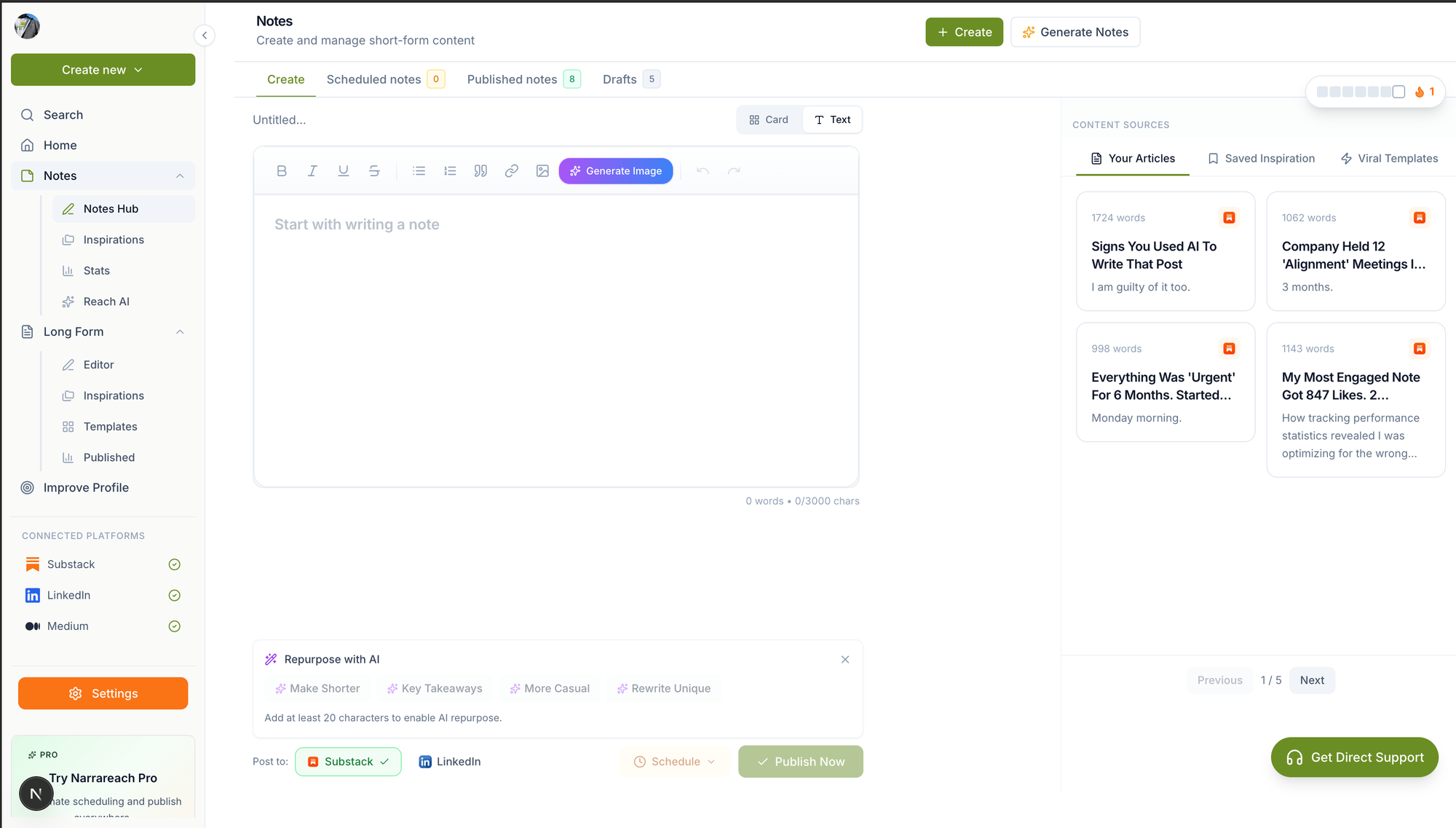
Start by crafting your Substack notes or posts in Narrareach's editor. The platform maintains Substack's native formatting while adding scheduling capabilities that Substack lacks natively.
Step 2: Set Optimal Publishing Times
Research shows that Substack notes perform best when published between 7-9 AM EST on weekdays. Narrareach's analytics help you identify your audience's peak engagement times.
Step 3: Configure Cross-Platform Distribution
Once your Substack content is scheduled, set up automatic cross-posting to LinkedIn, Twitter, and other platforms. This ensures consistent messaging while adapting content format for each platform's requirements.
Narrareach vs. Other Scheduling Tools: Feature Comparison
Why Hootsuite Can't Schedule Substack
Hootsuite lacks native Substack integration and doesn't understand Substack's publishing API. Users attempting to use Hootsuite for Substack content must manually copy-paste between platforms, defeating the purpose of automation.
Buffer vs. Narrareach for Substack
While Buffer offers some content scheduling features, it doesn't provide:
- Direct Substack note scheduling
- Substack-specific analytics
- Cross-platform formatting optimization
- Bulk import from existing Substack content
Narrareach was built specifically for Substack creators, offering features like bulk note scheduling, subscriber growth tracking, and revenue analytics integration.
Why Writestack Users Are Switching to Narrareach
Former Writestack users cite three main reasons for switching:
- Better Cross-Platform Integration: Narrareach connects to 8+ platforms vs. Writestack's limited options
- Advanced Scheduling Features: Batch upload 30+ notes at once, recurring post templates, and timezone optimization
- Superior Analytics: Track engagement across all platforms from one dashboard
Step-by-Step Guide: Scheduling Your First Substack Note
Setting Up Your Account
- Connect your Substack account to Narrareach
- Link your LinkedIn, X, and other social accounts
- Import your existing Substack content for analysis
Creating Your Scheduling Workflow
- Navigate to the Notes scheduler
- Write your content using the WYSIWYG editor
- Select your publishing date and time
- Choose which platforms to cross-post to
- Preview how your content will appear on each platform
- Schedule or publish immediately
Optimizing Your Content Calendar
Use Narrareach's calendar view to visualize your content schedule across all platforms. The platform's AI suggests optimal posting times based on your audience's engagement patterns.
Advanced Strategies for Maximum Reach
Batch Scheduling 30 Notes at Once
Narrareach's bulk upload feature lets you prepare a month's worth of content in one session. Upload a CSV file with your content, dates, and platform preferences to schedule everything automatically.
Cross-Platform Content Adaptation
The same content performs differently on each platform. Narrareach automatically:
- Adds relevant hashtags for LinkedIn
- Shortens content for Twitter's character limits
- Includes appropriate calls-to-action for each platform
- Optimizes images for each platform's requirements
Finding Your Optimal Posting Times
According to Hootsuite's social media research, the best times to post vary by platform and audience. Narrareach's analytics track your specific audience's behavior patterns, suggesting personalized optimal posting times.
Measuring Success: Analytics That Matter
Track these key metrics in your Narrareach dashboard:
- Cross-platform engagement rates: See which platforms drive the most interaction
- Subscriber growth attribution: Track which posts convert readers to subscribers
- Revenue impact: Connect content performance to subscription revenue
- Optimal timing data: Identify when your audience is most active
Getting Started with Narrareach
Ready to streamline your Substack scheduling workflow? Narrareach offers a 14-day free trial with full access to all scheduling and cross-posting features. Unlike other tools that require separate subscriptions for each platform, Narrareach provides one unified solution for all your content distribution needs.
Start by connecting your Substack account and scheduling your first note. The platform's intuitive interface makes it easy to maintain consistent posting across all your platforms while saving hours of manual work each week.
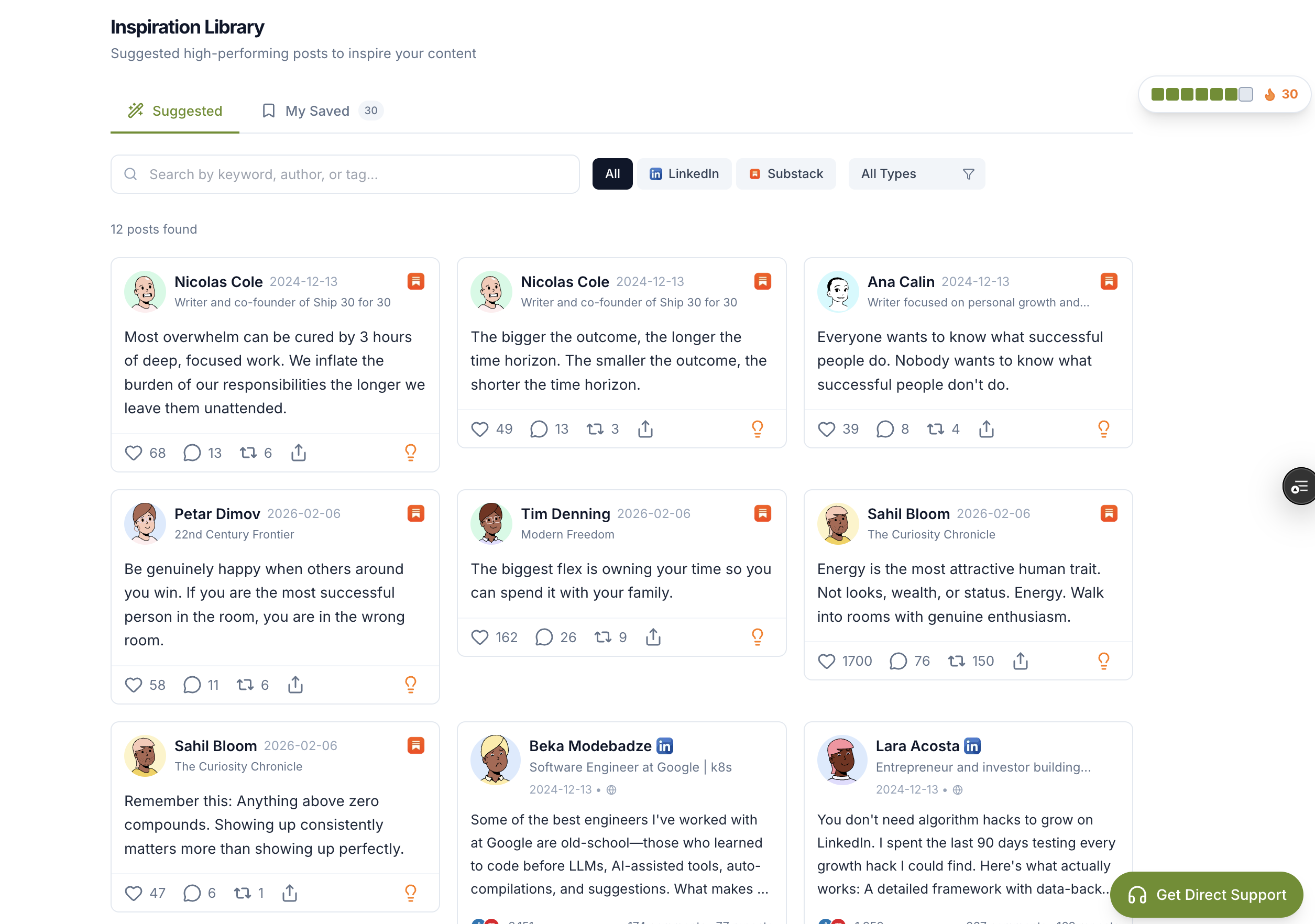
Visual Walkthrough:
Relevant Resources
- Narrareach
- Notes scheduler
- Narrareach dashboard
- beehiiv's State of Newsletters 2026 report
- Hootsuite's social media research
This article is informed by industry research and public discussions, including this source article, and expanded with Narrareach's workflow recommendations.