
10 AI Content Repurposing Tool Picks for 2026
You've just finished a strong Substack article, newsletter, podcast, or video, and the work is already stranded on one platform. Turning it into LinkedIn...
By Ian Kiprono
You've just finished a strong Substack article, newsletter, podcast, or video, and the work is already stranded on one platform. Turning it into LinkedIn posts, X threads, Medium articles, or Substack Notes feels like writing the same piece all over again, so distribution gets postponed until the idea is no longer fresh. The result is a familiar bottleneck: plenty of expertise, but inconsistent publishing and too little time left for audience growth.
Repurposing is already normal practice. A 2026 survey summarized by Shno's review of AI content repurposing tools reports that 48% of social media marketers share similar or repurposed content across platforms with minor adaptations, while 34% create unique content for each platform and 17% publish the same content unchanged. The opportunity isn't basic cross-posting. It's adapting one valuable idea quickly enough that each channel still feels native.
I tested these tools by the job they perform in a writer's distribution workflow: text transformation, video clipping, publishing automation, voice matching, or analytics. I looked at output quality, voice preservation, scheduling, cross-posting, pricing clarity, setup effort, and limitations. Where supplied, I've included concrete plan details, workflow examples, screenshots, and product links. If you're also evaluating broader AI writing tools for startup CEOs, this list will help you separate writing assistance from the distribution layer that makes publishing sustainable.
1. Narrareach
For a newsletter writer, the friction often starts after the article is finished. I tested Narrareach with that distribution task in mind: take a long-form draft, extract its strongest ideas, adapt them into Substack Notes, LinkedIn posts, X threads, and other channel-specific drafts, then review and schedule the results from one dashboard.
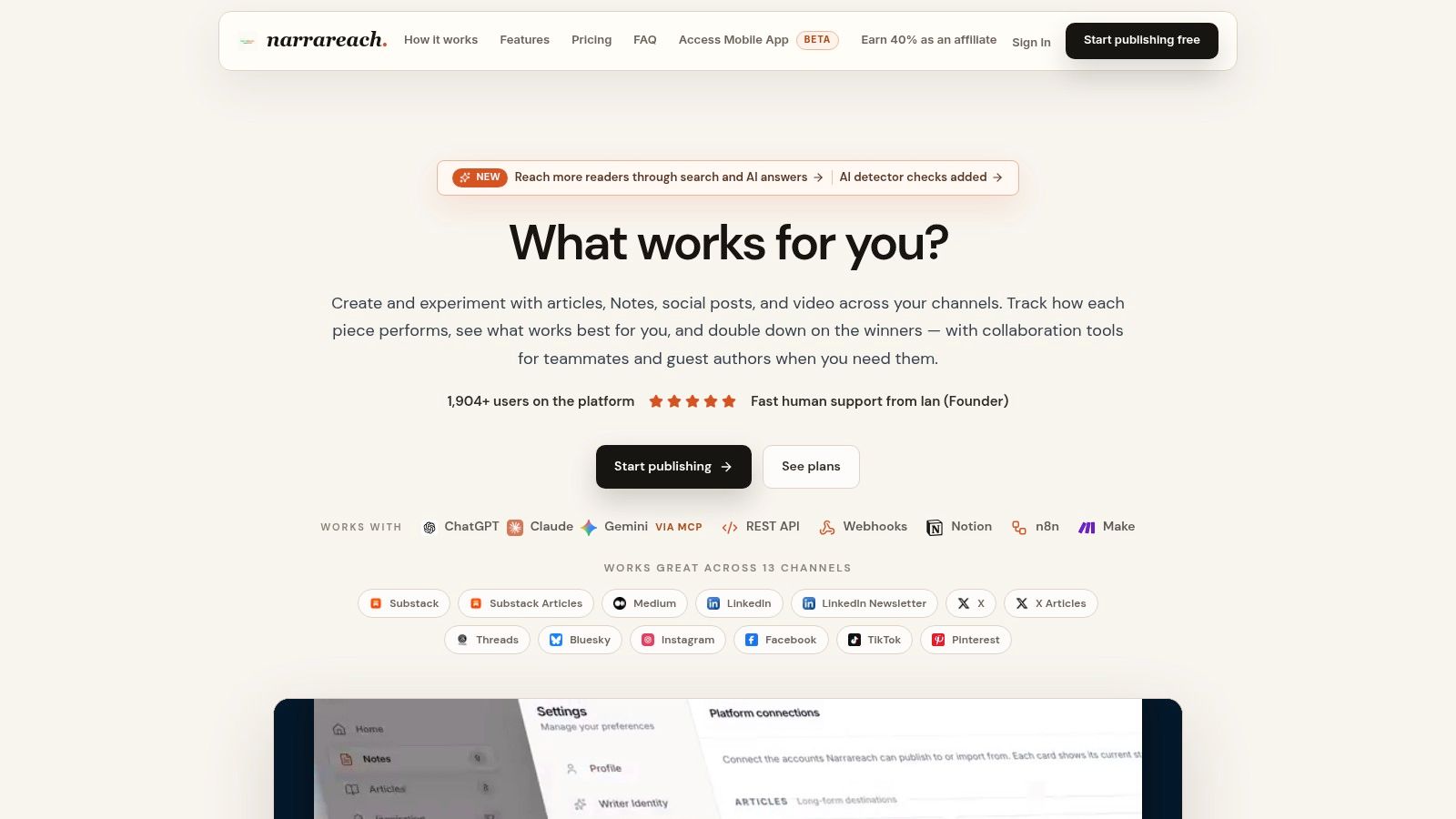
The product combines AI-powered text transformation, publishing controls, cross-platform analytics, and audience signals. That makes it different from a scheduler that only routes finished assets and from a rewriting assistant that produces text without a publishing workflow. A single Substack article can generate Notes, LinkedIn posts, Medium content, X threads, Threads posts, Bluesky posts, and other drafts, with a review step before publication.
Where the workflow earns its place
The useful part is the link between repurposing and measurement. After publishing, Narrareach can surface traffic, subscriber movement, and engagement patterns, giving you evidence for which ideas to expand or recirculate. That feedback is more actionable than a large folder of drafts with no indication of what deserves another distribution cycle.
In my test, a 1,200-word Substack draft produced 3 Notes and 2 LinkedIn variants in under 10 minutes. Voice matching held after one edit pass, although I still checked claims, links, and platform fit before scheduling. The result was a workable first distribution layer, not publication-ready copy that could be trusted without review.
Narrareach also supports Substack Notes and article scheduling. Substack itself offers native scheduling for long-form posts and Notes through its web composer and mobile app, as described in this Substack scheduling guide. Narrareach's practical advantage is keeping that scheduling alongside cross-platform adaptation, so the writer does not have to maintain separate queues for every destination.
Practical rule: Use AI to create the first distribution layer, but keep a human approval step for claims, tone, links, and platform fit.
Connections include ChatGPT, Claude, Gemini, Notion, REST API, webhooks, n8n, and Zapier. Collaboration tools, guest authors, verified publishing identities, approval workflows, automated replies and DMs based on engagement rules, mobile drafting, and smart recirculation extend the workflow. They also add setup and management overhead. A solo writer who only needs a basic queue may find the agent cycles, integrations, team controls, and analytics more than necessary.
The supplied pricing information lists a free starting option, Audience Builder at $19 per month, or $17 per month billed annually; Revenue Writer at $39 per month, or $33 annually; and Full Agentic Mode at $89 per month, or $74 annually. A 7-day free trial with no credit card and a 100% money-back guarantee make testing easier. Higher tiers add AI agent cycles, analytics, automation limits, and team features. Treat these as a pricing snapshot and confirm current terms before subscribing.
Best for: Writers and newsletter operators who need voice-matched text transformation, Substack scheduling, cross-platform publishing, analytics, and audience growth in one system.
Website: Narrareach
2. Repurpose.io
I'd choose Repurpose.io when the transformation is already finished and the main problem is routing. Suppose you publish a podcast clip to TikTok, Instagram, YouTube, or a cloud folder, and you want that same approved asset to reach the right destinations without downloading, renaming, resizing, and uploading it repeatedly. Repurpose.io is built for that operational handoff.
Its workflow is straightforward: connect a source, define destinations, apply resizing or watermark-removal rules, and publish or schedule. It supports platforms such as TikTok, Instagram, YouTube, RSS feeds, cloud folders, and story destinations including Instagram, Facebook, and Snapchat. Multi-account and agency support makes it a practical choice for repeatable video distribution.
What it does and doesn't solve
Repurpose.io is more automation layer than creative engine. It doesn't replace a strong clipper, transcript editor, or writing assistant. If you give it a finished vertical clip, it can help move that clip efficiently. If you give it a Substack article and expect a thoughtful LinkedIn post or X thread, you'll need another tool.
That limitation is also its strength. A narrow workflow is easier to audit than an all-purpose AI system, especially when several accounts and destinations are involved. Before adding it to a newsletter workflow, read how to automate sharing a Substack post to social media and decide whether you need true transformation or just reliable distribution.
Best for: Podcasters, video teams, and agencies with finished assets that need hands-off multi-platform routing.
Pros: Strong source-to-destination automation, multi-account workflows, resizing, watermark removal, and scheduling.
Cons: It doesn't generate much new creative material, and solid workflow design takes setup time. Pricing and account limits should be checked directly on Repurpose.io before committing.
3. Lately.ai
Lately.ai is designed for teams that start with a substantial source and need a large volume of social drafts. I'd test it with a blog archive, podcast transcript, or video transcript, then compare the generated posts against the brand's existing social feed. The important feature isn't only extraction. Lately.ai learns from historical posts to shape style, topic emphasis, and likely engagement patterns.
That makes it more suitable for a social team or agency than for a writer who publishes only occasionally. A single long-form asset can produce many platform-specific drafts, which gives the team material to edit, approve, and schedule without opening a blank document for every post.
The cost of scale
High-volume output can expose weaknesses quickly. A tool may produce plenty of drafts, but a large batch still needs editorial triage. Some posts will repeat the same angle, flatten a nuanced argument, or fit one platform better than another. The editor's job becomes selection and refinement rather than first-draft writing.
Lately.ai also integrates with Hootsuite, which is useful if scheduling and approval already live there. I'd confirm the current plan structure and supported LinkedIn formats on Lately.ai, because advanced usage and feature availability can vary. For a complementary framework on turning one source into platform-specific material, see this guide to repurposing content for social media.
Best for: Agencies and social teams that need many drafts from blogs, podcasts, and transcripts.
Pros: High-volume generation, historical voice learning, and an agency-friendly workflow.
Cons: Advanced usage may require a higher tier, and the output still needs strong selection and platform editing.
4. Castmagic
Castmagic is the clearest choice when your best material is spoken rather than written. I'd feed it a podcast episode, interview, webinar, or meeting recording and use the transcript as the central source for show notes, chapters, pull quotes, newsletters, blog drafts, LinkedIn posts, and X posts.
The speaker-labeled transcript is useful because it gives the editor a searchable foundation. Captions and subtitle exports, including SRT and VTT, make the same recording useful for video workflows. Castmagic also supports translation across 60+ languages, according to the supplied product information, although translation quality and editorial fit still need review.
A podcast-to-newsletter example
For an interview-driven newsletter, the workflow is logical. Record the conversation, clean the transcript, identify the argument or story that deserves a full article, then use the remaining insights for Notes, social posts, episode descriptions, and email promotion. This turns one recording into a coherent campaign instead of a transcript that gets published once and forgotten.
The limitation is format depth. Castmagic is strong at text and audio-derived assets, but it isn't primarily a short-video clipper. If you need visual hooks, reframing, animated captions, and multiple vertical edits, pair it with a dedicated video tool rather than expecting one platform to excel everywhere.
The product's pricing changes by tier, so check the current rates on Castmagic before budgeting. The practical test is simple: measure how much cleanup a transcript-derived newsletter needs and whether the social drafts preserve the speaker's meaning. For a broader explanation of AI-assisted workflows, this guide to AI content repurposing is a useful companion.
Best for: Podcasters, interviewers, and teams turning long audio into written distribution assets.
Pros: Wide output variety, speaker-aware transcripts, chapters, captions, newsletters, and social drafts.
Cons: It isn't a dedicated clip editor, and polished publication still requires human review.
5. Opus Clip
Opus Clip solves a different problem. Instead of asking, “How do I turn this article into posts?” you ask, “Which moments from this hour-long recording deserve to become short videos?” I'd use it on a webinar, podcast, interview, or YouTube recording to locate hooks, create vertical clips, add captions, and reframe the footage for Shorts, Reels, and TikTok.
The automation is valuable because manual clip selection is slow and subjective. Opus Clip can surface candidate moments and prepare them for rapid review. Brand templates, captions, b-roll, and social posting support make the path from a long recording to a short-form batch relatively compact.
Review the moment, not only the edit
Automated clipping still makes editorial decisions you may disagree with. A clip can begin before the point is clear, end before the idea lands, or remove the context that made the original exchange interesting. Captions can also need correction, particularly around names, technical terms, and punctuation.
That's why I'd use Opus Clip as a discovery and production assistant, not as an unattended publisher. Select the strongest moments, rewrite the opening line when needed, verify captions, and check that the clip works for someone who never watched the full recording. For a practical workflow around extracting footage from YouTube, see this guide to taking clips from YouTube videos.
Best for: Creators and teams turning long video into vertical short-form content.
Pros: Fast clip detection, auto-reframing, captions, brand controls, and platform-ready output.
Cons: Clip quality varies by source material, generated choices require review, and it doesn't solve written newsletter or text distribution.
Website: Opus Clip
6. Munch Studio
Munch Studio, also known as GetMunch, is built for the “give me the whole content pack” workflow. I'd use it after recording a webinar, publishing a long video, or producing a substantial source asset that needs several derivatives at once. Its stated workflow can produce 7 to 8 content outputs in one run, including a LinkedIn post, X thread, newsletter, carousel text, YouTube description, pull quotes, marketing email, and, on higher tiers, SEO blog content.
The appeal is speed across formats. Instead of deciding which single derivative to make first, you can generate a weekly bundle and then select the pieces that deserve editing and publication. Brand voice presets and bulk processing are useful when an agency manages recurring work for multiple accounts.
Fast output needs a strong filter
The trade-off is control. Some users report mixed experiences with editing controls and fine-tuning, so I wouldn't choose Munch for a workflow where every sentence needs careful structural control inside the platform. It's better suited to generating a broad first pass, exporting the useful pieces, and performing a deliberate editorial review elsewhere.
Munch can connect through webhooks or Zapier, and basic scheduling can work through tools such as Buffer. That's useful if your publishing system already has a calendar, but it means Munch may sit alongside, rather than replace, your scheduler. Pricing and the availability of SEO blog generation depend on the plan, so review the live details on Munch Studio before scaling.
Best for: Weekly multi-format bundles from webinars, videos, and other substantial source material.
Pros: Very fast all-formats-at-once production, bulk processing, voice presets, and agency-oriented workflows.
Cons: Editing UX can feel limiting, higher-tier outputs may be gated, and the system can generate more material than your team can responsibly review.
7. Riverside Magic Clips
Riverside makes the most sense when recording is already part of your workflow. I'd choose it for a remote podcast, webinar, or interview where the same platform can capture the session, create a transcript, identify highlights, and generate short clips. That removes the handoff between recording software and a separate clipping application.
Magic Clips creates short social videos from longer recordings, while transcript search and AI co-editing help locate and refine moments. For a podcast host who already records in Riverside, the convenience is significant. The clip appears close to the source session, captions stay connected to the recording, and the team avoids moving large media files between applications.
Convenience versus specialization
Riverside isn't as focused on mass cross-platform publishing as Repurpose.io, and it isn't primarily a text repurposing system like Narrareach or Lately.ai. Its strength is the integrated capture-to-clip pipeline. If your newsletter workflow begins with a written Substack article, Riverside adds little unless you also publish video or audio.
Clip selection still deserves scrutiny. Automated highlights can miss the context that makes a conversation compelling, and the best duration for a clip depends on the idea, not just the platform preset. Plan availability and pricing vary, so check the live details on Riverside before moving an established recording workflow.
Best for: Podcast and webinar teams already recording inside Riverside.
Pros: Recording, transcription, clipping, editing, and publishing support in one environment.
Cons: Less specialized for high-volume distribution, and it may be unnecessary if you only need a standalone clipper.
8. Descript
Descript is the tool I'd reach for after automatic clipping when the output needs editorial polish. It treats audio and video like text, so removing a sentence from the transcript removes the corresponding media. That approach is especially useful for podcasts, interviews, and talking-head videos where the main editing work is deleting filler, tightening answers, and correcting awkward transitions.
Overdub can help correct a small spoken mistake without recording the entire segment again, while stock assets and branded caption styles support polished short-form exports. The tool gives you more control than a fully automated clipper, which is valuable when a brand's visual style or a guest's wording matters.
The editor still owns the judgment
Descript isn't a one-click “find the best moments” engine. You need to guide the selection, understand the conversation, and decide where the clip should start and end. That's not a weakness for editorial teams. It's the reason Descript works well as a cleanup and refinement layer after an AI discovery tool.
Paid access scales by media minutes and feature availability, so check the current structure on Descript. I'd test one representative recording, including a noisy section and a technical explanation, before deciding whether the transcript workflow is faster than your current editor.
Best for: Creators who want precise editorial control over podcasts, videos, captions, and audiograms.
Pros: Text-based editing, voice corrections, caption styles, stock assets, and strong creative control.
Cons: Requires more hands-on judgment than automated clippers and doesn't provide a complete cross-platform publishing system.
9. Vizard.ai
Vizard.ai targets creators who want automatic short-form production with direct publishing and scheduling. I'd test it with a long podcast or webinar, then compare the selected clips with the moments I'd choose manually. Its workflow includes automatic clipping, captions, brand templates, multi-channel scheduling, and multi-account support.
The credit-based model is useful for heavy short-form production, particularly when annual plans provide a larger processing pool. It can also be practical for small teams that need to publish across several accounts without adopting an enterprise platform.
Audit the credit math first
Credit systems create a different kind of friction. A low monthly price can look attractive until you understand how much processing one long video consumes, what happens when credits run out, and whether unused credits carry forward. I'd calculate the expected monthly source-video volume before choosing a plan, then verify export quality, caption controls, and channel limits on Vizard.ai.
The tool still needs a human review pass. AI may identify a technically complete moment that lacks a compelling opening, or produce a clip that needs a tighter crop and corrected caption timing. Use the generated candidates to accelerate selection, not to eliminate editorial judgment.
Best for: Solo creators and small teams producing many short-form clips across several channels.
Pros: Automatic clipping, captions, brand templates, direct publishing, scheduling, and multi-account support.
Cons: Credit metering can be confusing, plan limits require careful checking, and some clips need manual refinement.
10. Flowjin
Flowjin combines clips and copy, which makes it interesting for creators who don't want a video-only output. I'd upload a long recording, let the system identify highlights, then review the vertical clips alongside social copy and quote graphics. That creates a small content bundle from a single interview or podcast segment.
Transcript-based fine-tuning is important here. It gives you a way to adjust the source of a clip rather than accepting the AI's first cut, while templates and frame fixes help prepare the asset for publication. For an agency, unlimited-export tiers may be more relevant than a low entry price, because export restrictions can otherwise interrupt production.
A smaller ecosystem can be a real trade-off
Flowjin is newer than Opus Clip and Vizard, so its ecosystem of tutorials and third-party integrations is smaller. That doesn't make the product unsuitable, but it does increase the importance of testing your exact source format and publishing destinations before standardizing on it.
I'd use Flowjin when the “clips plus copy” combination saves a handoff. If you already have a strong video editor and only need distribution, another tool may fit better. Check the current plans and integrations on Flowjin, then review every generated asset for context, captions, framing, and whether the social copy adds a reason to watch.
Best for: Creators and agencies that want short clips, social copy, and quote graphics in one pass.
Pros: Combined clips-and-copy workflow, transcript editing, templates, quote graphics, and agency-oriented options.
Cons: Smaller ecosystem, fewer integrations than established competitors, and less evidence of long-term workflow maturity.
Top 10 AI Content Repurposing Tools, Feature Comparison
| Product | Core features ✨ | Quality ★ | Value / Price 💰 | Target audience 👥 | Why choose / USP 🏆 |
|---|---|---|---|---|---|
| Narrareach 🏆 | Writer‑first distribution, AI repurposing, schedule Substack/Medium/LinkedIn/X, ChatGPT/Claude/Gemini + integrations | ★★★★★ | 💰 Free tier; plans from $19/mo → advanced $39–$89/mo | 👥 Writers, newsletter creators, solo & teams | 🏆 Recommended, turn high‑performing pieces into platform‑specific posts + smart recirculation |
| Repurpose.io | Ingest → resize → remove watermarks → publish; multi‑account scheduling for video/podcasts | ★★★★ | 💰 Tiered; agency & large‑account focus | 👥 Podcasters, video creators, agencies | Reliable hands‑off cross‑platform automation for media pipelines |
| Lately.ai | Auto‑generates dozens of social posts from long assets; learns brand voice from history | ★★★★ | 💰 Tiered / enterprise pricing (contact sales) | 👥 Social teams, agencies, content marketers | AI that learns your voice to prioritize likely‑to‑engage posts |
| Castmagic | Fast speaker‑labeled transcripts, show notes, chapters, social posts & newsletters from audio | ★★★★ | 💰 Tiered; output‑focused pricing | 👥 Podcasters, interview shows, team workflows | One‑click podcast → multi‑format text factory (transcripts → posts) |
| Opus Clip | AI hook detection, auto‑reframe, captions, b‑roll & platform‑ready vertical clips | ★★★★ | 💰 Subscription tiers; team/brand templates on paid plans | 👥 Video creators, social teams, short‑form publishers | Fast creation of viral‑style Shorts/Reels/TikTok clips |
| Munch Studio | URL/upload → 7–8 cross‑channel outputs, bulk processing, brand presets | ★★★★ | 💰 Affordable entry plans; agency/shared seats on higher tiers | 👥 Weekly content creators, agencies | Rapid "all‑formats‑at‑once" content packs for consistent output |
| Riverside (Magic Clips) | Remote recording + auto‑highlight Magic Clips, transcript search, co‑editing tools | ★★★★ | 💰 Tiered recording & features; check plans | 👥 Podcasters, webinar hosts, remote teams | Capture + auto‑repurpose in one professional studio pipeline |
| Descript | Text‑based audio/video editing, fast transcripts, Overdub voice cloning, branded captions | ★★★★★ | 💰 Tiered; minutes‑based limits on paid plans | 👥 Editors, creators needing polished edits | Edit media like text + powerful editorial control and voice fixes |
| Vizard.ai | Automatic clipping, captions, brand templates, scheduling; multi‑account credit system | ★★★★ | 💰 Credit‑based plans; competitive annual credit pools | 👥 Teams posting Shorts/Reels/TikTok | Cost‑effective short‑form output with annual credit packs |
| Flowjin | AI highlight detection, auto‑captions, templates, quote graphics and social copy bundles | ★★★★ | 💰 Agency‑friendly tiers; unlimited‑export options on some plans | 👥 Creators & agencies needing quick clip+copy bundles | Fast "clips + copy" exports with transcript fine‑tuning |
Choose the Workflow You Will Actually Maintain
The best ai content repurposing tool isn't the one with the longest feature list. It's the one that removes your recurring bottleneck without creating a new review queue you'll ignore after the first enthusiastic week.
For writers and newsletter operators, Narrareach is the most complete match when the source is a Substack article, Medium piece, blog post, or newsletter and the desired outputs are platform-specific text. It combines voice-matched repurposing, Substack Notes and article scheduling, cross-platform distribution, analytics, and subscriber attribution. It can help you schedule a week of distribution from one source while preserving a final approval step. That's a different job from video clipping, and it's why a writer shouldn't choose a video-first tool just because its AI looks impressive in a demo.
Choose Repurpose.io when the content is already approved and the priority is hands-off routing. Choose Lately.ai when a social team needs a large volume of drafts from long-form assets. Choose Castmagic when the source is a podcast or interview and the output needs to include show notes, newsletters, articles, and social copy. Choose Opus Clip, Riverside, Descript, Vizard.ai, Munch Studio, or Flowjin when video clipping or multi-format media production is the central problem.
Independent benchmark-style data points to the operational value of AI-assisted repurposing, rather than fully autonomous publishing. The 2024 B2B benchmark from The Starr Conspiracy reported that 71% of B2B marketers used generative AI for content production, median time to first draft for a 1,500-word blog post fell from 4.6 hours to 1.1 hours, and writers published 4.2 times more assets per quarter than a 2022 baseline. The useful lesson is workflow design: templates and human review create throughput without handing editorial judgment to an unattended system.
Use this five-step selection test
- Identify the source format: Decide whether your workflow starts with a Substack article, blog URL, PDF, podcast, webinar, or long video.
- Count destination channels: List the platforms you'll maintain, not every platform a product supports.
- Test voice fidelity: Feed each candidate the same source and compare hooks, terminology, sentence rhythm, and claims against your original.
- Verify scheduling and usage limits: Check Substack Notes and article scheduling, account limits, processing credits, media minutes, export rules, and plan gates.
- Review every generated asset: Correct facts, names, links, captions, context, formatting, and platform fit before publishing.
Human editing remains part of the economics. Recent industry coverage says better tools have improved transcript-to-article quality, but platform-specific cleanup is still expected, with guidance commonly recommending 20 to 30 minutes of editing per repurposed asset in this 2026 state-of-AI-repurposing report. Treat that time as a design constraint. If a tool creates ten drafts but your team can review only three, the useful output is three publishable assets, not ten exports.
The durable outcome is a repeatable publishing system. Start from content with a clear idea, adapt it for each audience, schedule it consistently, observe subscriber and traffic signals, and recirculate the strongest patterns without abandoning editorial judgment. A careful comparison of traceable evidence matters too, as this roundup of content repurposing statistics demonstrates by grounding its findings in normalized direct research URLs rather than unsupported generalizations.
If you're ready to test the writer-first workflow, start Narrareach's free trial without a credit card and use one real Substack article as your source. If you're not ready to switch tools, follow the publication or stay connected for future workflow experiments, pricing checks, and publishing tests. The right tool is the one you'll still use when the next article is finished and distribution feels like work again.
https://moonb.io/blog/video-editing-companies
Narrareach turns your strongest articles and newsletters into voice-matched Notes, LinkedIn posts, X threads, and other platform-specific drafts, then helps you schedule, publish, and track them from one dashboard. Start building a consistent Substack and cross-platform distribution workflow by visiting Narrareach.