
How Kevin Kagwi Connected Notion to Substack with Narrareach's n8n Nodes
Kevin Kagwi connected Notion to Substack using Narrareach's n8n integration. The integration gives him a practical division of responsibilities: Notion can...
By Ian Kiprono
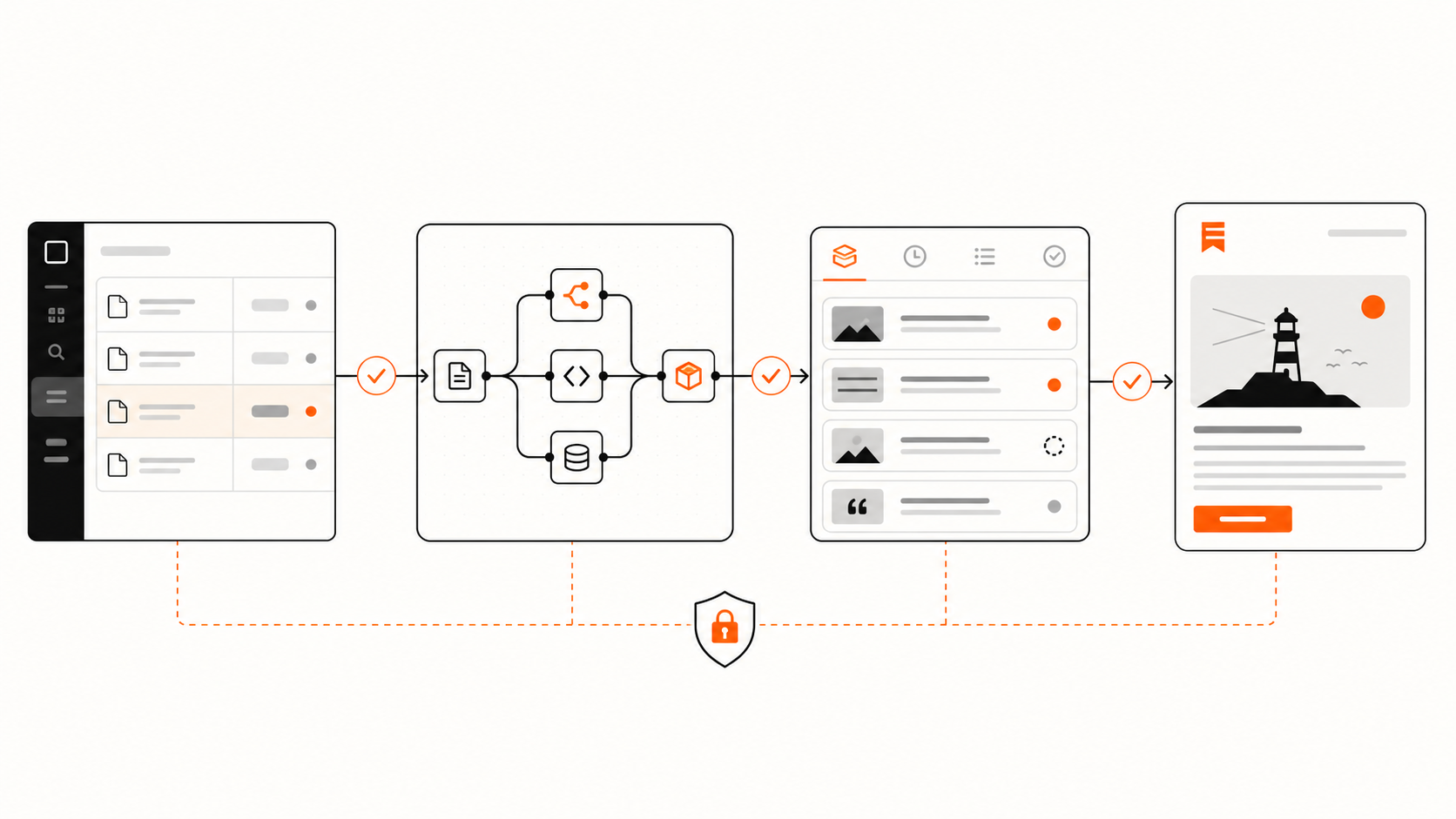
Kevin Kagwi connected Notion to Substack using Narrareach's n8n integration. The integration gives him a practical division of responsibilities: Notion can remain the editorial workspace, n8n can orchestrate the handoff, and Narrareach can manage the authenticated publishing request and its status.
This article documents the architecture available through the released Narrareach community node. We have not attached performance figures, a customer quotation, or details about Kevin's publication because those will be added only after they are verified with him.
Can Notion publish to Substack through n8n?
Yes. Notion can act as the editorial source, n8n can run the workflow, and Narrareach can provide the maintained publishing connection to Substack.
A representative workflow looks like this:
- An article is drafted and reviewed in Notion.
- Its status changes to Approved or Ready to schedule.
- n8n reads the approved title, content, destination, and publication time.
- The Narrareach Schedule Article node creates a managed publishing record.
- n8n stores the returned schedule ID in Notion.
- A later step checks the Narrareach status and writes the result back to the source record.
The workflow does not need to store a Substack password, browser cookie, or publication session in n8n. Narrareach uses the Substack connection attached to the authenticated Narrareach workspace.
The problem this integration addresses
Notion is useful for writing, review, and content planning. It is not a Substack publishing queue.
Without a dedicated handoff, a writer usually chooses among three imperfect options:
- Copy the finished article from Notion into Substack manually.
- Build and maintain custom HTTP requests for every publishing operation.
- Use browser automation that depends on a page layout and an active session.
Manual publishing is tolerable for one occasional article. It becomes operational work when several articles move through the same process, when publishing happens at a future time, or when the writer needs a clear record of what is scheduled.
A custom request can remove the copy-and-paste step, but it transfers responsibility to the workflow owner. They must manage authentication, request formats, retries, duplicate protection, and the difference between receiving a successful response and confirming the final publishing state.
The Narrareach n8n node provides a maintained last-mile handoff. n8n remains responsible for triggers, conditions, and data mapping. Narrareach remains responsible for the publishing action, connected destination, and schedule state.
A practical Notion database for the workflow
The smallest useful database needs enough information to answer four questions:
- Is this article approved?
- What exactly should be published?
- Where and when should it go?
- What happened after the automation ran?
| Property | Purpose |
|---|---|
| Title | The approved article title |
| Content | The final article or a link to its approved body |
| Editorial status | Draft, In review, Approved, or Scheduled |
| Destination | The connected Substack publication |
| Publish at | The intended date, time, and timezone |
| Source ID | The stable Notion page ID |
| Narrareach schedule ID | The publishing record returned by Narrareach |
| Publishing status | Requested, Scheduled, Published, Failed, or Cancelled |
| Published URL | The confirmed destination URL when available |
The stable source ID is particularly important. Narrareach supports idempotency keys, which let the workflow identify a repeated request. Using the immutable Notion page ID helps prevent an n8n retry from creating another schedule for the same approved article.
How a reliable Notion-to-Substack workflow runs
1. Finish and approve the article in Notion
Notion remains the editorial source of truth. The article can be drafted, edited, and reviewed there before any publishing action is allowed.
The automation should not run merely because a page was created. A new page is usually incomplete. The useful trigger is an explicit state change such as Approved or Ready to schedule.
That keeps editorial intent visible and gives the writer a simple way to stop unfinished work from entering the publishing queue.
2. Let n8n read only approved records
The n8n workflow watches or periodically checks the relevant Notion database, then filters for records that meet the publishing conditions.
At minimum, it should confirm that:
- The editorial status is approved.
- A title and article body exist.
- A Substack destination is selected.
- The scheduled time is valid.
- The record does not already contain a completed Narrareach schedule ID.
This filter converts an editorial decision in Notion into a structured publishing request without treating every database edit as permission to publish.
3. Map the article into the Narrareach node
The Narrareach community package provides dedicated Schedule Article and Schedule Note operations. For an article, n8n maps the approved title, HTML content, schedule time, and destination settings into the Schedule Article node.
The Notion page ID can become the idempotency key. If n8n retries after a timeout or temporary failure, the repeated execution can refer to the same source operation instead of silently producing a duplicate schedule.
This is the point where the workflow stops being a fragile Notion export. The content enters a publishing system that understands schedules, connected destinations, and the lifecycle of the item.
4. Add the article to a managed publishing queue
Narrareach creates the publishing record against the authenticated workspace and selected Substack publication.
The n8n workflow receives an operation or schedule record it can inspect. It should store that identifier back in Notion immediately. The source page then carries a durable connection to the publishing request that came from it.
The article has not disappeared into an opaque automation log. The writer can see the queued item in Narrareach, and the workflow can refer to the same schedule if the plan changes.
5. Check status instead of assuming success
A successful scheduling request and a confirmed publication are not the same event.
The Narrareach package includes Get Status, allowing a later n8n step to read the current state. The workflow can wait, poll at a sensible interval, or run a separate reconciliation process and then update the Notion record.
A useful status loop is:
- Requested
- Accepted into the Narrareach queue
- Scheduled for Substack
- Published and confirmed
- Failed and needs review
This produces a workflow that can be inspected from either side. Notion shows the editorial record and latest result. Narrareach shows the operational publishing state.
6. Use the same schedule record for changes
If the date changes after scheduling, the workflow can use Narrareach's Reschedule operation with the existing schedule ID. If the article should not be published, it can use Cancel.
That is safer than creating a second article schedule and hoping the first one is removed manually.
Why use dedicated nodes instead of a generic HTTP request?
n8n's generic HTTP Request node is valuable when no maintained integration exists. It is also intentionally generic. The workflow author must understand the external API, authentication, payload, errors, and retry behavior.
The Narrareach community node packages the publishing operations around the job being performed:
- Schedule an article.
- Schedule a Note or short-form post.
- Read the current status.
- Reschedule future work.
- Cancel future work.
The credential uses a scoped Narrareach automation token. Individual social-platform passwords and browser cookies do not need to be stored in the n8n workflow.
This does not make the automation maintenance-free. The writer still owns the Notion schema, approval rule, and data mapping. It removes the need to invent and maintain the Substack publishing handoff itself.
What makes the workflow reliable
The strongest part of the setup is not that it contains three recognizable tools. It is that each tool has a narrow responsibility.
Notion owns editorial state. It records the article, approval, and desired schedule.
n8n owns orchestration. It observes the approval, validates required fields, maps data, branches on results, and updates the source record.
Narrareach owns publishing state. It uses the connected destination, creates the schedule, reports status, and manages later rescheduling or cancellation.
Several safeguards follow from that separation:
- Trigger only on explicit approval.
- Use the Notion page ID as the idempotency key.
- Store the returned Narrareach schedule ID.
- Run one future canary article before enabling the workflow broadly.
- Check status before marking an article as published.
- Keep failure states visible for human review.
- Reschedule or cancel the existing record instead of creating another one.
Publishing automation is not a content backup
A publishing workflow is not a content backup by itself.
Unstack Substack's guide on backing up Substack data reflects a broader concern among writers: important content and subscriber records should not exist in only one destination. A Notion-first workflow gives the approved article an independent editorial home, but publication owners should still follow Substack's current export and backup guidance for their publication data.
This is an important boundary. Narrareach manages publishing work. Notion can preserve the source article. Substack's export tools address publication-level backups. Those responsibilities support one another, but they are not interchangeable.
Who should use this Notion-to-Substack setup?
The workflow is a strong fit for:
- Writers who already draft and approve articles in Notion.
- Newsletter teams that need an explicit approval step.
- Publishers scheduling several articles ahead.
- Operators already using n8n for editorial or business workflows.
- Teams that want publishing status returned to the source database.
It is probably unnecessary for a writer who publishes one article occasionally and is comfortable finishing the work inside Substack's editor.
The integration becomes valuable when the source article, approval decision, publishing request, and final status need to stay connected.
What this customer story will add after verification
The confirmed fact is useful: Kevin Kagwi integrated Notion with Substack using Narrareach's dedicated n8n nodes.
The next revision will add only details Kevin verifies, including the trigger he uses, whether he schedules articles or Notes, the fields that return to Notion, and the result he values most. Until then, this page documents the available architecture without attaching unsupported performance claims to his name.
The practical takeaway
A reliable Notion-to-Substack automation needs more than a trigger and a text field.
The source record needs approval state. Retries need duplicate protection. The publishing request needs an inspectable ID. A later step needs to distinguish scheduled work from confirmed publication.
Kevin Kagwi's use of Narrareach's n8n node establishes the connection at the center of this story. The documented architecture keeps Notion responsible for editorial control, n8n responsible for orchestration, and Narrareach responsible for the managed handoff to Substack.
That is the workflow we can verify more deeply when Kevin's publication and implementation details are available.