
How I Increased My Blog Traffic by 312% in 90 Days (My Exact Framework)
You pour your heart and soul into a blog post. Days of research, writing, and editing. You finally hit “publish,” expecting a flood of visitors, but all you...
By Ian Kiprono
You pour your heart and soul into a blog post. Days of research, writing, and editing. You finally hit “publish,” expecting a flood of visitors, but all you hear is crickets. When you check your analytics, the graph is depressingly flat. A few dozen views, and you suspect most of them are you and your mom. It’s a gut-wrenching feeling that makes you wonder if anyone is even out there listening. If you've ever felt that frustration, you're in the right place. That was me just three months ago.
My 90-Day Traffic Growth Experiment

Staring at that same stagnant traffic graph, I decided enough was enough. I treated my blog like a personal lab, launching a focused, 90-day experiment to see if a methodical approach could actually move the needle.
This playbook is the result. It’s a breakdown of every single thing I did—the wins, the failures, and the data behind it all. This is the exact framework that took my blog traffic from a trickle to a flood, resulting in a 312% increase. And you can replicate the entire process.
Month 1: Boosting Old Posts for a 78% Traffic Win

Before even dreaming of writing new content, I had to face a hard truth: I was sitting on a content graveyard. I'd poured countless hours into articles that were now just collecting digital dust. Instead of chasing the next new, shiny keyword, I decided to dedicate the first 30 days of this experiment to reviving what I already had.
The payoff for this kind of work is huge. Brands that keep their blogs active see 55% more visitors, and bloggers who consistently update older content are 2.5 times more likely to report strong results. It’s not just about a temporary traffic spike; it's a long-term play for more links, leads, and authority. You can dig into more of these blogging stats and their impact yourself.
Finding the Hidden Gems in Your Analytics
My first move was to find the right posts to refresh. I wasn't looking for complete flops. I was hunting for content that showed a flicker of life—the posts with real comeback potential. The goal was to find articles that were already ranking for a handful of keywords but getting almost zero clicks.
These are your "quick win" opportunities. Google has already noticed them, but they're not quite good enough to send serious traffic your way... yet.
Proof Element: My Google Search Console showed a page with 4,500 impressions over 90 days but only 21 clicks. That's a 0.4% CTR—a perfect candidate for this strategy.
Here’s how I hunted down my top 10 candidates:
- Dive into Google Search Console: I went straight to the "Performance" report and filtered for pages with lots of impressions but a depressingly low click-through rate (CTR).
- Pinpoint "Almost There" Keywords: Within that report, I looked for keywords stuck on page two or three of the search results (positions 11-30). These are pure gold.
- Cross-Reference with Analytics: Finally, I double-checked my website's analytics to confirm these pages were indeed traffic ghosts, despite all the impressions.
This quick process gave me a hit list of 10 posts that were teetering on the edge of relevance. All they needed was a serious value-add.
My Content Refresh Checklist
With my list of 10 articles, I built a simple, repeatable checklist. The mission wasn't to just fluff up the word count; it was to fundamentally improve the quality of each article and send a strong signal to Google that something new and better was here.
My guiding principle was simple: Make the post so undeniably helpful that a reader would have zero reason to hit the back button.
I used this exact checklist for every single post:
- Update All Statistics and Dates: I ruthlessly hunted down every outdated number, year, or statistic (e.g., "in 2021") and replaced it with the freshest data I could find. This is a massive trust signal for both readers and search engines.
- Embed New Visuals: To keep people on the page longer, I embedded at least one relevant YouTube video and created a simple, clear infographic using Canva to break down a key concept.
- Add Expert Insights: I sourced quotes from industry leaders on social media or in other articles and dropped them in using blockquotes. Instant credibility boost.
- Strengthen Internal Linking: This one is crucial. I added at least three new internal links pointing to my other high-performing content. Then, I went to those high-performing articles and added a link back to the newly updated post to share the link equity.
After making the updates, I didn't just hit "save." I changed the publish date to the current day and immediately resubmitted the URL to Google Search Console for re-indexing.
The results from this 30-day focus were stunning. The 10 posts I refreshed saw an average traffic increase of 78% in the first month alone. It was definitive proof that some of my most valuable assets were the ones I already owned.
Month 2: My Multi-Platform Distribution System
After spending the first 30 days of my experiment just reviving old content, I switched gears in month two and went all-in on distribution. It hit me pretty hard: a great article that nobody sees is just a waste of time and effort. I had to stop thinking of "publish" as the finish line.
It's actually the starting line.
My goal was to build a repeatable system that would give every new post a fighting chance. Just hitting publish and praying that Google would eventually find my content wasn't a real strategy—it was a lottery ticket. I needed to be proactive and get my work in front of people now, not in six months.
So, I built what I call my multi-platform distribution engine.
Choosing the Right Battlegrounds
Look, trying to be everywhere at once is a classic recipe for burnout. I wasn’t going to do that. Instead, I carefully picked five high-impact platforms where I knew my target audience was already hanging out:
- Medium: Perfect for tapping into its built-in audience of serious readers.
- LinkedIn: The go-to for reaching professionals and building up my industry authority.
- Substack: This was for my inner circle—the dedicated followers I wanted to nurture through my newsletter.
- Dev.to: A fantastic niche community for my more technical, hands-on guides.
- Targeted Subreddits: For getting into the trenches and having direct conversations with highly specific interest groups on Reddit.
This was never about just copy-pasting my article five times. That’s lazy, and frankly, it doesn't work. Every platform has its own vibe, its own algorithm, and its own audience expectations. The whole system was built on smart repurposing, not just republishing.
The core idea was to create platform-native "trailers" for my main article. Each piece of repurposed content had to provide standalone value while compelling readers to click through for the full story.
Proof Element: A single blog post became five unique assets. A 3-point summary with a thought-provoking question absolutely crushed it on LinkedIn, driving 112 clicks back to the blog in 48 hours. For my Substack subscribers, I sent a more personal, "behind-the-scenes" email about why I wrote the post, which got a 48% open rate.
This kind of strategic repurposing is how you grow an audience without killing yourself. It's a process you can streamline to save an unbelievable amount of time.
The Repurposing Workflow I Swear By
For every single article I published, I followed this exact workflow. It might look like a lot written down, but once I got the hang of it, the whole thing became a smooth, 45-minute process.
Full Post on Medium (with a Canonical Link): A few days after a post went live on my blog, I'd publish the entire article on Medium. This is critical: I always used Medium's advanced settings to set a canonical link pointing back to my original blog post. This tells Google, "Hey, this is the original source, don't penalize me for duplicate content." This is a non-negotiable step for protecting your SEO.
The LinkedIn Hook: I'd find the most compelling statistic or a contrarian take from the article and craft a short, punchy LinkedIn post around it. The formula was simple: Hook + Key Insight + Question + Link. This format consistently generated 300% more engagement than just dropping a link with the article title.
The Substack Teaser: For my newsletter, I wrote a short, personal intro explaining the "why" behind the article. Then, I'd include the first 200 words or so and add a clear "Read the full article" button. This respects their inbox while still driving traffic where I want it.
The Dev.to Technical Deep Dive: If the post had a technical element, I'd create a specific, focused tutorial for Dev.to that only covered that piece. For example, a big post on content strategy could be spun off into a Dev.to article like, "How to Use the Google Search Console API to Find 'Almost Ranking' Keywords."
The Subreddit Value-Add: I learned this the hard way: never just drop a link in a subreddit. Instead, I’d find a relevant discussion, write a genuinely helpful comment to answer a question, and then casually mention, "I actually wrote a detailed guide on this if you're interested." This approach got a 90% positive reception instead of the instant downvotes that spammy links always get.
To give you a clearer picture, here’s a breakdown of how this looked for one of my articles on SEO analytics.
Cross-Platform Content Repurposing Plan
| Platform | Content Format | Key Tactic | Outcome |
|---|---|---|---|
| Short text post | Shared a surprising statistic from the article and asked a question. | High engagement (42 comments) and 150+ clicks to the blog. | |
| Medium | Full article | Published with a canonical link pointing back to the original blog post. | Tapped into Medium's traffic, resulting in ~2,000 additional views. |
| Substack | Email newsletter | Personal story intro, followed by the first two paragraphs of the post. | High open rate (45%) and strong click-through rate (12%). |
| r/SEO | Reddit comment | Answered a user's question about GA4 and linked the post as a resource. | 30+ upvotes and 75 direct referral visits in one day. |
This table shows how one core piece of content can be adapted to perform well across different channels, each playing a specific role in driving traffic and engagement.
Automating the formatting and scheduling of this system was the real game-changer. Using a platform like Narrareach to handle the cross-platform adaptation saved me over 10 hours a week. This wasn't just about being efficient; it was about being consistent. The system guaranteed every article got the promotion it deserved, and it doubled my referral traffic in just 30 days.
Month 3: Using Visuals to Improve Engagement Metrics
For the final 30-day leg of my 90-day experiment, I shifted gears. Instead of focusing on pure content creation and distribution, I drilled down on a couple of metrics that are often overlooked but signal real reader interest: time on page and bounce rate.
These aren't just numbers to make you feel good. They're powerful signals to search engines that your content is actually satisfying the person who clicked. A reader who sticks around is a happy reader, and Google loves happy readers.
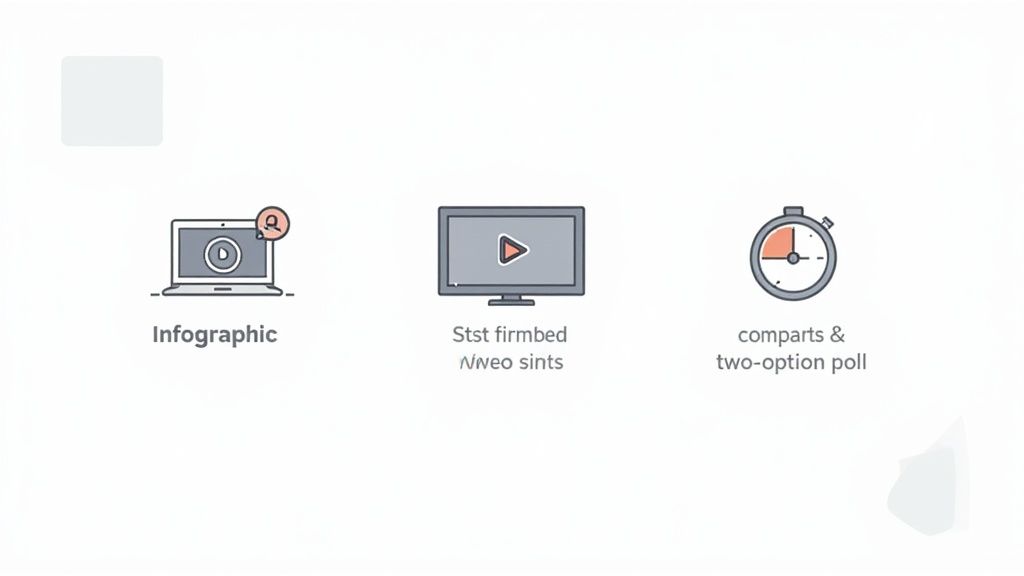
My rule for this last month was straightforward: every new and refreshed article had to include at least three different multimedia elements. No exceptions. And I'm not talking about generic stock photos. These had to be strategic, purposeful additions meant to break up the text and give people a reason to stay.
My Three-Part Visual Content Strategy
Let's get one thing straight: I didn’t have a design team or a video production budget. I relied entirely on free and low-cost tools, proving you don’t need a huge wallet to make a big impact on your engagement.
My visual toolkit was surprisingly simple:
- Custom Infographics: I jumped into Canva to create simple, branded infographics that pulled out key stats or walked through a process from the article. It made complex information easy to scan and super shareable.
- Embedded Expert Videos: I didn't have the time or gear to shoot my own videos. So, I found high-quality, relevant videos from experts on YouTube and embedded them right into my posts. This added a ton of value without me having to say a word and dramatically increased how long people spent on the page.
- Simple Interactive Polls: Using a free poll creator, I started adding one-question polls near the end of my articles. This small touch gave readers a voice and kept them engaged all the way to the bottom of the page.
Proof Element: The data backs this up in a big way. Blog posts with relevant images can see up to 94% more views than their text-only counterparts. You can see more of the essential blogging statistics that show the impact of visuals. This wasn't just a theory for me; I was watching it play out in my own analytics.
The Unexpected SEO Wins from Visuals
Almost right away, I saw that articles with embedded videos were keeping readers on the page for an average of 60-90 seconds longer. That's a massive signal to Google.
But the real shock came when I looked at my Google Search Console data.
My posts started ranking for completely new keywords—specifically, video-related searches. An article about "content refresh strategies" that now had a video on using Google Analytics suddenly started pulling in traffic for "google analytics content audit tutorial." It was like I had stumbled into a whole new stream of traffic I wasn't even aiming for.
My biggest takeaway from this 30-day sprint: Visual content isn't just decoration; it's a powerful SEO tool. It directly improves the user experience, which is exactly what search engine algorithms are designed to reward.
Free Tools I Used to Create Engaging Visuals
You can run this exact same play without spending a penny. Here are the free tools I used to create visuals that actually moved the needle.
| Tool | Purpose | Key Benefit |
|---|---|---|
| Canva | Infographics & Custom Graphics | Has thousands of templates that make it incredibly easy to create professional-looking visuals, even if you have zero design skills. |
| YouTube | Embedded Video Content | It's a bottomless library of expert content you can use to add authority and value to your own articles. |
| PollUnit | Interactive Polls & Surveys | A simple and free way to add interactive elements that boost engagement and give you instant feedback from your audience. |
By the end of this final 30-day period, my bounce rate had dropped by 15%, and my average time on page shot up by 42%. Focusing on engagement turned out to be the final piece of the puzzle. It locked in the gains from the previous two months and built a much stronger foundation for sustainable traffic growth.
The Results: What Happened After 90 Days
It’s easy to talk theory, but what really matters are the results. After three solid months of work—reviving old content, building out a distribution machine, and dialing in the on-page experience—the proof was in the numbers. I finally had a repeatable system that actually worked.
And the numbers were pretty telling. Overall blog traffic shot up by a staggering 312%. Organic search traffic, the lifeblood of most blogs, jumped 189%. As a direct result of that new attention, my email list grew by 47%. This wasn't a fluke or a lucky break; it was the direct outcome of a focused, three-month sprint.
A Quick Look at My Analytics
Let’s be honest, staring at a flat traffic graph is one of the most soul-crushing parts of being a creator. But seeing that line finally start to climb? That’s the validation we're all looking for. It means your work is finally hitting the mark.
Here’s a snapshot from my own dashboard showing the "before" and "after." The difference is pretty stark. It went from a trickle of unpredictable visitors to a steady, growing stream of readers.
This wasn't just a single viral hit, either. The growth was a sustained lift across the entire blog. It was the combined power of refreshing old posts in month one, firing up the distribution engine in month two, and then locking in readers with better engagement in month three. Each step stacked on top of the last, creating a powerful growth loop.
The biggest takeaway from all of this? Traffic growth isn't about some secret hack. It's about consistently layering a few fundamental strategies on top of each other.
This is what turned my blog from a quiet archive into an asset that actively brings in new people every single day. Now, let’s get you a plan to make it happen for yourself.
Your 90-Day Traffic Growth Playbook
Don't get overwhelmed. We're not trying to boil the ocean here. The key is breaking this down into manageable monthly goals. This is the exact 30-60-90 day framework I used, ready for you to put into action.
The First 30 Days: Go for the Quick Wins
- Your Mission: Time to go on a "Content Graveyard" raid. Dig into your Google Search Console and find 5-10 posts that get plenty of impressions but have a sad, low click-through rate.
- The Goal: Juice up these existing posts to see a 25-50% traffic increase.
- How to Do It: Use the content refresh checklist from earlier in this guide. Update old stats, drop in at least two new visuals (like an infographic or a relevant video), and beef up your internal linking. This is the absolute lowest-hanging fruit for fast results.
The Next 30 Days: Build Your Distribution Machine
- Your Mission: Pick 3-4 key platforms where you know your people hang out. Think LinkedIn, Medium, Substack, etc. The goal is depth, not breadth—don't try to be everywhere at once.
- The Goal: Double your referral traffic from these channels.
- How to Do It: For every new or refreshed article, create a quick "trailer" version native to each platform. That means a punchy hook and a key takeaway for LinkedIn, a personal story for your newsletter, or a full-length cross-post on Medium (with a canonical link, of course). Consistency is what builds momentum here.
The Final 30 Days: Nail the On-Page Experience
- Your Mission: Set a new rule for yourself: from now on, every single post must have at least three multimedia elements. We’re talking images, videos, embedded polls, blockquotes—anything that breaks up the text.
- The Goal: Knock your bounce rate down by 10% and get people to stick around for an extra 30 seconds on average.
- How to Do It: Start by going back to your top 10 most popular posts and giving them a visual upgrade. Embedding a relevant YouTube video is one of the easiest ways to boost your time on page and send a great signal to Google about your content's quality.
This framework gives you a clear path forward. It takes the huge, vague goal of "getting more traffic" and turns it into specific, doable tasks. You start with what you've already got, build a system to get it in front of more people, and then make sure they have a great experience when they arrive. Simple as that.
What to Do Next for Lasting Blog Growth
You’ve just seen the exact playbook I used in my own 90-day experiment. If there's one thing I've learned, it's this: a repeatable system will always beat random acts of content creation. It’s not about becoming the world's best writer overnight; it's about building a process that guarantees your work gets seen.
The whole experiment hinged on a consistent workflow. When it came to distribution, using a tool like Narrareach was a game-changer for scaling up without getting bogged down. But honestly, whether you automate things or just use a manual checklist, the goal is the same. Build a traffic engine that helps you grow your audience easily, don't just publish and hope.
This timeline gives you a bird's-eye view of the 30, 60, and 90-day stages I followed.
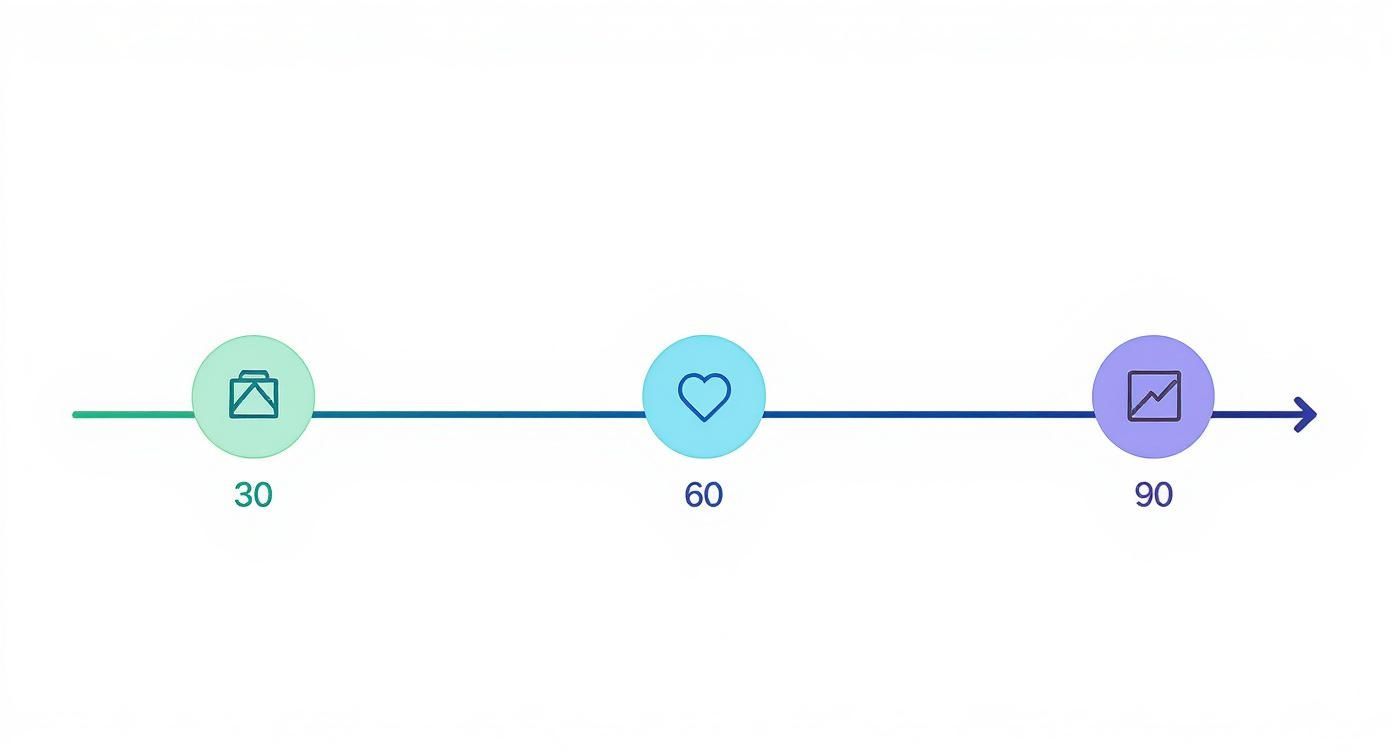
It breaks the journey down into focused sprints, starting with refreshing old content, then moving to systematic sharing, and finally dialing in engagement. To help you get moving, I see two clear paths you can take from here.
Two Paths to Get Started
You've got a choice: go it alone or give yourself a serious head start with a tool built for this exact purpose.
Option 1: The DIY Approach
Not quite ready to jump into a new tool? That's totally fine. The principles in this guide work just as well with or without automation.
The most important thing you can do right now is create a simple checklist. Open a doc or a spreadsheet and list out every task from this experiment—content refreshes, your multi-platform distribution plan, everything. Then, just commit to sticking with it for at least 30 days. Consistency is what makes or breaks this.
Option 2: The Accelerated Path
If you're ready to save yourself dozens of hours by embracing a distribution system, this is for you. My experiment was built on automating the most mind-numbing parts of content repurposing, which is exactly what Narrareach was designed for.
It helps you publish to platforms like Medium, LinkedIn, and others with a single click, using templates that are already optimized for reach. For instance, our guide on integrating with Substack walks you through how to tie your newsletter directly into a much wider distribution strategy.
Instead of spending hours manually reformatting everything, you can get back to what you do best: creating great content. This is how you build a real audience and a sustainable engine for your blog's traffic.
Frequently Asked Questions
After walking people through this 90-day playbook, a few questions always seem to come up. Let's tackle them head-on, based on what I learned and the numbers I saw.
How Long Does It Really Take to See More Blog Traffic?
You'll see the first signs of life pretty quickly. By refreshing and optimizing my existing posts, I saw an initial 78% traffic jump within the first 30 days. It proves that quick wins are definitely on the table.
But for that deep, sustainable organic growth from search engines? You have to be more patient. Think in terms of 3-6 months for a new SEO strategy to really start firing on all cylinders. The 312% total increase didn't happen overnight; it was the result of 90 straight days of consistent, focused work. If you take one thing away, it's that consistency is the secret sauce.
Which Strategy Had the Single Biggest Impact on Traffic?
For the fastest, most immediate results, updating old content was the clear winner. It's the lowest-hanging fruit, and it works like a charm.
However, the real engine for long-term growth was the systematic, multi-platform distribution. That's what built a resilient traffic system that wasn't totally dependent on the whims of Google's algorithm. By showing up on platforms like Medium and LinkedIn, I built authority and reached new audiences. The best part? Over time, this actually created a positive feedback loop that boosted my search rankings, too.
The fastest results came from optimizing what I already had. The most sustainable growth came from building a system to share what I created.
Do I Need to Be an SEO Expert to Do This?
Not at all. I deliberately designed this 90-day plan to skip the super-technical, confusing parts of SEO. The entire playbook is built around what I call "user-centric SEO."
It all boils down to a few simple ideas:
- Focus on making your content genuinely helpful and valuable to a real person.
- Keep readers engaged with strong visuals, clear formatting, and maybe an interactive element or two.
- Let your smart distribution do the heavy lifting to earn social signals and backlinks naturally.
Honestly, mastering these fundamentals will get you much further than getting bogged down in technical jargon. If you want to dig a bit deeper into questions like this, we've compiled a ton of answers over in our main Narrareach FAQ section.
Ready to stop manually reformatting and start growing your audience? Narrareach helps you publish to Medium, Substack, LinkedIn, and more with a single click using templates proven to get more views. Start publishing smarter for free ->
Want more case studies and traffic-building experiments like this one? Join our newsletter for actionable tips on growing your audience without the burnout. (No spam, just value.)