
How to Post a Reel to Your Story: My 14-Day Experiment
You publish a Reel you're proud of, then watch it vanish beneath the next wave of content. Followers who would have enjoyed it may never see it, and the...
By Ian Kiprono
You publish a Reel you're proud of, then watch it vanish beneath the next wave of content. Followers who would have enjoyed it may never see it, and the people who do see it may not understand what to do next. The frustrating part is that the problem often isn't the video. It's the missing distribution step between publishing and conversion.
I tested that step for 14 days: publish the Reel, share it as a Story preview, add a clear reason to tap, and connect the attention to a newsletter action. The process was simple, but the details determined whether the Story created a useful second entry point or became a redundant repost.
The Problem With Posting Into the Void
A polished Reel can still underperform when it has only one chance to reach people. The Reel may be available on your profile and eligible for discovery, yet followers who weren't active at the right moment can miss it entirely. That's especially painful for writers and newsletter creators, because the video may contain an idea that deserves more than a brief appearance in a feed.
I spent months treating each Reel as a finished task. Edit it, publish it, move on. The better approach was to treat publishing as the first move in a distribution loop. Instagram's original Reels announcement made the distinction clear: a Reel can be shared to a Story, Close Friends, or direct message, while the Story version behaves like a temporary Story and disappears after 24 hours. The Reel and its Story preview are separate distribution actions, not duplicate uploads. (Instagram's launch announcement)

What changed in the experiment
The Story preview gave existing followers another route to the original Reel. It didn't create a second Reel, and it didn't guarantee broader discovery. It placed a temporary prompt in a surface many followers already check, then sent interested viewers back to the permanent video.
That distinction matters. Reels and Stories have different jobs: the Reel can continue attracting attention through its original placement, while the Story gives followers a short-lived prompt with added context. For a newsletter writer, the Story can also frame the Reel as part of a larger idea, such as a new essay, a practical lesson, or a question worth answering.
Practical rule: Don't share a Reel to your Story just to fill a slot. Share it when the preview gives followers a clear reason to return to the original.
I found the broader principle useful beyond Instagram. A strong piece of content needs a deliberate path from publication to repeated exposure, which is the central idea behind content distribution. For background on building a creator-focused publishing setup, RevelRaw's about for Mac is also a useful resource, especially if your workflow starts with writing and editing on a desktop.
The practical lesson was uncomfortable but useful: better editing couldn't compensate for a distribution routine that stopped at “publish.”
How to Post a Reel to Your Story Step by Step
The mechanics are straightforward, but each tap affects what viewers understand. Open the Instagram mobile app and locate the Reel you want to share. You can find it from your profile, the Reels surface, or the original post location.
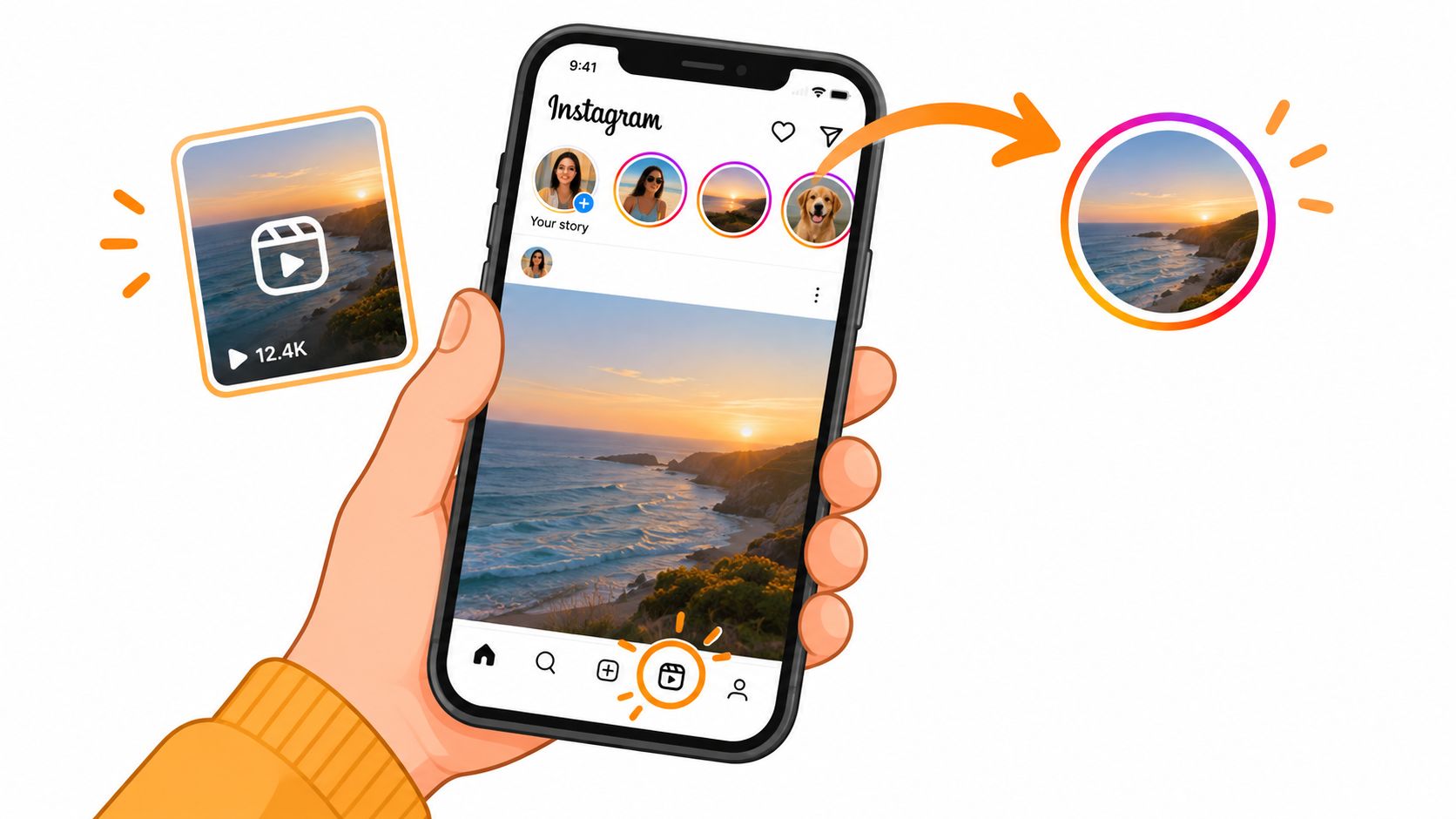
The publishing sequence
- Open the Reel. Confirm that you're sharing the correct video and that its opening frame makes sense as a preview.
- Tap the paper-airplane Share icon. This opens Instagram's sharing options.
- Choose “Add to story.” Instagram creates a Story preview rather than uploading a new copy of the video.
- Resize and position the preview. Keep the important visual information away from areas covered by interface controls.
- Add context. Use short text, a sticker, drawing, poll, or question when it helps viewers understand why they should tap.
- Choose “Your story” and publish. If you want a narrower audience, Instagram may also offer Close Friends, depending on the account and sharing context.
The shared item remains a Story, not a new Reel. It won't appear as a new post on your profile or in Explore, and it expires after 24 hours, as described in Instagram's Reels feature guidance. That makes the Story a temporary bridge back to the original content.
Design the preview as a prompt
A weak version says little more than “new Reel.” A stronger version gives the viewer a task or a reason to continue:
- Use a direct instruction: “Tap to watch the full breakdown.”
- Name the payoff: “The writing mistake is in the final example.”
- Invite a response: “Which approach would you choose?”
- Connect the next step: “Read the full essay after watching.”
Don't cover the Reel preview with a large block of text. The viewer should recognize the subject immediately, then understand the action you want them to take. If you're still developing the visual treatment for short-form video, you can browse AIMVG's Reels guides for additional creative direction.
Instagram's interface can change, and preview behavior may vary by app version, account, and sharing method. Avoid assuming that every shared Reel will behave identically. The reliable principle is to inspect the preview before publishing and make the tap-through action obvious.
For creators who need visual consistency, a safe zone template for Instagram Reels can help keep captions and important faces clear of Story controls. The preview is temporary, but poor placement can make the temporary opportunity disappear before viewers understand it.
Understanding Audience Visibility and Privacy Settings
Sharing a Reel to a Story is an audience-visibility decision, not merely a posting step. The Story follows the poster's own audience settings, while the original Reel remains governed by the original account's privacy and resharing permissions.
That means a public Reel doesn't automatically become visible to every possible viewer through a Story. A Story shared to your followers reaches your Story audience. A Story shared to Close Friends is narrower still. If the original account is private, or its creator has disabled post and Reel resharing, the “Add to story” option may be unavailable or the resulting content may remain restricted.
A practical visibility check
Before troubleshooting the button, identify which account controls each part of the workflow:
| Situation | What it means |
|---|---|
| Public original account | The Reel may be eligible for resharing, subject to the creator's settings. |
| Private original account | Access remains limited to approved followers. |
| Resharing disabled | The creator has removed or restricted the sharing option. |
| Close Friends Story | Only the selected list receives the Story preview. |
| Viewer lacks access | The Story cannot create access to content the viewer is not permitted to see. |
Controlled distribution becomes useful here. A creator can use a public Reel for broader discovery, then use a Story preview for existing followers who already understand the account. Alternatively, Close Friends can support a smaller test of an announcement, draft idea, or launch message without exposing it to the full Story audience.
More distribution isn't always better distribution. Sometimes the right audience is smaller, more relevant, and easier to learn from.
If you're preparing an account for professional publishing, review the implications of switching account types in this guide to make an Instagram business account. The important point isn't the label. It's knowing which setting controls the original Reel, which setting controls the Story, and which viewers can access both.
The Story preview should never be treated as a privacy bypass. It can amplify eligible content, but it can't override account restrictions.
Repurposing Content for Substack Growth
The Story becomes more valuable when it has a destination beyond Instagram. A Reel that explains one idea can point viewers toward a Substack Note, an article, or a newsletter signup. Without that bridge, the Story may generate attention but leave no durable relationship behind.
I used a simple translation workflow. First, I identified the Reel's central claim. Then I turned that claim into a short Note with a different purpose. The Reel demonstrated or dramatized the idea. The Note added context, a counterpoint, or the longer argument. The Story connected them with a clear instruction.
One idea, several useful formats
The workflow looked like this:
- Reel: Present the sharpest version of the idea in a visual format.
- Story preview: Give followers a temporary prompt, such as “Tap for the example.”
- Substack Note: Expand one point, challenge an assumption, or ask a focused question.
- Article or newsletter: Provide the complete reasoning and invite an ongoing subscription.
Substack describes Notes as a short-form social feed connected to its publishing platform. Notes support updates, rich media, restacks, and reader engagement, while discovery can happen across the Substack network. That makes a Note a useful intermediate destination between a quick Story prompt and a full article. (Substack's feature overview)
Substack also supports scheduled Notes on the web, iOS, and Android. On the web, use the calendar icon in the Note composer. In the mobile apps, open the three-dot menu and select “Schedule.” Scheduled Notes remain in the Notes Drafts tab, where you can edit them before publication. (Substack's scheduling announcement)
Build a sequence, not a duplicate
The mistake I avoided was copying the Reel caption into a Note and calling it repurposing. The Note needs a new job. It might explain the result, share the source argument, or ask readers to apply the idea to their own work.
A practical sequence could be:
- Publish the Reel with one clear takeaway.
- Share it to Stories with a tap-focused prompt.
- Publish a Note that develops the takeaway.
- Invite readers to the full article or subscription page.
- Review which message earned replies, taps, or meaningful visits.
For additional ideas on how to reuse your best content, focus on changing the format and purpose rather than repeating the same words. A Reel can introduce an idea, a Note can test its relevance, and a newsletter can make the argument useful.
The wider workflow is covered in this guide to repurposing content for social media. The key operational benefit is batching: prepare the supporting Notes in advance, assign publishing times, and check every link and call to action before the content goes live.
Results From My 14-Day Distribution Experiment
I ran the distribution loop for 14 days, comparing the behavior of Reels published alone with Reels followed by a Story preview and a newsletter-oriented next step. I tracked the sequence rather than treating every view as equal: Story views, taps toward the Reel, replies, link actions, and visits connected to the newsletter path.
The clearest result wasn't a dramatic universal growth claim. It was a change in where attention came from. The Story preview gave followers who had missed the original Reel another opportunity to encounter it. The added context also made the action more understandable than a bare reshare.
That distinction helped me interpret the numbers responsibly. A Story view wasn't the same as a Reel view, and a Reel view wasn't the same as a newsletter visit. Treating them as interchangeable would have made the experiment look better on paper while hiding the actual conversion path.
What worked and what didn't
The strongest version had three characteristics:
- A visible reason to tap: The Story told viewers what they would gain from opening the Reel.
- A separate Note angle: The Substack post added information rather than repeating the video.
- A scheduled follow-up: Supporting Notes appeared at planned times instead of being written reactively.
The weaker versions shared the Reel without context, placed text beneath interface controls, or sent viewers to a generic destination. Those Stories created exposure, but they didn't make the next action obvious.
Instagram's own launch documentation supports the structural conclusion: a Story share is temporary, while the Reel retains its own identity and placement. For a closer explanation of the difference, review the guide on the difference between Reels and Stories.
The experiment also changed how I thought about scheduling. I no longer needed to create a completely new idea for every channel. I could publish one strong concept, adapt it into a Reel, turn the argument into a Note, and schedule the supporting message while the original idea was still fresh.
Start manually if you're testing the workflow. Keep a simple record of the Reel, Story prompt, Note angle, and resulting actions. If the process becomes consistent and you want one place to schedule and track distribution, Narrareach helps turn working ideas into planned Substack Notes and cross-platform posts. Visit Narrareach to start free without a credit card, or save the manual workflow and test your next Reel-to-Story sequence today.