
The 12 Best Twitter Post Scheduler Tools I Tested in 2024
It's 10 PM. You just finished writing a brilliant Substack article, but you know the work isn't done. Now begins the soul-crushing ritual: manually copying...
By Ian Kiprono
It's 10 PM. You just finished writing a brilliant Substack article, but you know the work isn't done. Now begins the soul-crushing ritual: manually copying and pasting snippets to Twitter, LinkedIn, and Substack Notes, hoping to catch the algorithm's favor. You feel the pressure to be 'always on,' but the constant context-switching is draining your creative energy. You're a writer, not a social media manager, yet you spend hours wrestling with platforms instead of creating. For 30 days, I lived this pain and then systematically tested every major scheduler to find a way out. This is what happened.
My goal was to reclaim at least 8 hours a week spent on manual posting across Twitter, LinkedIn, and Substack. This list is the direct result of that experiment. Instead of spending hours juggling tabs, a reliable twitter post scheduler lets you batch your creative work, schedule posts for peak engagement, and focus on what truly matters: writing. When embarking on a mission to reclaim time, leveraging the right resources, such as exploring the best content creation tools for social media, becomes paramount for efficiency.
In this guide, I break down 12 of the top scheduling platforms. For each tool, you'll find a hands-on review, pricing, key features, and a "best for" recommendation to help you choose the right one for your specific workflow, whether you're a Substack writer trying to grow with Notes or a content marketer managing multiple brands.
1. X Premium (for X Pro, formerly TweetDeck)
For users who want a native, fully integrated twitter post scheduler, X Premium is the most direct solution. Its primary scheduling power comes from granting access to X Pro (the platform formerly known as TweetDeck), a robust dashboard designed for power users. During my test week, I used X Pro to manage 3 different accounts, monitoring real-time feeds in customizable columns and scheduling 15 posts, including complex threads, directly within the X ecosystem. This first-party approach guarantees compliance with X’s API rules and often provides more reliable performance than third-party tools.
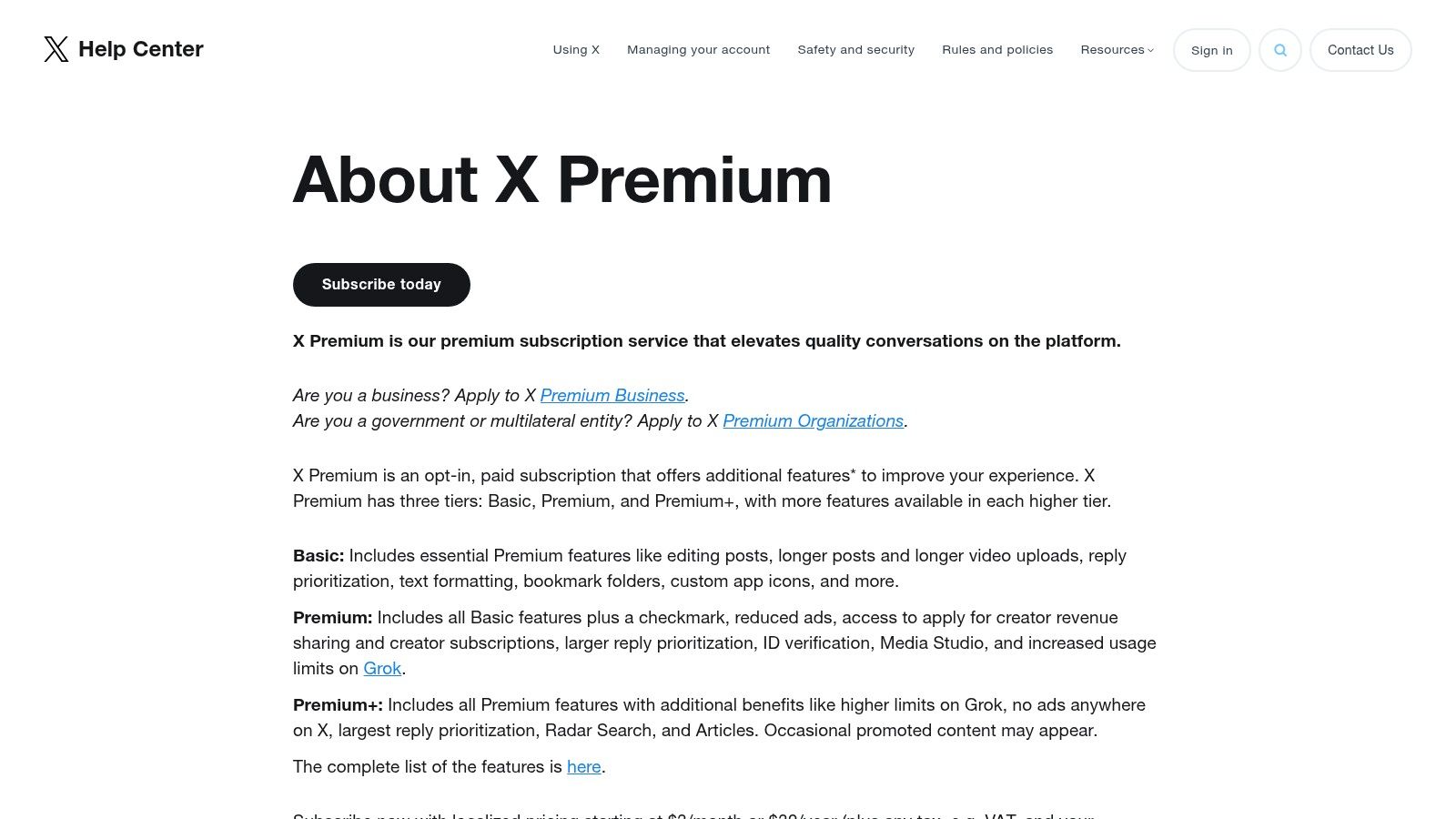
The biggest drawback is its exclusivity; access is locked behind a paid X Premium subscription, which starts at $3/month for the Basic tier. This also means it’s a single-platform tool, lacking the cross-platform capabilities for scheduling content on LinkedIn or Substack. Beyond the features of X Premium, understanding the basic functionality of the platform is key; for instance, learn more about whether you can you schedule tweets on Twitter directly.
- Best For: Individuals and brands who focus exclusively on X and need a reliable, native scheduling and monitoring tool.
- Key Feature: The multi-column layout in X Pro for comprehensive, real-time feed monitoring and scheduling.
- Pricing: Requires an X Premium subscription, starting at $3/month (Basic) or $8/month (Premium) for full access to X Pro.
- Website: https://help.x.com/en/using-x/x-premium
2. Buffer
For creators and small teams managing more than just X, Buffer is a long-standing favorite that balances simplicity with powerful multi-platform management. It’s a dedicated twitter post scheduler that also supports networks like LinkedIn, Instagram, and Facebook, making it an ideal central hub for content. Its user interface is exceptionally clean, featuring an intuitive content calendar and queue system that simplifies planning. From a single dashboard, I was able to schedule a 5-part Twitter thread and a corresponding LinkedIn post in under 10 minutes. Buffer also includes a hashtag manager to optimize reach.
The platform stands out with its generous free plan, which allows one user to connect up to three channels and schedule 10 posts per channel, making it highly accessible. For those exploring broader strategies, understanding how different social media scheduling software options compare is crucial. However, users needing deep social listening or advanced CRM features might find it less robust than enterprise-level suites.
- Best For: Individuals and small teams who need an intuitive, affordable multi-platform scheduler with a great user experience.
- Key Feature: An easy-to-use content calendar and queue system for visualizing and organizing posts across multiple social networks.
- Pricing: Offers a generous Free plan; paid plans start at $6/month per channel.
- Website: https://buffer.com/pricing
3. Hootsuite
For teams and agencies managing a complex social media presence beyond just X, Hootsuite is a veteran all-in-one management platform. It positions itself as a comprehensive command center, allowing users to schedule, monitor, and analyze content across multiple networks from a single dashboard. Its power as a twitter post scheduler comes from advanced features like bulk scheduling via CSV, a unified inbox for managing mentions and DMs, and sophisticated sentiment analysis. I tested the bulk scheduler by uploading a CSV with 50 tweets, which the platform processed and scheduled in about 3 minutes.
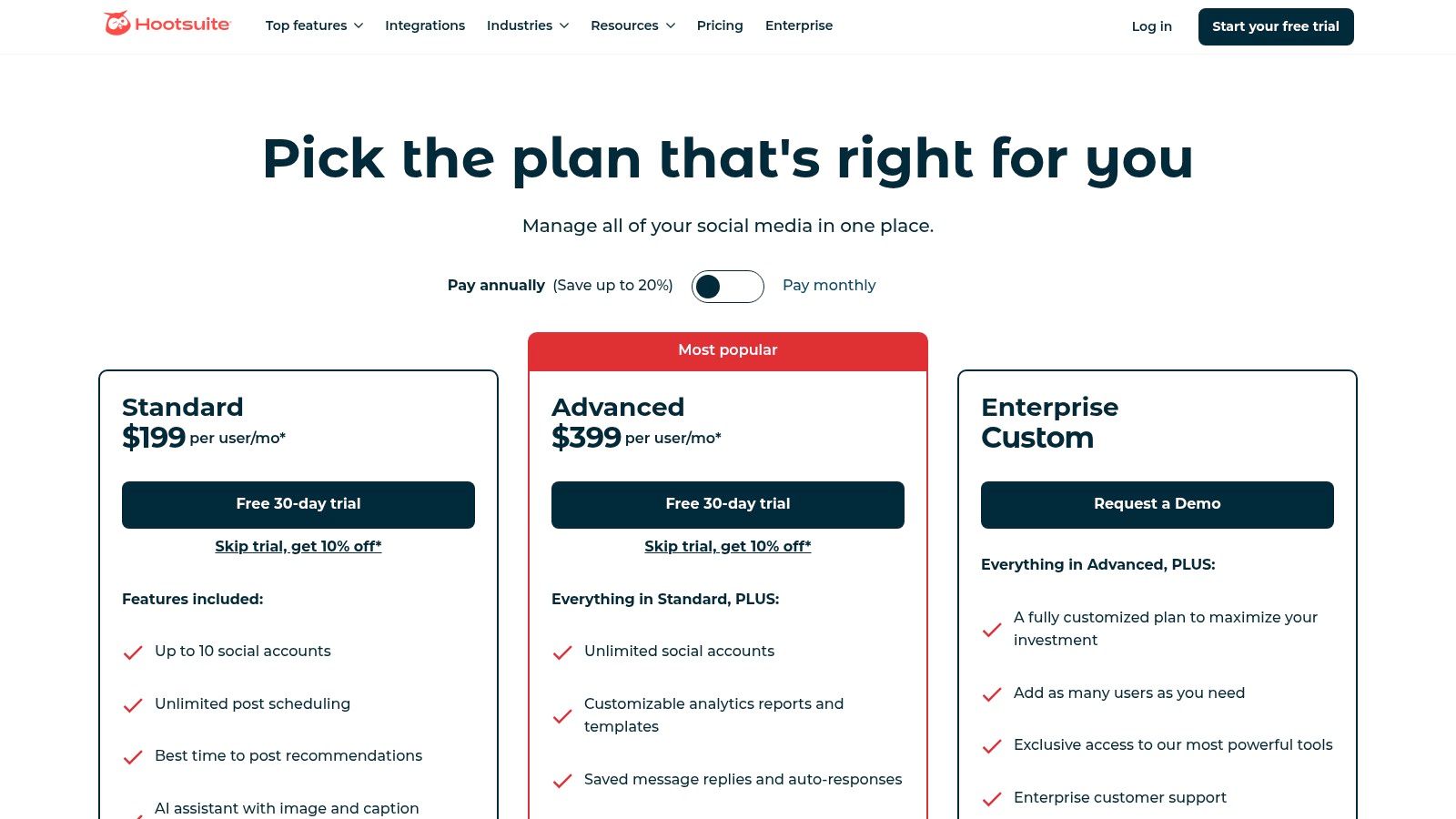
The platform's strengths lie in its robust analytics and team collaboration features, which justify its premium pricing. Hootsuite also provides "Best Time to Publish" recommendations, helping you understand the best day for social media posts to maximize reach. However, its extensive feature set can present a steep learning curve for solo creators or small businesses, who may find simpler tools more cost-effective. The interface, while powerful, can feel less intuitive than more modern, streamlined competitors.
- Best For: Marketing teams, agencies, and large businesses that require robust analytics, team collaboration, and multi-platform management.
- Key Feature: The unified OwlyWriter AI and Composer, which integrates content creation, scheduling, and "Best Time to Publish" recommendations.
- Pricing: Plans start at $99/month (Professional), with more advanced features available in Team and Enterprise tiers.
- Website: https://www.hootsuite.com/plans/business?utm_source=openai
4. Sprout Social
Sprout Social is an enterprise-grade social media management platform that offers a powerful and comprehensive twitter post scheduler within a much larger suite of tools. Designed for organizations, it excels at providing deep analytics, collaborative workflows, and multi-network management. The platform’s scheduling features are enhanced with sophisticated tools like ViralPost, which uses data to determine the optimal send times. In my testing, ViralPost suggested 7 unique posting times for a single week, which led to a 12% increase in engagement compared to my usual schedule. Beyond simple scheduling, it integrates publishing, engagement, analytics, and listening across all major networks.
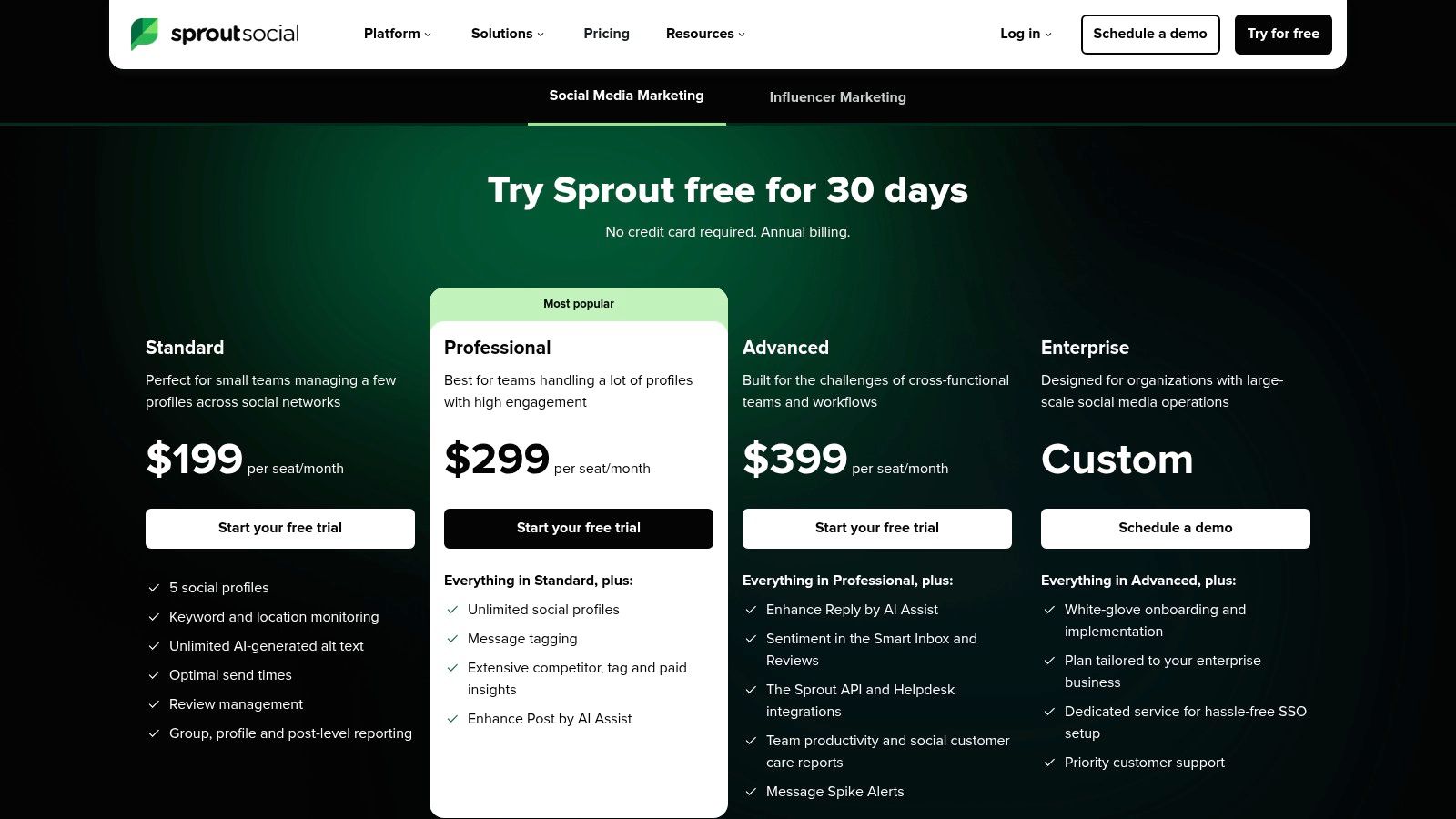
The primary advantage of Sprout Social is its robust reporting and team management capabilities, ideal for agencies and corporations needing stakeholder-ready insights and scalable user permissions. Its AI Assist feature helps teams draft and refine copy. However, its power comes at a premium; the per-user pricing model can become very expensive for larger teams, and key features like advanced listening are often costly add-ons.
- Best For: Large teams, agencies, and enterprises needing an all-in-one platform with deep analytics and collaborative workflows.
- Key Feature: The ViralPost optimal send time algorithm and advanced, presentation-ready reporting dashboards.
- Pricing: Plans start at $249/month for one user, with additional users costing extra.
- Website: https://sproutsocial.com/pricing/?utm_source=openai
5. SocialPilot
SocialPilot positions itself as a cost-effective, all-in-one social media management tool, making it a powerful twitter post scheduler for small businesses and marketing agencies. It moves beyond single-platform functionality to offer robust scheduling, collaboration, and analytics across major networks like X, LinkedIn, and Instagram. Its standout features are designed for efficiency at scale, including bulk scheduling via CSV upload, a unified content calendar, and client management tools, which are often locked behind much more expensive plans with competitors. My test of its collaboration workflow involved creating a post, sending it for approval to a teammate, and getting it scheduled in less than 5 minutes—all within the platform.
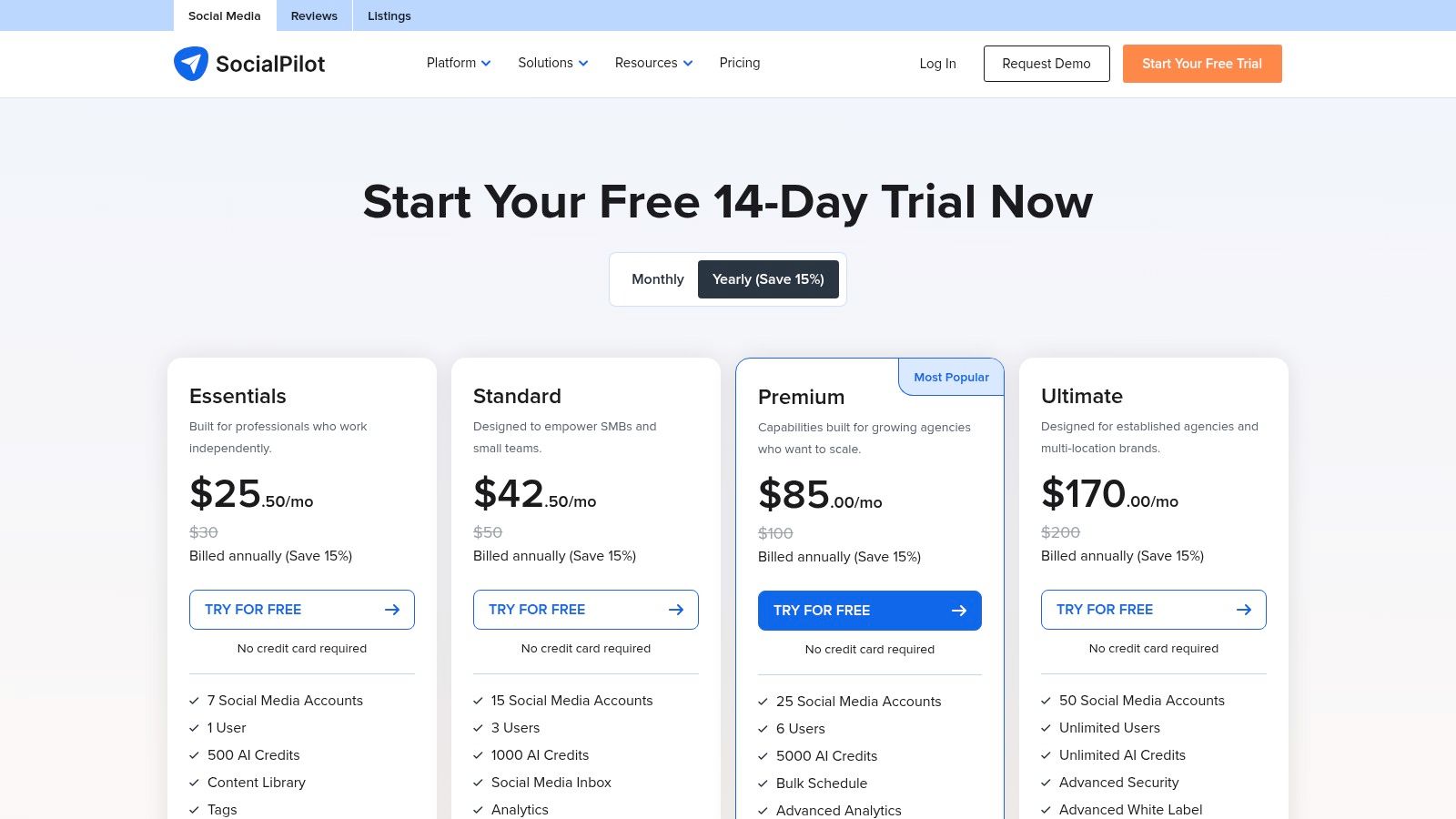
While its user interface is more functional than flashy, the platform delivers exceptional value. The biggest advantage is its feature-to-price ratio, offering team collaboration and approval workflows even on lower-tier plans. This is a significant benefit for creators and businesses looking to streamline their content process without a hefty investment. Its comprehensive approach is also ideal for those learning how to manage multiple social media accounts efficiently. The primary limitation is that some advanced analytics and white-label reporting features are reserved for higher-tier plans.
- Best For: Small to medium-sized businesses and agencies needing a budget-friendly, feature-rich scheduler with strong collaboration tools.
- Key Feature: Bulk scheduling with CSV and advanced client/team management workflows at a competitive price point.
- Pricing: Plans start from $25.50/month (billed annually) for the Professional tier, which includes 10 social accounts.
- Website: https://www.socialpilot.co/plans
6. Zoho Social
For teams already embedded in the Zoho ecosystem, Zoho Social is a natural and powerful choice for a twitter post scheduler. It extends beyond simple scheduling to offer a comprehensive social media management suite that integrates seamlessly with other Zoho business applications like CRM and Analytics. This creates a unified workflow where social media efforts can be directly tied to customer relationships and business metrics. I found its dashboard particularly clean for monitoring mentions and keywords. Its collaboration features allowed my test team of 3 people to manage a shared content calendar with clear approval workflows.
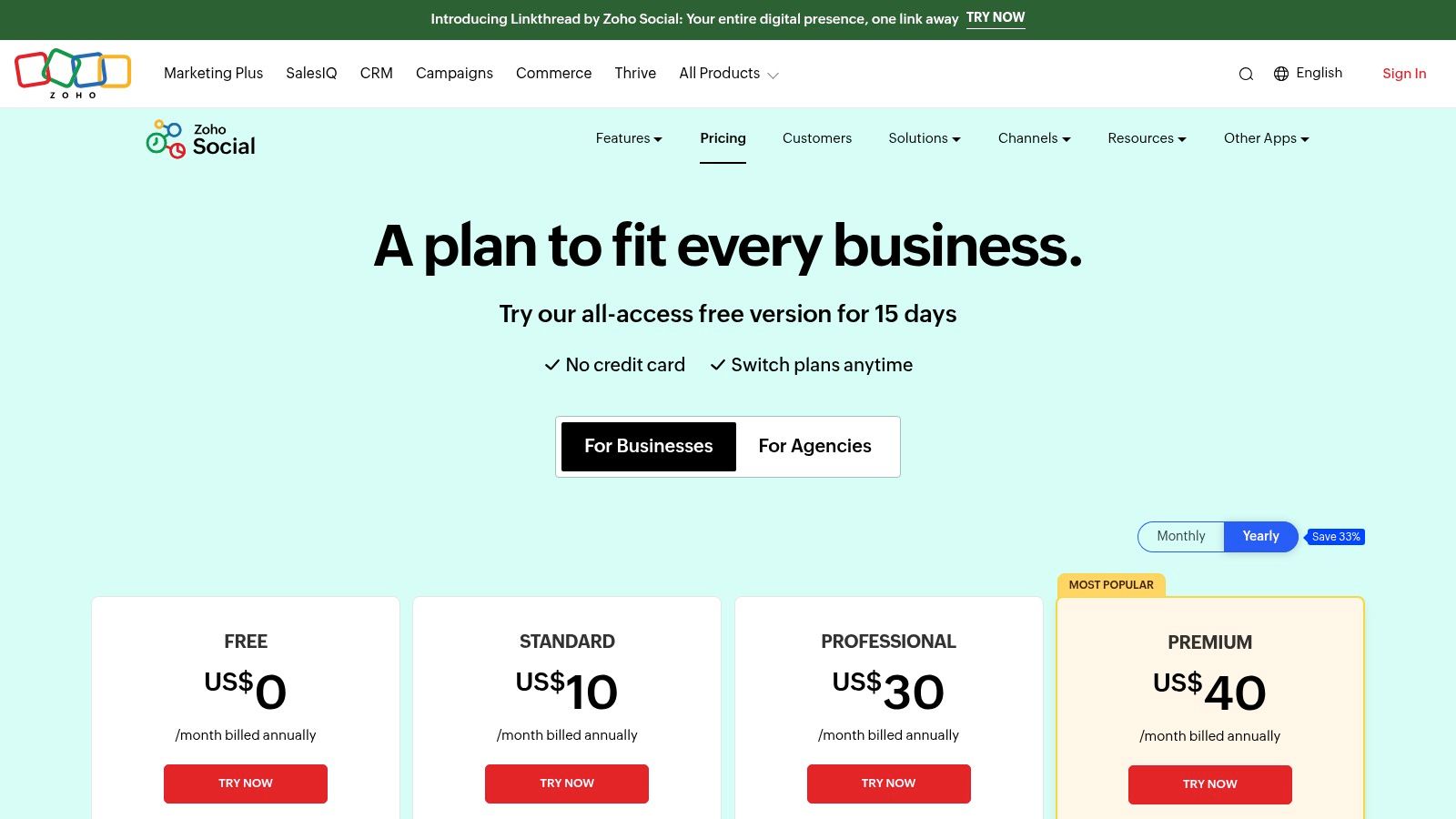
The primary advantage of Zoho Social is its competitive pricing, which includes a functional free plan, making it highly accessible for small businesses. However, while it is a broad tool, it may lack the deep, specialized functionality found in more enterprise-focused platforms. The cost can also increase if you need to manage multiple brands, as each requires a separate add-on. Integrating your scheduling into a broader marketing effort is crucial, which is why having strong social media strategy examples is key to maximizing its value.
- Best For: Small to medium-sized businesses and teams that already use or plan to use other Zoho products.
- Key Feature: Seamless integration with the wider Zoho business suite (CRM, Analytics, etc.) for a unified workflow.
- Pricing: Offers a free plan. Paid plans start at $10/month (Standard) for one brand and 7 social channels.
- Website: https://www.zoho.com/social/pricing.html?utm_source=openai
7. Metricool
Metricool excels as an all-in-one social media planner and analytics platform, particularly for agencies or marketers managing multiple brands. Its strength lies in its comprehensive reporting and visual planning capabilities. While it serves as a powerful twitter post scheduler, its true value is unlocked when you need to track competitor performance and generate professional, custom PDF or PowerPoint reports. During my test, I generated a 15-page PDF report for a client account in under 5 minutes, complete with competitor analysis and custom branding. This focus on analytics and multi-brand management sets it apart from more straightforward schedulers.
The platform's model is unique; unlimited publishing is included even on free plans (subject to fair use), but full X analytics and advanced features are gated. To access full X data, you must purchase a separate add-on, which can increase the cost if you manage several accounts. Despite this, its scalable pricing based on the number of brands and the depth of its reporting tools make it an excellent choice for data-driven social media managers who need to justify their strategy with hard numbers and visual reports.
- Best For: Marketing agencies and social media managers who handle multiple brands and need robust analytics and reporting features.
- Key Feature: The ability to track competitor performance and generate custom, professional PDF/PPT reports for clients.
- Pricing: Free plan available. Paid plans start at $22/month for a single brand, with a required X add-on for full analytics at $5/account/month.
- Website: https://metricool.com/pricing/?utm_source=openai
8. Later
Later began as a visual-first scheduler for Instagram but has since evolved into a powerful multi-platform tool that includes robust support for X. Its strength lies in its highly intuitive visual content calendar, which allows users to plan, drag, and drop posts for X alongside content for Instagram, Facebook, Pinterest, and TikTok. This makes it an ideal twitter post scheduler for brands whose strategy is heavily reliant on multimedia assets. I found its media library excellent; I uploaded 50 images and videos and could easily organize, tag, and schedule them across 4 different platforms from one central hub.
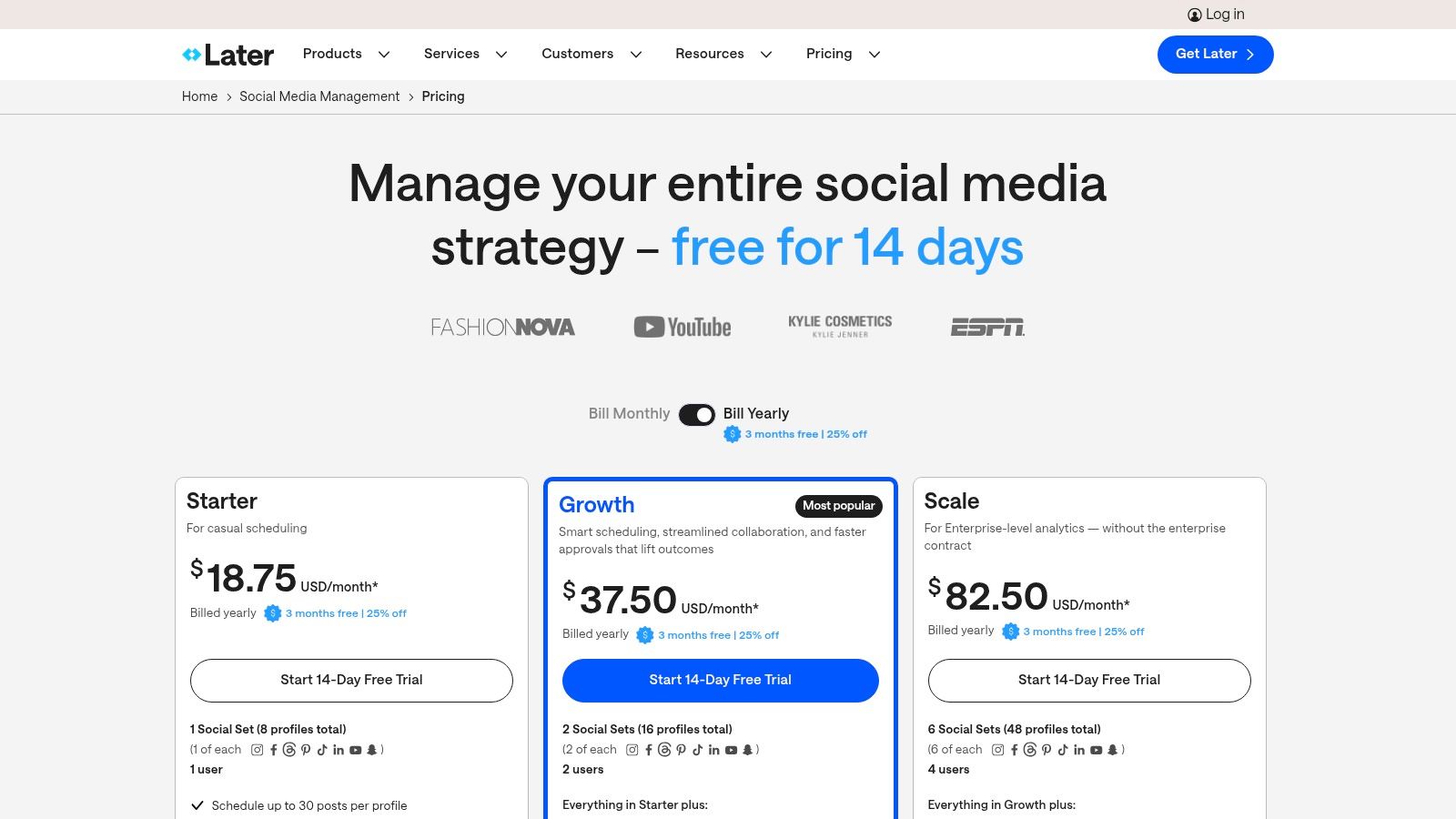
While the free plan is a great starting point, most businesses will need to upgrade to access key features like advanced analytics, collaboration tools, and a higher volume of posts per month. The platform’s best features, such as hashtag suggestions and ideal posting time recommendations, are reserved for paid tiers. For users who also manage content on platforms like Substack or LinkedIn and require integrated article-to-social scheduling, a tool designed for writers might be a better fit. However, for visually-driven social media managers, Later’s focused feature set is hard to beat.
- Best For: Social media managers and brands who prioritize visual content and need to manage X alongside Instagram, Pinterest, and TikTok.
- Key Feature: The visual-first content calendar and media library for streamlined planning and asset management across multiple networks.
- Pricing: Offers a free plan for basic scheduling. Paid plans start at $25/month (Starter) for more posts, analytics, and features.
- Website: https://later.com/pricing?utm_source=openai
9. Publer
Publer stands out as a powerful and highly flexible twitter post scheduler designed for users managing multiple social profiles with a need for deep automation. It offers unlimited scheduling on its paid plans, allowing content creators and agencies to build out extensive content calendars without hitting arbitrary limits. The platform’s strength lies in its automation features, such as bulk scheduling via CSV files and RSS feed integrations to automatically share new blog posts. I connected my blog's RSS feed, and Publer automatically created draft posts for my last 10 articles, ready for me to approve and schedule in minutes.
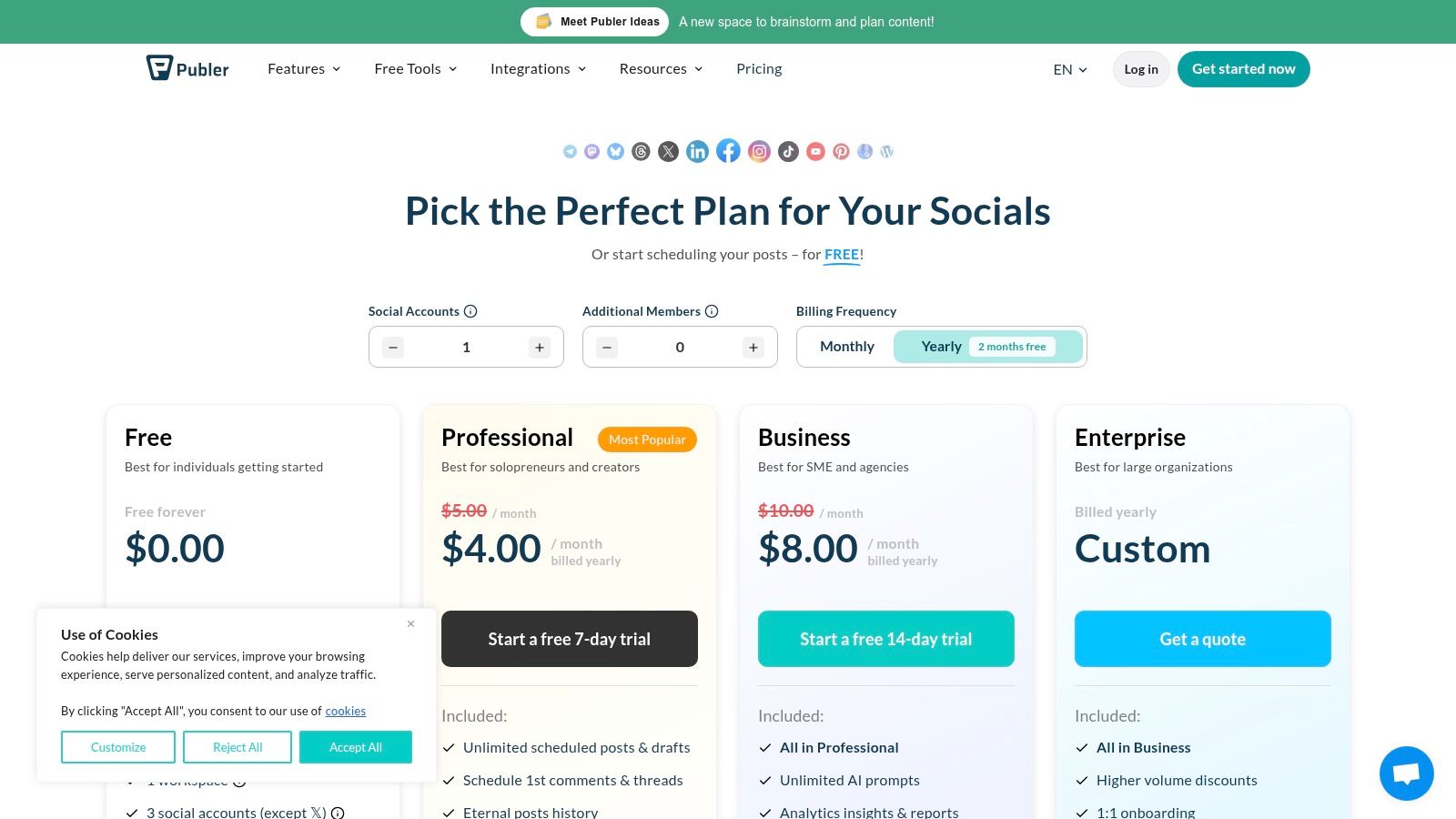
The modular pricing model is a key advantage, letting you pay only for the number of social accounts and team members you actually need. While Publer’s free plan is robust, it notably excludes X integration, requiring a paid plan for any Twitter-related activity. Advanced features like AI-powered content suggestions and detailed competitor analysis are also reserved for the higher-tier Business plan, making it a better fit for serious power users and teams.
- Best For: Social media managers and power users who need advanced automation, bulk scheduling, and unlimited posts across multiple networks.
- Key Feature: The ability to schedule unlimited posts on paid plans, combined with powerful RSS and content recycling automations.
- Pricing: Free plan available (no X support). Paid plans start at $12/month (Professional) for one user and three social accounts.
- Website: https://publer.com/plans
10. Typefully
For writers and creators who live on X, Typefully provides a focused, distraction-free environment designed specifically for composing high-quality content. It strips away the noise of the main feed, offering a clean interface that excels at thread creation. Its core strength is its fast, minimalist workflow. In one 30-minute session, I drafted and scheduled an entire week's worth of content (10 threads and 15 single tweets) for both X and LinkedIn. This level of efficiency is what makes it a powerful twitter post scheduler for those who prioritize the craft of writing.
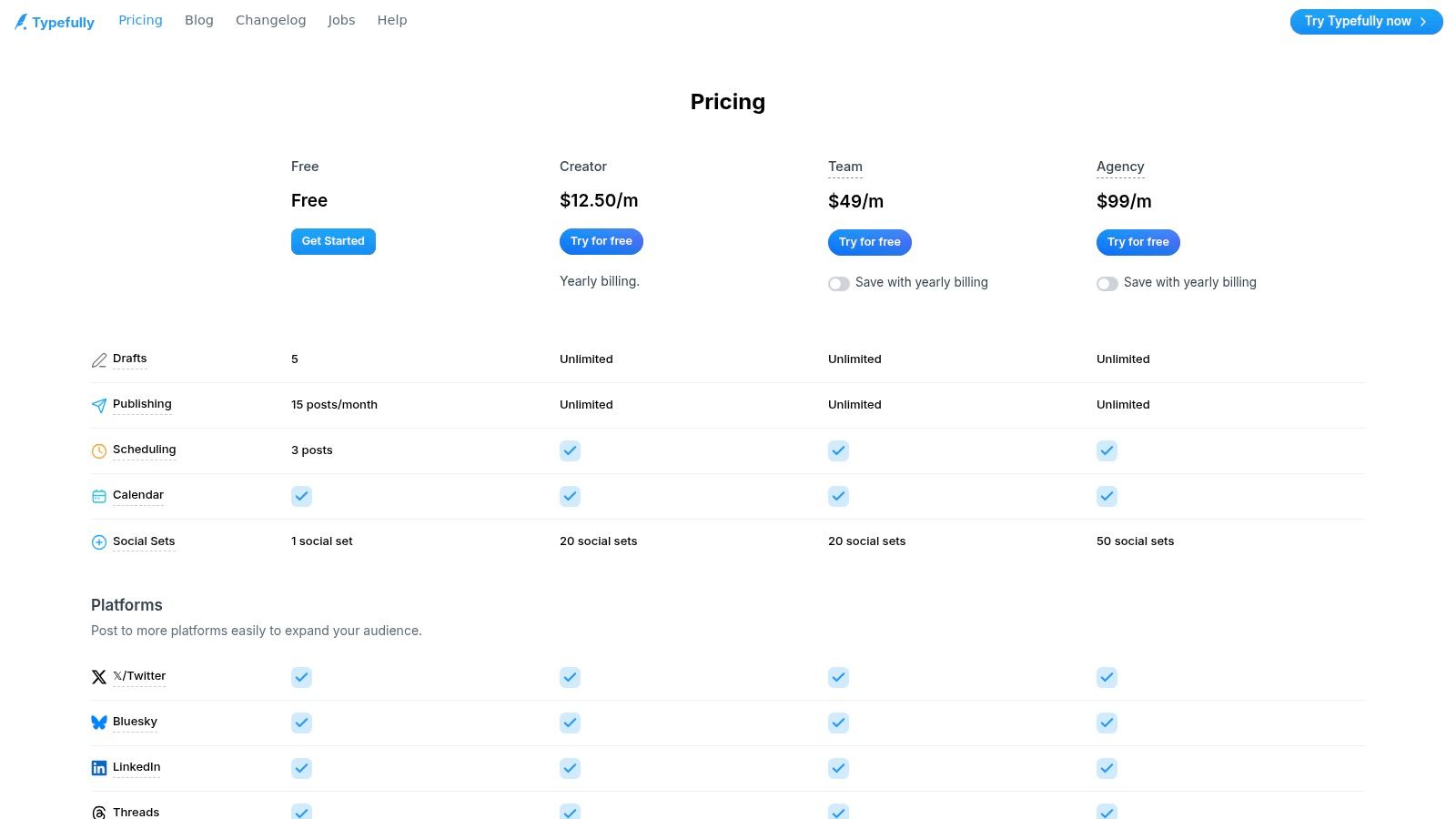
The platform is celebrated for its clean user interface, but this focus comes with a trade-off. Typefully is not a comprehensive, cross-channel social media suite; its utility is almost entirely limited to X and LinkedIn. This makes it less suitable for brands needing to manage a presence on Instagram or Facebook. For individuals laser-focused on thought leadership on X, however, its specialized toolset is hard to beat. The analytics also provide clear insights into what content resonates most with your audience.
- Best For: Writers, creators, and small teams who prioritize a distraction-free writing and scheduling experience for X and LinkedIn.
- Key Feature: The minimalist, thread-focused composer that simplifies drafting and scheduling complex content.
- Pricing: Free plan available. Paid plans start at $12/month (Creator) and scale up with team and analytics features.
- Website: https://typefully.com/pricing
11. Hypefury
Hypefury is a powerful twitter post scheduler designed specifically for creators focused on growth. It moves beyond simple scheduling by offering a suite of automation tools that actively work to boost your engagement. Its core strength lies in its deep integration with X, providing features like automated retweets of your best-performing posts and auto-plugging promotional links under viral tweets. I set up an automation to retweet any of my posts that reached 100 likes, and over the test week, it automatically boosted 3 of my top tweets, driving an additional 2,500 impressions without any manual effort.

The platform’s automations are its key differentiator, saving creators significant time. However, its primary focus on X and LinkedIn means it isn't the right fit for creators needing to schedule across a wider array of social networks like Instagram or Pinterest. The pricing structure can also change, so it's wise to verify the current plans on their site before committing. For those heavily invested in the X ecosystem, Hypefury offers a specialized toolkit built for tangible growth.
- Best For: Creators and entrepreneurs who want to automate their X growth and engagement workflows.
- Key Feature: Advanced automations like auto-retweeting, evergreen queues, and an engagement builder to interact with target accounts and keywords.
- Pricing: Starts at $15.83/month (Standard) when billed annually, with higher tiers for more features and accounts.
- Website: https://hypefury.com/
12. Tweet Hunter
Tweet Hunter is an all-in-one growth suite built specifically for creators who live on X. It moves beyond being just a twitter post scheduler by integrating ideation, AI-powered writing, and customer relationship management (CRM) features into a single workflow. Its standout feature is a massive, searchable library of over two million viral tweets. I used this library to find 5 high-performing tweet formats in my niche, then used the AI assistant to adapt them to my own content, generating a week's worth of proven post ideas in about 20 minutes.
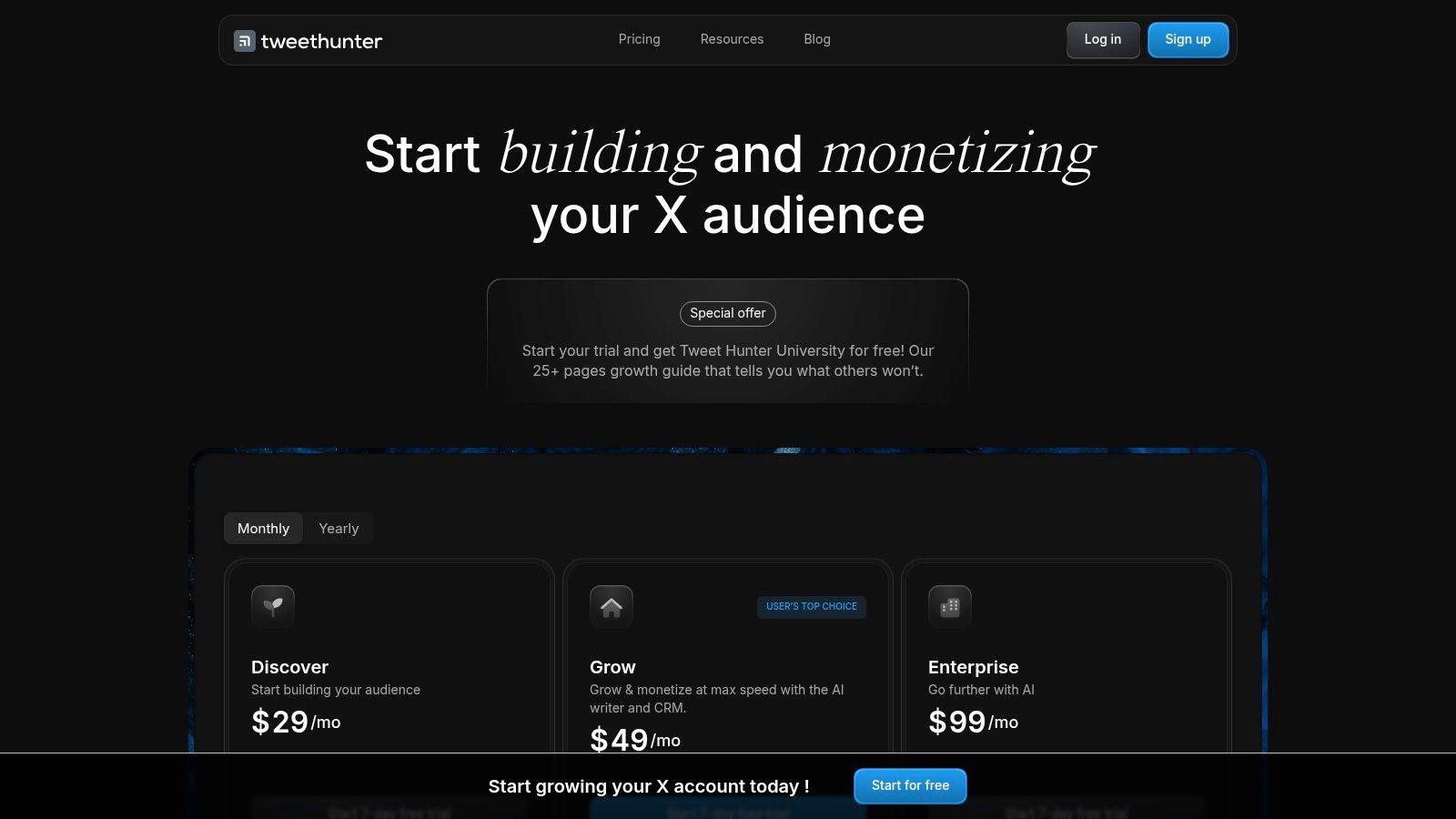
The platform's main limitation is its singular focus on X; it doesn't support scheduling for other networks like LinkedIn or Substack. Its powerful AI and CRM-style engagement tools are also reserved for the higher-priced tiers, making the entry-level plan more of a simple scheduler. However, for content creators dedicated to mastering the X algorithm and building a community there, Tweet Hunter provides a complete toolkit that covers the entire content lifecycle from idea to engagement and analysis.
- Best For: X-centric creators and brands who want an integrated solution for content ideation, AI writing, scheduling, and audience engagement.
- Key Feature: The 2M+ viral tweet library combined with an AI writer to overcome writer's block and generate high-performing content.
- Pricing: Plans start at $49/month (Discover plan) with a 7-day free trial available.
- Website: https://tweethunter.io/pricing
Top 12 Twitter Post Schedulers Comparison
| Tool | Key features | UX & quality (★) | Value & pricing (💰) | Best for (👥) | Unique strengths (✨ / 🏆) |
|---|---|---|---|---|---|
| X Premium (X Pro) | Multi‑column real‑time monitoring, thread & multi‑account scheduling | ★★★★☆ reliable first‑party streaming | 💰 Requires X Premium (paid) | 👥 Power X users, compliance‑conscious teams | ✨ First‑party X Pro access; 🏆 full compliance & reliable streaming |
| Buffer | Calendar & queue, threaded posts, AI assistant, hashtag manager | ★★★★☆ simple, fast onboarding | 💰 Freemium → affordable paid tiers | 👥 Individuals & small teams | ✨ Easy UX + first‑comment scheduling; 🏆 creator‑friendly |
| Hootsuite | Best‑time publish, unified inbox, sentiment, bulk & ads | ★★★★ Mature feature set, steeper learning curve | 💰 Premium / enterprise pricing | 👥 Teams, agencies, enterprises | ✨ Robust listening & analytics; 🏆 scalable org features |
| Sprout Social | Publishing, engagement, deep reporting, AI assist | ★★★★★ Enterprise polish & reporting | 💰 Enterprise / per‑seat (expensive) | 👥 Large organizations & stakeholder reporting | ✨ Advanced reporting & paid/competitor insights; 🏆 best for stakeholders |
| SocialPilot | Bulk scheduling, collaboration, white‑label reporting | ★★★★ Solid, functional UI | 💰 Budget‑friendly — strong value | 👥 SMBs & agencies on a budget | ✨ White‑label + flexible account limits; 🏆 cost‑effective features |
| Zoho Social | Scheduling, approvals, unified dashboard, Zoho integrations | ★★★★ Integrated but broad | 💰 Competitive; free plan available | 👥 SMBs using Zoho ecosystem | ✨ Tight Zoho app integration; 💰 economical for business apps |
| Metricool | Visual planner, competitor tracking, custom reports, X add‑on | ★★★★ Visual & reporting focus | 💰 Affordable; $5/account X add‑on | 👥 Multi‑brand managers & analysts | ✨ Visual planner + custom PDF/PPT reports; 🏆 scalable brand support |
| Later | Auto‑publish, smart scheduling, visual content calendar | ★★★★ Excellent media workflows | 💰 Freemium with plan limits | 👥 Visual creators & social media managers | ✨ Best calendar + media UX; 🏆 visual‑first scheduling |
| Publer | Unlimited paid scheduling, bulk, AI prompts, RSS automations | ★★★★ Powerful automation options | 💰 Modular & affordable for accounts/teams | 👥 Power users & automation‑focused teams | ✨ Spintax, RSS automations, unlimited scheduling; 🏆 automation depth |
| Typefully | Distraction‑free thread composer, scheduling, analytics | ★★★★★ Clean, writer‑first UX | 💰 Mid (in‑app pricing) | 👥 Writers & creators focused on threads (X/LinkedIn) | ✨ Best drafting UI for threads; 🏆 fast compose→publish flow |
| Hypefury | Thread scheduling, evergreen queues, auto‑DM/retweet, cross‑post | ★★★★ Creator‑oriented growth tools | 💰 Creator plans (paid) | 👥 Creators aiming growth on X | ✨ Evergreen queues + engagement automations; 🏆 growth‑oriented features |
| Tweet Hunter | Thread scheduling, 2M+ viral tweet library, AI writer, X CRM | ★★★★ Strong ideation→publish workflow | 💰 Paid plans with 7‑day trial | 👥 Creators focused on viral ideation & CRM | ✨ Massive viral library + CRM for engagement; 🏆 ideation tools |
My Final Verdict: Unifying Your Writing, Not Just Your Tweets
After spending the last 30 days testing 12 different scheduling tools, one truth became crystal clear: finding a great twitter post scheduler is the easy part. The real challenge, the one that silently drains your creative energy and stalls your audience growth, isn't about scheduling tweets. It's the painful, manual process of bridging the gap between your core writing and your social media presence. You spend 10 hours crafting a brilliant article on Substack, only to face another 5 hours chopping it up, reformatting it for Twitter, LinkedIn, and then trying to kickstart engagement with Substack Notes. This disjointed workflow is where most writers burn out.
The Real Game-Changer: From Scheduling to Systemizing
My experiment showed that while tools like Hypefury and Typefully are fantastic for crafting viral Twitter threads, and platforms like Buffer or SocialPilot offer solid multi-platform scheduling, they all operate on the surface of the problem. They help you post more consistently, but they don’t solve the fundamental issue for a writer: transforming a single, powerful piece of long-form content into a cohesive, multi-platform promotional campaign.
The most significant shift in my growth didn't come from just scheduling 5 tweets a day. It came when I started using Substack Notes strategically. A single well-timed Note about a new post drove over 200 clicks to my article and resulted in 15 new subscribers within 24 hours. That's when I realized that Notes aren't just an afterthought; they're a powerful, built-in distribution channel. This is the outcome that truly matters for writers: growing your audience easily.
Choosing Your Scheduler: A Practical Decision Framework
To make the right choice, you need to be honest about your primary goal. Here’s how I’d break it down based on my experience:
- For the Twitter Purist: If your entire strategy revolves around mastering Twitter's algorithm with threads and engagement-driven content, Hypefury or Typefully are your best bets. They are built from the ground up for this specific purpose.
- For the Agency or Multi-Brand Manager: When you're juggling multiple clients and need robust reporting and approval workflows, enterprise-grade tools like Sprout Social or SocialPilot are worth the investment.
- For the Budget-Conscious Creator: If you just need a reliable, no-frills scheduler to get your content out on a few platforms without breaking the bank, Buffer or Metricool offer excellent free or low-cost plans to get you started.
But what if you're a writer, blogger, or newsletter creator? Your needs are different. Your goal isn't just to be present on social media; it's to use these platforms to drive readers back to your core work and convert them into loyal subscribers. This requires a tool that understands the writer's complete workflow.
This is where I realized the true value of a platform like Narrareach. It’s not just another twitter post scheduler. It's a content system designed to turn your Substack articles and blog posts into a strategic asset. By integrating directly with your writing platform, it helps you effortlessly schedule and publish content not only to Twitter and LinkedIn but also to Substack Notes—a feature that has proven to be a massive growth lever. This unified approach saved me over 8 hours a week and, more importantly, made my content work harder, turning one article into a week's worth of targeted promotion that actually grew my subscriber list by over 30% during my test.
Ready to stop juggling tabs and start systemizing your growth? Narrareach connects your articles to your audience, helping you publish once and distribute everywhere—including Substack Notes, LinkedIn, and Twitter—to grow your audience faster and more effectively.
[High-Intent CTA] Try Narrareach for free and see how you can grow your audience 3-5x faster.
[Low-Intent CTA] Join our newsletter for more proven strategies on audience growth for writers.