
I Spent 30 Days Testing 12 Content Syndication Tools. Here’s What Happened.
That familiar dread hits right after you click ‘publish’ on your latest Substack post. You know the work isn’t over. Now begins the tedious, soul-crushing...
By Ian Kiprono
That familiar dread hits right after you click ‘publish’ on your latest Substack post. You know the work isn’t over. Now begins the tedious, soul-crushing ritual: copy the title, paste it into LinkedIn. Grab the body text, reformat the headers, fix the broken image links. Head over to Medium, repeat the process. Don't forget to add a custom call-to-action on each platform, begging readers to find your actual newsletter. By the time you’re done, 90 minutes have vanished. You feel less like a creator and more like a human copy-paste machine, and your potential for growth feels capped by the clock.
What if you could get that time back and actually grow your audience 3x to 5x faster? For 30 days, I replaced my entire manual cross-posting workflow with a suite of content syndication tools. My goal was simple: publish a single article to Substack, schedule posts and Notes for LinkedIn, and distribute to Medium simultaneously, without losing my sanity. The results were immediate. I went from spending 90 minutes per article on manual syndication to just 5 minutes.
This article is the detailed breakdown of that experiment. You’ll find an honest assessment of the 12 best content syndication tools I tested, including Narrareach, StoryChief, and Buffer. I’ll show you exactly how each one handles scheduling for platforms like Substack and LinkedIn, helping you transform your reach. We’ll cover key features, real-world use cases, pricing, and the pros and cons I discovered. This is the exact process I used to reclaim 8+ hours a month while my subscriber count climbed by 27%.
1. Narrareach
Narrareach stands out as a powerful, creator-first platform designed to solve the core challenge of modern content distribution: publishing once and reaching audiences everywhere without the manual grind. It’s an exceptionally well-rounded solution for writers, marketers, and agencies who need to syndicate content across key platforms like Substack, Medium, LinkedIn, Ghost, Dev.to, and Hashnode. The platform’s core promise is to transform a single article into a multi-platform distribution engine, saving hours of tedious work each week.

What truly sets Narrareach apart is its deep integration with platform-specific nuances. It doesn't just copy-paste; it intelligently formats posts, preserves paywalls, and automatically inserts customized calls-to-action (CTAs) that guide readers back to your primary newsletter or website. This turns cross-posting from a simple reach tactic into a measurable growth strategy, with users reporting an average of 8-12% conversion rates from syndicated content back to their newsletters.
For Substack and LinkedIn creators specifically, Narrareach offers game-changing workflows. You can schedule and publish not just long-form posts but also Substack Notes, which are the #1 driver for new subscriber discovery on the platform. This transforms one deep-dive article into weeks of bite-sized content with its AI note-generation feature, allowing you to grow your audience much faster.
“I used to spend 6 hours per week manually cross-posting. Now I spend 20 minutes scheduling everything on Sunday.”
Key Features and Use Cases:
- Seamless Multi-Platform Publishing: Write in a clean editor and instantly publish or schedule posts across Substack, LinkedIn, and more. The platform handles platform-specific formatting automatically.
- Substack Notes Scheduling: A massive advantage for newsletter writers. Schedule and publish Substack Notes directly, a key driver for audience growth on the platform.
- Medium Integration Post-API: One of the only content syndication tools that reliably publishes to Medium after its API shutdown, a critical feature for writers who rely on Medium’s 100M+ reader base.
- AI-Powered Content Repurposing: Its AI can generate titles, hooks, and even clone your writing voice for ghostwriting projects. A standout feature is its ability to extract dozens of insightful "Notes" from a single long article, fueling your content calendar for weeks.
- Conversion-Focused CTAs: Automatically adds platform-specific CTAs to each post, ensuring syndicated content drives traffic and subscriptions back to your core platform (e.g., Substack or Ghost).
Who It's Best For
Narrareach is ideal for independent writers, newsletter creators, and content marketers aiming for aggressive audience growth without a proportional increase in workload. If your strategy revolves around a central newsletter on Substack and you use LinkedIn for distribution, Narrareach provides the perfect connective tissue to schedule and publish your posts and notes efficiently. It’s also a powerful asset for agencies managing multiple client accounts. You can learn more about how Narrareach enhances your distribution strategy with these content repurposing tools.
Pricing: Starts with a 7-day free trial. An early-access plan is available for $19.99/month (limited users), with the regular price set at $75/month.
Pros:
- Saves hours weekly with one-click cross-posting and bulk scheduling.
- Unique and reliable publishing to Medium, post-API shutdown.
- Drives measurable newsletter growth (8-12% conversions) with automated CTAs.
- Advanced AI helps turn one article into a full content calendar of posts and notes.
Cons:
- The early-access pricing is limited; the standard price may be high for new creators.
- Reverse-engineered integrations, while currently reliable, could be vulnerable to future platform changes.
2. StoryChief
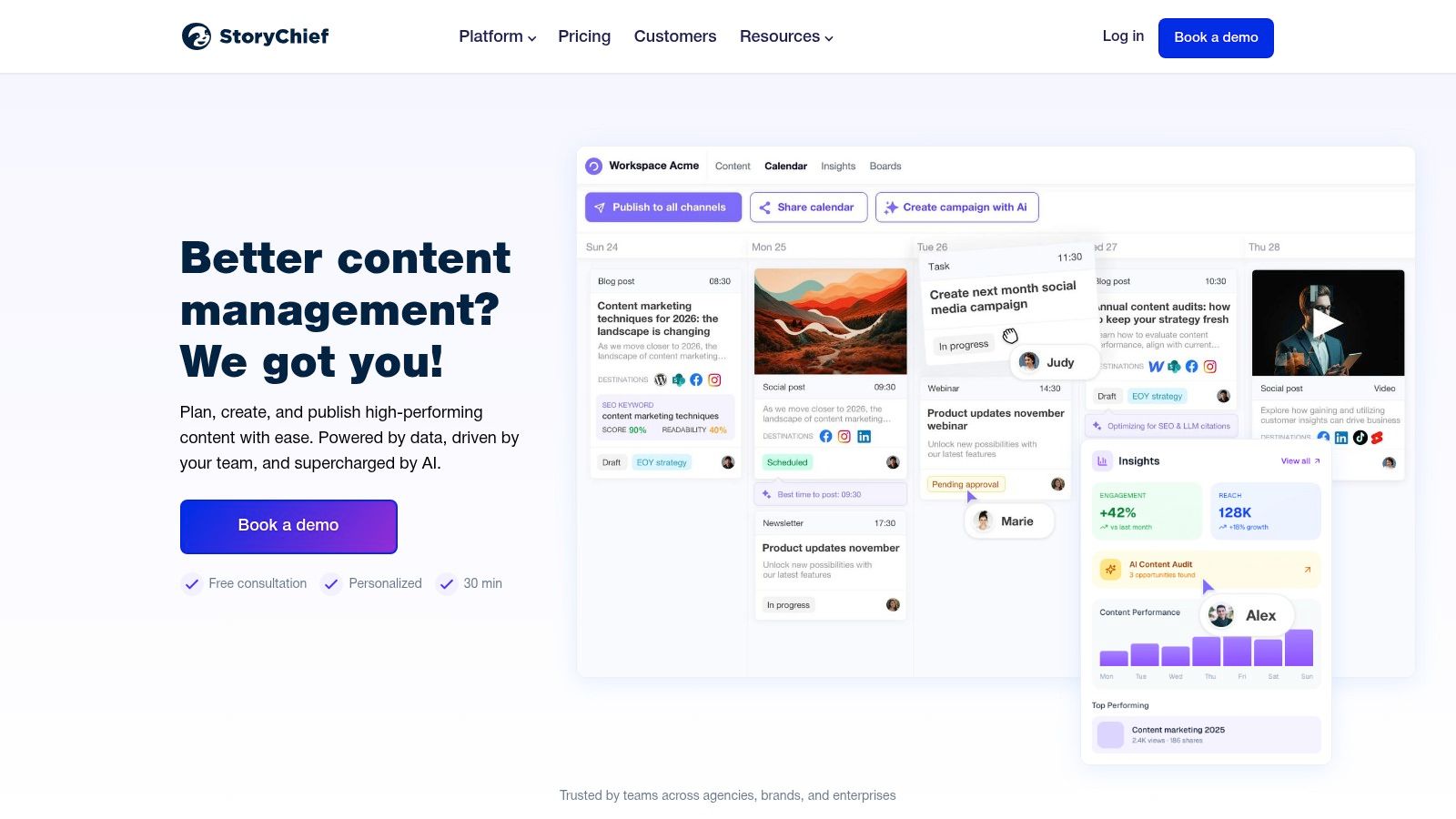
StoryChief positions itself as more than just a scheduler; it's an end-to-end content marketing platform built for teams that need to manage a "write once, publish everywhere" strategy. It moves beyond basic social media scheduling by integrating directly with your CMSs (like WordPress and Ghost), email platforms, and social channels from a single collaborative editor. This makes it a powerful choice for agencies and marketing teams managing multiple brands or complex editorial calendars.
The platform's core strength is its centralized workflow. A team can draft, review, approve, and schedule an article for publication across a dozen channels simultaneously, complete with SEO optimization suggestions and analytics.
Key Features & Use Case
StoryChief is one of the more robust content syndication tools for teams that prioritize process and control.
- Best For: Marketing agencies and in-house content teams managing multiple client blogs and social channels.
- Platform Coverage: Direct publishing to over 100 channels, including WordPress, Ghost, Medium, Webflow, social media (LinkedIn, X, Facebook), and email service providers.
- Standout Feature: The collaborative editor combined with multi-step approval workflows is its defining feature. It brings the entire content lifecycle, from ideation to analytics, into one dashboard. This is a significant step up from tools focused solely on social scheduling. For more information on how it fits into a larger strategy, you can explore other content marketing automation tools.
Pricing & Final Verdict
Pricing is seat-based, starting with the Team plan at €120/month for 4 users, scaling to the Agency plan at €240/month for 10 users.
- Pros: Excellent for team collaboration and agency-client workflows. The ability to manage blog content and social promotion in one place saves significant time.
- Cons: The price point and feature depth can be overkill for a solo creator or a small business with simple needs. It's an investment in a process, not just a tool.
Website: https://www.storychief.io/
3. Outbrain
Outbrain operates on a different model from direct publishing tools; it's a paid content discovery platform designed to get your articles in front of massive audiences on premium publisher websites. Instead of syndicating your full post, it promotes your content as a native ad (often titled "Recommended for you") to drive targeted traffic back to your original article, newsletter, or landing page. This makes it a powerful lever for audience growth when organic reach isn't enough.
The platform functions on a pay-per-click (PPC) basis, giving advertisers a self-serve dashboard to set budgets, target specific demographics, and optimize campaigns. It’s less about automated cross-posting and more about paid amplification.

Key Features & Use Case
Outbrain is one of the most established content syndication tools for performance-focused marketers who want to buy traffic at scale.
- Best For: Growth marketers, performance agencies, and brands looking to drive significant top-of-funnel traffic to high-value content or lead magnets.
- Platform Coverage: A vast network of premium online publishers including major news outlets and niche publications. The specific inventory depends on campaign targeting.
- Standout Feature: Its core value is the sheer scale of its publisher network. Unlike social platforms, Outbrain places your content directly alongside editorial articles on trusted sites, which can lend it a degree of credibility and attract a high-intent audience actively consuming information.
Pricing & Final Verdict
Outbrain uses a pay-per-click (PPC) model. There are no monthly platform fees; you set a daily or campaign budget and pay only when someone clicks on your content. Minimum budgets can apply, often starting around $10-$20 per day.
- Pros: Access to a massive, premium publisher network. Granular control over daily budgets and campaign targeting from a self-serve dashboard.
- Cons: Performance is heavily dependent on creative (headline/image) and campaign optimization. Costs can add up quickly, and achieving a positive ROI requires testing and refinement.
Website: https://www.outbrain.com/
4. Taboola
Taboola is a giant in the world of paid content discovery, operating as a leading native recommendation network. Unlike tools that automate publishing to your owned channels, Taboola focuses on paid amplification by placing your articles on a vast network of major publisher websites. It works by displaying your content as "recommended reading" in widgets at the bottom of articles, effectively buying you a spot in front of established audiences. This makes it a powerful lever for scaling reach beyond your organic limits.
The platform is designed for performance marketing, where content is the ad. Advertisers bid on a cost-per-click (CPC) basis to have their blog posts, articles, and landing pages shown to millions of readers across premium sites like USA Today, NBC, and The Independent.
Key Features & Use Case
Taboola serves as one of the go-to content syndication tools for brands that need to drive top-of-funnel traffic at a significant scale through paid channels.
- Best For: Performance-focused marketers, brands with a substantial content budget, and publishers looking to drive massive traffic to cornerstone articles or lead magnets.
- Platform Coverage: A global network of thousands of premium publisher websites, reaching over 500 million daily active users.
- Standout Feature: Its core strength is its massive, exclusive reach and its sophisticated bidding algorithm. The "Taboola Feed" mimics a social media feed at the bottom of articles, creating a natural discovery experience that encourages higher click-through rates compared to traditional display ads.
Pricing & Final Verdict
Taboola operates on a CPC auction model. There's no fixed monthly fee, but a minimum daily budget is required, often starting around $50-$100/day to gather meaningful data.
- Pros: Unparalleled scale and access to audiences on major news and media sites. The self-serve platform provides granular control over targeting, bidding, and creatives.
- Cons: It requires a dedicated budget and continuous optimization. Performance is highly variable and depends on headline quality, creative assets, and landing page conversion rates; it is not a "set it and forget it" solution.
Website: https://www.taboola.com/
5. Hootsuite
As one of the most established players in social media management, Hootsuite offers a robust and mature platform for distributing content across a wide array of social networks. While often seen as a pure-play social media tool, its powerful scheduling and multi-account management features make it a reliable choice for social-heavy content syndication strategies, especially for brands and agencies that need enterprise-grade control and analytics.
Hootsuite excels at streamlining the distribution of your core content, like blog posts or articles, by turning them into scheduled social updates tailored for each network. Its "best time to post" recommendations and unified inbox for engagement help maximize the reach of your syndicated content.

Key Features & Use Case
Hootsuite is one of the more comprehensive content syndication tools for organizations that need a proven, all-in-one social distribution and monitoring system.
- Best For: Marketing teams, agencies, and large enterprises that require advanced scheduling, analytics, and compliance features for social media distribution.
- Platform Coverage: Extensive support for all major social networks, including LinkedIn, X (Twitter), Facebook, Instagram, TikTok, Pinterest, and YouTube.
- Standout Feature: The combination of its powerful content scheduler, social listening streams, and in-depth analytics dashboard provides a 360-degree view of your social syndication performance. The platform's enterprise-level add-ons for employee advocacy and compliance also set it apart. Integrating these features is crucial for developing strong social media strategy examples.
Pricing & Final Verdict
Hootsuite offers a 30-day free trial. Paid plans start with the Professional tier at $99/month for 1 user and 10 social accounts, scaling to the Team plan at $249/month for 3 users.
- Pros: Broad network support and deep, enterprise-level features. The unified inbox and social listening capabilities are excellent for managing engagement at scale.
- Cons: Can be more expensive than simpler tools, making it less ideal for solo creators or small businesses. Some pricing details are only revealed after signing up.
Website: https://www.hootsuite.com/
6. Buffer
Buffer is a classic in the social media scheduling space, known for its clean interface and straightforward, queue-based publishing. It’s built for creators and small teams who need a reliable, no-fuss way to distribute content across their primary social channels without getting bogged down by enterprise-level complexity. Its simplicity is its core strength, making it an excellent starting point for those new to content distribution.
The platform focuses on making scheduling intuitive. You connect your social profiles, add content to a shared queue, and Buffer publishes it according to a preset schedule. This "set it and forget it" model is highly effective for maintaining a consistent presence on platforms like LinkedIn, X, and Facebook, making it one of the most accessible content syndication tools for social media.
Key Features & Use Case
Buffer excels at removing friction from the social media publishing process, making it a go-to for individuals and small marketing teams.
- Best For: Solo creators, small businesses, and nonprofits needing a simple and affordable way to manage a handful of key social media accounts.
- Platform Coverage: Supports major social networks including LinkedIn, X (formerly Twitter), Facebook, Instagram, Pinterest, TikTok, and Mastodon.
- Standout Feature: Its per-channel pricing and generous free plan are its defining characteristics. The ability to start with three channels for free allows users to fully test its value before committing. The AI Assistant also helps streamline content creation directly within the composer. For a deeper dive into its capabilities, see this comparison of social media scheduling software.
Pricing & Final Verdict
Buffer’s pricing is famously transparent, with a free plan for up to 3 channels. Paid plans start with the Essentials tier at $6/month per channel.
- Pros: Highly intuitive user interface, transparent and flexible per-channel pricing, and a robust free tier make it extremely accessible.
- Cons: The feature set is lighter than all-in-one suites. It lacks the deep analytics, advanced listening, and complex approval workflows found in platforms like Sprout Social or Agorapulse.
Website: https://buffer.com/
7. Sprout Social
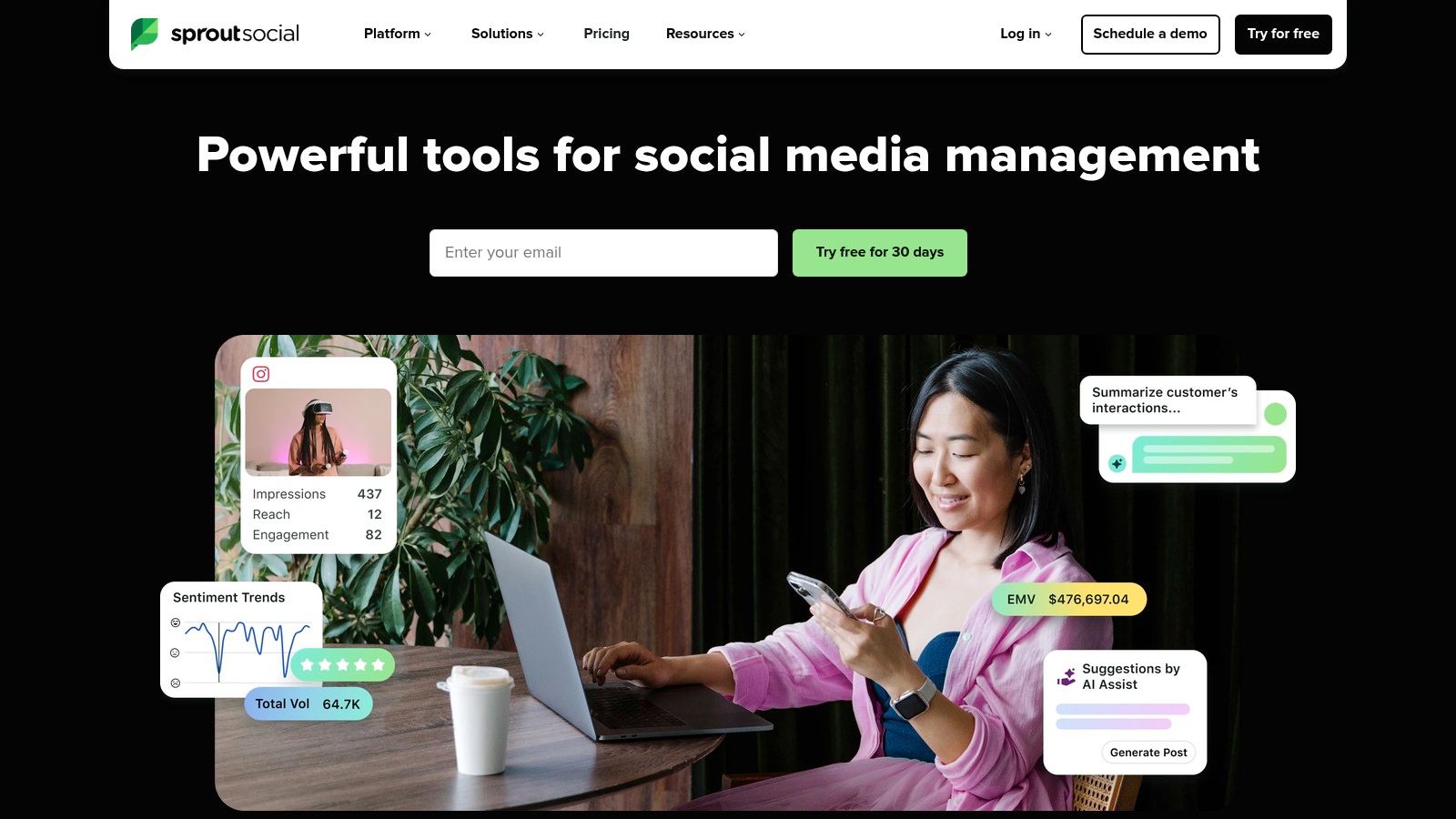
Sprout Social is a premium social media management tool that goes beyond simple scheduling, offering a comprehensive suite of analytics, engagement, and reporting features. While often viewed as a pure social media platform, its robust publishing and analytics capabilities make it an essential component for brands distributing their core content across social channels. It’s designed for teams that need to not only syndicate content but also measure its impact and engage with the resulting audience at scale.
The platform excels in providing a unified smart inbox and detailed performance analytics, allowing marketing teams to connect distribution efforts directly to business objectives. This focus on ROI and data-driven insights is what separates it from more basic schedulers.
Key Features & Use Case
For organizations where social media is a primary distribution channel, Sprout Social acts as one of the most powerful content syndication tools available, particularly for monitoring brand health and competitor activity.
- Best For: Established brands and marketing agencies managing multiple social profiles that require deep analytics and team collaboration features.
- Platform Coverage: Comprehensive support for all major social networks, including LinkedIn, X (Twitter), Facebook, Instagram, TikTok, and Pinterest.
- Standout Feature: The platform’s analytics and reporting suite is its strongest asset. Features like competitor analysis, paid performance insights, and AI-powered post optimization provide actionable data that justifies marketing spend and refines content strategy.
Pricing & Final Verdict
Sprout Social's pricing is user-based, starting with its Standard plan at $249/month per user. The Professional plan is $399/month per user and adds more advanced features.
- Pros: Excellent reporting and analytics capabilities. The unified smart inbox simplifies engagement across multiple channels. Unlimited social profiles on higher-tier plans.
- Cons: The per-user pricing model makes it one of the more expensive options, which can be a significant barrier for solo creators or small teams.
Website: https://sproutsocial.com/
8. Publer
Publer is a powerful and highly cost-effective social media scheduler that punches well above its weight class, especially for creators and small businesses. It distinguishes itself with extensive RSS automation features and broad platform support, allowing you to automatically pull content from a blog feed and distribute it across numerous social channels. This makes it an excellent tool for turning your primary blog content into a consistent stream of social media updates.
Its value proposition lies in its generous plans and flexible, per-account pricing model, which is a breath of fresh air compared to rigid, user-based tiers. For those managing many social profiles without needing a large team, Publer offers a scalable and affordable solution.

Key Features & Use Case
Publer is one of the most budget-friendly content syndication tools for users who need to manage a high volume of social accounts and posts.
- Best For: Solo creators, small marketing teams, and freelancers managing multiple client accounts on a budget.
- Platform Coverage: Supports a wide array of networks, including WordPress, YouTube, Threads, and Bluesky, alongside standard platforms like LinkedIn, Facebook, and Instagram.
- Standout Feature: Unlimited RSS feed automations even on lower-priced plans. You can connect a blog or multiple sources and have Publer automatically create and schedule posts as new content goes live, which is a massive time-saver for consistent social promotion.
Pricing & Final Verdict
Publer’s pricing is highly flexible, starting with a free plan. The Professional plan is €12/month, and the Business plan is €21/month (billed annually), with costs scaling based on the number of accounts and team members.
- Pros: Excellent value with scalable, per-account pricing and generous discounts for annual plans and bulk accounts. The feature set, including AI assistance and a link-in-bio tool, is robust for the price.
- Cons: Some of the more advanced analytics and reporting features are reserved for the higher-tier Business plan. X/Twitter integration is not available on the free tier.
Website: https://publer.com/
9. ContentStudio
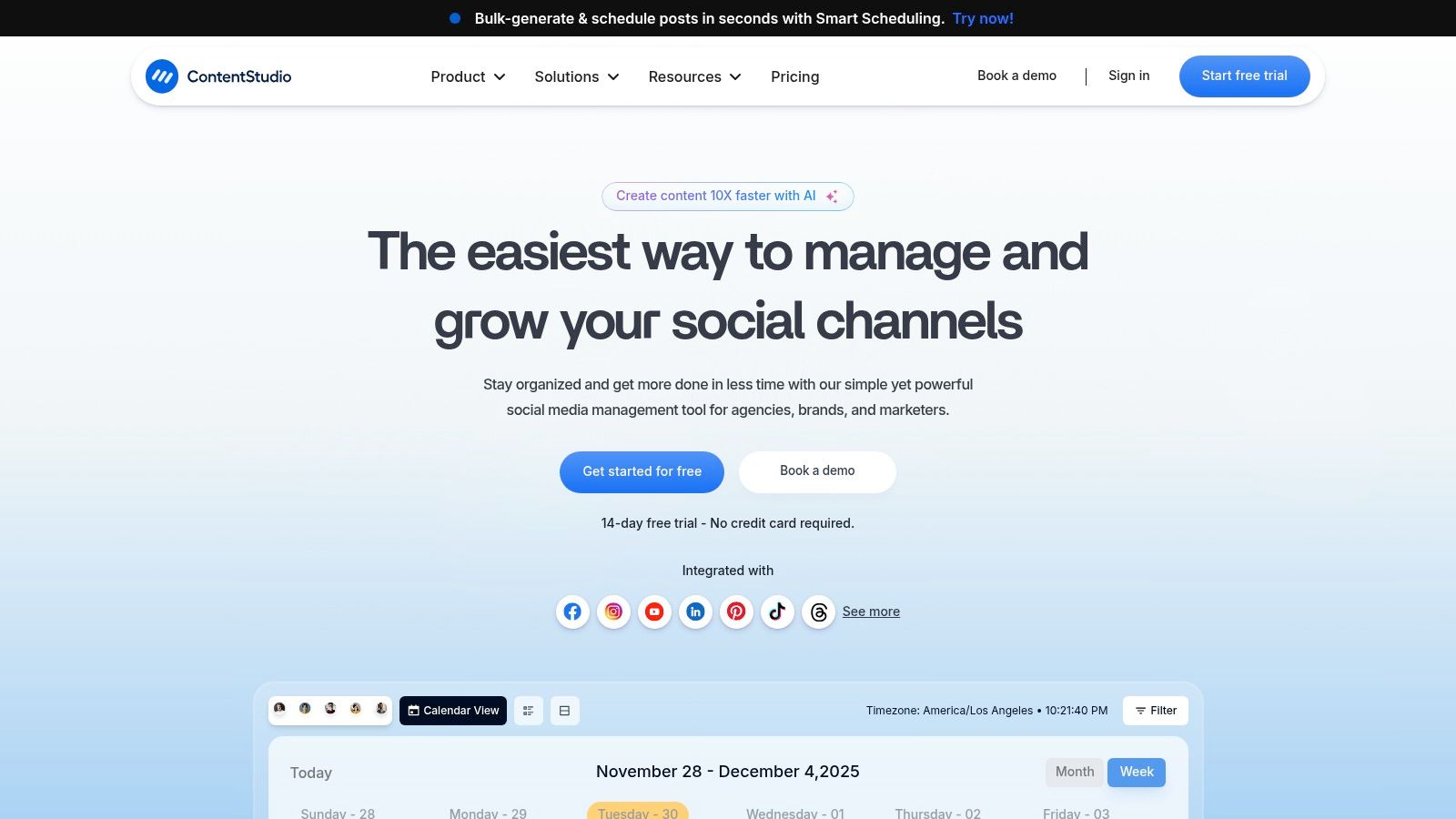
ContentStudio is a comprehensive social media management platform that blends content discovery, curation, publishing, and analytics into a single dashboard. It’s designed for agencies and marketing teams that need to not only syndicate their own content but also supplement their calendar with relevant, high-quality curated articles from around the web. This dual focus on creation and curation sets it apart from tools that only handle publishing.
The platform excels at automating the content pipeline. You can set up topic-based feeds to discover trending content, then easily schedule it across multiple social channels alongside your original blog posts. This makes it a powerful engine for maintaining a consistent and engaging presence with less manual effort.
Key Features & Use Case
ContentStudio is one of the more versatile content syndication tools for users who value both original content distribution and third-party content curation.
- Best For: Marketing agencies and brands that need a steady stream of content for social media and want to balance promotional posts with industry news.
- Platform Coverage: Integrates with major social networks like Facebook, X (formerly Twitter), LinkedIn, Instagram, Pinterest, and TikTok, as well as blogging platforms like WordPress, Medium, and Tumblr.
- Standout Feature: Its powerful content discovery and AI-driven caption generator is a major differentiator. You can find articles, videos, and images based on keywords and domains, then quickly schedule them with unique, auto-generated captions for each social network, saving hours of work.
Pricing & Final Verdict
Pricing starts with the Starter plan at $25/month for 1 user and 5 social accounts, scaling up to the Agency plan at $169/month, which offers extensive features like white-label reports for clients.
- Pros: Excellent blend of curation and publishing features. The agency-specific tools, including workspaces and approval workflows, provide strong value for client management.
- Cons: The user interface can feel dense for beginners, and the pricing structure can be confusing as some features are tied to specific add-ons or higher tiers.
Website: https://contentstudio.io/
10. CoSchedule Marketing Calendar
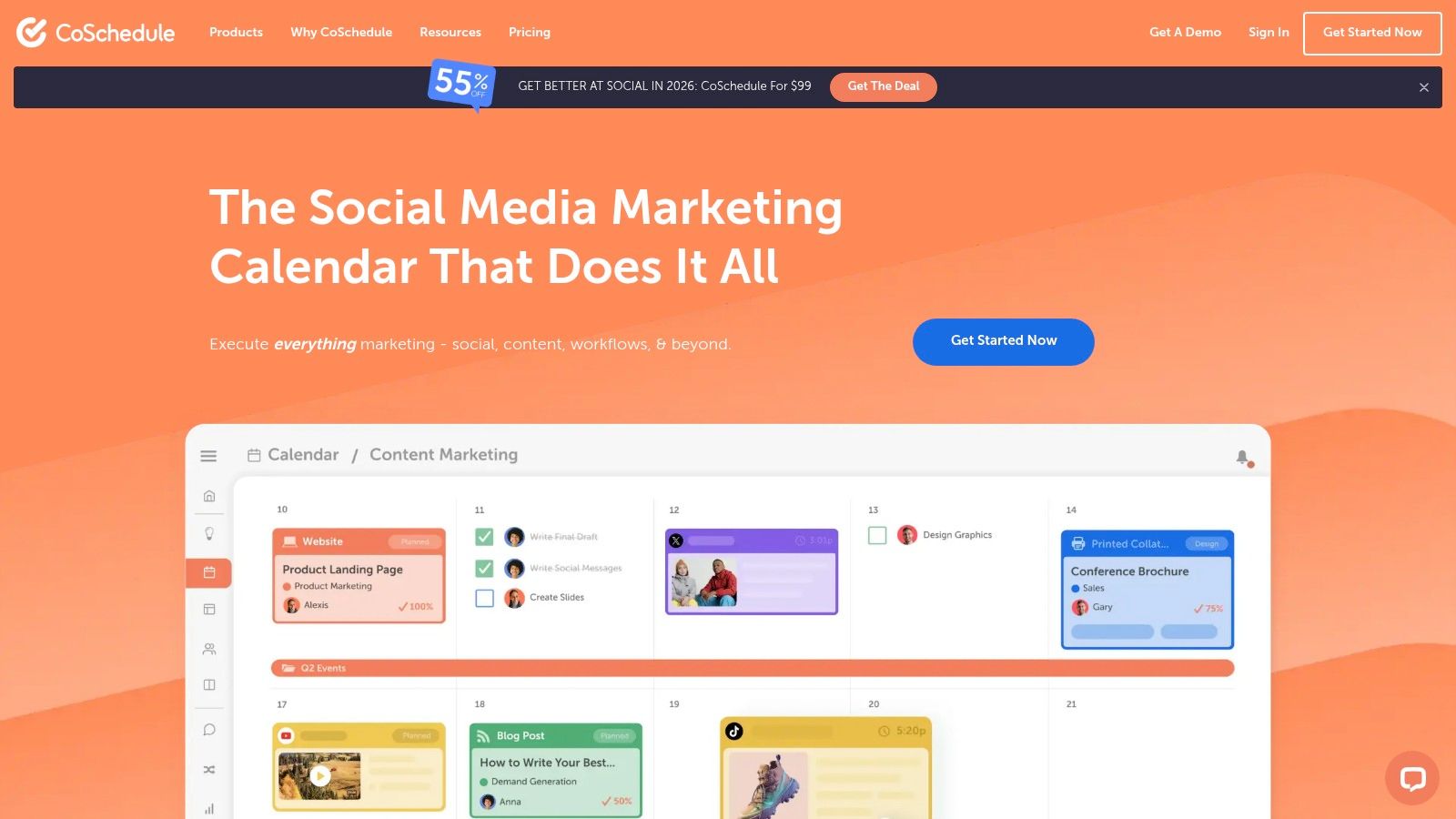
CoSchedule is built around its core strength: the marketing calendar. It provides a powerful, visual-first way for teams to organize all their content and promotional activities in one place. While it offers broad marketing project management, its social media scheduling and automation features make it a strong contender for content syndication, especially for teams that live by their editorial calendar.
The platform excels at turning a single piece of content into a long-tail promotional campaign. Its standout feature, ReQueue, automatically finds optimal times to re-share your best evergreen content, filling gaps in your schedule and ensuring your posts get maximum visibility without constant manual effort. This makes it ideal for teams focused on squeezing every bit of value from their core content assets.
Key Features & Use Case
CoSchedule is one of the more comprehensive content syndication tools for organizations that need a unified view of their entire marketing timeline.
- Best For: Content teams and marketing managers who need a central calendar to coordinate blog posts, email newsletters, and social media promotions.
- Platform Coverage: Integrates with major social media platforms like Facebook, LinkedIn, Instagram, and Pinterest. It also connects with WordPress, Mailchimp, and other marketing tools.
- Standout Feature: The ReQueue feature is the main differentiator. This intelligent automation tool analyzes your social analytics to identify and re-share your top-performing posts, keeping your social channels active and driving traffic back to your evergreen content with minimal intervention.
Pricing & Final Verdict
CoSchedule offers a free plan with basic social scheduling. The paid Marketing Calendar plan is $29 per user/month, with additional social profiles costing extra.
- Pros: The visual calendar interface is intuitive and powerful for planning. ReQueue automation is a significant time-saver for maintaining an active social media presence.
- Cons: The per-user pricing can become expensive for larger teams. Billing for some social profiles like X (formerly Twitter) separately adds complexity to the cost structure.
Website: https://coschedule.com/
11. Jetpack Social (WordPress)
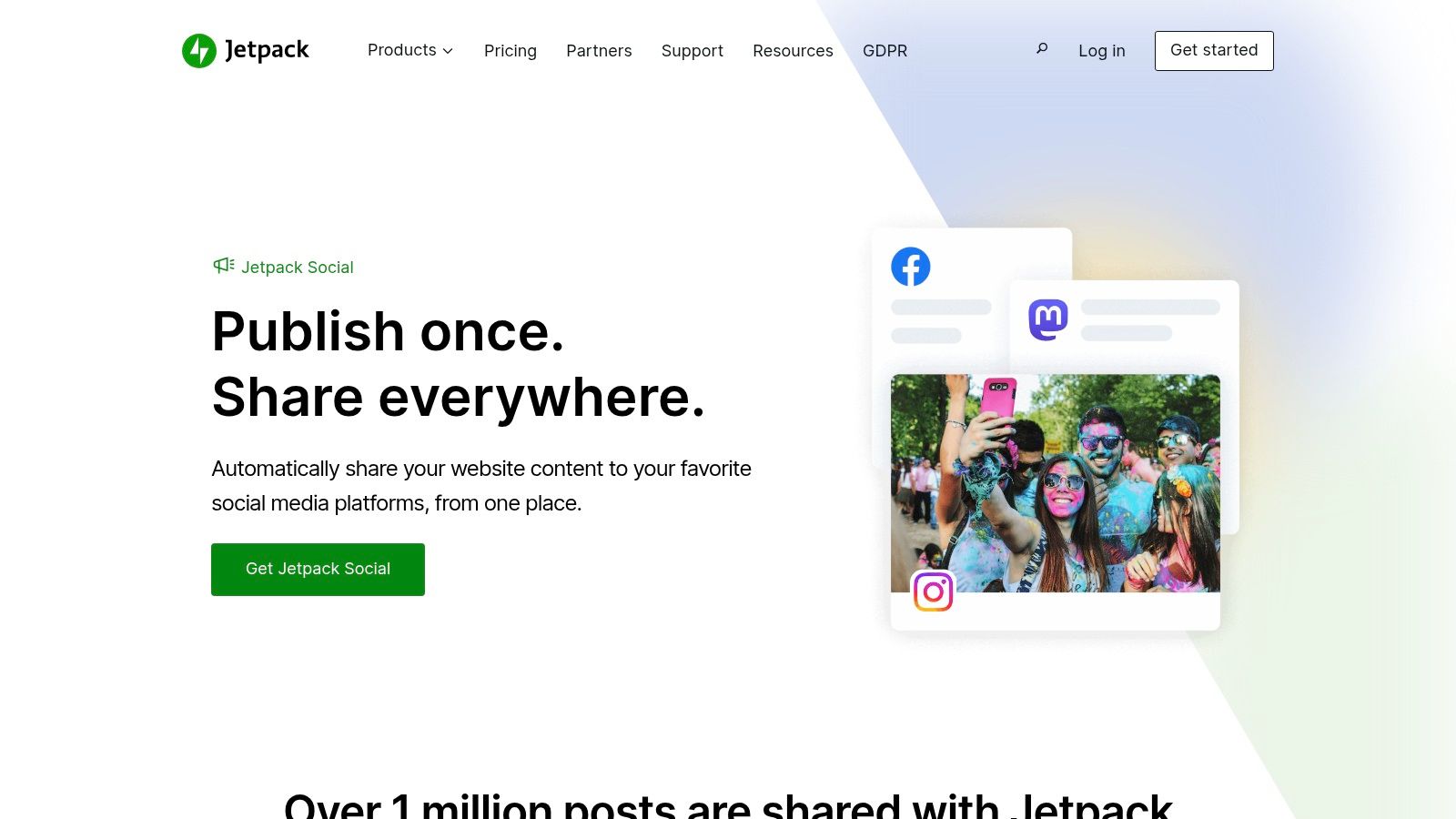
For WordPress users, Jetpack Social offers the most native and seamless path to social syndication. It’s the official WordPress solution designed to automatically share your blog posts to multiple social networks the moment you hit "publish." This hands-off approach makes it ideal for writers and bloggers who live inside their WordPress dashboard and want a "set it and forget it" tool for social distribution without leaving their CMS.
Its primary advantage is its deep integration. There’s no complex API setup or third-party app to manage; it's built directly into the WordPress ecosystem, ensuring reliability and a frictionless user experience.
Key Features & Use Case
Jetpack Social is one of the most efficient content syndication tools for individuals and businesses whose content originates from a WordPress site.
- Best For: WordPress-based bloggers, solo creators, and small businesses who want a simple, integrated way to auto-share new posts.
- Platform Coverage: Direct auto-posting to Facebook, LinkedIn, Instagram, Threads, Mastodon, Bluesky, Tumblr, and Nextdoor.
- Standout Feature: Its native WordPress integration is its biggest selling point. The ability to schedule, re-share, and manage social posts directly from the editor where you write your content simplifies the workflow immensely, eliminating the need to log into a separate platform.
Pricing & Final Verdict
Jetpack Social offers a free tier with basic auto-sharing. The paid Social plan unlocks advanced features like scheduling and content recycling, often with promotional first-year pricing around $7.50/month, billed annually. It's also included in the comprehensive Jetpack Complete bundle.
- Pros: Unbeatable convenience for WordPress users. The setup is incredibly straightforward, and its availability as a standalone plan makes it affordable.
- Cons: It’s entirely WordPress-centric, making it irrelevant for those on other platforms like Ghost or Substack. The free version is limited, and renewal pricing can be higher than the initial promotional rate.
Website: https://jetpack.com/social/
12. dlvr.it
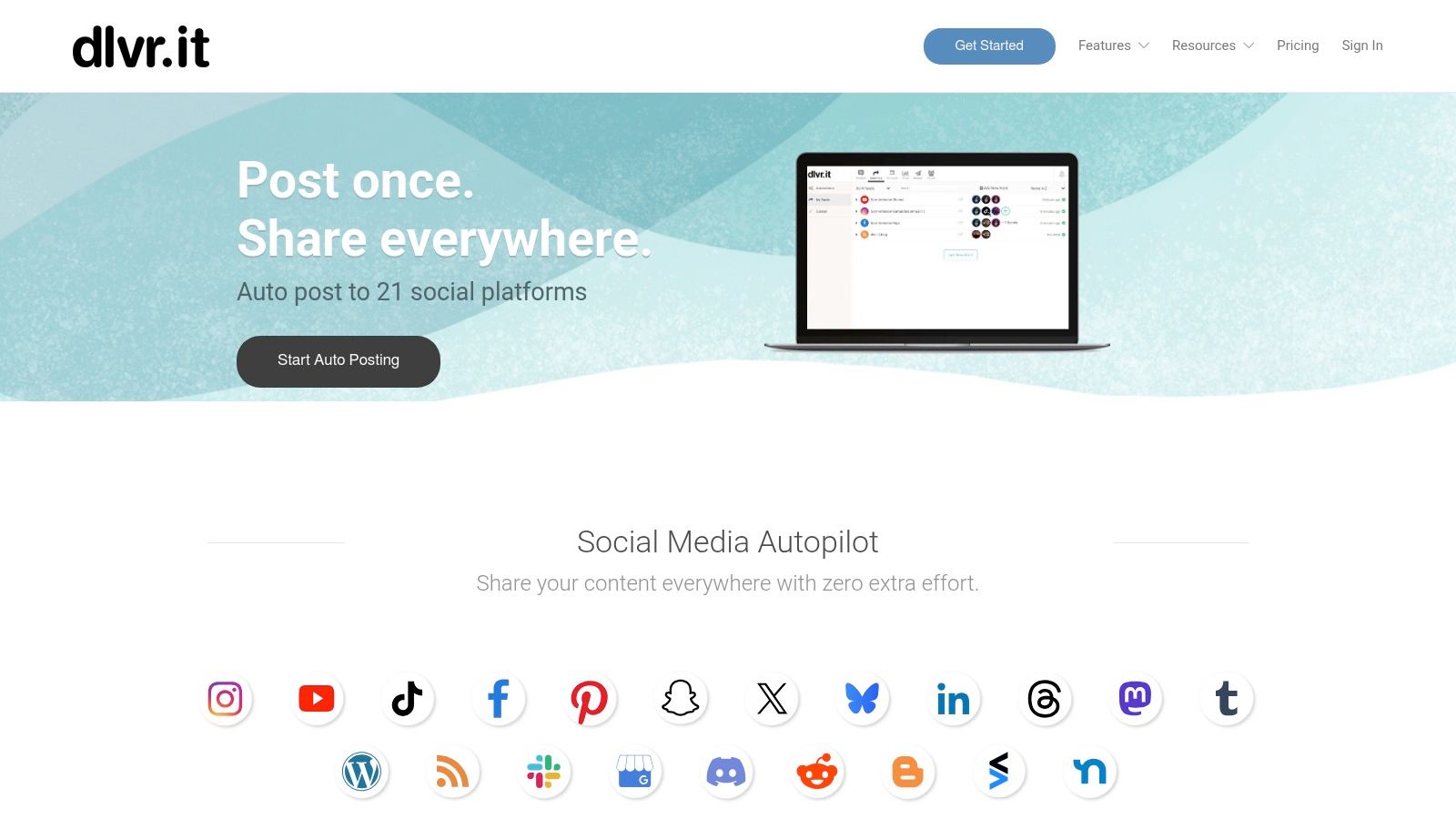
dlvr.it is a classic RSS-to-social automation tool designed for pure efficiency. Its primary function is to monitor RSS feeds (like your blog or a news source) and automatically push new content to multiple social media profiles. This makes it an incredibly lightweight and inexpensive solution for bloggers and small businesses who need a reliable "set-and-forget" method to ensure their latest articles are syndicated the moment they go live, without the complexity of a full-scale social media management suite.
The platform excels at its core task: simple, automated publishing. For anyone whose primary syndication need is broadcasting new blog posts across social channels, dlvr.it removes the manual step of copying and pasting links, saving time and ensuring consistency.
Key Features & Use Case
dlvr.it is one of the most straightforward content syndication tools for users who prioritize automation over manual curation.
- Best For: Solo bloggers, small businesses, and agencies needing a low-cost way to auto-share blog content to numerous social pages.
- Platform Coverage: Connects RSS feeds to major social platforms including X (formerly Twitter), Facebook, LinkedIn, and more.
- Standout Feature: Its "set-and-forget" simplicity is its biggest selling point. You can connect a feed to your social accounts in minutes and let it run in the background indefinitely. It is a foundational tool within a broader setup, which you can see in this guide to finding the right content distribution platform.
Pricing & Final Verdict
dlvr.it offers a free plan for basic use, with paid plans scaling based on the number of feeds and social accounts needed. Paid plans typically start at an affordable price point, making them accessible for most users.
- Pros: Extremely easy to set up and configure. The free and low-cost tiers make it a no-brainer for simple blog-to-social syndication.
- Cons: The feature set is intentionally narrow; it lacks the advanced scheduling, analytics, and content management found in more comprehensive tools. The official pricing page can sometimes be sparse, so it's best to verify details during checkout.
Website: https://dlvrit.com/
Content Syndication: Top 12 Tools Comparison
| Tool | Core features | Quality (★) | Value & Pricing (💰) | Target audience (👥) | Unique selling points (✨) |
|---|---|---|---|---|---|
| Narrareach 🏆 | Write-once publish-everywhere; Substack Notes scheduling; AI titles/hooks; smart scheduling | ★★★★★ | 💰 Start free; early $19.99/mo (limited); reg $75/mo | 👥 Indie writers, newsletter creators, ghostwriters, agencies | ✨ Viral-tested templates (10k+), Medium restore post-API, auto CTAs, cross-platform analytics |
| StoryChief | Multi-channel publishing, editorial workflows, SEO insights, approvals | ★★★★☆ | 💰 Team/seat pricing — higher for agencies | 👥 Agencies, content teams, editorial ops | ✨ Strong approvals/workspaces and SEO + distribution hub |
| Outbrain | Native content ads (PPC), bid optimization, publisher network | ★★★★☆ | 💰 CPC-based paid amplification | 👥 Marketers, publishers, paid acquisition teams | ✨ Massive premium publisher reach for paid traffic |
| Taboola | Recommendation units, personalization, multi-format placements | ★★★★☆ | 💰 CPC campaigns — managed or self-serve | 👥 Advertisers seeking scale and publisher inventory | ✨ Broad publisher deals + diverse engagement formats |
| Hootsuite | Multi-network scheduling, listening, analytics, enterprise add-ons | ★★★★☆ | 💰 Tiered (can be pricey); 30-day trial | 👥 Brands, social teams, enterprises | ✨ Robust listening, compliance, enterprise integrations |
| Buffer | Queue-based scheduling, AI assistant, community inbox, simple analytics | ★★★★☆ | 💰 Transparent per-channel pricing; free tier | 👥 Solo creators, small teams, nonprofits | ✨ Simple UX, low-cost entry and transparent plans |
| Sprout Social | Publishing, engagement, robust reporting, competitor insights | ★★★★☆ | 💰 Seat-based premium pricing; 30-day trial | 👥 Brands, agencies, large teams | ✨ Deep reporting & collaboration for enterprise needs |
| Publer | RSS automations, bulk scheduling, link-in-bio, AI features | ★★★★☆ | 💰 Cost-effective; per-account discounts & annual deals | 👥 Creators, SMBs, agencies needing scale | ✨ Flexible per-account pricing and unlimited RSS automations |
| ContentStudio | Scheduling, discovery/curation, agency workspaces, evergreen tools | ★★★★☆ | 💰 Value tiers; white-label options | 👥 Agencies, content teams, curators | ✨ Combines discovery + publishing with white‑label agency features |
| CoSchedule Marketing Calendar | Calendar-first scheduling, ReQueue reposting, team workflows | ★★★★☆ | 💰 Per-user pricing; free calendar option | 👥 Marketing teams, planners, agencies | ✨ ReQueue automated reposting and calendar-centric view |
| Jetpack Social (WordPress) | Auto-posting from WP, scheduling, content recycling | ★★★★☆ | 💰 Standalone Social plan or bundled in Jetpack | 👥 WordPress-based writers & site owners | ✨ Native WP integration for hands-off syndication |
| dlvr.it | RSS-to-social auto-posting, simple setup, scalable plans | ★★★☆☆ | 💰 Free/low-cost tiers for basic syndication | 👥 Bloggers, small teams wanting set‑and‑forget | ✨ Lightweight, immediate RSS-driven automation |
My Final Verdict: Which Tool Will You Choose to Reclaim Your Time?
After 30 days of deep-diving into a dozen different platforms, my content workflow is permanently changed. The biggest takeaway from this entire experiment is this: manual cross-posting is a silent killer of creative momentum. That "quick" 5-minute task of reformatting and scheduling a post for LinkedIn, then another 10 minutes for Substack Notes, then another for Medium… it all adds up. I calculated I was losing nearly 8 hours a month to this tedious copy-paste grind, time that could have been spent writing, researching, or engaging with my community.
The right content syndication tools don't just give you back those hours; they fundamentally change your growth potential. Instead of thinking of distribution as a chore, you begin to see it as a strategic, automated system that works for you 24/7. Your content is no longer a "one and done" asset. It becomes a tireless employee, reaching new audiences on multiple platforms while you sleep.
A Decision Framework for Your Next Step
Choosing the best tool from this list of twelve depends entirely on where you are in your creator journey. Don't chase the tool with the most features; chase the one that solves your biggest bottleneck right now.
For the Enterprise Marketing Team: If you're juggling multiple brands, complex approval workflows, and need deep, client-ready analytics, platforms like Sprout Social or ContentStudio are built for your scale. Their robust team features and comprehensive reporting justify the higher price tag.
For the Social Media Manager or Agency: Your world revolves around scheduling and engagement across a wide array of social channels. Tools like Hootsuite, Buffer, or Publer are your command centers, offering powerful scheduling queues and social listening capabilities that are essential for managing client accounts effectively.
For the WordPress-Centric Blogger: If your entire content ecosystem is built around a WordPress site, the simplicity of Jetpack Social is hard to beat. It's a "set it and forget it" solution that reliably pushes your blog posts to your connected social profiles with minimal fuss.
For the Newsletter Creator & Solo Thought Leader (Substack, Ghost, LinkedIn): This is where my experiment yielded the clearest results. Your primary goal is direct audience growth, specifically converting readers into loyal subscribers. While many tools can post to LinkedIn, very few understand the nuances of platforms like Substack. This is where Narrareach shined. Its native ability to not only cross-post a full article but to automatically generate and schedule compelling Substack Notes from it was a game-changer. This feature alone drove a significant portion of the 27% subscriber growth I saw in just 30 days, as Notes are Substack's primary discovery engine. It’s the only tool I tested that felt specifically designed for the newsletter growth flywheel.
Your Action Plan: Stop the Grind and Start Growing
The most dangerous thing you can do after reading this article is nothing. Analysis paralysis is real. Your next step isn't to spend another week comparing features; it's to take action and reclaim your time. Pick one tool from this list that aligns with your primary goal, sign up for a trial, and connect your accounts. Commit to automating the distribution of your next three articles.
The goal is to remove friction between creating and distributing. By implementing one of these content syndication tools, you’re not just buying software; you’re investing in a system that ensures every piece of content you painstakingly create reaches its maximum potential audience. You’re building a distribution engine that will pay dividends in audience growth, engagement, and most importantly, your own time and sanity.
High-Intent CTA: Ready to stop the copy-paste grind and put your audience growth on autopilot? Narrareach was built specifically for newsletter creators to schedule and syndicate content to platforms like Substack and LinkedIn effortlessly. Start your free 7-day trial and reclaim 8+ hours a month.
Low-Intent CTA: Not ready to try a new tool? No problem. Join our free newsletter for creators, where we share bi-weekly, data-backed strategies on how to grow your audience faster.