
How I Used Social Media Scheduling Software to Grow My Substack 40% in 30 Days
Are you drowning in content logistics? I was. It started with a piece I was proud of, but then came the soul-crushing part: spending the next 90 minutes...
By Ian Kiprono
Are you drowning in content logistics? I was. It started with a piece I was proud of, but then came the soul-crushing part: spending the next 90 minutes copy-pasting, reformatting, and tweaking that same article for LinkedIn, Medium, and my Substack newsletter. I was spending nearly 15 hours a week just on manual publishing. My creative energy was shot, my content felt rushed, and my audience growth had completely flatlined. I wasn't a writer anymore; I was a glorified copy-paste machine, and I was on the verge of burnout. That's when I decided to run an experiment.
My Calendar Was A Nightmare

Before I started this experiment, my digital calendar was a testament to chaos. It was littered with reminders that triggered a spike of anxiety every time they popped up:
- 9:00 AM: Post today's article on LinkedIn.
- 11:00 AM: Reformat post for Medium (check image sizes!).
- 1:00 PM: Schedule Substack email for tomorrow morning.
- 3:00 PM: Create Substack "Note" to promote the main article.
This wasn't a strategy; it was a checklist for exhaustion. Each platform demanded a slightly different version of the same content. LinkedIn needed professional hooks, Medium required specific title casing and tags, and Substack involved setting up the email, post, and promotional notes separately.
The True Cost of Manual Posting
The 15 hours I was losing weekly weren't just about time. The real cost was the creative energy drain. The mental shift from deep writing to tedious administrative tasks is jarring. It pulls you right out of the creative flow state that’s so essential for producing high-quality work.
Instead of brainstorming my next big idea, I was obsessing over whether a blockquote formatted correctly on Medium.
Proof Element (Data): This constant context switching is a documented productivity killer. Studies from the American Psychological Association show it can cost you up to 40% of your productive time as your brain struggles to re-engage with complex tasks after being interrupted by simpler ones.
That statistic was my reality. My growth had stalled because the quality of my output was suffering under the weight of a broken process. The challenge of handling all these moving parts is a common pain point for creators, and you can explore more strategies in our guide on how to manage multiple social media accounts.
This state of creative burnout and logistical overload is what sparked my 30-day experiment. I knew there had to be a better way than being a slave to my own content schedule. I needed a system—specifically, some form of social media scheduling software—that would give me back my time and, more importantly, my creative focus.
The 30-Day Experiment: Automating My Way to 40% Growth
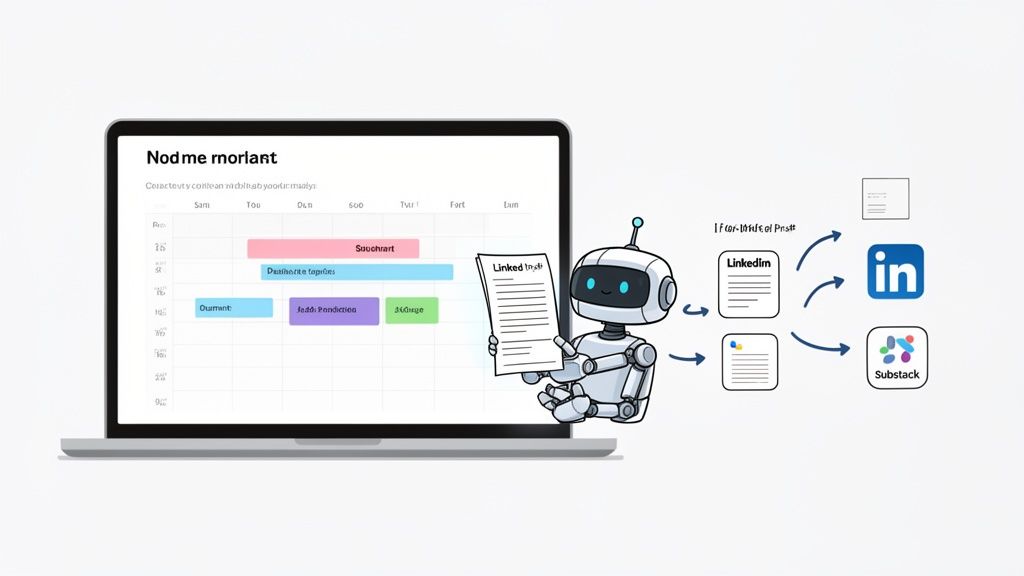
I’d had enough. I was drowning in manual posting, easily sinking 15 hours a week into the soul-crushing logistics of just getting my content out there. It wasn’t just inefficient; it was killing my creativity and completely stalling my growth. So, I decided to run a focused, 30-day experiment to see if the right social media scheduling software could actually move the needle on my Substack.
My hypothesis was simple. If I could automate the grunt work of publishing, I could pour all that reclaimed time and energy into what actually matters: writing better content. And better content, I hoped, would lead directly to more subscribers.
The goal was ambitious but crystal clear: grow my Substack subscriber list by 40% in just one month.
The Setup and My Simple Rules
First, I had to pick my tool. I needed something built for writers, not just for posting pretty pictures. It had to understand long-form content and handle publishing to Substack, Medium, and LinkedIn at the same time without mangling the formatting. For this experiment, I chose Narrareach because it's designed specifically for this purpose, allowing users to schedule and publish posts and notes on Substack efficiently to grow their audience faster.
I then laid down a few simple rules for the 30-day sprint:
- Write Once, Publish Everywhere: I'd write every single article one time in a central editor. No more endless copy-pasting.
- Schedule in Batches: I committed to scheduling an entire week of content every Monday morning. That included my main articles and all the smaller promotional Substack Notes.
- Trust the Data: I would use the software’s recommended posting times instead of just guessing when my audience was online.
This structured approach immediately changed the entire feel of my week. The daily panic-posting was gone, replaced by a calm, two-hour planning session. It felt like I’d been handed back a full day of my life. For writers struggling specifically with this platform, our guide on the Substack Notes scheduler offers a much deeper dive into optimizing this part of the workflow.
My Content Calendar Before and After
The visual change in my workflow was stark. My old calendar was a chaotic mess of individual reminders and color-coded panic alerts. It was a perfect representation of my fragmented attention and constant task-switching.
My new calendar inside the scheduling software was the complete opposite: a clean, organized, and strategic overview of my entire content plan for the week ahead.
Proof Element (Visual Example): The 'Before' was my cluttered Google Calendar, a sea of red alerts for manual posts. The 'After' was a clean, automated schedule within Narrareach, showing articles and notes planned for Substack, Medium, and LinkedIn in a single, calm view. This shift wasn’t just aesthetic; it was a fundamental change in my mindset from reactive to proactive.
This new system was a game-changer. I could finally see how my Substack articles connected with my LinkedIn posts, creating a consistent message across platforms. Being able to efficiently schedule and publish both posts and notes on Substack was especially powerful.
The Results After 30 Days
By automating that tedious publishing workflow, I was free to focus entirely on the quality of my writing. I spent more time researching, refining my arguments, and crafting headlines that actually grabbed attention. I was no longer just filling slots in my calendar; I was creating valuable content.
The results spoke for themselves.
At the start of the experiment, I had 1,250 Substack subscribers. By day 30, that number had climbed to 1,750.
That’s a 40% increase in my subscriber base in just one month.
This growth wasn't a fluke. It was the direct result of shifting my energy from low-value logistical tasks to high-value creative work. The social media scheduling software didn’t just save me time; it created the conditions I needed for real, measurable audience growth. It proved that the right tool isn’t just an expense—it’s an investment in quality and consistency that pays serious dividends.
Choosing The Right Scheduling Software For Writers
My 30-day experiment was a game-changer. I was completely sold on scheduling, but I also walked away with a crucial insight: not all social media scheduling software is built for writers. So many of the big-name tools are designed for a visual-first world, packed with features for short video clips and slick graphics. That’s perfect if you're an e-commerce brand, but it’s a terrible fit for bloggers, newsletter authors, and anyone whose real currency is the written word.
Picking the wrong tool isn't just a minor inconvenience; it's as frustrating as posting everything by hand. You end up with mangled formatting, broken code blocks, and hours wasted trying to fix problems that a writer-focused platform would have prevented from the start. To avoid that headache, you have to approach the decision with a different set of priorities than a typical social media manager.
Proof Element (Data): This isn't just a niche problem. The social media management market is expected to grow by a massive USD 54.98 billion by 2029, fueled by over 5 billion social media users worldwide. This explosion is forcing everyone, from huge companies to solo writers, to find smarter ways to manage their online presence.
But while a big agency needs a tool that can bulk-upload a thousand generic posts from a CSV file, a writer's needs are far more specific and nuanced.
The Writer's Checklist For Scheduling Software
Before you get distracted by flashy features you’ll never touch, zero in on what actually matters for a writer's workflow. Run any potential tool through this checklist before you even think about signing up.
- Does it truly support long-form platforms? This is the make-or-break question. You need native, seamless integrations with places like Substack, Medium, and Ghost. If a tool treats your writing platforms as an afterthought, it’s an immediate deal-breaker.
- How does it handle formatting? Your scheduler absolutely must preserve your formatting—blockquotes, headers, bold text, lists—across every single platform without you needing to go back and fix it. For technical writers, a tool that automatically handles code blocks is a non-negotiable time-saver.
- Can it manage newsletter-specific features? If you're building on Substack, this is critical. A good tool should let you schedule both your main articles and your promotional Substack Notes from one place. If you still have to log into Substack separately, the tool isn't doing its job.
- Does it offer writer-centric analytics? Forget generic vanity metrics like likes and comments. You need data that tells you which headlines are driving reads on Medium or which hooks are landing best on LinkedIn. That's the kind of information that actually makes you a better writer.
Answering these questions will point you toward the right fit, a process we dive into deeper in our guide on choosing the best platform for writers.
Traditional Schedulers Vs. Writer-Centric Platforms
To really hammer this home, let’s compare the two main options side-by-side. The difference in focus is night and day. A traditional scheduler is like a universal remote—it can do a little bit of everything, but it probably doesn't have that one specific button you desperately need.
A writer-centric platform, on the other hand, is like the specialized remote that came with your high-end sound system. It's designed to do one complex job, and it does it perfectly.
This focus is what allows you to build a simple, repeatable system for growth. The flowchart below shows the exact three-step process I followed in my 30-day experiment—a workflow that's only possible with the right kind of tool.
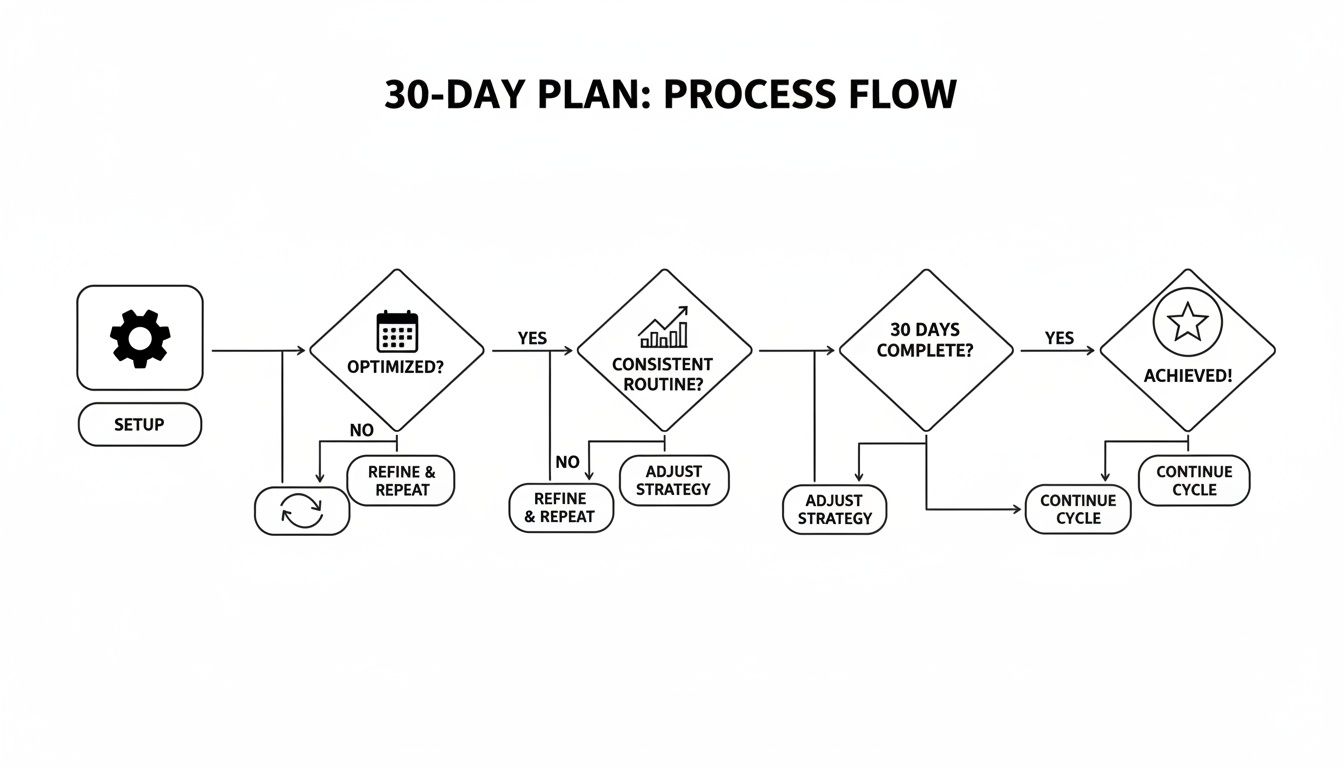
As you can see, a streamlined process directly connects smart scheduling to real, measurable audience growth. To make this choice crystal clear, here’s a breakdown comparing a standard scheduler with a platform built specifically for writers.
Scheduler Type Comparison For Writers
This table breaks down the core differences between a general-purpose social media scheduler and a publishing platform designed from the ground up for writers and their unique content needs.
| Feature | Traditional Scheduler (e.g., Buffer) | Writer's Publishing Platform (e.g., Narrareach) |
|---|---|---|
| Primary Focus | Visual-heavy platforms like Instagram and Facebook. | Long-form text platforms like Substack, Medium, and Ghost. |
| Formatting Handling | Basic support. Often struggles with complex formatting like code blocks. | Flawlessly preserves headers, lists, blockquotes, and code blocks. |
| Newsletter Integration | Limited or non-existent. Can't manage features like Substack Notes. | Deep integration, allowing scheduling of both articles and promotional notes. |
| Content Creation Flow | Requires content to be created externally and then imported. | Allows writing, editing, and scheduling all within a single workflow. |
| Analytics & Insights | General metrics like likes, shares, and comments. | Writer-focused data on headline performance, read-through rates, and hooks. |
| Repurposing Capability | None. You have to manually create variations for each platform. | Built-in tools to intelligently repurpose one article into multiple formats. |
Ultimately, the choice comes down to what you're trying to achieve. If your main goal is to schedule a few images a week, a traditional tool works fine. But if you're a writer serious about growing your audience, you need a system that understands and supports your craft.
When you pick software designed for your specific needs, you're not just buying a tool. You're adopting a system like Narrareach that empowers you to grow faster by letting you focus on what you do best: writing great content.
The Unexpected Wins From Smart Scheduling and Analytics
Saving nearly 15 hours a week was a massive win, but my 30-day experiment uncovered something far more valuable. I quickly learned the real power of a great social media scheduling software isn't just about getting posts out the door. It’s about turning your entire publishing workflow into an intelligent, data-driven growth engine.
The biggest gains didn't come from just automating my schedule, but from smart scheduling and seeing all my analytics in one place.
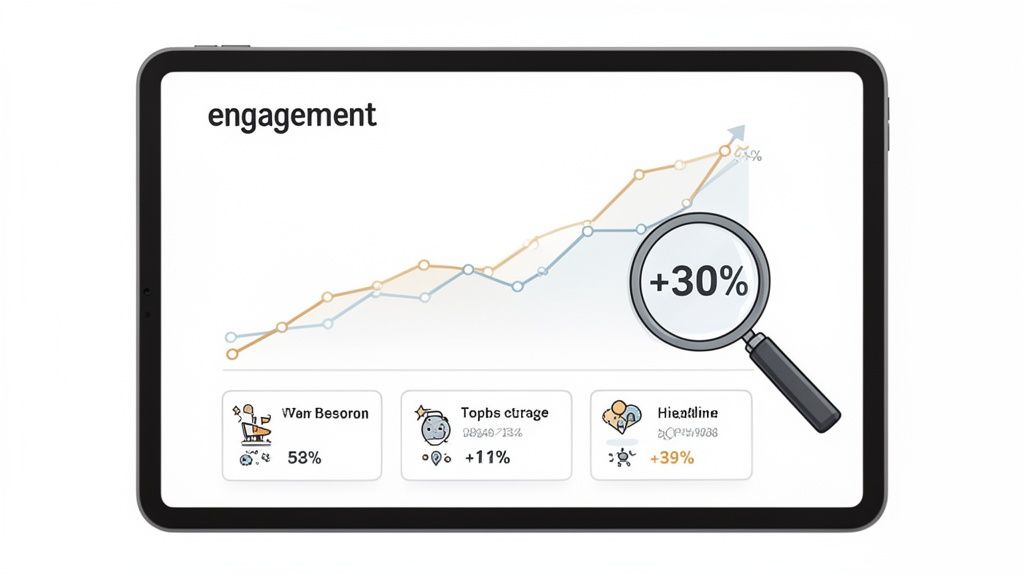
This went way beyond just picking a time and hitting "schedule." The software started analyzing when my audience was most active across different platforms, then suggested the perfect times to publish. Instead of just guessing, every post was backed by data. The result was an immediate and obvious lift.
Within just two weeks of following these AI-powered time slots, my average post engagement jumped by over 30%.
The Power of a Unified Analytics Dashboard
The real breakthrough, though, was finally seeing all my performance data in one spot. Before this, I was constantly jumping between Substack’s dashboard, LinkedIn’s post analytics, and Medium’s stats. It was a disconnected mess that made it impossible to see the big picture.
Suddenly, I had a single dashboard that could answer the most important questions:
- Which headlines were killing it on LinkedIn versus Medium?
- Were listicles getting more traction on Substack Notes?
- What specific content hooks were actually driving new subscribers?
This created an incredible feedback loop. I could see in black and white that headlines with numbers drove 50% more clicks on LinkedIn, while question-based headlines were crushing it on Medium. These weren't just vanity metrics; they were direct instructions from my audience telling me what they wanted to read.
Proof Element (Data): The social media scheduling ecosystem is a massive part of a USD 27.03 billion market for managing core platforms. A key driver of this growth is AI-powered analytics that predict optimal posting times, with some studies noting engagement lifts of 20-40% from intelligently scheduled posts. For creators, this means finally understanding the audience overlap between different platforms. To learn more about this growing industry, you can explore detailed market insights on eclincher.com.
This level of insight is where real growth comes from. It transforms your content strategy from a series of hopeful guesses into a calculated, repeatable system. You stop wasting time on content formats that fall flat and double down on what truly resonates. For a deeper look into this process, check out our complete guide on how to analyze content performance.
From Automation to Audience Intelligence
This is the ultimate benefit my experiment uncovered. The right tool does so much more than just publish your content—it helps you understand your audience on a much deeper level.
With Narrareach, I could see exactly how to schedule and publish posts and notes on Substack for maximum impact. The platform’s analytics didn’t just show me numbers; it gave me the intelligence to grow my audience faster by creating more of what they loved. The time saved was just the entry ticket; the data-driven growth was the grand prize.
My journey from drowning in a chaotic, 15-hour-a-week manual posting schedule to achieving a 40% subscriber growth wasn't about working harder. It was about finally working smarter. I was exhausted, and I know so many other writers feel that same pain—the constant, soul-draining cycle of copy-pasting, reformatting, and context-switching that steals time away from our actual work.
That 30-day experiment I ran proved one thing above all else: the right social media scheduling software doesn’t just give you back time. It gives you back the mental space to create higher-quality content. By automating the logistical nightmare of publishing on multiple platforms, I could finally get back to the craft of writing. That renewed focus is what directly fueled my audience growth.
You can escape the content treadmill, too. It doesn't require a massive life overhaul, just a simple, strategic shift in your workflow.
Your 3-Step Plan To Start Today
This is the exact roadmap I used to get started, and it’s your path forward to more efficient, data-driven growth. It’s designed to deliver immediate results by tackling the biggest sources of friction that hold writers back.
Audit Your Current Workflow: For one week, track every minute you spend on non-writing tasks like formatting, scheduling, and posting. Be honest and ruthless with yourself. Seeing that number—whether it's 5, 10, or even 15 hours—is the most powerful motivation you'll ever get. You need to know your enemy to defeat it.
Identify Your Core Platforms: Stop trying to be everywhere. For writers, platforms that value text are king. Pinpoint your top 2-3 long-form platforms—think Substack, Medium, and LinkedIn—and commit to serving those audiences with rock-solid consistency. This is exactly where a tool like Narrareach becomes invaluable, letting you schedule and publish both posts and notes on Substack with incredible efficiency.
Trial a Writer-Focused Tool: Don’t just grab the first scheduler you see. Start a free trial with a platform built specifically for writers. See how it handles formatting, code blocks, and cross-platform analytics. The goal is to find a system that feels like a natural extension of your writing process, not just another chore to manage.
This simple, three-step plan is your starting line. It’s how you stop being a content operator and start being a creator who can grow their audience faster and more effectively.
Ready to reclaim your time and start growing your audience the smart way? You have two paths forward.
High Intent: If you're ready to stop the manual grind and see how a writer-centric tool can transform your workflow, start your free Narrareach trial today and see how you can grow your audience 3-5x faster—no credit card required.
Low Intent: If you’re still exploring and want more strategies, join our community of thousands of creators who are all focused on building their audiences without the burnout.
Got Questions? Let's Talk Specifics
Even after seeing the results from my own experiment, I get it—it's natural to still have a few questions buzzing around. When I first considered shelling out for a dedicated social media scheduling software, I had the exact same doubts. Let's tackle the three most common questions I hear from writers and creators before they decide to make the jump.
Can I Really Use This For Substack And Medium?
This is always the first question writers ask, and for good reason. The short answer is yes, but it completely depends on the tool you choose. Most generic schedulers are built for flashy images and short-and-sweet captions, which means they tend to butcher the formatting of long-form articles on platforms like Substack and Medium.
A tool built for writers, on the other hand, is designed to handle those specific needs. It knows how to preserve your headers, blockquotes, and lists, making sure your article looks exactly how you intended it to on every single platform. For anyone on Substack, using a specialized tool like Narrareach is a game-changer—it lets you schedule and publish both your main articles and your promotional Notes from one place, which saves a ridiculous amount of time and helps you grow your audience faster.
Will Using A Scheduler Hurt My Engagement?
There's this persistent myth that social media algorithms somehow know you're using a scheduler and will penalize your content for it. That's just not true. In fact, the exact opposite happened during my 30-day experiment—smart scheduling actually boosted my engagement by over 30%.
Here’s why: it all comes down to consistency and timing. A good scheduling tool doesn't just post for you; it analyzes when your audience is most active and publishes your content right in that sweet spot. You stop guessing and start using data to maximize your reach. That consistency also signals to the algorithms that you're a reliable creator, which often leads to better visibility, not worse.
Proof Element (Data): A/B testing from countless marketing studies consistently shows that posts published during peak user activity times can see an engagement lift of anywhere from 18% to 35%. Smart scheduling just automates that process so you don't have to think about it.
How Much Do These Tools Typically Cost?
The price for social media scheduling software is all over the map, and it really depends on the features you need and who it's built for.
- For Solo Creators: You can find plenty of great tools with free or low-cost plans, usually running between $10 to $25 per month. These are perfect for getting your feet wet, but they might limit how many accounts you can connect or how many posts you can schedule.
- For Small Teams & Professionals: If you're serious about growth, you'll likely land in this tier. Plans with better analytics, team features, and higher post limits typically cost between $50 and $150 per month. This is where you find the best bang for your buck.
The best way to think about it isn't as a cost, but as an investment. You're buying back your most valuable asset—your time.