
How to Schedule Substack Notes: The Complete Guide to Automating Your Growth Strategy
Updated for 2026: Substack now supports native Notes scheduling. Narrareach adds CSV import, batch scheduling, cross-posting, analytics, and subscriber...
By Ian Kiprono
Yes, you can schedule Substack Notes now. Substack's native scheduler is useful for a single planned Note. Narrareach is for the larger workflow: CSV import, batch scheduling, cross-posting to LinkedIn, X, Bluesky, and Threads, webhooks, and analytics that show which Notes and posts brought subscribers.
This guide explains how to use native Substack scheduling when it is enough, where it falls short for serious distribution, and how Narrareach turns scheduled Notes into a repeatable publishing workflow across your supported social channels.
Why Scheduling Substack Notes Matters for Growth
Before diving into the how, let's establish the why. According to recent creator data, consistent posting on Substack Notes drives 10–30 new subscribers daily for active creators. But consistency requires a system.
The challenge most creators face: they either post sporadically (killing momentum) or burn out trying to post 5 times daily while also engaging with others. Scheduling solves this by letting you batch-create content once per week, then distribute it automatically across your optimal posting windows.
This approach gives you two critical advantages:
- Time reclaimed for engagement: Instead of spending 30 minutes daily posting, you spend 2 hours weekly batching. The freed-up time goes toward comments, reposts, and relationship-building—the activities that actually signal quality to Substack's algorithm.
- Consistent visibility: Posting at optimal times (when your audience is most active) increases early engagement, which triggers Substack's algorithmic distribution to tier 2 and tier 3 audiences.
Where Native Substack Notes Scheduling Stops
Substack has finally introduced native Notes scheduling. According to Substack's official Notes documentation, scheduling is now part of the Notes workflow. That is the right starting point when you only need to schedule a single Note inside Substack and keep the workflow simple.
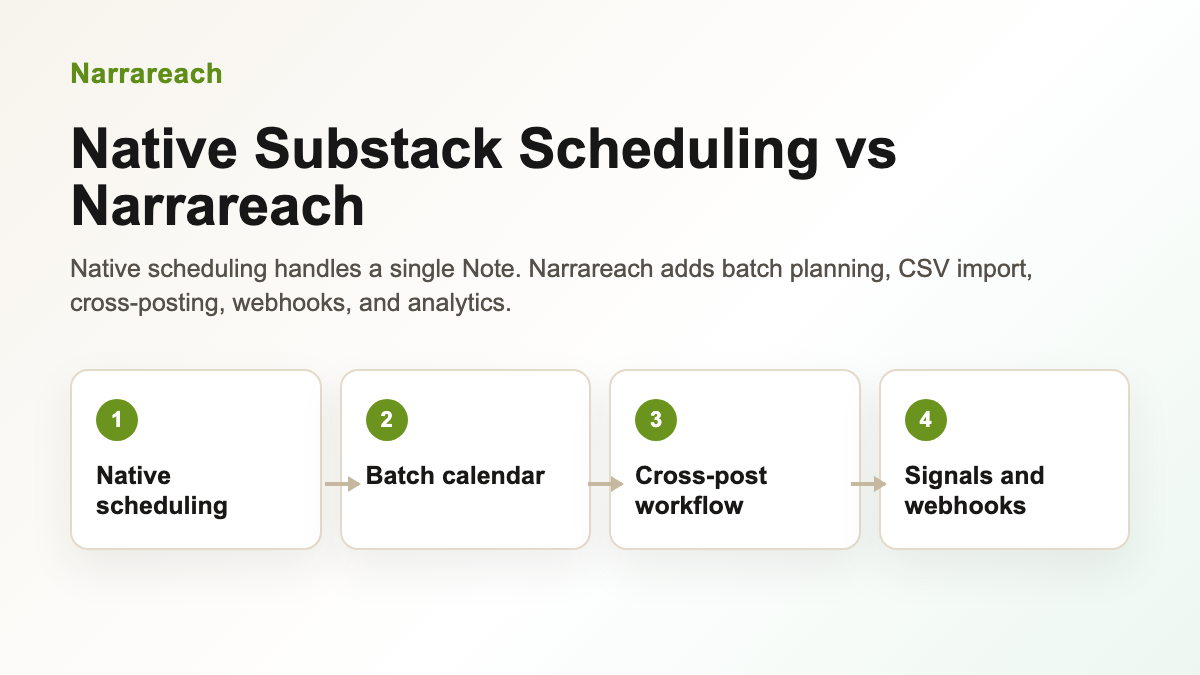
The limitation for serious newsletter growth is no longer basic scheduling. It is the distribution workflow around the Note: importing a CSV content calendar, batch scheduling a week or month of Notes, cross-posting to LinkedIn, X, Bluesky, and Threads, triggering webhooks, and seeing which Notes and posts brought subscribers.
- Native Substack scheduling helps with one-off planned Notes when a simple in-app schedule is possible.
- Narrareach adds batch scheduling, CSV import, cross-posting, and subscriber attribution from one publishing workflow.
- Teams can connect API, MCP, and webhook workflows when publishing needs to move beyond the Substack composer.
That is why Narrareach is best understood as the publishing distribution layer around Substack, not just a replacement for native scheduling. Start with the Substack Notes scheduler, then use the Substack Notes scheduling feature page and Substack-to-LinkedIn workflow when cross-posting is part of the strategy.
The Substack Scheduling Workflow: Schedule First, Cross-Post Second
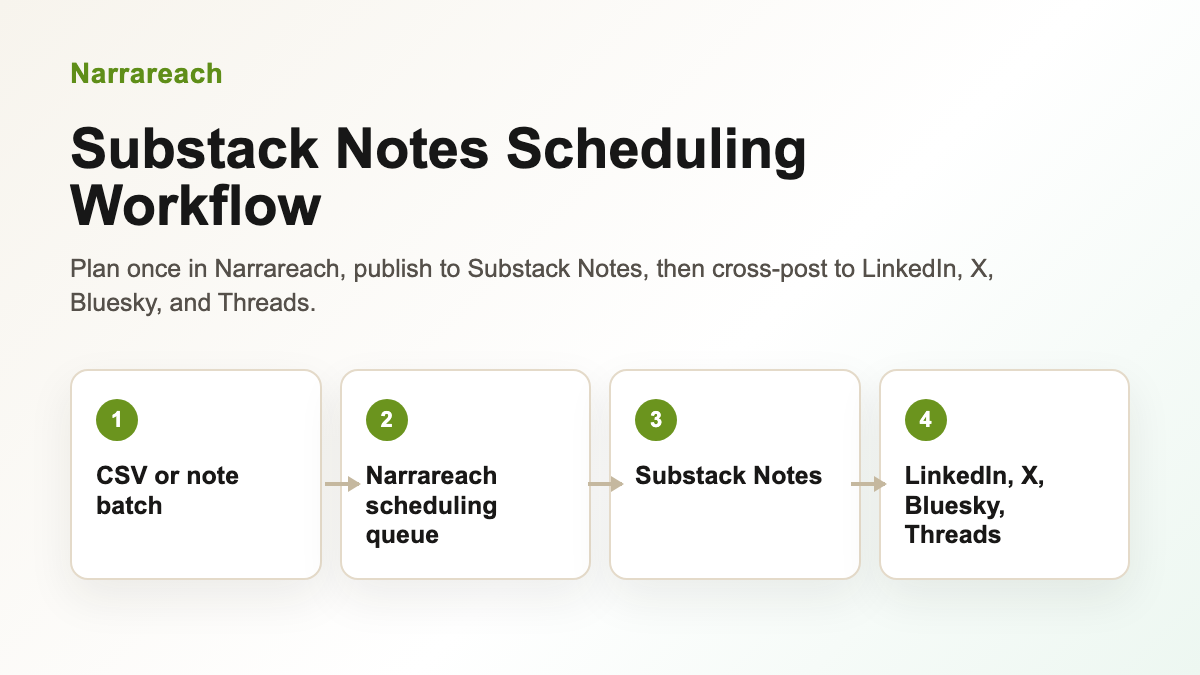
The most efficient workflow follows a clear sequence:
- Batch-create your notes (typically weekly, 15–30 notes at once)
- Schedule them to Substack at optimal posting times across 7–14 days
- Cross-post to secondary platforms (LinkedIn, Twitter, etc.) from the same tool
- Reserve time for engagement on Substack itself (comments, reposts, DMs)
This sequence matters because Substack is your primary growth engine. Notes posted on Substack generate followers, subscribers, and algorithmic reach. Secondary platforms amplify your reach but don't drive direct Substack growth the same way.
The best scheduling tools recognize this hierarchy: they let you schedule to Substack first, then automatically cross-post to LinkedIn, Twitter, and other platforms from a single workflow. This prevents you from having to manually post the same content across five different platforms.
Comparing the Best Substack Schedulers in 2026
Hootsuite: Why It Can't Schedule Substack Notes
Hootsuite is a household name in social media scheduling, but it has a critical limitation: Hootsuite cannot schedule Substack Notes. It can schedule to Twitter, LinkedIn, Instagram, and Facebook, but Substack integration is not supported.
If you use Hootsuite, you'll need to post your Substack Notes manually, then use Hootsuite only for cross-posting to Twitter and LinkedIn. This defeats the purpose of a unified workflow.
Verdict: Not suitable for Substack-first creators.
Buffer: Limited Substack Support
Buffer offers some Substack integration, but it's designed for scheduling full newsletter posts, not Notes. The platform also lacks robust cross-posting features that would let you post the same content to LinkedIn and Twitter simultaneously with platform-specific formatting.
Verdict: Works for newsletter scheduling, not ideal for Notes automation.
Writestack: The Substack-Specific Alternative
Writestack was built specifically for Substack and offers native Notes scheduling. However, it has significant limitations:
- Limited cross-posting capabilities (primarily Twitter-focused)
- No LinkedIn integration for cross-posting
- Smaller feature set overall
- Less intuitive dashboard for batch scheduling
Verdict: Good for Substack-only creators, but limited if you want to cross-post to multiple platforms.
Narrareach: The Complete Substack + Cross-Posting Solution
Narrareach was built from the ground up to solve the exact problem Hootsuite and Buffer ignore: scheduling Substack Notes and cross-posting to multiple platforms from one workflow.
Here's what sets it apart:
- Native Substack Notes scheduling: Batch-schedule 30+ notes at once, set optimal posting times, and let the platform handle distribution.
- Multi-platform cross-posting: Post to Substack, LinkedIn, Twitter, and other platforms simultaneously from a single interface.
- Substack-first workflow: The platform is designed around the principle that Substack is your primary growth channel, with cross-posting as secondary amplification.
- Batch scheduling interface: Upload a CSV or paste multiple notes at once, set posting times, and schedule weeks of content in under 10 minutes.
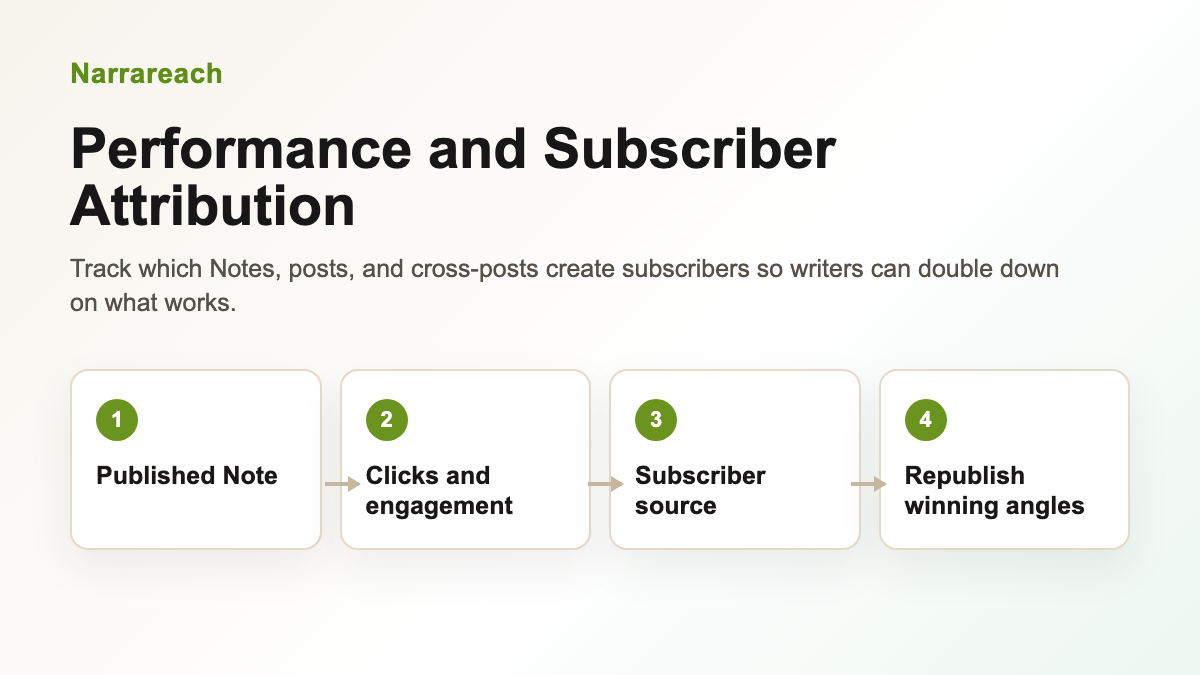
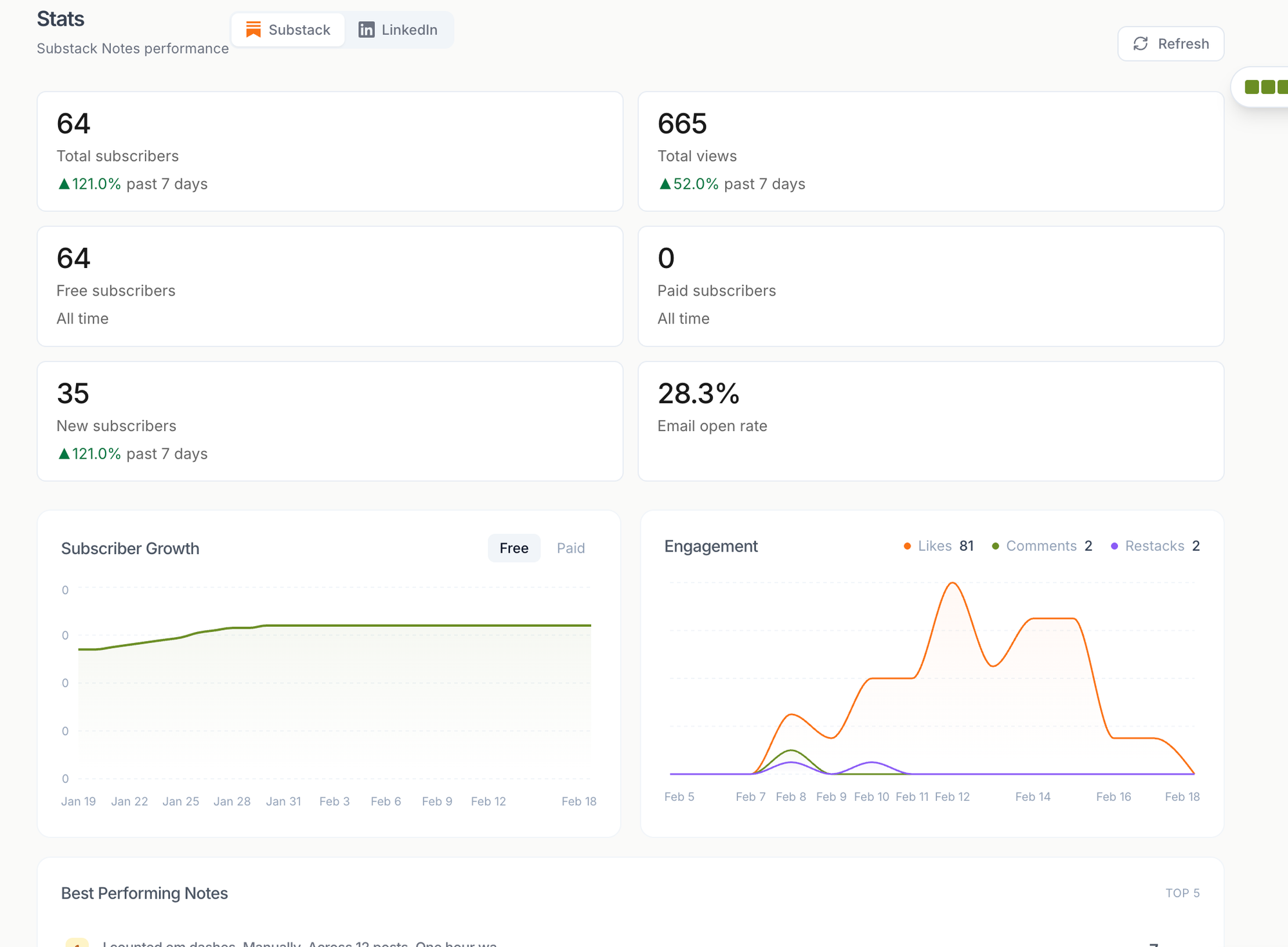
- Analytics integration: Track which notes drive the most engagement and subscriptions, then optimize future content.
- Engagement reminders: The platform reminds you when your scheduled notes go live, prompting you to engage with comments and replies in real-time.
Verdict: The most practical choice for creators who want to schedule Substack Notes and cross-post to LinkedIn without managing multiple tools.
Step-by-Step: How to Schedule Substack Notes Using Narrareach
Step 1: Create Your Weekly Batch of Notes
Open a Google Doc or Notion and write 15–30 notes for the week ahead. Keep each note between 50–200 words. Include a mix of:
- Educational insights (3–4 notes)
- Personal stories or lessons (2–3 notes)
- Questions that spark engagement (2–3 notes)
- Reposts of other creators' content with your take (1–2 notes)
Example note:
"I gained 800 followers in a month but made $0 until I created a $19 ebook. That single product generated $950 in 3 days. The lesson? Offers beat followers every time. Your audience doesn't need more content—they need solutions."
Step 2: Log Into Narrareach and Set Up Your Substack Account
Connect your Substack account to Narrareach via OAuth. This gives the platform permission to post Notes on your behalf at scheduled times.
Step 3: Input Your Notes and Set Posting Times
Paste your batch of notes into Narrareach's scheduling interface. For each note, set:
- Posting date and time: Spread notes across 7–14 days. Optimal times are typically 9 AM, 12 PM, and 6 PM in your audience's timezone.
- Cross-post destinations: Choose whether to cross-post each note to LinkedIn, Twitter, or both.
- Platform-specific formatting: Narrareach automatically adapts your note for each platform (e.g., adding hashtags for LinkedIn, shortening for Twitter character limits).
Step 4: Review and Schedule
Preview each note as it will appear on Substack and your cross-post platforms. Make any final edits, then click "Schedule All." Your notes are now queued and will post automatically.
Step 5: Focus on Engagement
With your notes scheduled, dedicate 30 minutes daily to:
- Commenting on other creators' notes (5–10 comments)
- Replying to comments on your own notes
- Reposting notes that resonate with you, adding your own perspective
This engagement is what drives algorithmic visibility. The scheduling tool freed up your time to do it.
Why Creators Are Switching from Writestack to Narrareach
Writestack was the first Substack-specific scheduler, but as creators' needs evolved, its limitations became apparent. Here's why many are switching:
- Cross-posting demand: Creators realized they needed to be on LinkedIn and Twitter, not just Substack. Writestack's Twitter-only cross-posting wasn't enough.
- LinkedIn integration: LinkedIn has become critical for B2B creators and professionals. Narrareach's native LinkedIn integration lets you cross-post with proper formatting and hashtags.
- Batch scheduling: Narrareach's interface makes it easier to schedule 30+ notes at once, while Writestack requires more manual input.
- Analytics: Narrareach provides insights into which notes drive the most engagement and subscriptions, helping you optimize future content.
The shift reflects a broader trend: creators no longer want Substack-only tools. They want Substack-first tools that also handle cross-platform distribution.
Practical Tips for Scheduling Success
Optimal Posting Frequency
Post 3–5 notes per day for maximum algorithmic reach. Spread them across morning, afternoon, and evening to catch different audience segments. Narrareach lets you schedule notes at specific times, so you can post at 9 AM, 1 PM, and 6 PM automatically.
Timing for Cross-Posts
LinkedIn and Twitter have different peak engagement times. Narrareach handles this by letting you set different posting times for each platform. For example:
- Post to Substack at 9 AM (your primary channel)
- Cross-post to LinkedIn at 10 AM (professionals checking email)
- Cross-post to Twitter at 12 PM (midday scrolling)
Batch Scheduling Cadence
Create your weekly batch every Sunday evening. This gives you a full week of content ready to go, and you can adjust based on what's trending in your niche. If a timely topic emerges mid-week, you can always add individual notes outside your batch.
What Not to Schedule
Some content works better posted in real-time:
- Replies to trending conversations: These need immediate posting to catch the wave.
- Breaking news or timely reactions: Schedule your evergreen content, but post time-sensitive notes manually.
- Engagement-heavy content: If you're asking a question that sparks conversation, post it when you can monitor replies in real-time.
The Complete Workflow: From Batch to Cross-Post
Here's how the entire process flows when using Narrareach as your Substack scheduler:
- Sunday evening: Batch-write 20–30 notes in a Google Doc.
- Monday morning: Log into Narrareach, paste all notes, and set posting times across the week.
- For each note: Choose whether to cross-post to LinkedIn and/or Twitter. Narrareach auto-formats for each platform.
- Review and schedule: Preview all notes, make final edits, then schedule the entire batch.
- Monday–Friday: Spend 30 minutes daily engaging on Substack (comments, reposts, replies). Your notes post automatically in the background.
- Track results: Use Narrareach's analytics to see which notes drove the most engagement and subscriptions. Refine your approach for next week's batch.
This workflow compresses what would normally take 1–2 hours daily into a 2-hour weekly session, plus 30 minutes daily for engagement. That's a 70% time savings while actually increasing consistency and reach.
Why This Matters: The Algorithm Rewards Consistency
Substack's algorithm has three tiers of distribution. Your scheduled notes benefit from this because:
- Tier 1 (Subscriber Network): Your notes go to your existing subscribers first. Consistent posting trains them to expect and engage with your content.
- Tier 2 (Network Effects): When subscribers engage (comment, repost, bookmark), the algorithm shows your note to their followers. Scheduling ensures you're hitting Tier 1 consistently, which feeds Tier 2.
- Tier 3 (Discovery): High-performing notes make it to the public discovery feed. This happens naturally when you post consistently and encourage engagement.
Creators who schedule their notes often see better algorithmic performance than those who post sporadically, because consistency signals to Substack that your content is worth distributing.
Visual Substack Notes Workflow
Getting Started with Narrareach
Ready to schedule your Substack Notes and cross-post to LinkedIn and Twitter? Here's how to start:
- Visit Narrareach.com and sign up for a free account.
- Connect your Substack account via OAuth (safe, secure, one-click).
- Optionally connect LinkedIn and Twitter for cross-posting.
- Create your first batch of notes (15–20 is a good starting point).
- Schedule them across 7 days at optimal posting times.
- Watch your engagement and subscriber growth compound over the next few weeks.
Most creators see measurable improvements in engagement within 2 weeks of switching to a consistent scheduling workflow. The key is consistency + engagement, and Narrareach handles the consistency part so you can focus on engagement.
FAQ
Can you schedule Substack Notes in advance?
Substack's native interface does not support scheduling Notes. However, third-party tools like Narrareach, Writestack, and others integrate with Substack's API to schedule Notes on your behalf. You write your notes once, set the posting time, and the tool posts them automatically at the scheduled time.
What's the difference between scheduling Substack Notes and Substack posts?
Substack posts (full newsletter emails) can be scheduled natively within Substack. Notes are short-form content that appear in the Substack Notes feed and can only be scheduled through third-party tools. Notes are better for daily engagement and growth, while posts are better for in-depth content and monetization.
Can Narrareach cross-post Substack Notes to LinkedIn?
Yes. Narrareach schedules your note to Substack first, then automatically cross-posts it to LinkedIn (and Twitter) at times you specify. The platform adapts the formatting for each platform, so your LinkedIn post includes relevant hashtags and your Twitter post fits character limits.
Why can't Hootsuite schedule Substack Notes?
Hootsuite does not have a native integration with Substack's Notes API. It supports scheduling for Twitter, LinkedIn, Instagram, and Facebook, but Substack Notes fall outside its current integrations. This is why Substack-specific tools like Narrareach and Writestack exist.
How many Substack Notes should I schedule at once?
Most creators batch-schedule 15–30 notes per week. This gives you a full week of content queued up while still allowing flexibility for real-time posts if something trending emerges. Narrareach supports bulk uploading, so you can paste 30 notes at once and set posting times for all of them in one session.
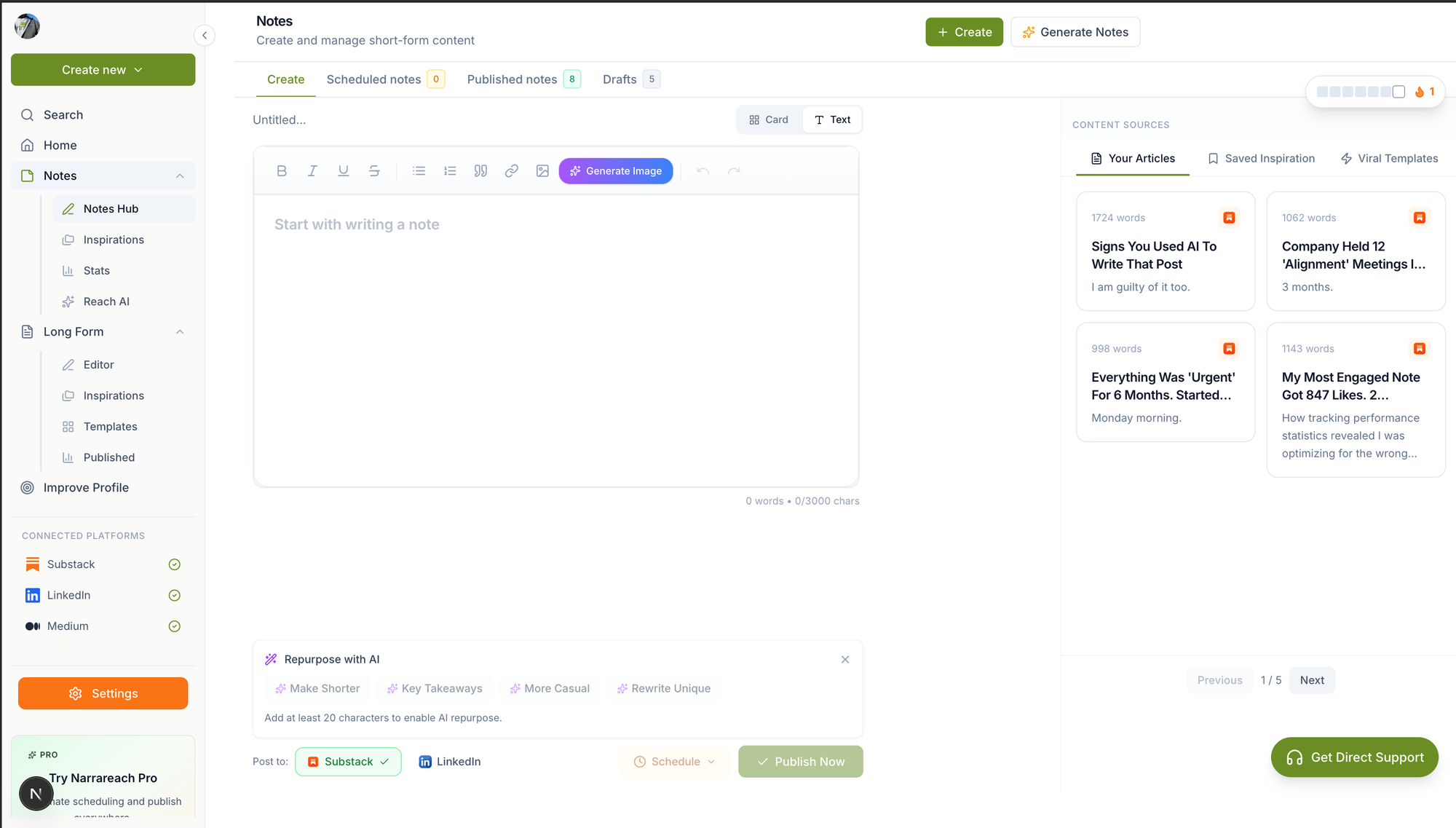
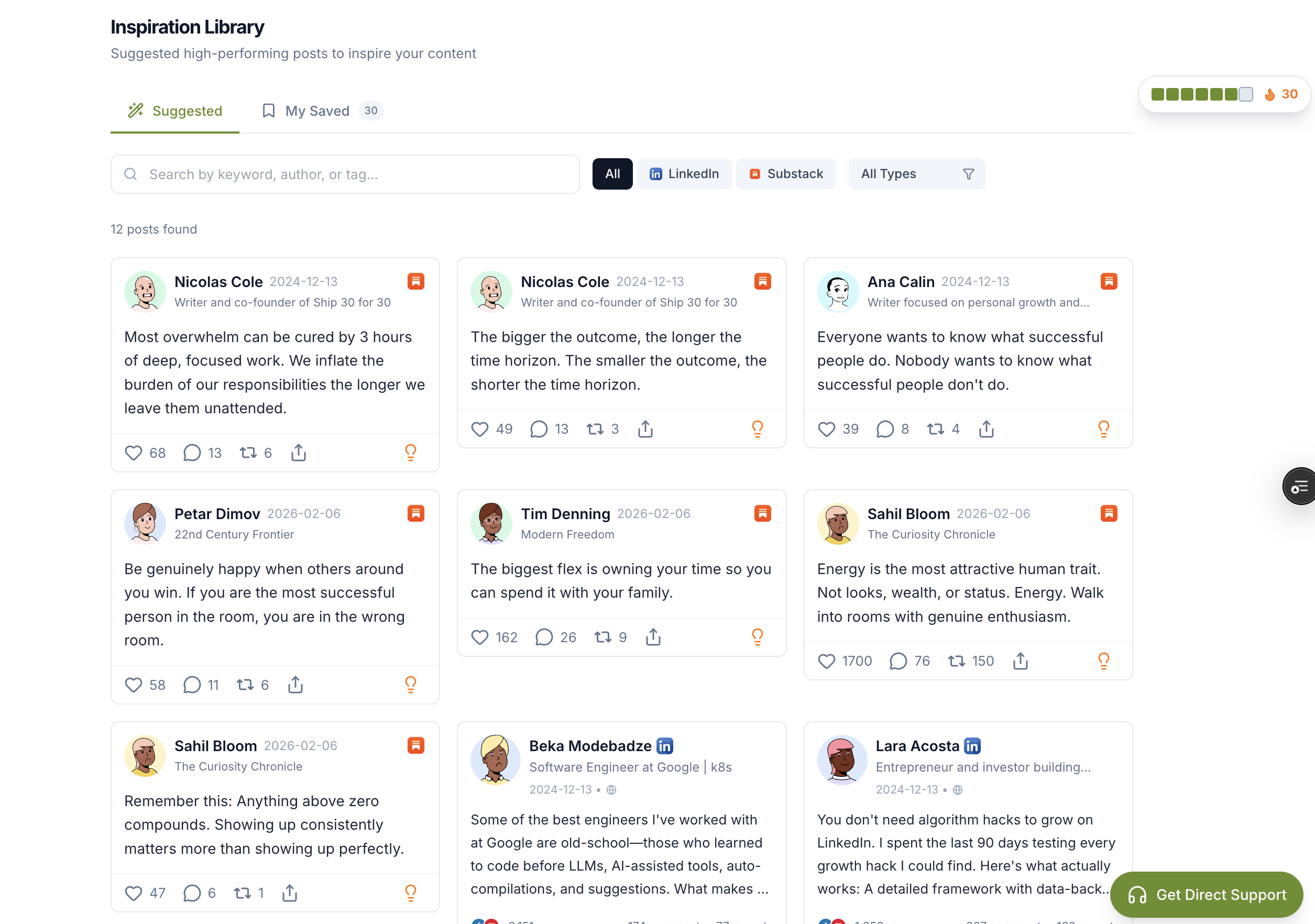
Visual Walkthrough:
Relevant Resources
- Narrareach
- Narrareach Notes scheduling
- Narrareach dashboard
- The Creator Playbook: How I Gain 10–30 New Subscribers Every Day Using Substack Notes
This article is informed by industry research and public discussions, including this source article, and expanded with Narrareach's workflow recommendations.