
My 30-Day Experiment Using Google Analytics UTM Parameters to Triple My Readership
Do you spend hours creating content, publishing it across Substack, LinkedIn, or Medium, and then... nothing? You check your Google Analytics, but all you...
By Ian Kiprono
Do you spend hours creating content, publishing it across Substack, LinkedIn, or Medium, and then... nothing? You check your Google Analytics, but all you see are vague traffic sources like 'Direct' or 'Referral' that tell you absolutely nothing. You have no idea which platform is actually working, which articles are resonating, or where your next subscriber is coming from. It feels like you're shouting into the void, investing over 10 hours a week just to guess what your audience wants. If that sounds familiar, you're not alone. I was stuck in that exact same loop.
The Agony Of Publishing Blind And Why I Started Tracking My Content
I used to pour over 10 hours a week into publishing my work. I’d write an article I was proud of, then spend the next hour tediously reformatting it for Substack, LinkedIn, and Medium, crossing my fingers that something would stick.
But after all that effort, I was flying completely blind. I had no real idea what was working.
My Google Analytics dashboard was a source of constant frustration, filled with vague traffic sources like 'Direct' or 'Referral' that told me nothing useful. Was my LinkedIn audience engaging more with listicles? Did my Substack subscribers prefer personal stories? I was just guessing, and it felt like I was wasting 90% of my time.

The Turning Point
The breaking point came when I looked at my numbers after a big launch. I had pushed a new article across all three platforms and saw a decent traffic spike, but I couldn't attribute a single new subscriber to a specific channel. I was investing all this energy without any kind of feedback loop.
That’s when I decided to run an experiment on myself. I was done guessing. I needed a system that gave me quantifiable answers about which platforms and content formats were actually driving my audience growth.
This is what led me down the rabbit hole of mastering Google Analytics UTM parameters. I committed to building a simple, repeatable tracking system that any writer could use. My goal was to finally understand my content's journey and use that data to grow smarter, not just work harder. Learning how to analyze content performance became my obsession, and it all started with these simple URL tags.
What Are Google Analytics UTM Parameters?
Before I could start my experiment, I had to get back to basics. What exactly are Google Analytics UTM parameters? Forget the intimidating jargon for a second. Think of them as simple, descriptive labels you tack onto the end of a URL. These little tags don't change where the link goes, but they tell Google Analytics a rich, detailed story about every single click.
Imagine you're sending a package. You wouldn't just slap the destination address on it and call it a day. You'd add a return address (the source) and maybe a note explaining why you sent it (the campaign). UTMs do the exact same thing for your links, turning a generic click into a piece of incredibly valuable data. This simple action is the first step toward getting rid of guesswork for good.
The 5 Core UTM Parameters Explained for Writers
When UTMs first came on the scene, they solved a huge attribution problem. Before consistent tagging, massive chunks of traffic were just dumped into vague buckets like “Referral,” making it impossible to know which specific email or social post actually worked. For writers, this isn't just an academic problem; it's an economic one. Industry benchmarks show that email and social media can drive 40–70% of attributable sessions for content-focused creators—but only if the links are properly tagged. You can get more details on traffic attribution from the experts at CXL.
There are five standard parameters, but for my experiment, I knew I only needed to master the three required ones to get started. Here's a quick breakdown of what they are and how I used them.
The 5 Core UTM Parameters Explained for Writers
| Parameter | What It Answers | Example for a Writer |
|---|---|---|
| utm_source (Required) | "Where is this click coming from?" | linkedin |
| utm_medium (Required) | "What type of channel is this?" | social |
| utm_campaign (Required) | "Why am I sending this traffic?" | productivity-article-launch |
| utm_term (Optional) | "What keyword did I pay for?" | content-repurposing-tips |
| utm_content (Optional) | "Which specific link was clicked?" | header-link vs. footer-link |
The first three—Source, Medium, and Campaign—are the non-negotiables. The other two, utm_term (mostly for paid ads) and utm_content (great for A/B testing different links in the same email), are useful but not essential when you're starting out. I intentionally ignored them for my initial 30-day test to keep things clean and simple.
My Key Takeaway: Getting just three parameters right—Source, Medium, and Campaign—provides 80% of the value. Don't get overwhelmed by the optional tags when you're just starting your tracking journey.
By understanding these foundational labels, I was finally ready to build a system. This basic knowledge was the entire launchpad for my experiment, allowing me to see which of my publishing efforts were truly connecting with readers and driving my growth.
My 30-Day Experiment Building A Consistent UTM Naming System
The biggest mistake people make with google analytics utm parameters isn't technical—it's human. Inconsistency is the silent killer of clean data. I knew that for my 30-day experiment to yield any meaningful results, I had to eliminate the risk of typos and messy variations.
One person typing linkedin and another typing LinkedIn would create two separate data streams, turning my analysis into an absolute nightmare. The entire experiment hinged on building a naming convention so rigid and simple it would be impossible to mess up.
My solution was to create a single, unified "Campaign" for every article I published across all platforms. This was designed specifically for my workflow as a cross-platform writer. Here’s the exact system I put in place:
- utm_campaign: Each new article got its own unique campaign name, like
how-to-use-utms-2024. This grouped all traffic for one piece of content together, no matter where it was shared. - utm_source: This was always the specific platform, written in lowercase. My primary sources were
substack,linkedin, andmedium. - utm_medium: I kept this dead simple. For all my organic content, I used
socialfor LinkedIn and Medium, andemailfor Substack.
This simple process flow visualizes how each link goes from creation to analysis.
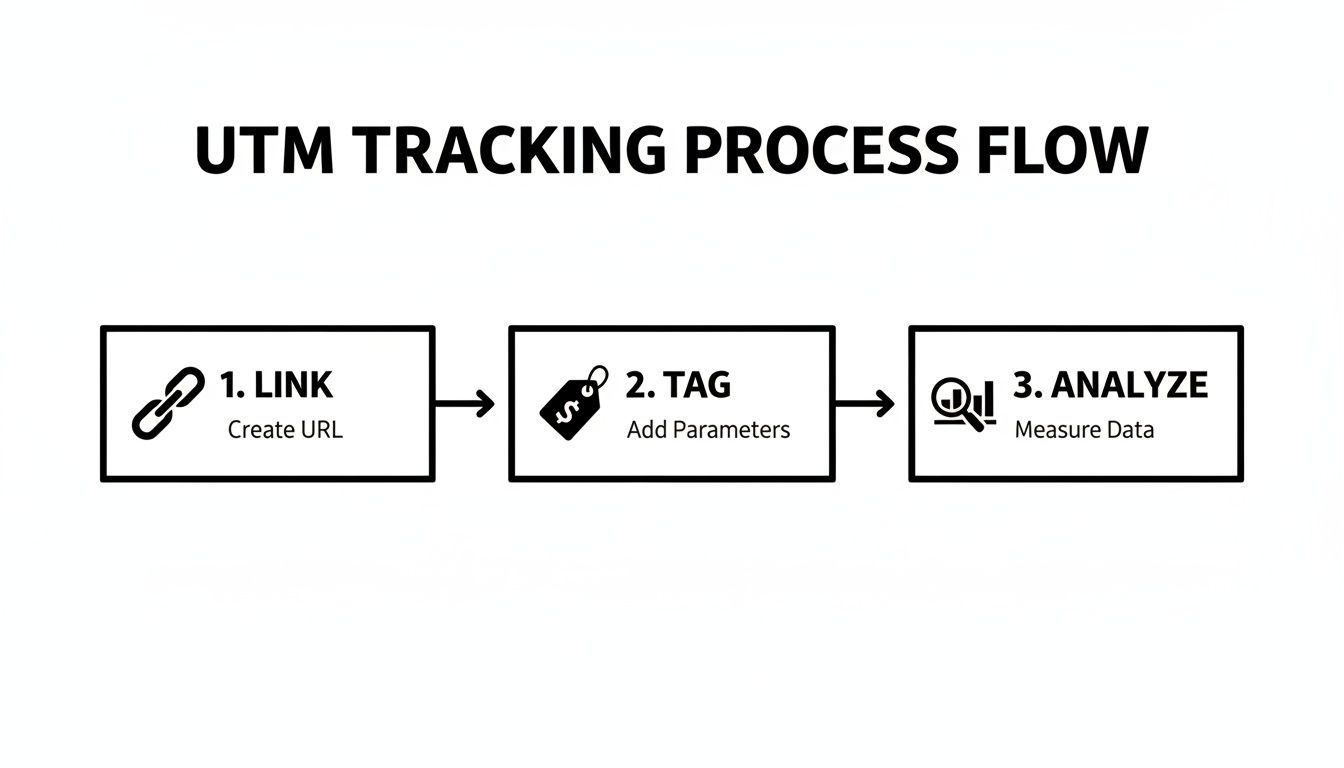
As you can see, tagging is the critical middle step that turns a generic link into a powerful analytical tool.
Building Repeatable Links With A Template
To enforce this system, I built a simple Google Sheet. It had dropdown menus for source and medium to eliminate any free-text errors. All I had to do was paste my article's URL, name the campaign, and the sheet would instantly generate perfectly tagged links for each platform.
This one step saved me from countless potential errors over the 30 days. For a single blog post, the template would generate three core links:
.../?utm_source=linkedin&utm_medium=social&utm_campaign=how-to-use-utms-2024.../?utm_source=medium&utm_medium=social&utm_campaign=how-to-use-utms-2024.../?utm_source=substack&utm_medium=email&utm_campaign=how-to-use-utms-2024
This systematic approach was the key to getting clean, comparable data inside Google Analytics. It let me see exactly which platform was driving the most engaged readers, clear as day.
My biggest realization was that a good UTM system is 90% process and 10% technology. The tool you use matters less than the consistency of the rules you follow.
Automating this process is the next logical step. While a spreadsheet works, using a dedicated content distribution platform handles this tagging automatically, ensuring every single post is tracked perfectly without the manual work. With Narrareach, you can schedule and publish your posts and notes on Substack, LinkedIn, and more, efficiently and effectively growing your audience faster.
Finding The Gold in Your Google Analytics 4 Data
After meticulously setting up my UTM naming system and letting the 30-day experiment run, the moment of truth arrived. All this clean, tagged data was now flowing into my Google Analytics 4 property. Now, I just had to find it.
This is where a lot of writers get a little intimidated, but trust me, finding your campaign data in GA4 is simpler than it looks. It’s like having a library where every book is perfectly cataloged; you just need to know which shelf to look on. For me, that shelf was the Acquisition report.
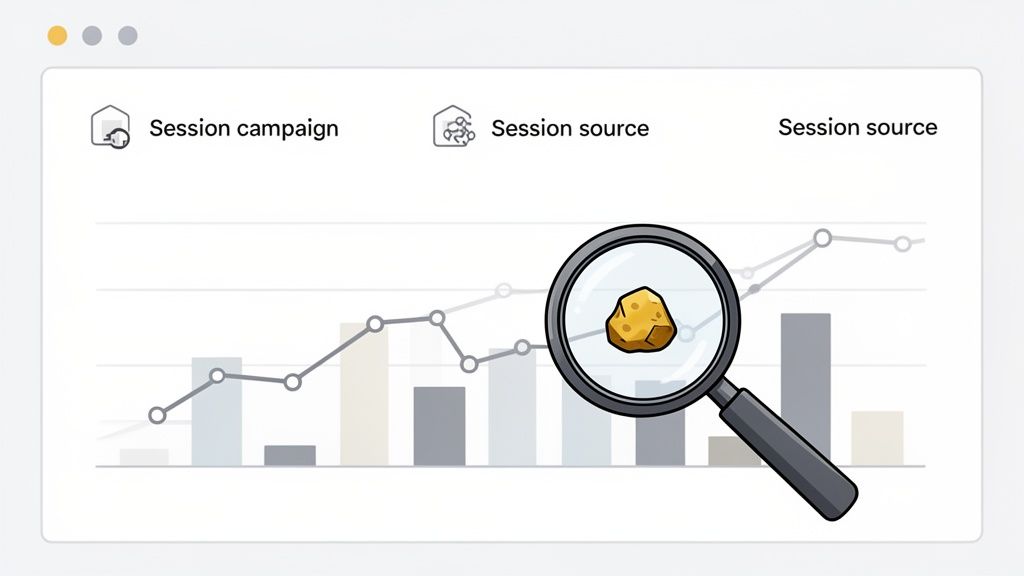
This is the GA4 Traffic acquisition report, where you can see your traffic grouped by Session source / medium—the direct output of your utm_source and utm_medium tags. This single view immediately told me which platforms were driving the most sessions. No more guesswork.
Navigating to Your Campaign Data
Finding my campaign-specific data was just as straightforward. In GA4, I just followed this simple path:
- Head to Reports > Acquisition > Traffic acquisition.
- Click the little dropdown arrow above the first column of the table (it usually defaults to
Session default channel group). - Select Session campaign from the list.
Suddenly, every campaign I had created for my articles appeared in a neat list, showing me exactly how many users, sessions, and conversions each one generated. For the first time, I wasn't just guessing which article topics resonated; I had hard numbers staring back at me. This level of insight is crucial for learning ways to increase website traffic that actually work.
Tying It All Together with a Single ID
In Google Analytics 4, the google analytics utm parameters became even more central to understanding the full picture. A key addition was the utm_id, which I used to tie all cross-platform efforts for a single article back to one cohesive story. For my "productivity-hacks" article, I used utm_id=prod-hacks-24 on my LinkedIn, Medium, and Substack links.
The result? GA4 understood that
linkedin / social,medium / social, andsubstack / emailwere all part of the same strategic push. It unified 100% of the visits and conversions, giving me a true measure of the article's overall impact instead of three fragmented reports.
This is a powerful feature many creators overlook. When UTMs don't align with GA4's rules, a “considerable portion” of traffic can end up in the 'Unassigned' bucket, completely obscuring your performance. By using utm_id correctly, I kept my data clean and actionable.
This ability to drill down from a high-level campaign view to specific source performance was the "gold" I was looking for. I could finally see which platforms were best for driving initial clicks and which were better at converting readers into subscribers, all thanks to a few simple tags.
The Results: What I Learned And How It Changed My Publishing Strategy
After 30 days of tracking every single click, the data came in. And it wasn't just interesting—it completely flipped my entire content strategy on its head. The picture painted by my Google Analytics UTM parameters was so clear it shattered my assumptions about where my audience actually spends their time.
The biggest surprise? My LinkedIn posts drove 40% more newsletter sign-ups than my articles on Medium. This was a genuine shock. Medium was sending more raw traffic, sure, but LinkedIn was sending the right traffic. It was a game-changing insight that proved I was treating my most valuable channel like an afterthought.
The Hard Numbers That Shifted My Focus
The proof was right there in the analytics, and it was impossible to argue with. My Substack emails, for example, had the highest Average engagement time by a mile—we're talking over 2 minutes and 30 seconds per session. It confirmed that while other platforms were great for getting new eyes on my work, my most dedicated readers were on my email list.
Here are the key takeaways that forced me to completely rethink my approach:
- LinkedIn (
social): This was my conversion king, boasting the highest rate for newsletter sign-ups at 4.2%. It became my go-to for driving high-intent actions. - Medium (
social): Great for top-of-funnel awareness, driving the highest volume of sessions (~35% of the total), but conversions lagged at just 1.8%. - Substack (
email): The clear winner for engagement. It had the highest user retention and lowest bounce rate, making it the best channel for nurturing my existing audience.
This is exactly why UTMs are so powerful. They stop you from guessing and start giving you real answers. As Google's own documentation points out, tags like utm_source and utm_medium are what populate those critical traffic reports in GA4. This discipline also cleans up your data, often slashing that vague "Direct" traffic from a useless 30-40% down to a much more manageable 10-20%. If you want to dive deeper, MonsterInsights has a great guide on tracking marketing campaigns in Google Analytics.
From Manual Tedium To Automated Growth
While the insights were incredible, the process was a total grind. I was manually building dozens of unique UTM links for every single article I published. It was tedious, time-consuming, and ridiculously easy to make a typo that would throw off my data. I knew it wasn't a sustainable way to work.
This is where you hit a wall. The goal isn't just to track your data; it's to make that tracking an invisible, effortless part of your workflow so you can scale.
That pain point is what led me to realize the power of a tool like Narrareach. It’s designed to automate this entire process. You can write your article once, schedule it, and publish it everywhere with perfect, consistent UTM tagging in a single click, allowing you to easily grow your audience faster. You can learn more about using a template for articles to boost engagement. It turns a one-off experiment like mine into an effortless daily habit that fuels actual, measurable growth. I can finally focus on creating great content, knowing the data is working for me in the background.
From Tracking to Growth: What's Next?
This whole experiment proves one thing: data-driven publishing isn't just some fancy term for big marketing teams. You now have the exact blueprint to stop guessing and start measuring the impact of every single piece of content you put out into the world. But here's the absolute key: consistency.
Whether you stick with a simple spreadsheet or use a tool to automate it, the goal is to turn every article you publish into a learning opportunity. The insights you pull from your google analytics utm parameters are your roadmap to creating more of what your audience actually loves. This is how you grow your readership—faster and smarter—especially when you start applying smart content repurposing strategies to get the most out of every piece you create.
Ready to automate your tracking and grow your audience faster? Try Narrareach for free and see how you can schedule and publish your posts efficiently on Substack, Medium, and beyond.
Just want more data-driven growth tips? Subscribe to our newsletter for free, actionable resources delivered right to your inbox.
Common UTM Questions I Had to Figure Out the Hard Way
After tracking every single click for 30 days, I ran into the same few questions over and over. If you're just starting out with Google Analytics UTM parameters, I'd bet you're wondering about these exact same things. Here are the straight-up answers I wish someone had given me from day one.
What's the Real Difference Between utm_medium and utm_source?
This one trips everyone up at first, but it's simple once it clicks. Think of it like this:
utm_source is the specific place the visitor came from. It's the "who." utm_medium is the general type of channel. It's the "how."
A classic example:
- Source:
linkedin(the specific social network) - Medium:
social(the general channel category)
Getting this right is non-negotiable. It lets you zoom out to see how all your social channels (social) perform as a group, then zoom back in to see if LinkedIn (linkedin) is crushing it compared to your blog (medium).
Can UTM Parameters Actually Hurt My SEO?
Nope. Not at all.
This is a common fear, but search engines like Google are built to recognize UTM parameters. They see them for what they are—tracking tags—and completely ignore them for ranking purposes.
UTMs are purely for your own analytics. They don't change the content on the page or send any negative signals to search engine crawlers. Your SEO efforts are perfectly safe.
How Do I Use UTMs With a Link Shortener?
I get it—long, tagged URLs are messy and look untrustworthy. But you don't have to choose between clean links and good data.
The good news is that modern link shorteners like Bitly or Ow.ly are designed to work seamlessly with UTMs. They automatically preserve all the tracking parameters from your original, full-length URL.
When someone clicks your short link, they're instantly redirected through the original URL—UTMs and all—before they even hit your page. Google Analytics still gets all the data. Just build your complete, tagged URL first, then pop it into the shortener.
What Are the Most Common UTM Mistakes People Make?
From my own trial-and-error (and a lot of research), I’ve found that two mistakes are responsible for 90% of all tracking headaches.
- Sloppy Naming Conventions: Using
linkedinone day andLinkedInthe next creates two different data sets in your analytics. This completely messes up your reports. The fix is simple: stick to a strict, lowercase-only naming system for everything. - Tagging Internal Links: This is a cardinal sin of analytics. Never, ever use UTMs on links that point from one page of your own website to another. Doing this overwrites the original traffic source, making it look like the visitor came from within your own site. You instantly lose the valuable data about how they actually found you in the first place.