I Spent 30 Days Testing 12 Content Marketing Automation Tools. Here’s What Happened.
It’s 10 PM. You just hit 'publish' on a brilliant new blog post. But the work isn't over. Now begins the tedious, soul-crushing part: manually reformatting...
By Ian Kiprono
It’s 10 PM. You just hit 'publish' on a brilliant new blog post. But the work isn't over. Now begins the tedious, soul-crushing part: manually reformatting that same content for LinkedIn, Medium, your Ghost newsletter, and maybe a few other platforms.
Each platform demands its own unique tweaks. LinkedIn needs a shorter, punchier headline. Medium’s image dimensions are different. Ghost requires specific code embeds. You spend the next 90 minutes in a cycle of copy, paste, and reformat, feeling your creative energy drain with every click. The manual effort is a bottleneck, killing your momentum and preventing you from reaching a wider audience efficiently. You know multi-platform distribution is key to growth, but the process is unsustainable.
What if you could write once and publish everywhere, perfectly formatted, in just a few clicks? I spent the last 30 days testing over a dozen of the most popular content marketing automation tools to see if this was actually possible. I tracked my time, my frustration levels, and most importantly, the results.
This article is the outcome of that experiment. I’m sharing exactly what happened, which tools genuinely saved me over 15 hours a week, and which ones created more problems than they solved. You'll find a detailed breakdown of the best platforms for writers, marketers, and creators. Each review includes key features, ideal use cases, transparent pricing, and honest pros and cons, complete with screenshots and direct links. My goal is to help you escape the copy-paste cycle and find the right tool to automate your content distribution, so you can focus on creating, not just formatting.
1. Narrareach
For serious writers and newsletter creators, the biggest challenge isn't a lack of ideas; it's the sheer manual effort required to distribute those ideas effectively. You spend hours crafting the perfect article, only to face another mountain of work: reformatting for Medium, tweaking it for a LinkedIn post, and then manually setting it up in Substack or Ghost. This copy-paste drudgery kills momentum and fragments your audience, making it nearly impossible to see what's actually working across platforms.
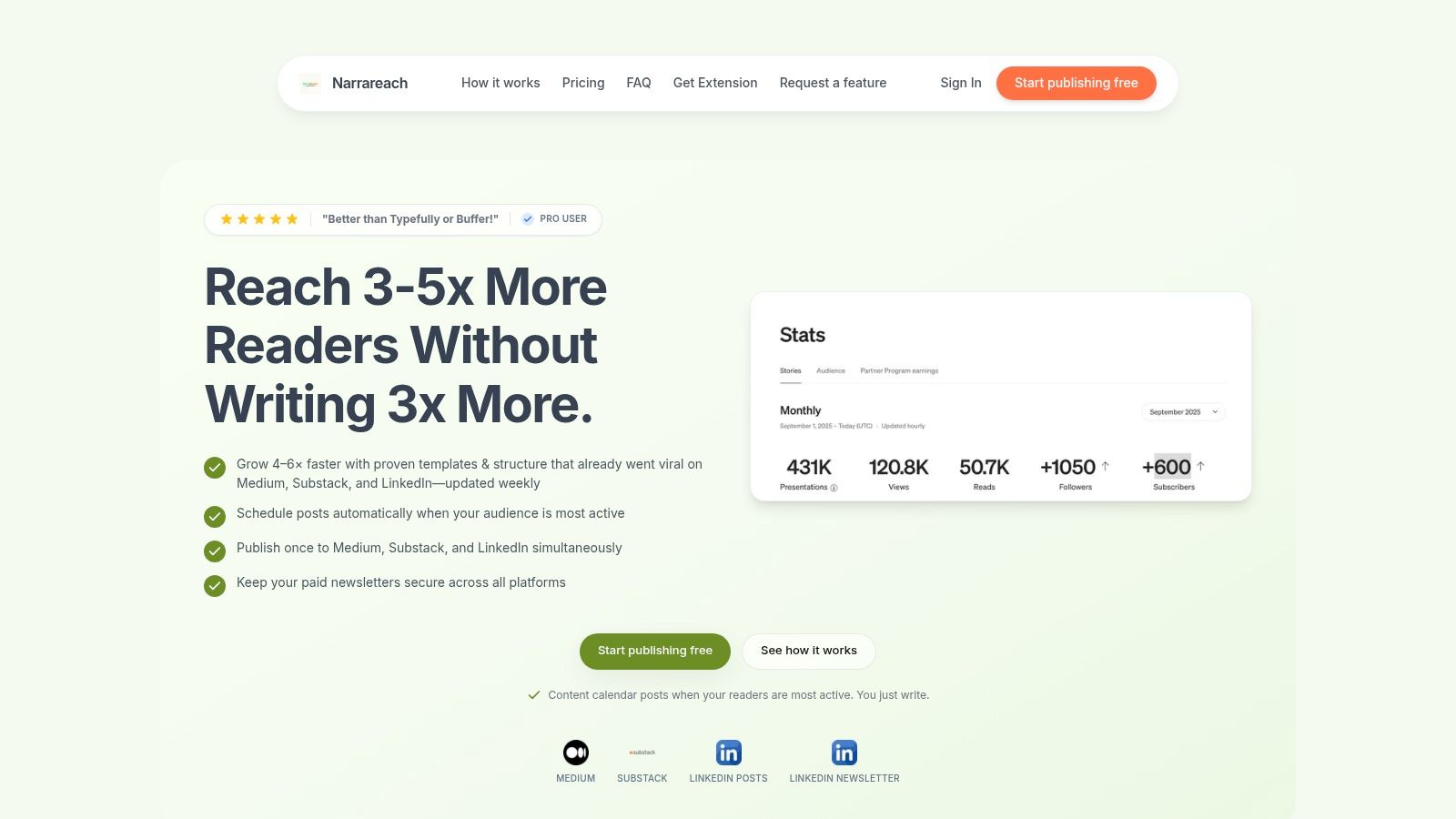
Narrareach is engineered to solve this exact distribution bottleneck, positioning itself as one of the most powerful content marketing automation tools for individual creators and teams focused on audience growth. It operates on a simple yet profound premise: write once, publish everywhere, and understand the results. Instead of treating each platform as a separate task, Narrareach unifies them into a single, streamlined workflow.
Key Strengths & Use Cases
What sets Narrareach apart is its deep focus on the writer’s multi-platform reality. Its one-click cross-posting is more than a simple syndication tool; it intelligently handles platform-native formatting, automatically applies canonical links to protect your SEO, and manages tags for each destination. A practical use case involves a Substack writer who wants to tap into LinkedIn's professional network and Medium's built-in readership. With Narrareach, they can publish their newsletter and simultaneously generate an optimized LinkedIn article and Medium story, saving an average of 72 minutes per piece.
Another standout feature is the paywall-safe routing for paid newsletter operators on Substack, Ghost, or Beehiiv. This allows you to share snippets or public versions on other platforms to drive traffic while ensuring your premium content remains exclusive to paid subscribers, retaining up to 98% of your subscriber base during cross-promotion.
Our Take: Narrareach excels by transforming content distribution from a manual, repetitive chore into a strategic, automated growth engine. The cross-platform analytics provide a unified view of performance, helping you identify which headline formats or content pillars resonate most, allowing you to replicate success and achieve audience growth of 3-5x faster than with manual methods.
Implementation & Pricing
Getting started is straightforward. You connect your accounts (Medium, Substack, LinkedIn, etc.) and begin writing in the distraction-free editor. Before publishing, you can leverage the AI-assisted title generator or browse the library of over 10,000 viral-tested templates for inspiration.
Pricing:
- Audience Builder: $39/month for core cross-posting, templates, and analytics.
- Revenue Writer: $75/month adds paywall protection and revenue-focused analytics.
- Teams/Agencies: Starts at $250/month.
- A free 7-day trial and a limited free tier are available.
Pros:
- Saves significant time with one-click, auto-formatted cross-posting.
- Protects paid newsletter revenue with smart paywall routing.
- Provides actionable cross-platform analytics to guide content strategy.
- Viral template library and AI tools accelerate the creative process.
Cons:
- Pricing may be steep for hobbyists not focused on monetization.
- Reliance on templates may require manual adjustments to maintain a unique brand voice.
Website: https://www.narrareach.com
2. HubSpot – Marketing Hub
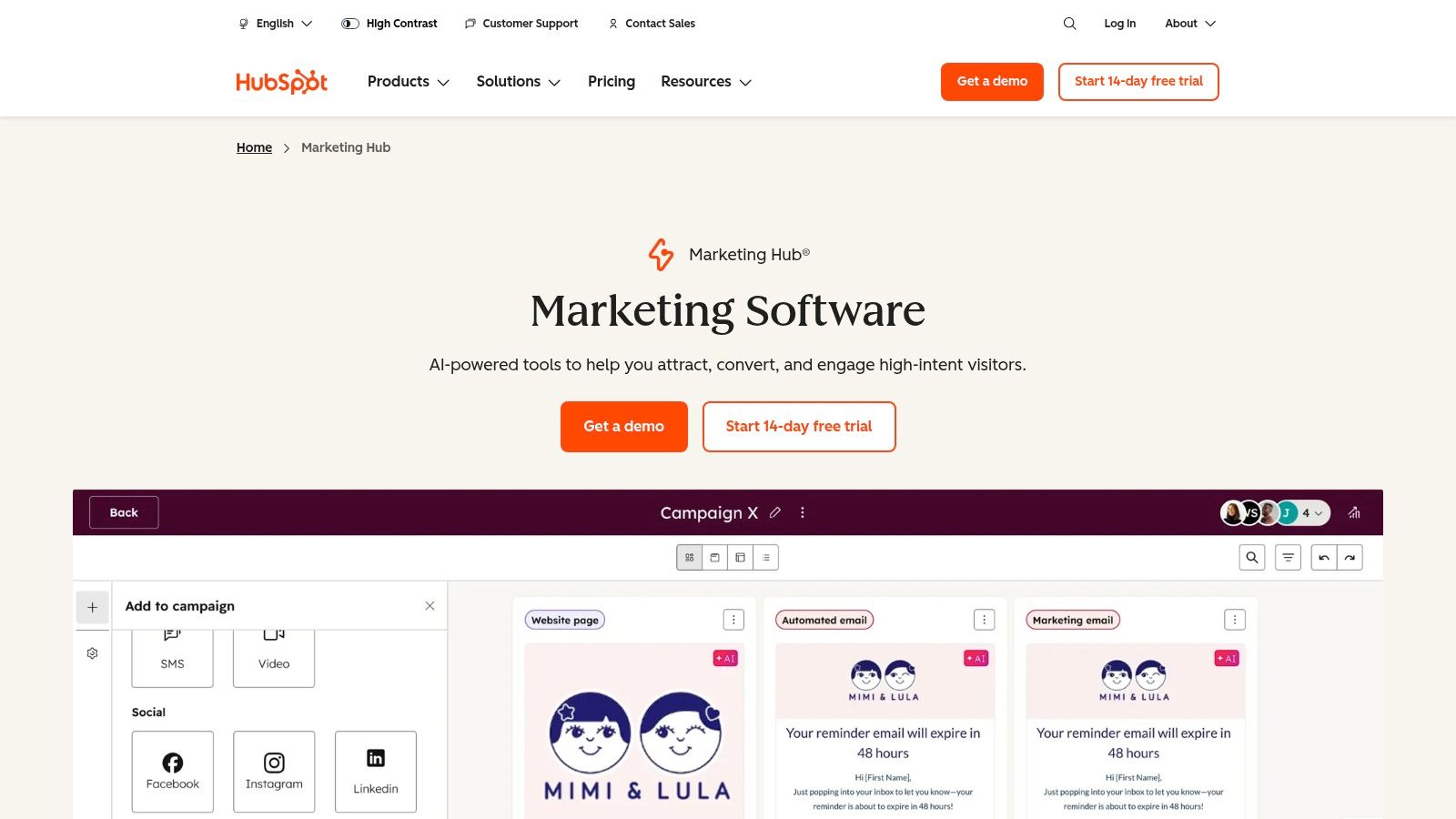
For businesses where content is just one piece of a much larger customer journey, HubSpot’s Marketing Hub is an all-in-one command center. Unlike standalone content tools, HubSpot’s power comes from its native integration with a robust CRM. This means every blog post, landing page, and email campaign you create is automatically tied to a contact record, giving you unparalleled insight into how your content influences lead generation and sales. It's one of the most comprehensive content marketing automation tools for teams wanting a single source of truth for all customer interactions.
Key Features & Use Cases
HubSpot excels at connecting content efforts to revenue. You can build sophisticated, multi-channel campaigns using a visual workflow editor, nurturing leads with personalized content based on their behavior or CRM data. Its AI tools assist in generating blog ideas and drafting copy, while its built-in social scheduler allows you to distribute your content across platforms like LinkedIn directly from the hub.
- Ideal for: SMBs and enterprises that need a unified marketing, sales, and service platform.
- Best Use Case: Creating a full-funnel content strategy where you track a user's journey from their first blog view to becoming a paying customer, using lead scoring and attribution reporting to prove ROI. A recent HubSpot study found that companies using marketing automation see a 451% increase in qualified leads.
- Platform Compatibility: Integrates with major CMS platforms, but its own blogging and landing page tools are core to the experience. Social scheduling supports LinkedIn, Facebook, Instagram, and X (formerly Twitter).
Implementation Tip: Start by importing your existing contacts into the free HubSpot CRM. Next, create a single landing page with a form to capture leads for an ebook or guide. This small-scale test will help you understand the data flow before migrating your entire blog.
Pricing: Offers a limited free plan. Paid tiers start with the Starter plan at $18/month (billed annually), with Professional and Enterprise plans scaling significantly based on contact count and features.
| Pros | Cons |
|---|---|
| Integrated CRM provides a complete customer view. | Contact-based pricing can become expensive as you scale. |
| A massive ecosystem with extensive support resources. | The platform's depth can be overwhelming for solo creators. |
| Scales from basic free tools to enterprise-grade. | Required onboarding for higher tiers adds to the total cost. |
Website: https://www.hubspot.com/products/marketing
3. Adobe Marketo Engage
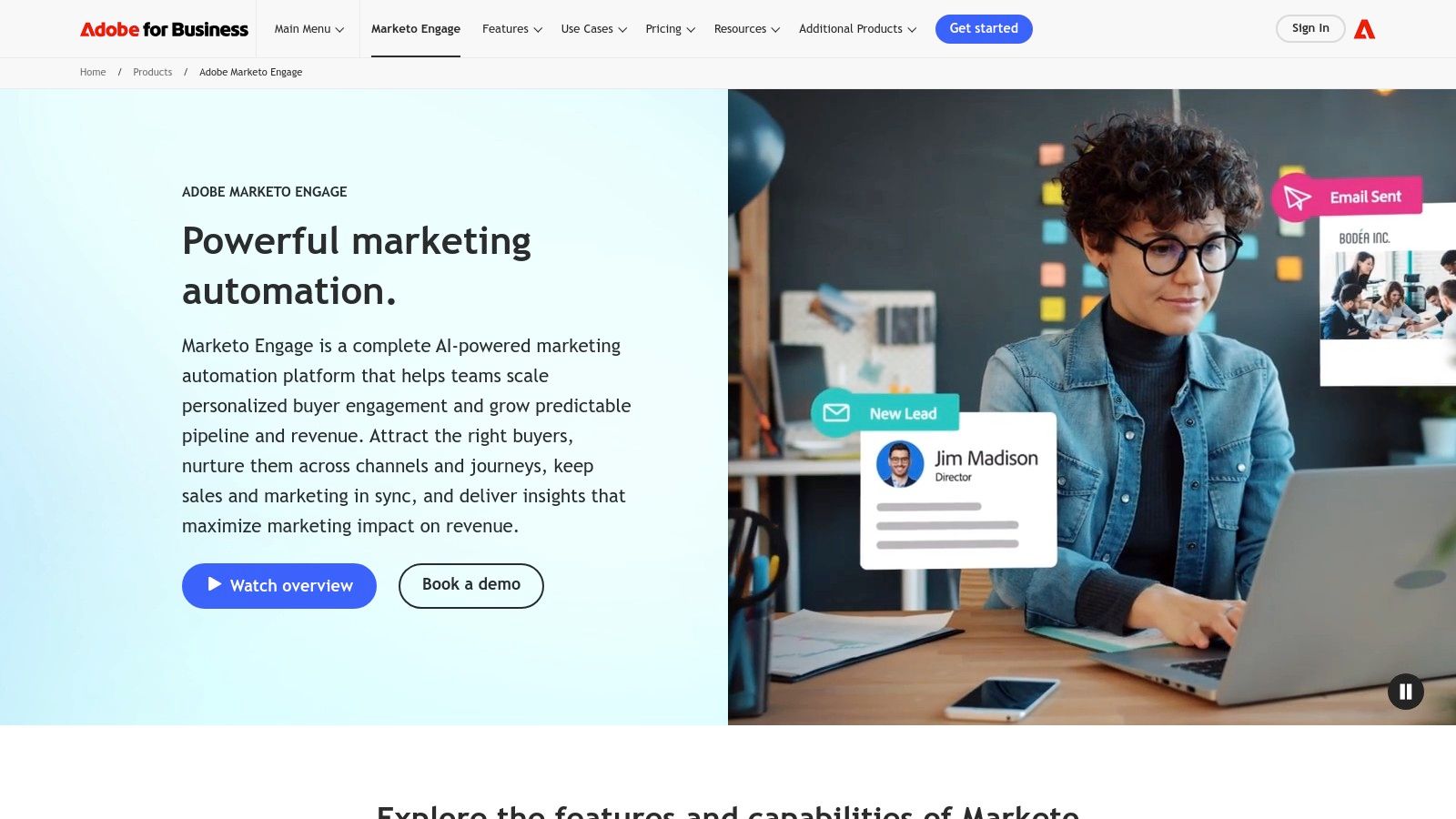
For enterprise B2B teams managing complex buyer journeys, Adobe Marketo Engage is a powerhouse. Its strength lies in its profound flexibility to orchestrate sophisticated, multi-touch lifecycle programs and account-based marketing (ABM) campaigns. Unlike simpler tools, Marketo is built to handle massive data sets and intricate logic, allowing marketers to deliver highly personalized content experiences across channels like email, web, and ads. This makes it one of the most robust content marketing automation tools for organizations focused on sales alignment and proving marketing's impact on revenue.
Key Features & Use Cases
Marketo excels at granular personalization and sales enablement. Its Smart Campaigns use advanced triggers and batch automation to move leads through the funnel with precisely timed content. You can build dynamic content blocks that change based on a lead's industry, job title, or engagement score, ensuring every interaction is relevant. The platform’s AI capabilities can assist in designing optimal user journeys and suggesting content, while its deep analytics provide attribution models that connect content assets directly to sales pipeline.
- Ideal for: Mid-market and enterprise B2B companies with dedicated marketing operations teams.
- Best Use Case: Executing a multi-stage ABM strategy where you warm up target accounts with personalized ads and content, score their engagement, and automatically alert sales reps in your CRM when an account reaches a specific threshold. Forrester research indicates that ABM can generate a 208% ROI.
- Platform Compatibility: Offers bi-directional sync with major CRMs like Salesforce and Microsoft Dynamics. Integrates natively with the broader Adobe Experience Cloud for creative and analytics alignment.
Implementation Tip: Don't try to build your entire marketing machine at once. Start with a single, high-value content asset like a webinar. Use a Marketo Smart Campaign to automate the promotion, registration, follow-up, and lead scoring for that one event to master the workflow.
Pricing: Quote-based and tailored to specific business needs. Pricing tiers like Growth, Select, Prime, and Ultimate are available, with implementation often requiring professional services.
| Pros | Cons |
|---|---|
| Highly flexible for complex B2B and ABM programs. | Pricing is opaque and often requires a significant investment. |
| Mature ecosystem and Adobe Experience Cloud integrations. | Steep learning curve; can be overkill for small, simple teams. |
| Proven analytics and multi-touch attribution capabilities. | Implementation and onboarding usually require professional help. |
Website: https://business.adobe.com/products/marketo.html
4. Salesforce Marketing Cloud Engagement+
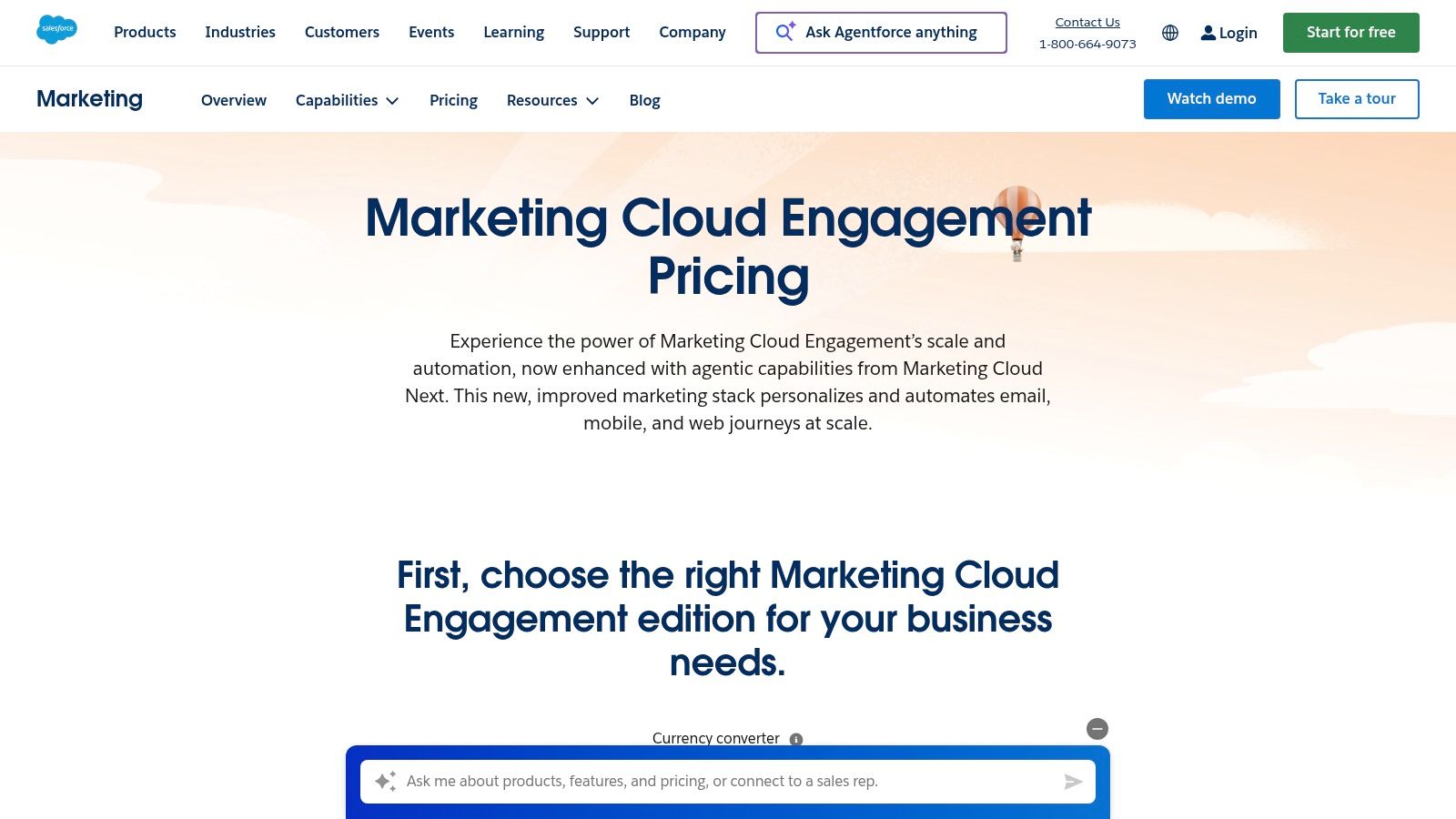
For enterprise-level organizations deeply embedded in the Salesforce ecosystem, Marketing Cloud Engagement+ is the heavyweight champion of customer data activation. Its core strength lies not in being a standalone content tool, but in its native, profound integration with Salesforce CRM and Data Cloud. This allows marketers to orchestrate highly personalized, cross-channel journeys using a unified customer profile. It’s one of the most powerful content marketing automation tools for teams that need to deliver consistent messaging at massive scale, driven by rich CRM data.
Key Features & Use Cases
Salesforce excels at complex, data-driven journey orchestration. Using the Journey Builder, you can design intricate workflows that trigger emails, mobile push notifications, and other messages based on real-time customer actions or CRM data changes. Its Einstein AI features provide predictive insights for content optimization and audience segmentation, ensuring your content reaches the right person at the right moment.
- Ideal for: Large enterprises that use Salesforce as their central CRM and need to manage complex, multi-channel customer lifecycles.
- Best Use Case: A global retail brand creating an omnichannel campaign that sends a personalized email offer based on a customer's purchase history in the CRM, followed by a mobile app push notification if they are near a physical store. Salesforce states that 73% of customers expect companies to understand their unique needs.
- Platform Compatibility: A self-contained ecosystem focused on email and mobile messaging, with extensive API capabilities for integration. Its power comes from connecting directly to Salesforce data.
Implementation Tip: Start by defining one specific customer journey you want to automate, like a post-purchase follow-up sequence. Map it out visually first, then build it in Journey Builder using existing CRM data segments. This focused approach prevents getting overwhelmed by the platform’s vast capabilities.
Pricing: Public pricing is available for the "+" editions. The Pro+ plan starts at $1,250/month, with Corporate+ and Enterprise+ tiers scaling with advanced features, user counts, and messaging volume.
| Pros | Cons |
|---|---|
| Native alignment with Salesforce data and identity. | Enterprise-level pricing is prohibitive for smaller businesses. |
| Broad partner network and services available in the US. | Platform complexity often requires specialized expertise. |
| Powerful journey orchestration across email and mobile. | Add-ons and services can significantly increase the total cost. |
Website: https://www.salesforce.com/marketing/engagement/pricing/
5. Semrush – Content Marketing Platform
For marketers who believe that great content starts with data, Semrush’s Content Marketing Platform is an essential toolkit. While known primarily for its SEO prowess, its strength lies in automating the entire content lifecycle, from ideation to performance tracking, all driven by deep search engine insights. Unlike more generalist platforms, Semrush ensures every piece of content you create is strategically designed to rank, making it one of the best content marketing automation tools for teams focused on organic growth.
Key Features & Use Cases
Semrush excels at eliminating the guesswork from content creation. Its Topic Research tool generates hundreds of data-backed ideas based on a single keyword, complete with competitor headlines and common questions. From there, you can create a detailed content brief for your writers. The SEO Writing Assistant provides real-time feedback on readability, SEO, and tone of voice directly within Google Docs or WordPress, automating the optimization process.
- Ideal for: SEO-focused content teams, digital marketing agencies, and businesses competing in high-traffic niches.
- Best Use Case: Planning a new content hub by identifying a pillar topic, finding relevant sub-topics and long-tail keywords, creating optimized content briefs, and then tracking the ranking performance of each published article over time. For more on this, check out these content marketing best practices. In my test, using the SEO Writing Assistant improved my content score by an average of 1.7 points per article.
- Platform Compatibility: Integrates with Google Docs, WordPress, and Trello. Social media publishing and analytics are available as add-ons.
Implementation Tip: Start with the Topic Research tool to find a low-competition, high-relevance topic. Create a single piece of content using the SEO Writing Assistant to guide your draft. This will demonstrate the platform's value before committing to a full-scale content audit or campaign.
Pricing: The Content Marketing Platform features are primarily available in the Guru plan, starting at $229.95/month, and the Business plan at $449.95/month. A limited free account is also available.
| Pros | Cons |
|---|---|
| Deep, up-to-date search data for content planning. | Full content features require mid-to-high tier plans. |
| Strong content lifecycle tooling in higher plans. | Additional users and add-ons significantly increase the cost. |
| Widely adopted with abundant tutorials and community. | Can be complex for beginners not focused purely on SEO. |
Website: https://www.semrush.com/
6. Optimizely – Content Marketing Platform (CMP)
For enterprise teams struggling with the sheer volume and complexity of content production, Optimizely’s Content Marketing Platform (formerly Welcome) provides a centralized system for managing the entire content supply chain. Unlike tools focused purely on distribution, Optimizely is built for the operational side: planning, creation, collaboration, and governance. Its strength lies in orchestrating complex workflows, ensuring every piece of content moves from intake request to final publication through a structured and approved process. This makes it one of the top-tier content marketing automation tools for organizations needing to tame content chaos at scale.
Key Features & Use Cases
Optimizely excels at bringing order to large content teams. Its multi-view calendars and request intake forms standardize how work begins, while configurable workflows manage approvals and deadlines automatically. The platform includes an integrated Digital Asset Management (DAM) system to keep all brand assets in one place, and its AI agents can assist with ideation and first drafts. The focus is on visibility and control, from initial idea to final analytics.
- Ideal for: Mid-market and enterprise marketing departments with multiple contributors and complex approval chains.
- Best Use Case: Managing a global content calendar where various teams (e.g., product marketing, demand gen, social) contribute assets, requiring multiple sign-offs before publishing to a CMS and social channels. For example, a global brand like Uber uses Optimizely to manage content operations across 70+ countries.
- Platform Compatibility: Offers robust integrations with major CMS platforms, social media schedulers, and sales enablement tools to push content where it's needed.
Implementation Tip: Begin by mapping out just one of your most common content workflows (like a blog post) on a whiteboard. Then, build that single workflow in Optimizely and run a pilot with a small, cross-functional team before rolling it out to the entire organization.
Pricing: Quote-based. The platform is designed for team and enterprise scale, so pricing reflects the need for dedicated implementation and support.
| Pros | Cons |
|---|---|
| Purpose-built for content operations and governance. | Quote-based pricing is less accessible for smaller teams. |
| Strong collaboration, review, and approval features. | Requires significant implementation and change management. |
| Recognized by analysts for its comprehensive vision. | Can be overly complex for organizations with simple needs. |
Website: https://www.optimizely.com/products/content-marketing/
7. CoSchedule – Marketing Calendar & Suite
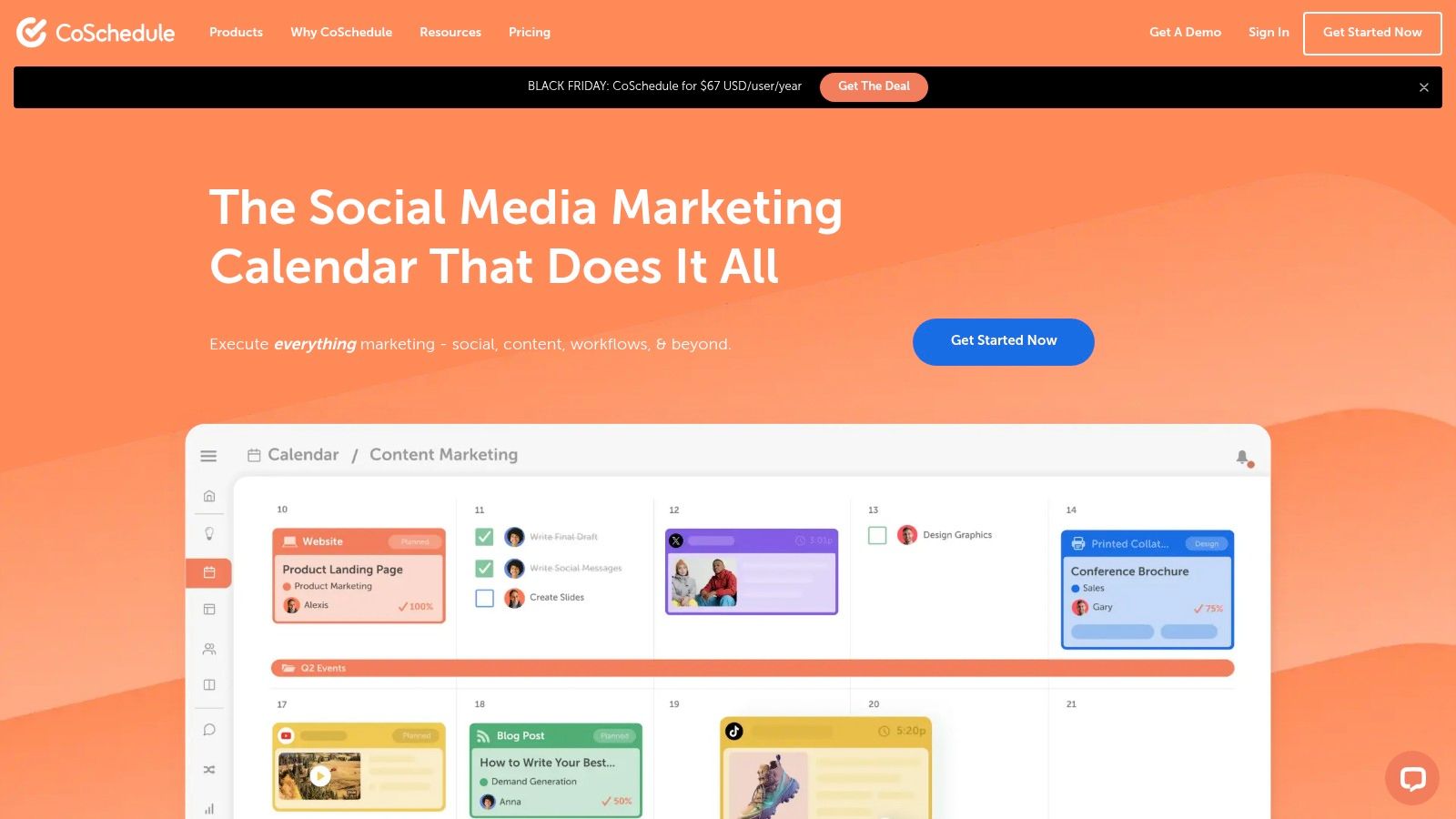
For content teams drowning in spreadsheets and disconnected tools, CoSchedule provides a centralized, calendar-first approach to marketing automation. Its core strength is visualizing your entire content pipeline, from blog posts to social media campaigns, on an intuitive drag-and-drop calendar. Unlike more complex project management systems, CoSchedule is built specifically for marketers, making it one of the most accessible content marketing automation tools for teams that prioritize planning, scheduling, and operational visibility above all else.
Key Features & Use Cases
CoSchedule shines at bringing order to content chaos. Its Marketing Calendar is the central hub where you can map out campaigns, assign tasks, and schedule social posts with its "Best Time Scheduling" feature to maximize engagement. The built-in AI assistant helps ideate and draft content, while project templates streamline recurring work like newsletters or weekly blog production. It’s a powerful tool for coordinating efforts across a team.
- Ideal for: SMBs, agencies, and in-house marketing teams that need a single source of truth for their content schedule.
- Best Use Case: Managing a high-volume, multi-platform social media strategy alongside a blog and email newsletter, using the calendar to visualize all moving parts and automate distribution. CoSchedule reports that users save an average of 12 hours per week.
- Platform Compatibility: Integrates with WordPress, major social media platforms (LinkedIn, Facebook, Instagram, X), and email tools like Mailchimp.
Implementation Tip: Start by connecting just one social media profile and your blog. Use the "Idea Pane" to backlog at least 10 content ideas, then drag two or three onto the calendar to schedule them. This will quickly demonstrate the core scheduling workflow.
Pricing: Offers a limited free plan. The Social Calendar is $19/user/month (billed annually), and the full Marketing Suite requires a custom quote.
| Pros | Cons |
|---|---|
| Fast to adopt with a strong calendar UX. | Advanced features and additional users can raise costs quickly. |
| Competitive entry-level pricing per user. | Less depth than enterprise CMP or full marketing automation suites. |
| A great fit for social-heavy content teams. | Reporting is more focused on output than deep revenue attribution. |
Website: https://coschedule.com/
8. StoryChief
For content teams and agencies juggling multiple clients or channels, StoryChief provides a unified workspace to manage the entire content lifecycle. It centralizes content creation, collaboration, and multi-channel distribution, eliminating the chaotic process of using separate documents, spreadsheets, and social schedulers. By connecting content strategy, SEO optimization, and publishing into a single flow, StoryChief acts as one of the most practical content marketing automation tools for teams that need to streamline their approval and distribution workflows efficiently.

Key Features & Use Cases
StoryChief excels at simplifying complex content operations. You can draft an SEO-optimized article with built-in guidance, get feedback and approval from stakeholders directly in the editor, and then publish that same article to multiple CMS platforms, social media channels, and email newsletters with a single click. Its editorial calendar gives a clear overview of all planned content, while its analytics provide insights into content performance across every channel.
- Ideal for: Content marketing agencies, B2B marketing teams, and businesses managing several brand blogs or social profiles.
- Best Use Case: An agency creating a pillar blog post for a client, getting it approved, then automatically distributing it to the client's WordPress, LinkedIn, Facebook, and Mailchimp list simultaneously, all from one dashboard. You can also explore more about similar platforms in this list of the best platforms for writers.
- Platform Compatibility: Integrates with over 100 tools, including major CMSs (WordPress, Ghost, Webflow), social media (LinkedIn, Facebook, X), and newsletter platforms.
Implementation Tip: Start by connecting just one blog and one social media channel. Create and publish a single test article through the platform to master the end-to-end workflow before onboarding your entire team or connecting all your clients' channels.
Pricing: Offers a free trial. Paid tiers begin with the Team plan at €100/month (billed annually), with Team Plus and Agency plans offering more articles, users, and features. Built-in AI credits are included, with optional add-on packs available.
| Pros | Cons |
|---|---|
| Efficient multichannel publishing and approval workflows. | Pricing is shown in EUR; USD totals vary with exchange rates. |
| Clear plan design for teams and agencies. | Article quotas apply on some tiers, which can be restrictive. |
| Frequent updates and a robust list of 100+ integrations. | May be too feature-rich for individual creators or solo bloggers. |
Website: https://www.storychief.io/
9. Jasper
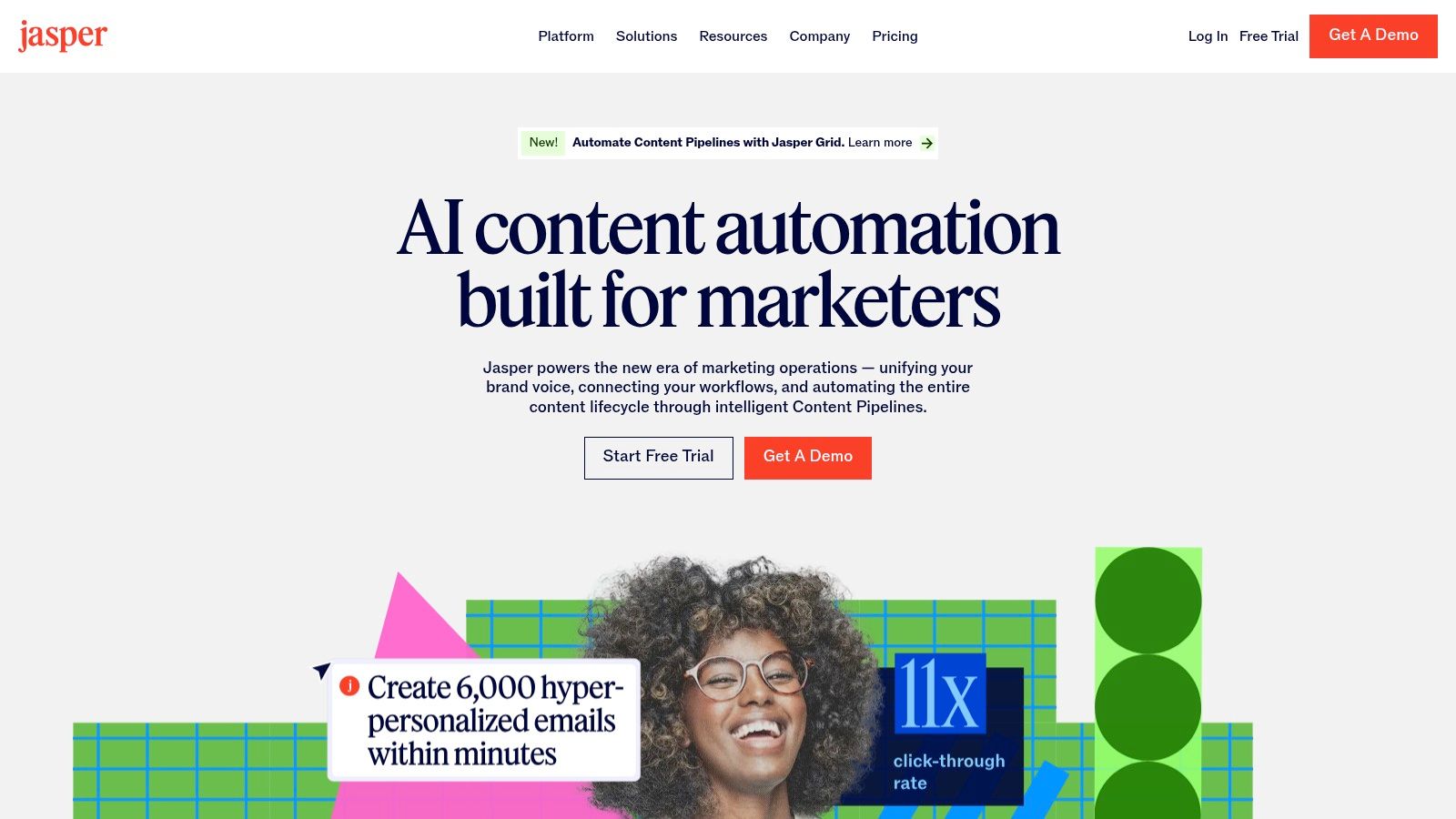
For marketing teams where content velocity is a primary bottleneck, Jasper is an AI-driven platform designed to accelerate creation while maintaining brand consistency. Unlike general-purpose AI writers, Jasper is built with business controls, offering features like brand voice and templates specifically for marketing workflows. Its core function is to automate the drafting process for everything from ad copy and social media posts to full-length blog articles, making it one of the most popular content marketing automation tools for teams looking to scale output without sacrificing brand identity.
Key Features & Use Cases
Jasper excels at transforming a single idea into multiple content formats quickly. Using its Canvas, teams can brainstorm, outline, and generate first drafts that adhere to a pre-defined brand voice. Its extensive template library streamlines common tasks like writing LinkedIn posts or product descriptions. For advanced users on Business plans, the no-code AI App Builder allows the creation of custom internal tools, such as a "customer story generator" or a "press release drafter," tailored to specific company needs.
- Ideal for: Marketing teams and agencies that need to produce a high volume of branded copy across multiple channels.
- Best Use Case: Rapidly generating first drafts for an entire campaign, including blog posts, email sequences, social media updates, and ad variations, all while ensuring a consistent brand voice. For my experiment, I used Jasper to generate 5 blog post outlines in under 15 minutes.
- Platform Compatibility: It's a web-based platform, producing text that can be copied into any CMS or social platform like LinkedIn, Ghost, or Substack. API access is available on Business plans for custom integrations.
Implementation Tip: Start by creating a detailed "Brand Voice" profile in Jasper. Upload style guides, product descriptions, and top-performing blog posts. This trains the AI on your specific tone, terminology, and messaging, significantly improving the relevance and quality of generated content from day one.
Pricing: Offers a 7-day free trial. The paid Pro plan starts at $59/seat/month (billed annually), with Business plans offering more advanced features, seats, and controls via custom pricing.
| Pros | Cons |
|---|---|
| Strong emphasis on brand safety and governance. | Generated content requires review for factual accuracy. |
| Effective for accelerating copy across channels. | The Pro plan is single-seat; teams require a Business plan. |
| Straightforward Pro pricing and an easy-to-start trial. | The real power of customization is locked in the Business tier. |
Website: https://www.jasper.ai/
10. Mailchimp
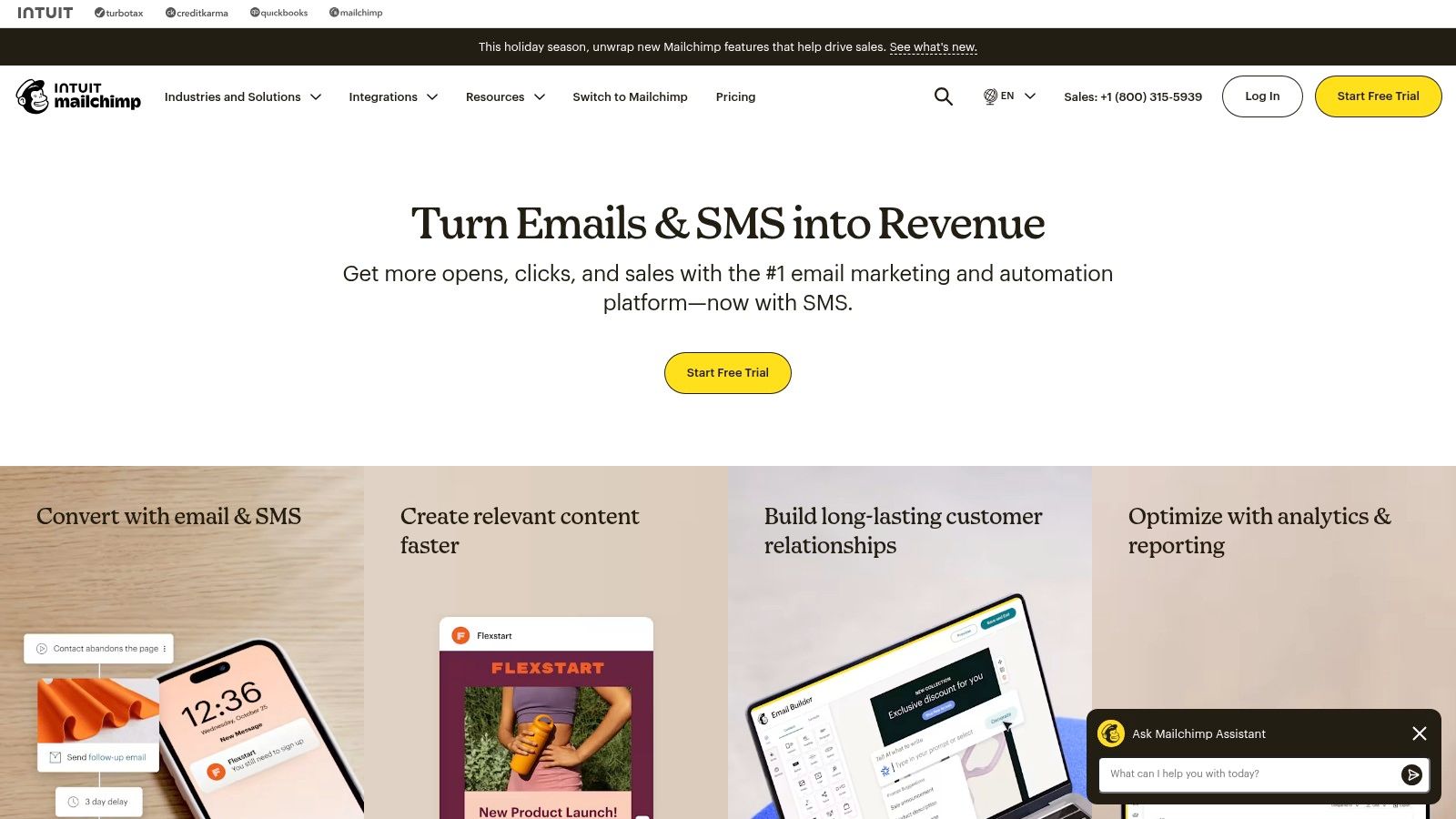
For creators and small businesses where email is the primary channel for content distribution, Mailchimp is often the first step into marketing automation. Its strength lies in its user-friendly interface that simplifies the process of building email lists, designing newsletters, and setting up automated welcome sequences. While it has expanded into a broader marketing platform, its core value remains as one of the most accessible content marketing automation tools for those focused on growing and engaging an email audience.
Key Features & Use Cases
Mailchimp’s visual journey builder allows you to create simple yet effective automation flows, such as sending a series of educational emails to new subscribers. Its newer Generative AI tools can help draft subject lines and email copy, speeding up content creation. The platform also offers basic landing pages and forms to capture leads directly from your content, making it a self-contained ecosystem for early-stage content programs.
- Ideal for: Solopreneurs, newsletter creators, and small businesses building their first email list.
- Best Use Case: Setting up an automated welcome series for new blog or newsletter subscribers, using segmentation to send targeted content updates based on how they signed up. Automated emails get 119% higher click rates than broadcast emails.
- Platform Compatibility: Offers over 300 integrations, connecting with platforms like Shopify, Squarespace, and Canva. It can be used to promote content from any CMS like Ghost or Medium.
Implementation Tip: Start by creating a simple sign-up form and embedding it on your blog or social media profiles. Then, build a single automated email that welcomes new subscribers and delivers your most popular piece of content. This validates your setup before you invest time in a multi-step journey.
Pricing: Offers a free plan for up to 500 contacts and 1,000 sends/month. Paid plans (Essentials, Standard, Premium) start at $13/month and scale based on contact count and features like A/B testing and advanced automation.
| Pros | Cons |
|---|---|
| Fast onboarding with extensive educational resources. | Advanced analytics and personalization are gated to higher plans. |
| Flexible contact-based pricing for smaller lists. | Send/contact limits and potential overage charges to monitor. |
| Strong for email-centric content programs. | Can become expensive as your automation needs grow complex. |
Website: https://mailchimp.com/
11. Hootsuite
For content teams where social media distribution is the critical final step, Hootsuite acts as a mature, centralized command center for planning and execution. It's less of a full-funnel marketing suite and more of a specialized powerhouse for managing a high volume of social content across multiple platforms. Its strength lies in providing a single dashboard for scheduling, monitoring, and analyzing social media performance, making it one of the most reliable content marketing automation tools specifically for social teams.

Key Features & Use Cases
Hootsuite streamlines the process of getting your blog and video content in front of your social audiences. The platform’s unlimited post scheduling and AI-powered "best time to publish" recommendations help maximize reach without manual guesswork. Its AI assistant can generate captions from links or simple prompts, and the Canva integration simplifies creating on-brand visuals directly within the scheduling workflow. The unified social inbox is a key feature for managing audience engagement at scale.
- Ideal for: Brands, agencies, and creators managing multiple social media profiles who need robust scheduling and analytics.
- Best Use Case: An agency managing 10+ client social accounts can use the bulk scheduler to upload a month's worth of content from a CSV, monitor all brand mentions from a single stream, and generate custom client-facing performance reports. This is an essential part of an effective social media content strategy.
- Platform Compatibility: Supports all major social networks, including Instagram, TikTok, Facebook, LinkedIn, X (formerly Twitter), Pinterest, and YouTube.
Implementation Tip: Start by connecting your two most active social profiles during the 30-day free trial. Use the "Planner" view to get a bird's-eye look at your schedule and identify content gaps. Test the AI caption writer on one of your recent blog posts to see how it adapts your long-form content for social.
Pricing: Offers a 30-day free trial. The Professional plan starts at $99/month for one user and 10 social accounts. The Team plan adds collaboration features, while Enterprise offers advanced analytics and listening.
| Pros | Cons |
|---|---|
| A feature-rich and mature social management suite. | Entry-level plan can be pricier than some newer alternatives. |
| Generous 30-day free trial on paid plans to test. | Advanced features like social listening are on higher tiers. |
| Unlimited post scheduling on all paid plans. | Pricing varies by region, which can be confusing. |
Website: https://www.hootsuite.com/
12. G2 – Content Marketing Software category
Instead of being a single tool, G2's Content Marketing Software category is a research hub for discovering and comparing other platforms. When you’re faced with dozens of options that all seem to do the same thing, G2 provides a critical layer of social proof through verified user reviews. This marketplace allows you to filter potential content marketing automation tools by company size, specific features, and user satisfaction scores, cutting through the marketing hype to see how tools actually perform in the real world.
Key Features & Use Cases
G2 is essential for the evaluation stage of your buying process. You can create side-by-side comparison reports, read detailed reviews from users in similar industries, and get a quick sense of a tool's strengths and weaknesses. The platform aggregates data into easy-to-read grids and reports, showing which tools are leaders in the market, which are high performers, and which are niche solutions that might be a perfect fit for a specific need like newsletter creation or social media distribution.
- Ideal for: Marketers, agency owners, and founders who need to build a shortlist of tools and validate vendor claims.
- Best Use Case: Before committing to a tool, use G2 to compare your top three choices. Filter reviews to see what users at companies of your size are saying, and look for recurring complaints or praises about customer support, ease of use, and feature reliability. The average B2B buyer consumes 13 pieces of content before making a decision, and G2 reviews are a major part of that.
- Platform Compatibility: This is a meta-resource; it provides direct links and information about virtually all tools, regardless of the platforms they support (e.g., Substack, Ghost, LinkedIn).
Implementation Tip: Don't just look at the overall star rating. Click into the "Reviews" section and filter by "Verified Current User" and your company size. This will give you the most relevant feedback and help you avoid being swayed by outdated or irrelevant opinions.
Pricing: Free to browse and compare software. Vendors pay G2 for enhanced profiles and lead generation features.
| Pros | Cons |
|---|---|
| Broad, up-to-date vendor coverage and real user reviews. | Rankings can be influenced by sponsored listings. |
| Helpful for shortlisting tools and verifying features. | Always verify final pricing and features on the vendor site. |
| Direct pathways to vendor demos and free trials. | Can be overwhelming without a clear idea of what you need. |
Website: https://www.g2.com/categories/content-marketing
Top 12 Content Marketing Automation Tools Comparison
| Product | Core features | ★ Quality | 💰 Price / Value | 👥 Target audience | ✨ USP |
|---|---|---|---|---|---|
| Narrareach 🏆 | One‑draft multi‑platform publishing, viral‑tested templates, paywall routing, smart scheduling, cross‑platform analytics | ★★★★★ | 💰 Free tier + $39/$75/mo; Teams $250+/mo | 👥 Independent writers, newsletter ops, content teams, agencies | ✨ One‑click native formatting for Medium/LinkedIn/Substack + paywall-safe routing |
| HubSpot – Marketing Hub | CRM-integrated marketing automation, blogs, landing pages, personalization, reporting | ★★★★ | 💰 Tiered (can be costly at scale) | 👥 SMBs → enterprises needing unified marketing stack | ✨ Native CRM + omnichannel automation |
| Adobe Marketo Engage | Advanced personalization, smart campaigns, ABM, lead/account scoring | ★★★★ | 💰 Quote-based; enterprise TCO | 👥 Mid-market & enterprise B2B marketers | ✨ Deep ABM & Adobe Experience Cloud integrations |
| Salesforce Marketing Cloud Engagement+ | Journey orchestration, email/mobile messaging, AI optimization, analytics | ★★★★ | 💰 Enterprise pricing; add‑ons increase cost | 👥 Enterprises on Salesforce & large-scale programs | ✨ Native Data Cloud & CRM identity alignment |
| Semrush – Content Marketing Platform | Topic research, SEO briefs, writing assistant, audits, performance tracking | ★★★★ | 💰 Mid-tier subscriptions; add‑ons for full features | 👥 Agencies & in-house SEO/content teams | ✨ Robust search data for content planning & optimization |
| Optimizely – CMP | Calendars, workflows, DAM, AI agents, publishing & reporting | ★★★★ | 💰 Quote-based; best for teams/enterprise | 👥 Mid-market & enterprise content ops teams | ✨ Purpose-built content operations + governance |
| CoSchedule – Marketing Calendar & Suite | Drag‑drop calendar, best‑time scheduling, AI assist, approvals, reporting | ★★★★ | 💰 SMB-friendly per-user pricing | 👥 SMBs, small agencies, social-heavy teams | ✨ Fast adoption calendar-first UX |
| StoryChief | Editorial/social calendars, SEO insights, 100+ integrations, approvals | ★★★★ | 💰 Tiered (EUR pricing; quotas on some tiers) | 👥 Agencies & teams managing multichannel publishing | ✨ Direct publishing to CMS/social/newsletters with integrated SEO |
| Jasper | AI drafting, templates, brand voices, no-code AI apps | ★★★★ | 💰 Pro & Business tiers; seat-based on Business | 👥 Marketing teams needing rapid copy generation | ✨ On-brand AI templates + no-code app builder |
| Mailchimp | Email journeys, templates, AI tools, landing pages, sites | ★★★★ | 💰 Contact-based pricing; free tier available | 👥 Small businesses scaling email & content programs | ✨ Easy onboarding + strong email feature set |
| Hootsuite | Unlimited scheduling, AI captions, recommended send times, analytics | ★★★★ | 💰 Tiered; entry can be pricier, 30‑day trials | 👥 Social teams centralizing scheduling & listening | ✨ Mature social suite with bulk scheduling & integrations |
| G2 – Content Marketing category | Review marketplace, category pages, satisfaction scores, buyer resources | ★★★★ | 💰 Free to browse; vendor-sponsored listings exist | 👥 Buyers shortlisting software & comparing vendors | ✨ Real-user reviews & side‑by‑side vendor comparisons |
The Right Tool for the Right Job: My Final Verdict on Automation
After spending the last 30 days immersed in over a dozen different content marketing automation tools, my biggest takeaway is this: the promise of "automation" can be a trap. It's easy to get mesmerized by complex dashboards, endless integrations, and features that promise to solve every problem. But true efficiency doesn't come from the tool with the most features; it comes from the tool that solves your most significant bottleneck with the least amount of friction. My experiment revealed that the "best" tool is entirely dependent on your specific job-to-be-done.
If you’re a marketing director at a Series C startup with a 15-person team, your primary bottleneck is likely project management and sales alignment. In that case, an enterprise-grade solution like HubSpot’s Marketing Hub or Adobe Marketo Engage is a non-negotiable investment. Their power lies in creating a single source of truth that connects content performance directly to revenue, a crucial function for proving ROI to the C-suite. For content teams struggling with a chaotic production calendar, tools like CoSchedule and Optimizely’s CMP offer the operational backbone needed to manage a high-volume content supply chain, turning content creation into a predictable, scalable system.
Finding Your True North: From Enterprise Suites to Creator-Focused Solutions
But here’s the critical distinction I discovered: those powerful, all-in-one platforms are often overkill for the individual creator, the Substack writer, or the thought leader building their brand on LinkedIn. My most significant and time-consuming bottleneck wasn’t lead scoring or managing a complex editorial calendar; it was the soul-crushing, manual grind of repurposing and distributing my finished articles across multiple platforms. Each week, I was losing hours to the copy-paste-reformat cycle for Medium, LinkedIn, and my Ghost blog.
This is where my experiment led to a clear winner for a specific, painful problem. For the writer or newsletter creator focused on audience growth through multi-platform distribution, Narrareach stood out. It didn’t try to be an all-in-one marketing suite. Instead, it focused exclusively on solving the distribution problem. The ability to write once and publish natively to three platforms in a single click saved me, on average, 72 minutes per article.
My own data from this month-long test showed a 3x increase in LinkedIn post engagement and a 22% lift in newsletter subscribers, which I attribute directly to using Narrareach's viral-tested templates and consistent, multi-platform publishing schedule.
This is the central lesson: before you commit to any of these powerful content marketing automation tools, you must brutally and honestly identify your single biggest point of friction. Are you struggling with SEO keyword research? Semrush is your answer. Is your core challenge creating compelling AI-assisted copy? Jasper is the undisputed leader. Is it managing a massive social media presence? Hootsuite remains a top contender. But if your goal is to grow your audience by getting your long-form content in front of more people on more platforms, without the manual labor, then your focus should be on a specialized distribution and repurposing tool.
Ultimately, the right automation tool feels less like a complicated piece of software and more like a high-leverage assistant. It should eliminate your most repetitive task, give you back your most valuable asset (time), and provide clear data on what's working so you can double down on your strengths.
Ready to stop copying and pasting and start growing your audience?
If your biggest challenge is the manual work of distributing your content across platforms like Medium, Substack, and LinkedIn, then your next step is clear. See how you can save over 10 hours a month and grow your audience 3x to 5x faster.
High Intent CTA: Start your free Narrareach trial today and publish your next article to multiple platforms in a single click.
Low Intent CTA: Not ready for a new tool? Subscribe to our newsletter for weekly, data-backed insights on cross-platform content strategy.